
Beschreibung
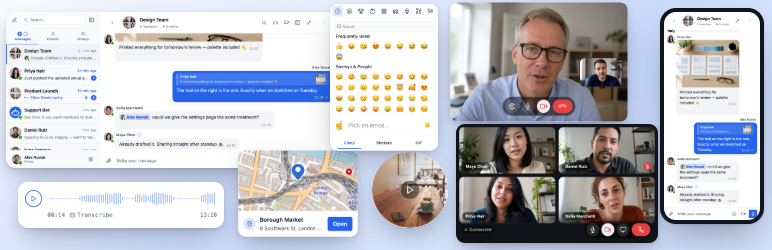
Better Messages ist das funktionsreichste Echtzeit-System für private Nachrichten für WordPress, mit nativen Integrationen für BuddyPress, BuddyBoss Platform, Ultimate Member, PeepSo und jede andere WordPress-Seite.
Transform your WordPress site into a powerful communication platform with private messaging, chat rooms, video and audio calls, group video calls with recording, AI chat bots, and native mobile apps.
Ob du eine private oder öffentliche Community, ein soziales Netzwerk, ein Intranet, eine Chatroom-Seite, einen Marktplatz, eine Mitgliederseite, eine Dating-Plattform oder eine Creator-Economy-Seite aufbaust – Better Messages bietet Messaging-Funktionen auf Enterprise-Niveau mit einer benutzerfreundlichen Oberfläche.
Better Messages ausprobieren:
- Live-Demo — voll funktionsfähige Demo-Seite
- Dokumentation & Wissensdatenbank — Einrichtungsleitfäden, Funktionen, FAQ
- Alle Integrationen — jedes unterstützte Plugin und Theme
- Preise — Vergleich zwischen kostenloser und WebSocket version
- Blog & Tutorials — Leitfäden, Schritt-für-Schritt-Anleitungen, vertiefte Integrations-Themen
Für Entwickler:
- REST-API-Referenz — jeder Endpunkt und Parameter
- PHP-Hooks — Actions, Filter, Hilfsfunktionen
- JavaScript-Hooks — Frontend-Events und Anpassungs-API
- Changelog — jede Version und jede Fehlerbehebung
- Roadmap — kommende Funktionen und Abstimmungen
Beliebte Anwendungsfälle:
- Private communities — members-only platforms, cohorts and coaching circles, role-restricted messaging, AI Chat Bots, end-to-end encryption
- Public communities and social networks — BuddyPress, BuddyBoss, PeepSo and FluentCommunity sites, group conversations, chat rooms, mini chat widgets
- Intranet and corporate websites — team channels, access by WordPress role, file sharing, calls for remote teams
- Chat rooms websites — public and private topic rooms, guest access for unregistered visitors
- Dating and matchmaking sites — private 1-on-1 chat, photos and videos, calls, chat buttons on member directories
- Creator economy and paid DMs — paid messaging per message or call via GamiPress or MyCRED, mass messaging to fans
- Coaching and mentorship platforms — client-to-coach DMs, video calls, voice messages, file sharing
- Online stores (WooCommerce) — pre-sales chat on product pages, order support, inbox in My Account
- Marketplaces, classifieds and real estate — buyer-to-seller and agent chat on every listing, guest chat for visitors
- Online courses (LMS) — course chat rooms, instructor-to-student DMs
- Forums and Q&A communities — Private Message link on every reply
- Live events and webinars — event lobby chat rooms, guest access, group calls for AMAs
- Booking and appointment platforms — guest-to-host messaging on listings and bookings
- Crypto and Web3 communities — token-gated chat rooms, AMA group calls, AI knowledge bots
Das Plugin „Better Messages“ hieß früher „BP Better Messages„.
Übersetzen Sie Better Messages in Ihre Sprache
Kern-Nachrichtenfunktionen:
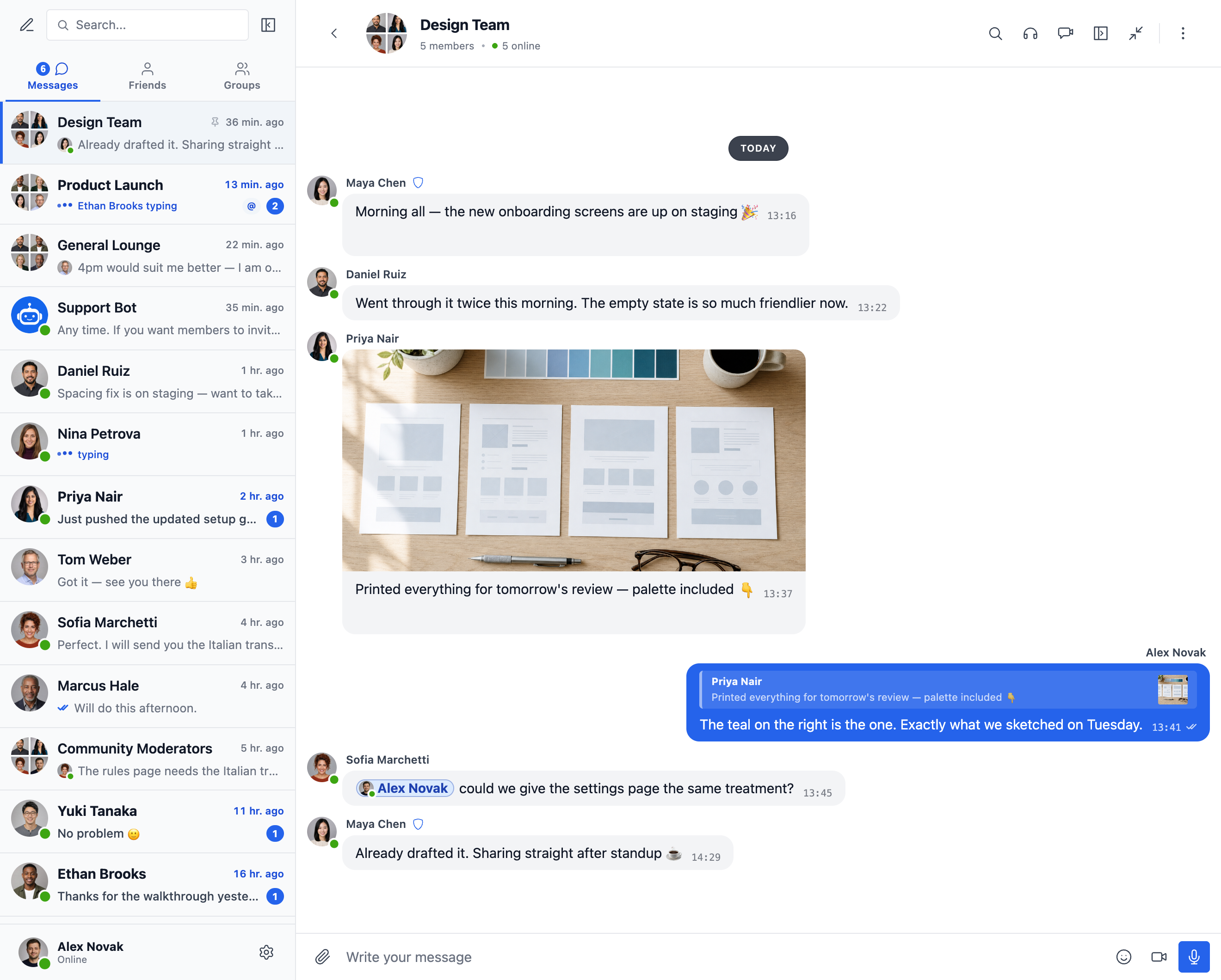
- AJAX- oder WebSocket-basierte Echtzeit-Unterhaltungen
- Private Einzelunterhaltungen
- Gruppenunterhaltungen mit unbegrenzten Teilnehmern
- Chaträume mit Gastzugang
- Nachrichten für BuddyPress-Gruppen, PeepSo-Gruppen, Ultimate Member-Gruppen, FluentCommunity-Gruppen
- Betreffs für Unterhaltungen
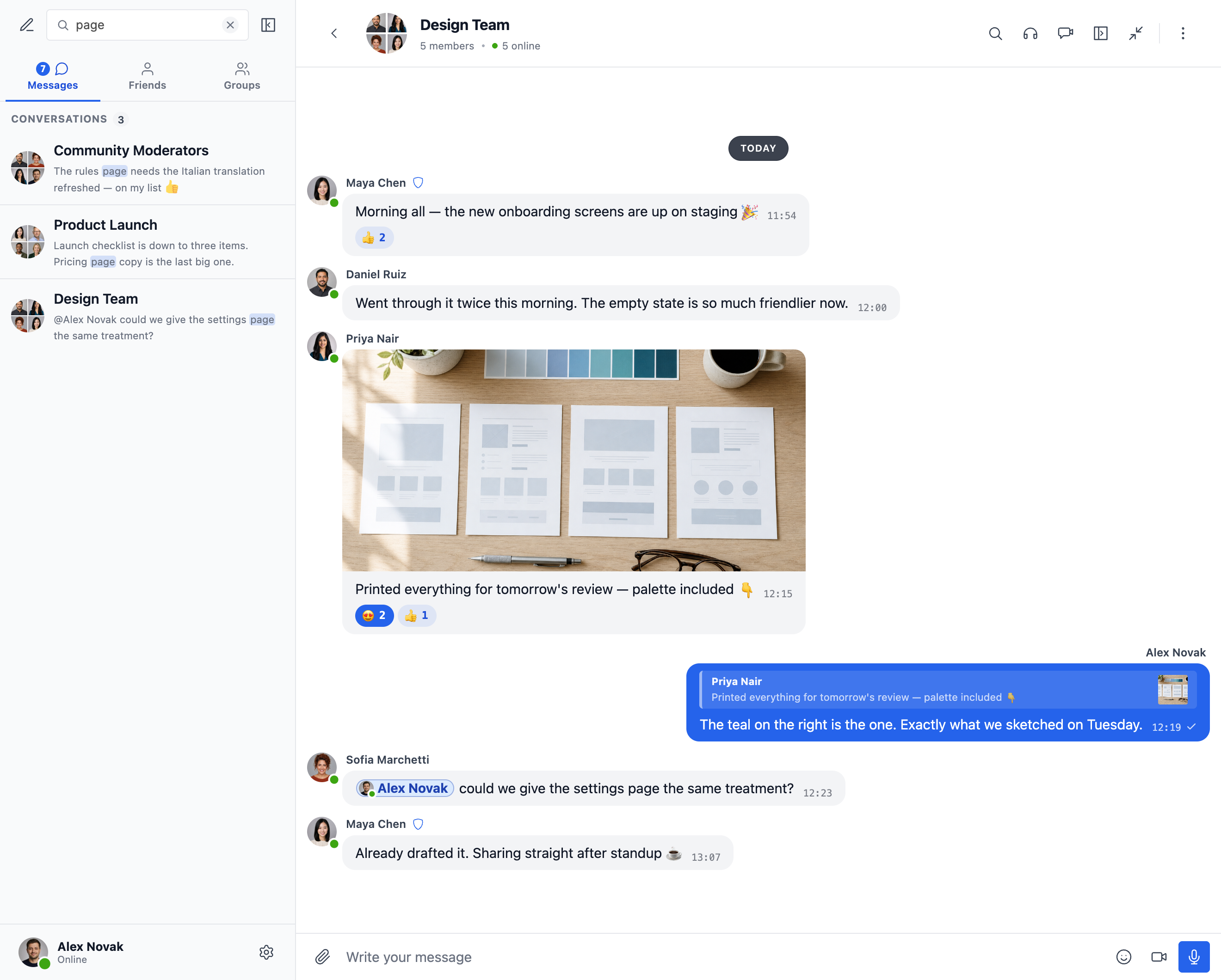
- Über alle Nachrichten suchen
- Nachrichten als Favoriten markieren
- Wichtige Nachrichten oben in der Unterhaltung anheften
- Lieblingsunterhaltungen oben in der Liste anheften
- Unterhaltungsliste filtern, um nur ungelesene Unterhaltungen anzuzeigen
- Auf bestimmte Nachrichten antworten
- Gesendete Nachrichten bearbeiten (mit Bearbeitungsanzeige)
- Nachrichten löschen
- Nachrichten an andere Unterhaltungen weiterleiten
- Mark conversations as unread
- Mute conversation notifications, for good or for a set time
- Automatisches Speichern von Nachrichtenentwürfen mit Wiederherstellung
KI & Automatisierung:
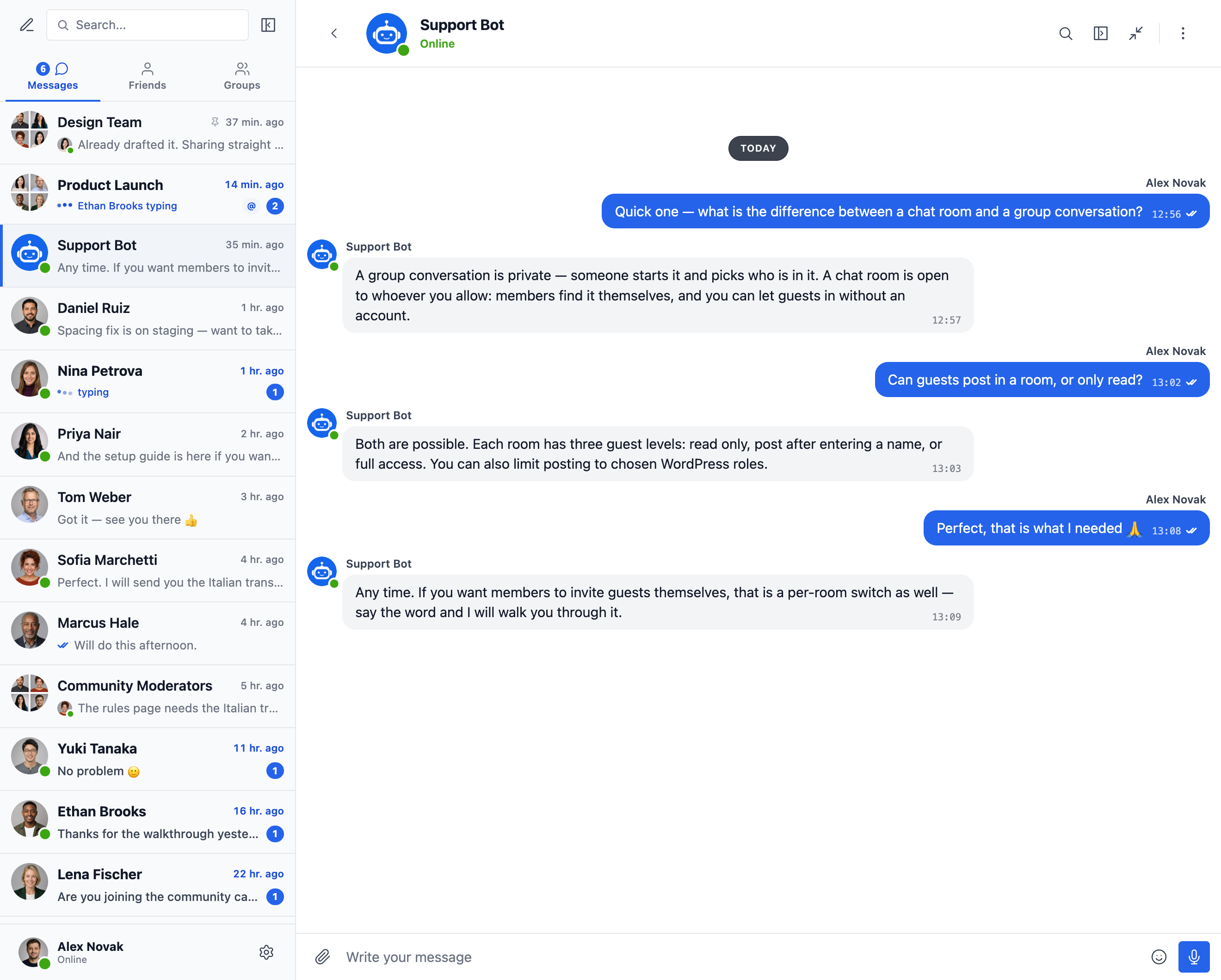
- KI-Chatbots angetrieben von OpenAI, Anthropic (Claude) und Google Gemini
- KI-Chatbots in Gruppenunterhaltungen mit erwähnungsbasierten Antworten
- Gesprächszusammenfassung und geplante Übersichten mit KI
- Token usage and cost tracking, with a price list of the models kept up to date from WordPlus Cloud
- Sprachnachrichten-Transkription mit Better Messages Cloud AI oder OpenAI
- Websuche-Funktion für KI-Bots
- Dateisuche-Tool für KI-Bots
- Bildgenerierung mit KI
- PDF-Dateiunterstützung für KI-Unterhaltungen
Medien & Inhalte:
- Dateifreigabe mit fortsetzbaren Uploads und der Möglichkeit, Dateien vor direktem Zugriff zu schützen (Bilder, Videos, Dokumente)
- Cloud Storage for attachments in Cloudflare R2, Bunny.net Storage, Amazon S3 or any S3-compatible service, with files uploaded straight from the browser
- Upload limits for each type of file
- Image and video optimization in the browser: format conversion, quality control, metadata stripping
- Photo cropping and editing before sending
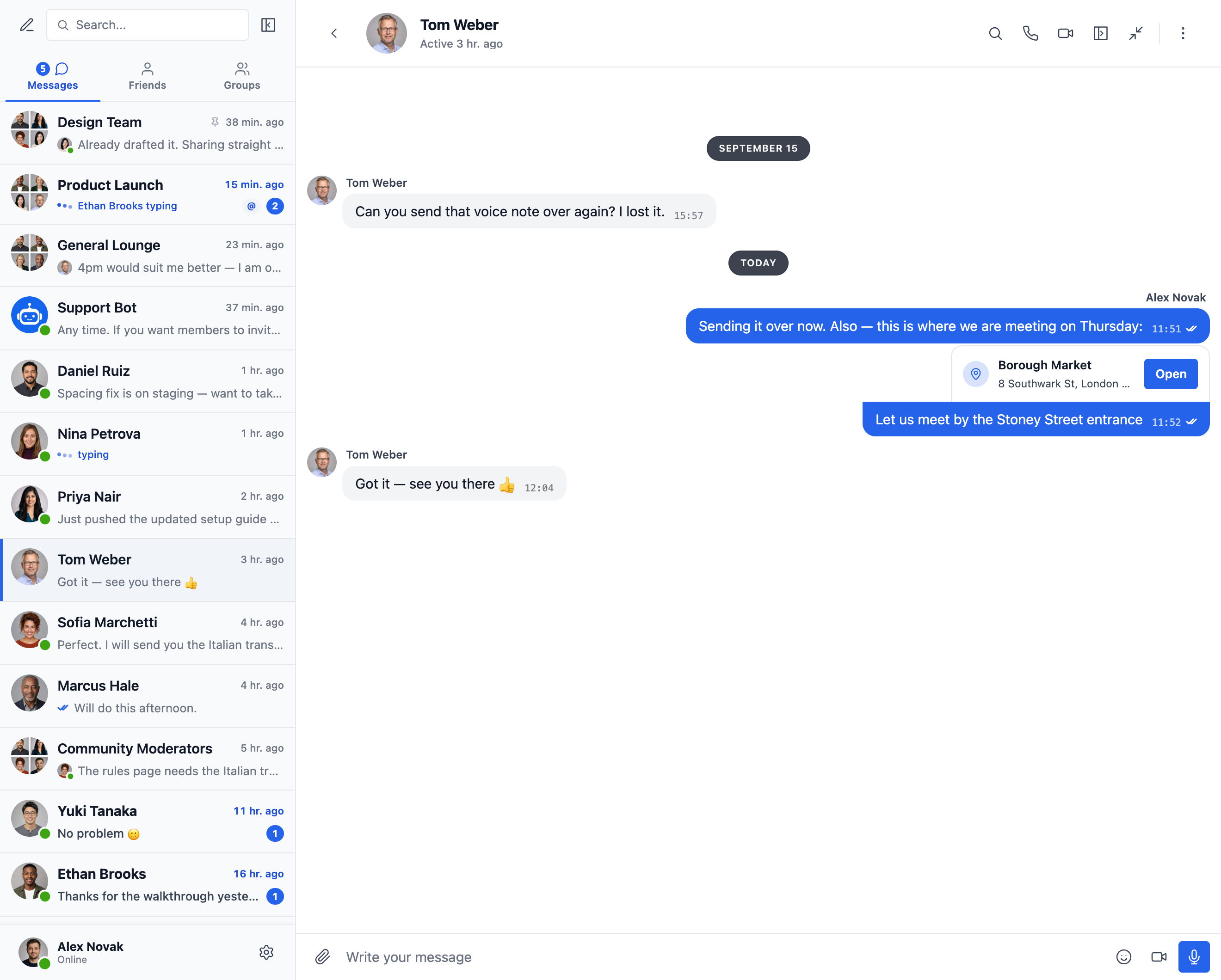
- Location messages with a map picker and nearby place suggestions
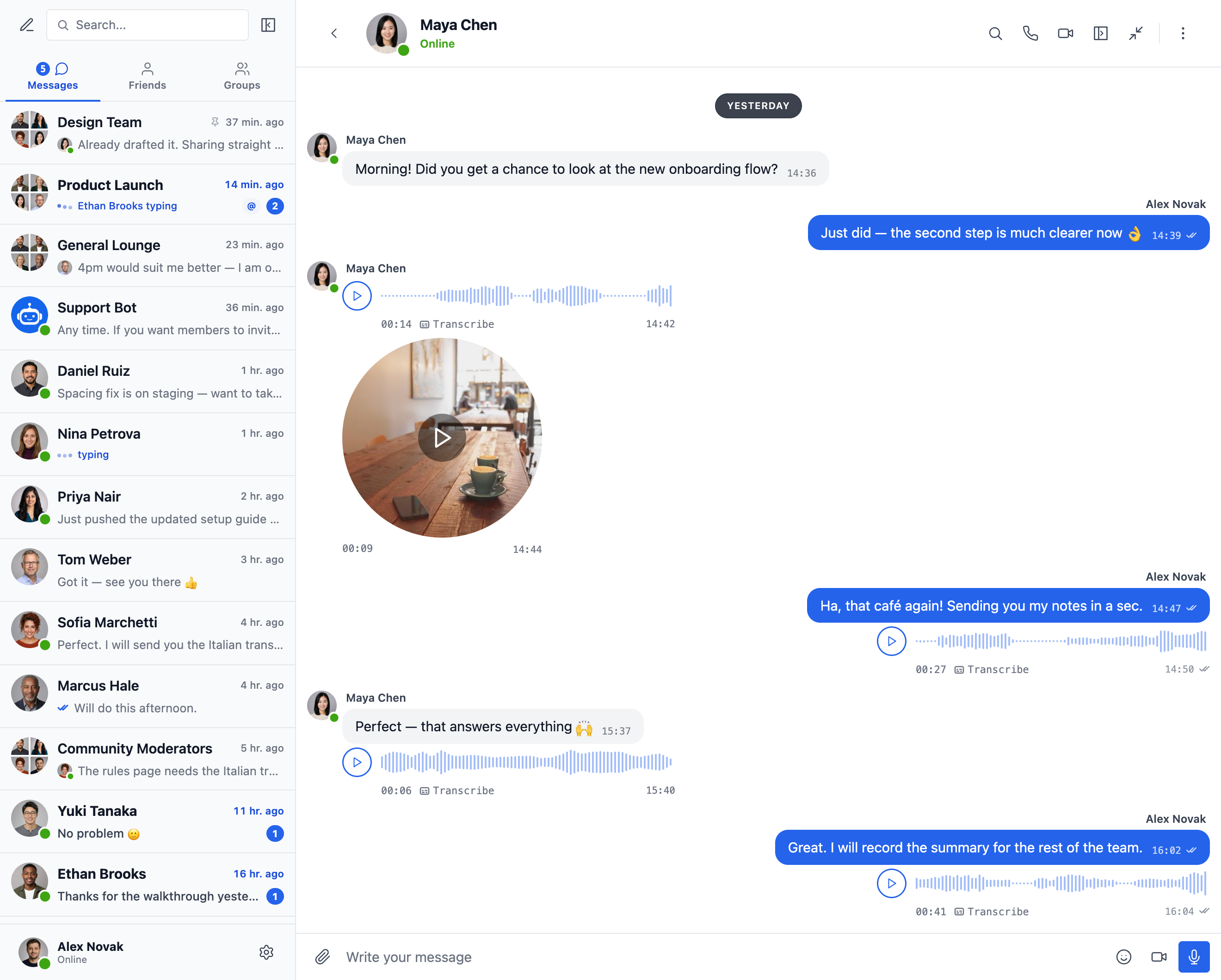
- Voice messages and video messages (available as addon)
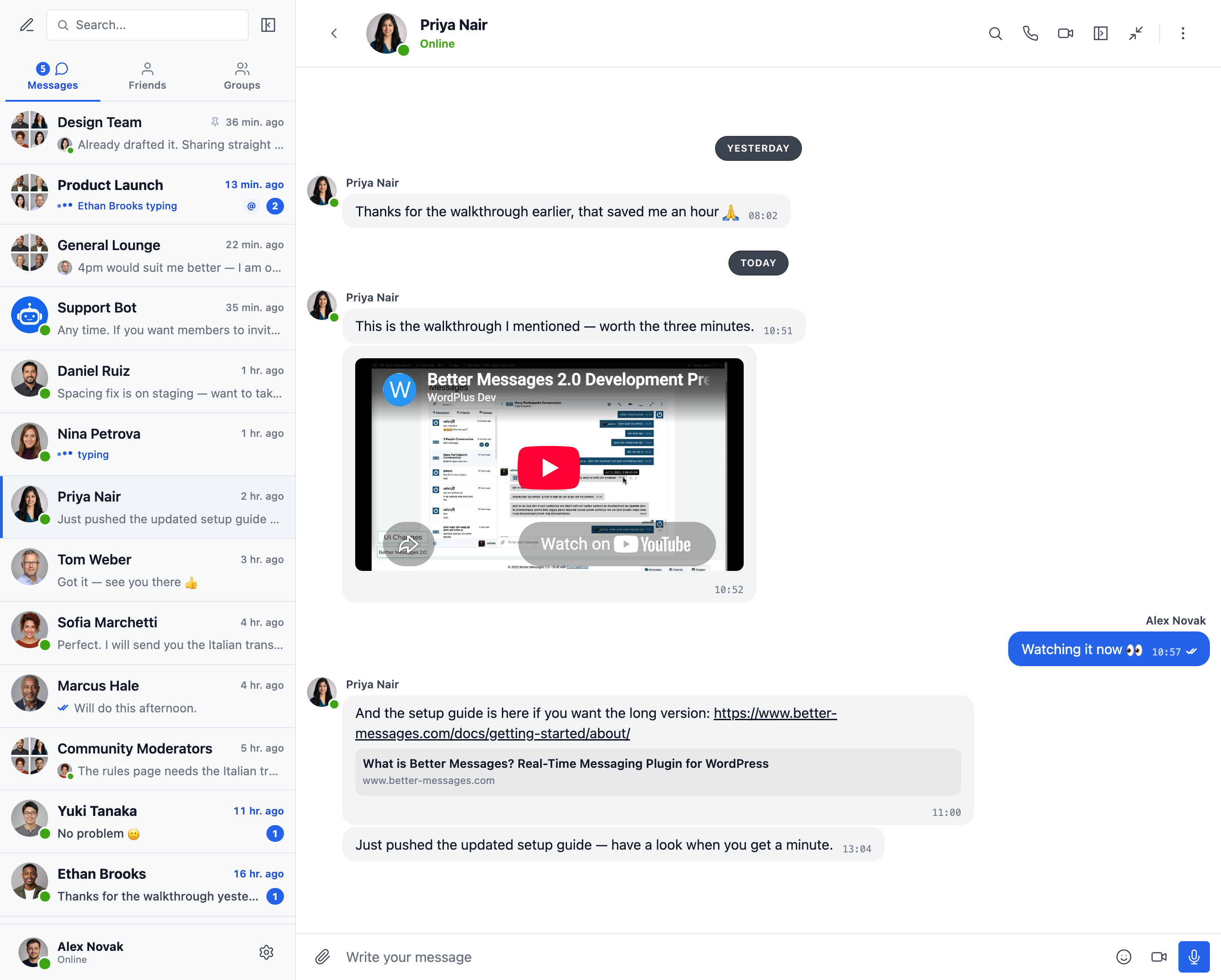
- Eingebettete Links mit Vorschaubildern und Beschreibungen
- oEmbed-Unterstützung für YouTube, Vimeo, Spotify, SoundCloud, Flickr und über 20 Dienste
- Emoji-Auswahl
- Integrierte Sticker-Pakete mit rollenbasiertem Zugriff und Sprachunterstützung
- GIF-Integration mit GIPHY- und Klipy-Anbietern
- Inline-Sticker-Vorschläge beim Tippen
- Markdown-Textformatierungsunterstützung
Benachrichtigungen:
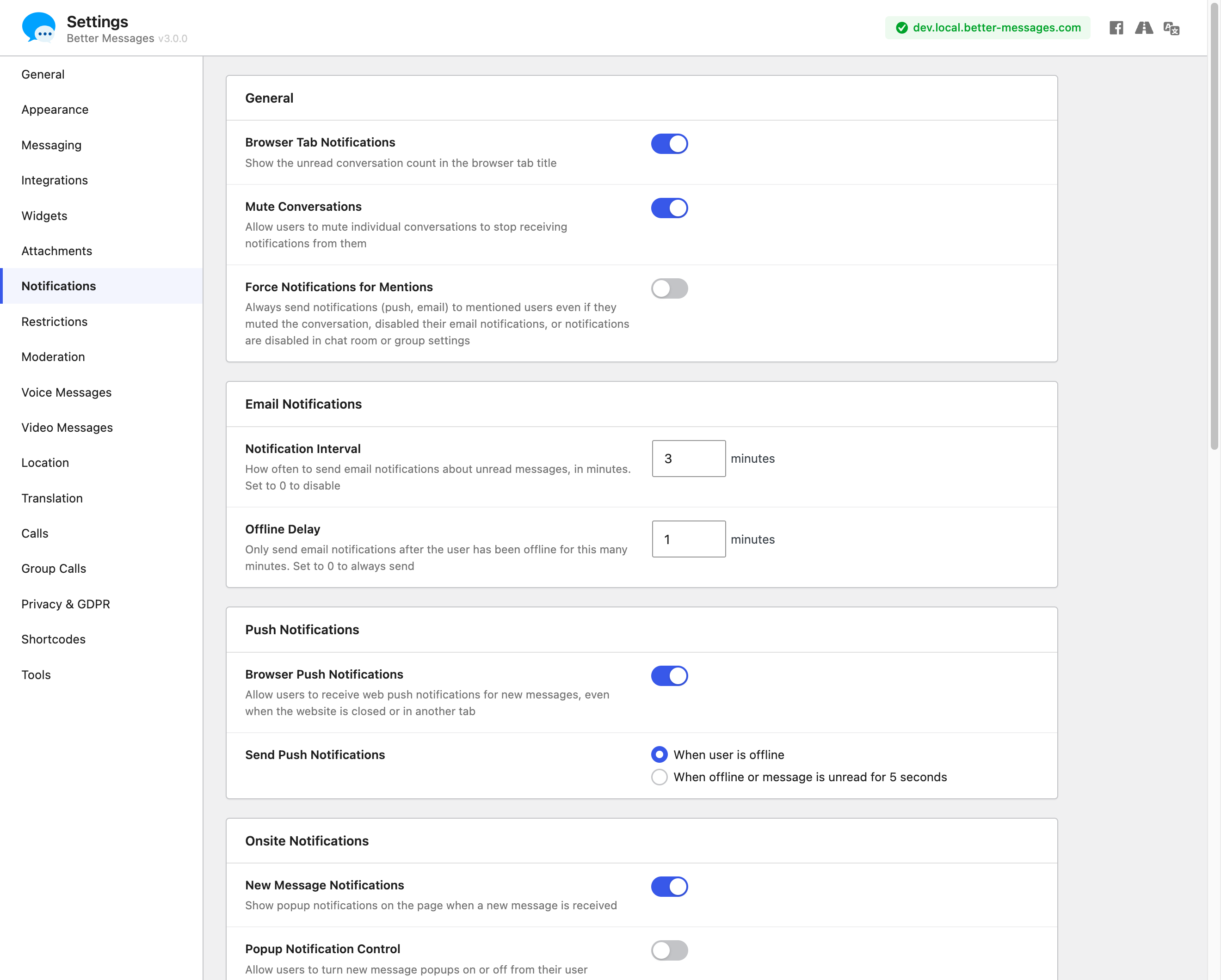
- E-Mail-Benachrichtigungen für ungelesene Nachrichten (anpassbare Vorlagen)
- Notification levels for group conversations and chat rooms: All messages, Mentions and replies, or Nothing, chosen by each member
- Abmeldelink-Unterstützung in E-Mails
- Tonbenachrichtigungen für neue Nachrichten
- Toast-Benachrichtigungen auf der Website überall auf Ihrer Webseite
Moderation & Sicherheit:
- AI Content Moderation by Better Messages Moderation AI (included with the WebSocket license, no API keys) or the free OpenAI Moderation API
- Custom moderation rules in plain text, and conversation context awareness that catches patterns split across messages
- „Flag Only“ (recommended) or „Hold for Review“ moderation actions
- Vormoderierte Nachrichten – Nachrichten vor der Zustellung überprüfen
- Funktion zum Melden von Nachrichten
- Schimpfwortfilter mit anpassbarer Blacklist
- Benutzer blockieren Funktion
- Rollenbasierte Zugriffskontrolle
- Benutzer-Whitelist/Blacklist zur Moderation
- Site moderators: roles that open the Administration page, with a flag in the messenger while reports or held messages wait
- Chat room moderators who mute, ban and remove members, with bans that say until when and system messages that can name the moderator
Engagement-Funktionen:
- Reaktionen auf Nachrichten
- Mentions (@username), and @all to mention everyone in a group conversation or chat room
- Massennachrichten aus WP Admin mit Zeitplanung, Dateianhängen und Hintergrundverarbeitung
- Vorgeschlagene Unterhaltungen für neue Benutzer
- Betten Sie Einstiegspunkte für Unterhaltungen überall auf Ihrer Website ein, ohne Shortcodes zu verwenden
- Fünf Widgets: Freunde, Gruppen, Benutzer, KI-Bots, Chaträume
- Zwei Anzeigestile: Klassische Leiste oder Schwebende Blase (mit Chat-Köpfen)
- Drei Platzierungsflächen: untere Leiste, Seitenleiste, mobile Tab-Leiste
- Symbolauswahl pro Widget, Suchfeld, Rollenbeschränkungen und Umschalter „Tab ausblenden wenn leer“
- Benutzer-Widget mit drei Anzeigemodi (alle / nach Rolle / handverlesen) und Sortierung nach letzter Aktivität oder Registrierungsdatum
- Anpassbare Reihenfolge der Tabs in Mini-Widgets, Seitenleiste und mobiler Ansicht
Anpassung:
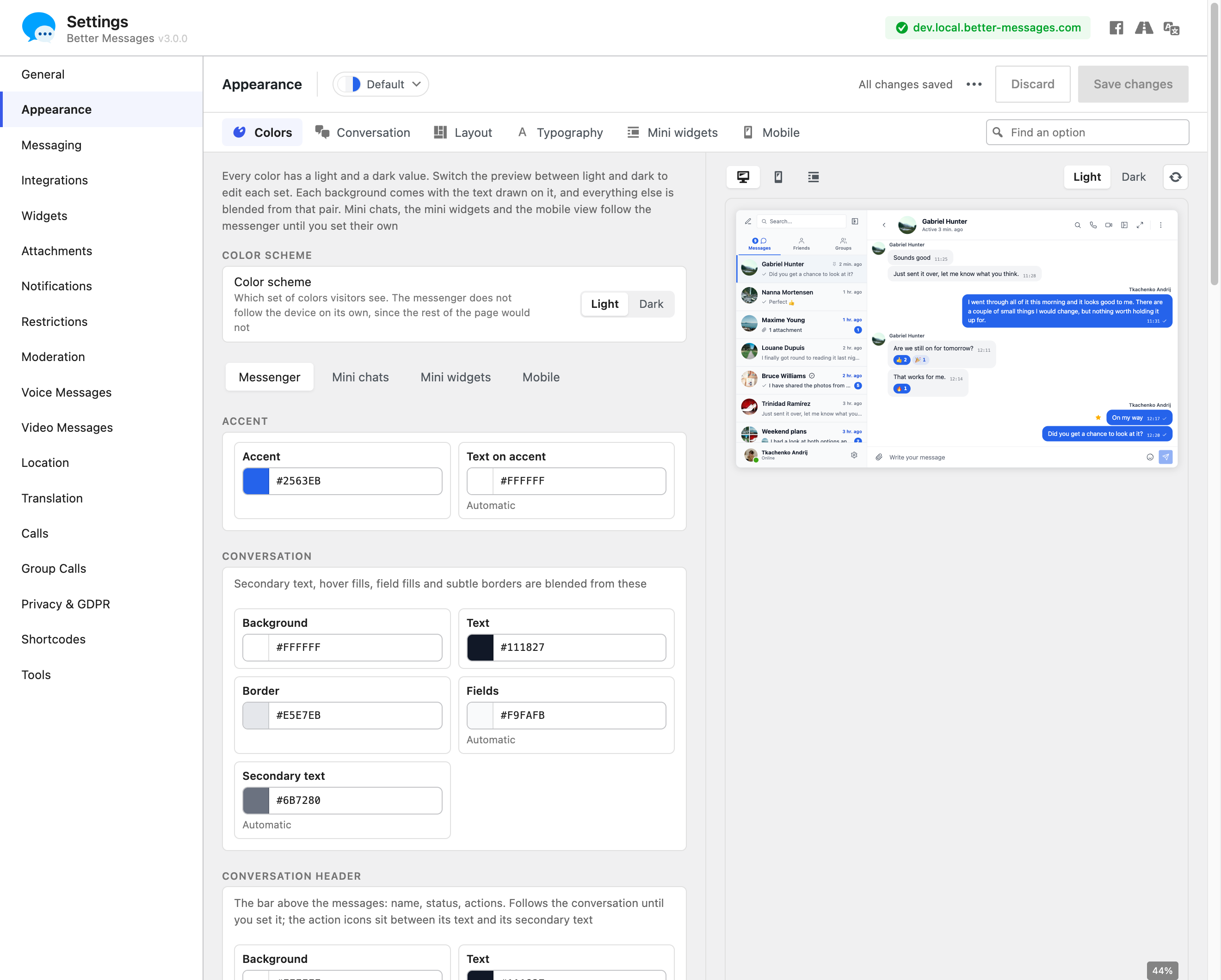
- Modernes, vollständig anpassbares Design
- Appearance tab — repaint every part of the messenger, reshape its corners and spacing and tune dark mode, with a live preview
- Custom tabs on the widget bar, the side panel and the mobile tab bar: a link, a page or shortcode content, and new names for the built-in tabs
- Benutzerdefinierte Benachrichtigungstöne
- RTL-Layout-Unterstützung
- White-Label-Lösung
- Vollständig übersetzbar
- Option zum automatischen Löschen alter Nachrichten
Setup and help:
- Get started page that sets up the Messages page, chat with visitors, a chat room on its own page and the plugins on your site, one click each
- Better Messages Assistant on the Support page, an AI assistant that answers from the documentation and your settings and prepares setting changes for you to review, free version included
Datenschutz & DSGVO:
- Dedizierte Datenschutz- & DSGVO-Einstellungsseite
- Alle Nachrichtendaten werden auf Ihrem eigenen Server gespeichert
- AI moderation, when enabled, sends message content for analysis — Better Messages Cloud stores none of it
- WordPress personal data export and erasure support
- Suggested privacy policy text that follows the enabled features
- Selbst gehostete Emoji-Bilder-Option — keine externen CDN-Anfragen
- Datenschutzfreundliche Video-Einbettungen — YouTube, Vimeo laden erst nach Klick des Benutzers
- Keine Cookies gesetzt, keine Analyse- oder Tracking-Skripte
- Datenschutz- & DSGVO-Dokumentation
This is not a complete list of features — many smaller features and options are not listed, and new ones come with every release.
Kompatible Plugins & Themes — über 35 native Integrationen:
Better Messages works on any WordPress site out of the box, and plugs straight into the community, LMS, marketplace and directory plugins below, with their members, groups, courses and listings.
Community- & Mitglieder-Plattformen — ersetzt den integrierten Messenger und übernimmt Mitglieder, Profile, Freunde und Gruppen:
- BuddyPress
- BuddyBoss Platform — including BuddyBoss Theme and ReadyLaunch
- PeepSo
- Ultimate Member
- FluentCommunity — including Spaces and Courses
- SureDash
- ProfileGrid
- UsersWP
- WP User Manager
- Block, Suspend, Report for BuddyPress — its blocks apply to conversations too
Lernmanagementsysteme (LMS) — Chaträume für Kurse, Nachrichten an Dozenten und Unterhaltungen zwischen Schülern:
- LearnDash — including Instructor Role add-on
- LearnPress
- Tutor LMS
- MasterStudy LMS
- FluentCommunity Courses
E-Commerce — WooCommerce — Pre-Sales- und Bestell-Support-Chat für Online-Shops:
- WooCommerce — Contact buttons on product, cart, checkout and order pages that post the cart or the order into the conversation as a card, product links shown as product cards, and the inbox inside My Account. HPOS-compatible, works with guest checkout, in both the free and WebSocket versions.
Marktplätze & Multi-Vendor — Chat zwischen Käufer und Verkäufer auf Basis von WooCommerce, mit Opt-in pro Verkäufer und Kontakt-Buttons in Verkäufer-Shops, auf Produktseiten und in den Bestelldetails:
Anzeigen, Verzeichnisse & Kleinanzeigen — Kontakt-Buttons bei jedem Eintrag, mit Threads pro Eintrag:
- HivePress
- Directorist
- GeoDirectory
- Classified Listing
- Motors – Car Dealer, Classifieds & Listing
- WP Job Manager
Immobilien-Themes — Nachrichten an Makler und Anfragen zu Immobilien-Inseraten:
Foren — Link zu privaten Nachrichten in jeder Antwort:
- wpForo
- bbPress
Gamification, Punkte & kostenpflichtiger Zugang — Abrechnung pro Nachricht oder Anruf mit rollenbasierten Preisen und Guthaben-Anzeige:
Automatisierung & Seitenbauer:
- Uncanny Automator — triggers and actions for chat events
- AutomatorWP — triggers and actions for chat events
- Crocoblock JetEngine Profile Builder — profile and chat shortcodes for JetEngine listings
Push & PWA:
- FluentNotify — web push through your own Firebase project
- OneSignal — web push notifications
- Progressify PWA — install-to-home-screen prompts on the messenger
Multilingual sites — the messenger follows the language of the page:
Live streaming (WebSocket version):
- Live Stream — a host streams from the browser or OBS into a chat room, which is the chat of the stream
Universeller Shortcode-Builder — füge Chat zu allem anderen hinzu:
Don’t see your plugin or theme in the list? The Shortcode Builder at WP Admin Better Messages Shortcodes adds a Live Chat Button to any custom post type, listing, profile or page builder block without writing PHP: point it at a sample post, choose who receives the messages (the post author, a user ID from post meta or a fixed inbox) and paste the shortcode into Gutenberg, Elementor, Bricks, Divi or a theme template. Every post gets a conversation of its own.
Vollständige Liste der Integrationen
Report any incompatibility or request an integration — it helps improve Better Messages!
WebSocket-Version:
The WebSocket version is a paid subscription from WordPlus Cloud, with a free trial.
It connects your site and its members through dedicated realtime servers. Messages stay in your database: the servers pass them on encrypted and keep only the last few minutes of each conversation, also encrypted, so pages reload and reconnect at once.
Leistung & Zuverlässigkeit:
- Significantly reduces the load on your server
- Instant message delivery in realtime, up to 200x faster than AJAX
- Funktioniert mit jedem Hosting einschließlich Shared Hosting
- Keine Grenzen bei gleichzeitigen Verbindungen oder monatlich aktiven Benutzern
Video- & Audioanrufe:
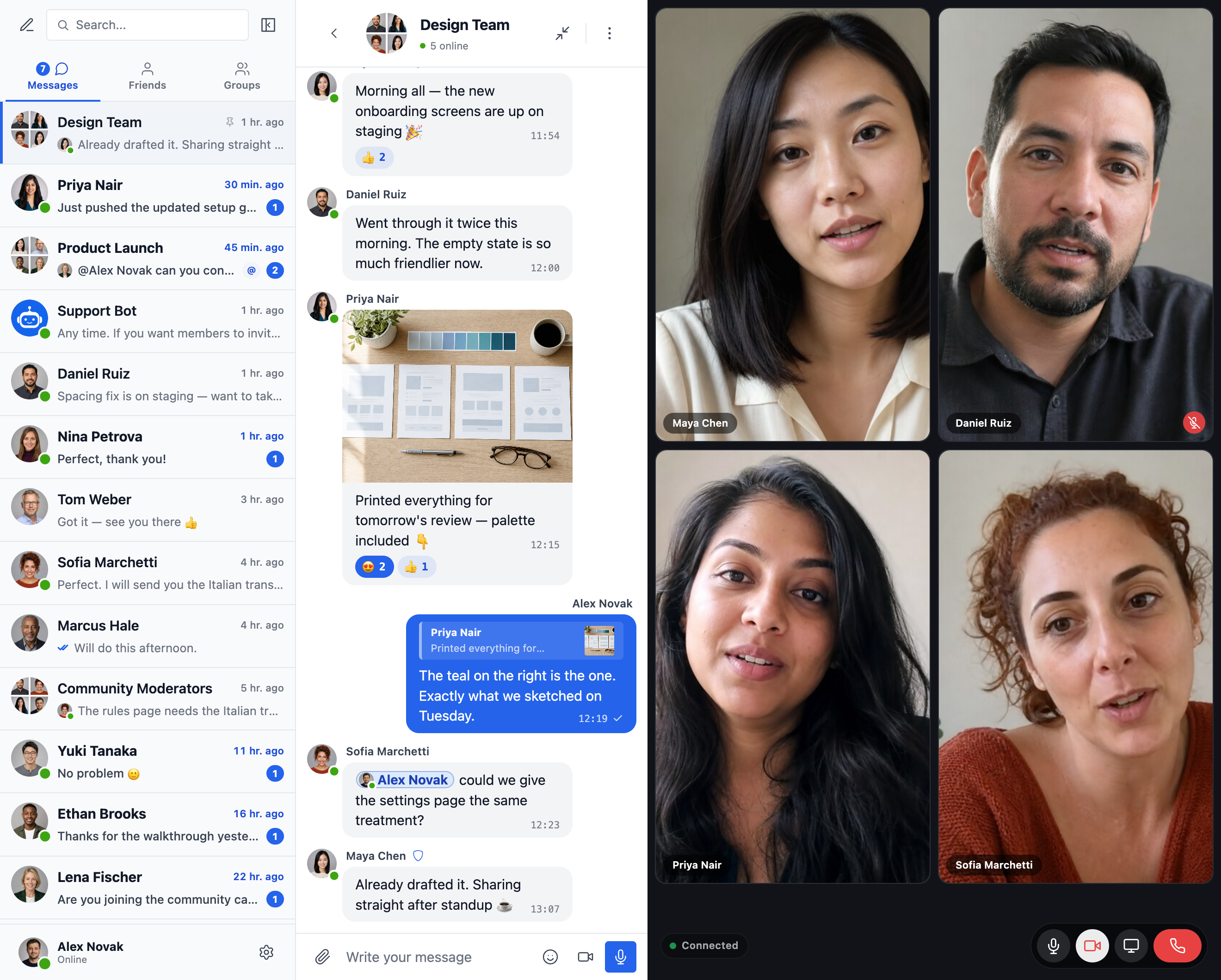
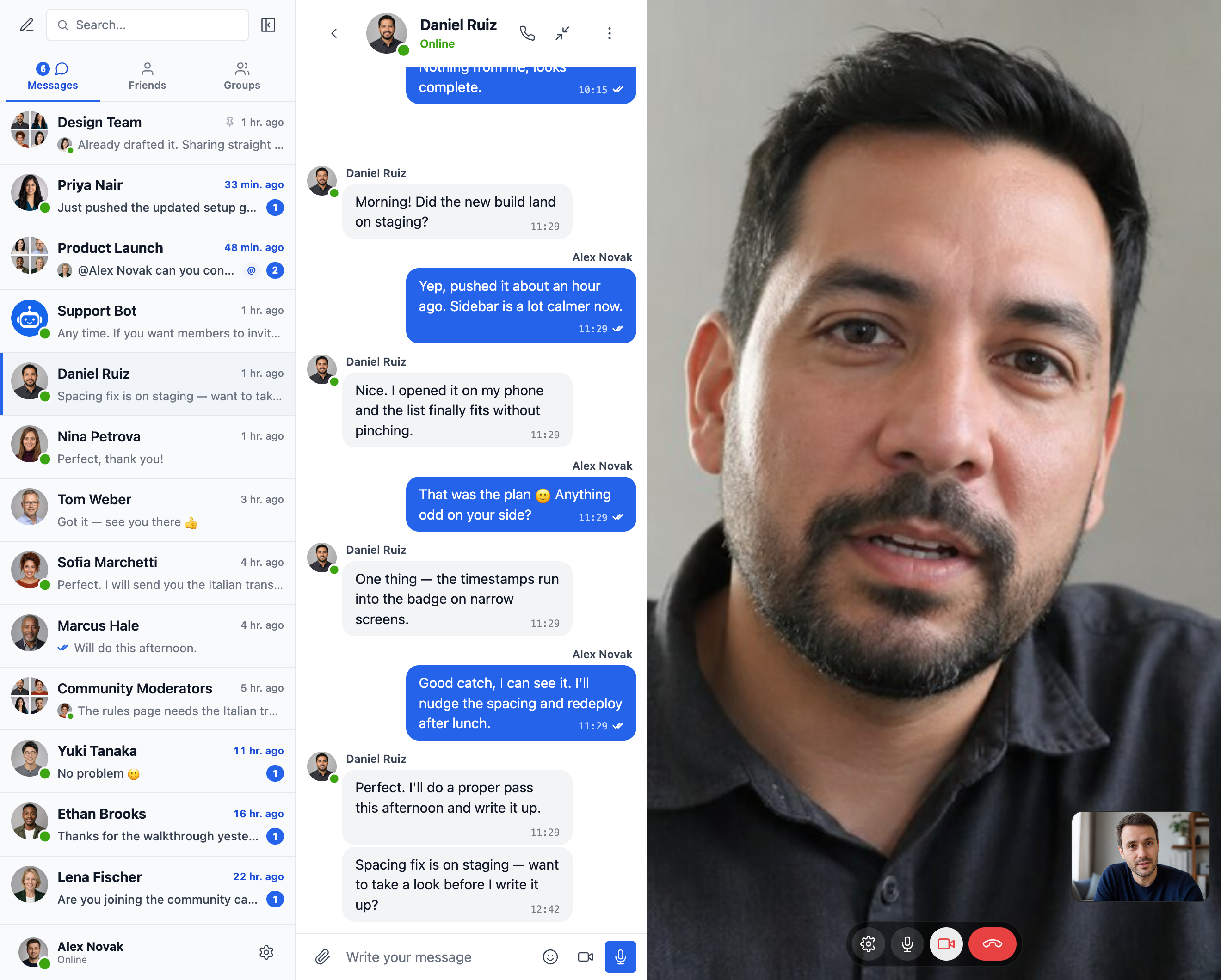
- HD one-to-one video and audio calls
- Group video and group audio calls with no limit on people in a call: each site includes 32 people on video or 50 on audio at once, plus 5,000 WordPlus Cloud credits every month for more
- Screen sharing in one-to-one and group calls
- Call recording of group calls, with a transcript and captions
- Background blur, virtual backgrounds and AI Noise Removal
- Device settings with a camera preview and microphone and speaker tests
- Host Controls: Mute Everyone, Lock Room, Broadcast Mode, End for Everyone, Spotlight for Everyone, and Remove and Ban from Calls
- Raised hands, Participants, Auto, Speaker and Tiled layouts, picture in picture and keyboard shortcuts
- Optional end-to-end encryption of group calls
- Group call alerts by push, email and pop-up when a call starts
Mobile Apps:
- iOS and Android apps under your own name and developer accounts, built from WP Admin
- Push notifications for messages and calls, and VoIP notifications for incoming calls
- Native call screens for one-to-one and group calls
- Website sign-in through your site’s login page, with its two-factor authentication and login plugins
- App lock with Face ID, Touch ID or the fingerprint
- Links that open the app, signed-in devices with sign-out, and Delete Account
- A login screen in your brand, with a logo for dark mode
Echtzeit-Funktionen:
- Nachrichtenzustellungsstatus (gesendet, zugestellt, gelesen)
- Aktivitätsanzeigen für Tippen, Sprachaufnahme und Datei-Upload
- Online/Offline-Präsenzanzeige
- Benutzerstatus (Online, Abwesend, Nicht stören)
- Mini-Chats – Chat-Fenster überall auf Ihrer Website
- Mini-Unterhaltungen-Widget – aktuelle Threads von jeder Seite auflisten und fortsetzen
- Nur-Online-Filter und Online-zuerst-Sortierung für das Benutzer-Mini-Widget
Better Messages Cloud AI:
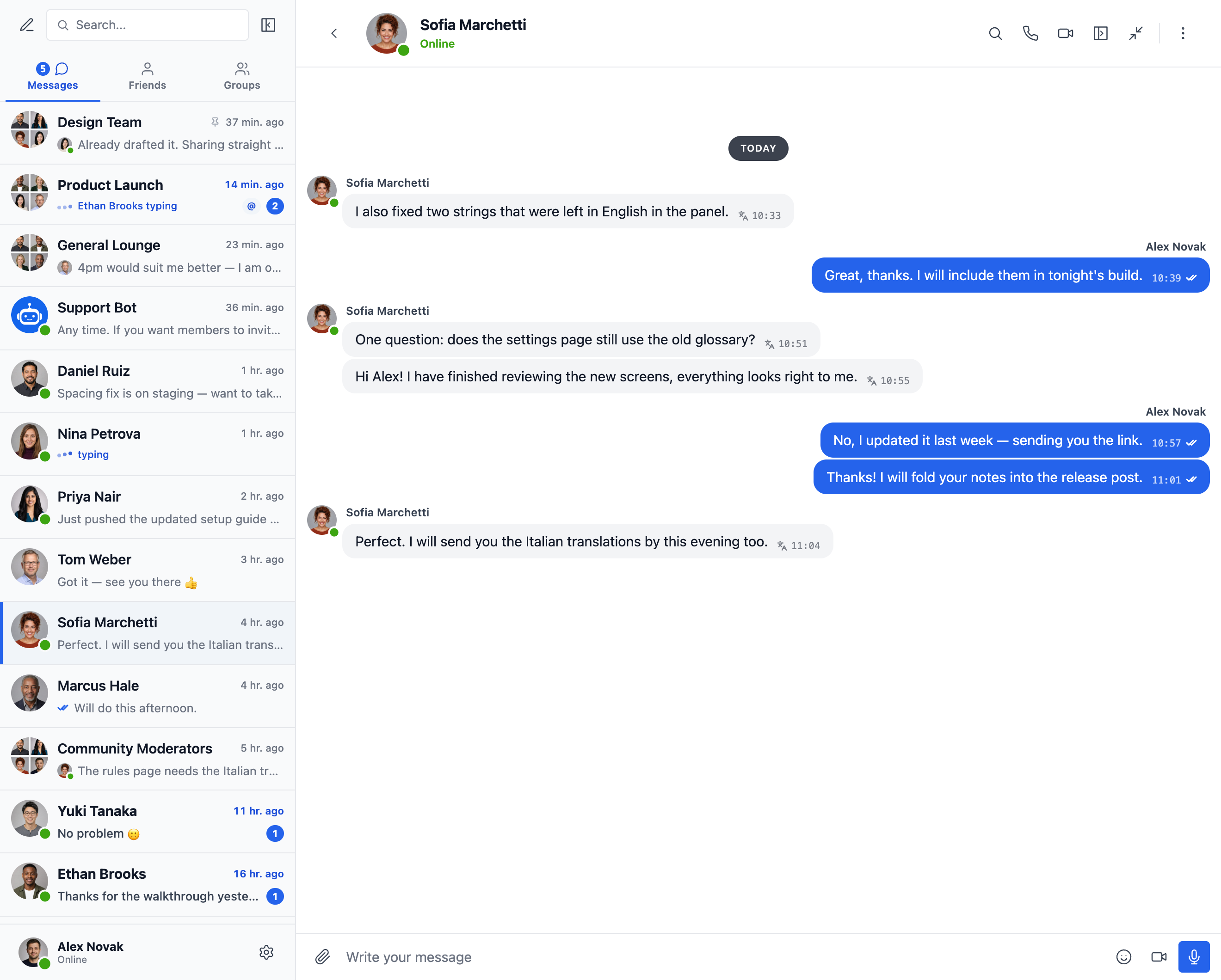
- Automatic message translation in private and group conversations — 53 languages, auto-detection
- KI-Inhaltsmoderation — 23 Kategorien, benutzerdefinierte Regeln, Gesprächskontexterkennung
- Sprachnachrichten-Transkription — 99+ Sprachen mit automatischer Erkennung
- Keine API-Schlüssel von Drittanbietern erforderlich — in der WebSocket-Lizenz ohne zusätzliche Kosten enthalten
Sicherheit & Verschlüsselung:
- Optionale Ende-zu-Ende-Verschlüsselung (E2EE) — kann auf Webseiten-Ebene und pro Unterhaltung aktiviert werden, Nachrichten und Dateien werden im Browser der Nutzer mit AES-256-GCM verschlüsselt, der Server sieht niemals den Klartext
- Lokale Browser-Verschlüsselung (AES256) für Offline-Nachrichtenspeicherung
- Web-Push-Benachrichtigungen (funktioniert auch wenn der Browser geschlossen ist)
- Alle Daten werden während der Übertragung verschlüsselt, sodass wir sie auf unseren Servern nicht lesen können
Support:
- Prioritärer E-Mail-Support
- Regelmäßige Updates und neue Funktionen
WebSocket version pricing | Terms of Use
Translate the plugin to your language with Loco Translate or participate in plugin translation.
Screenshots
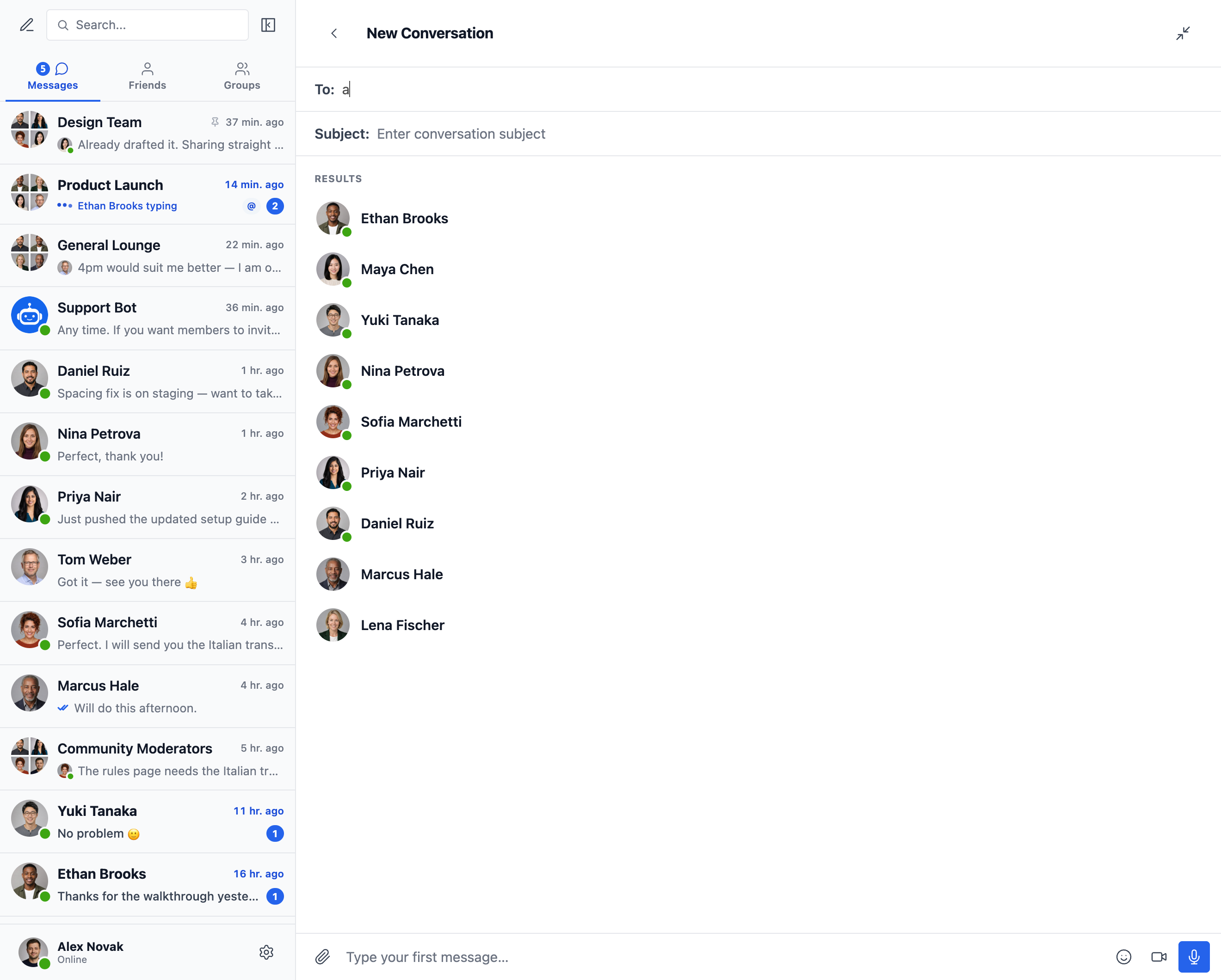
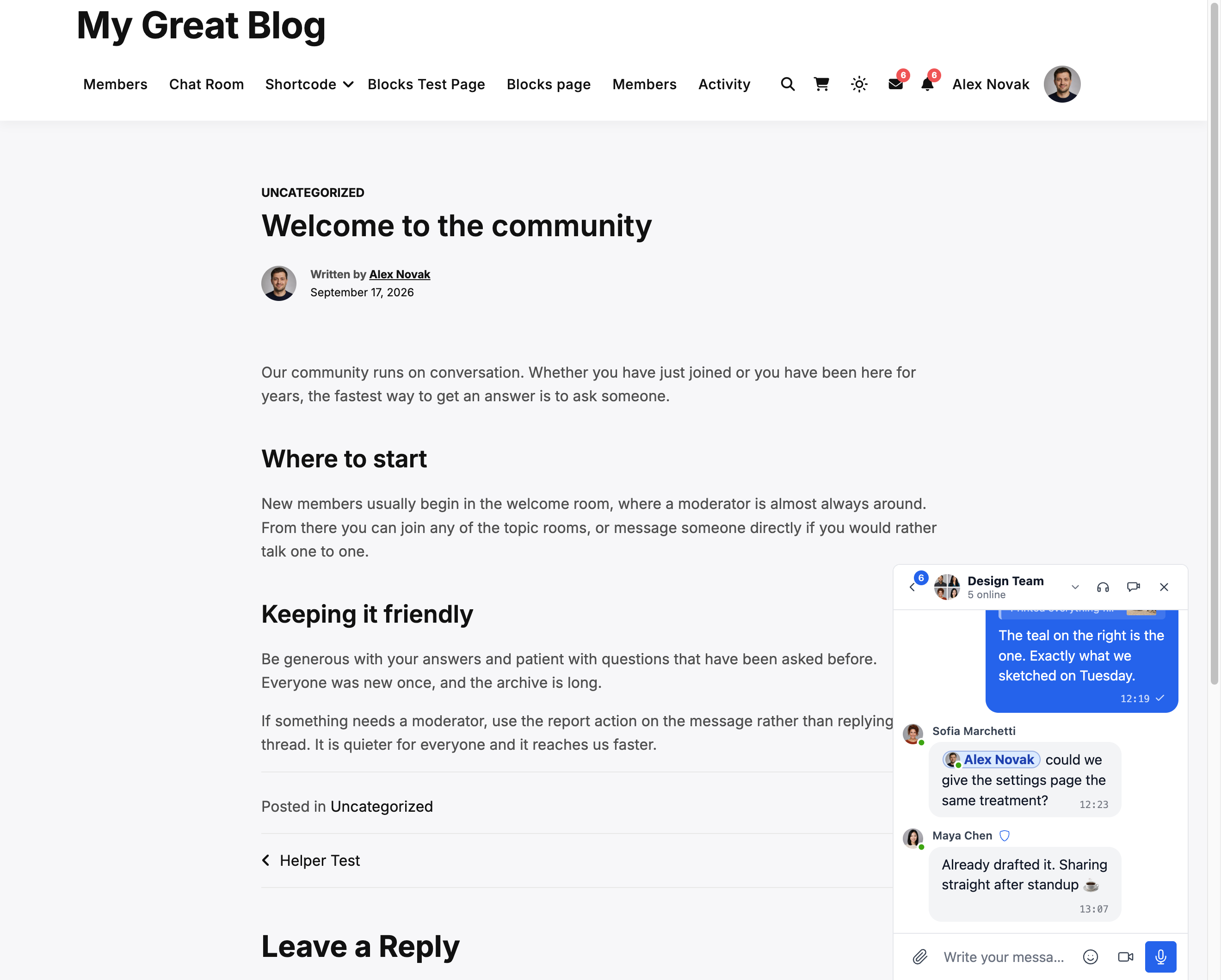
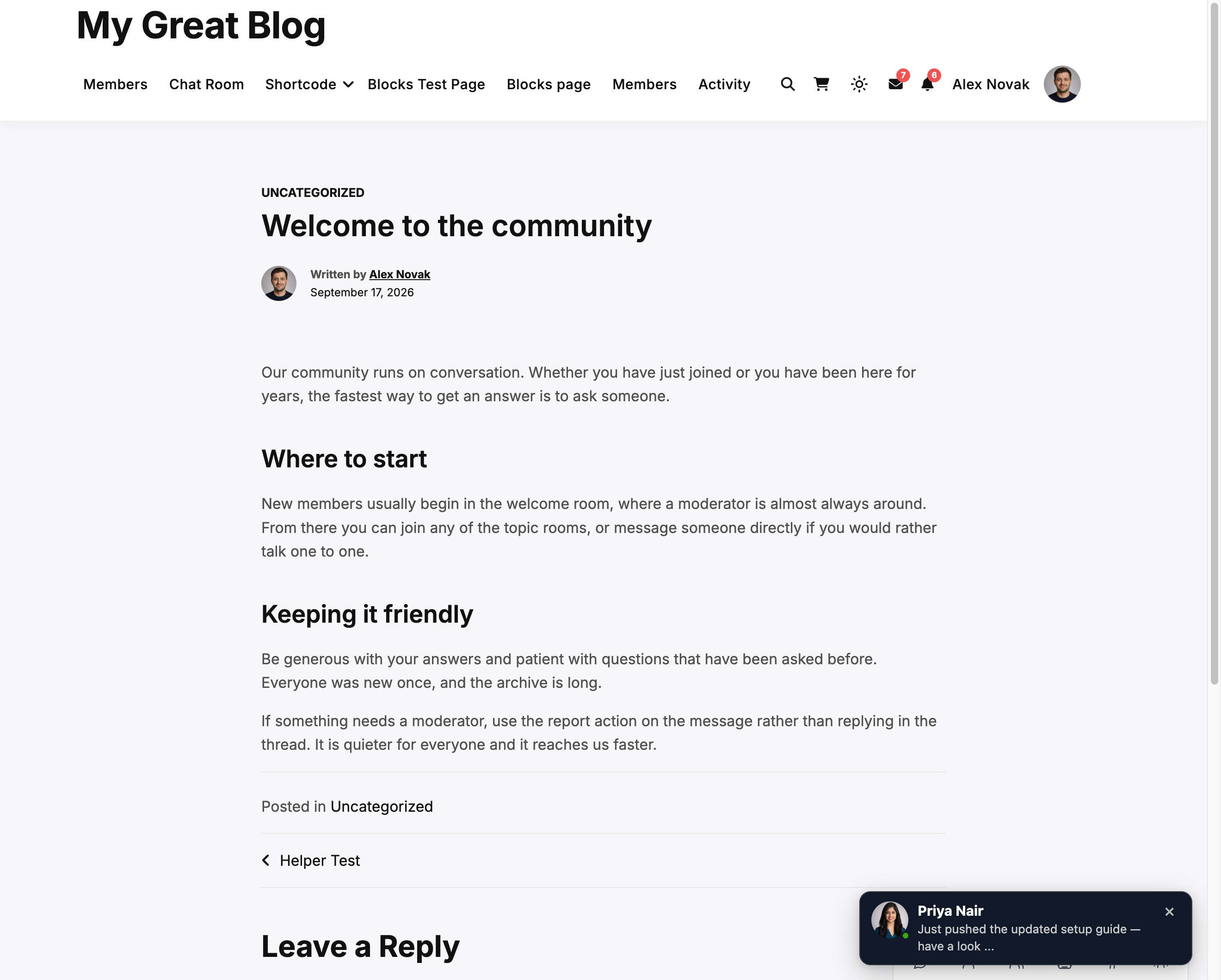
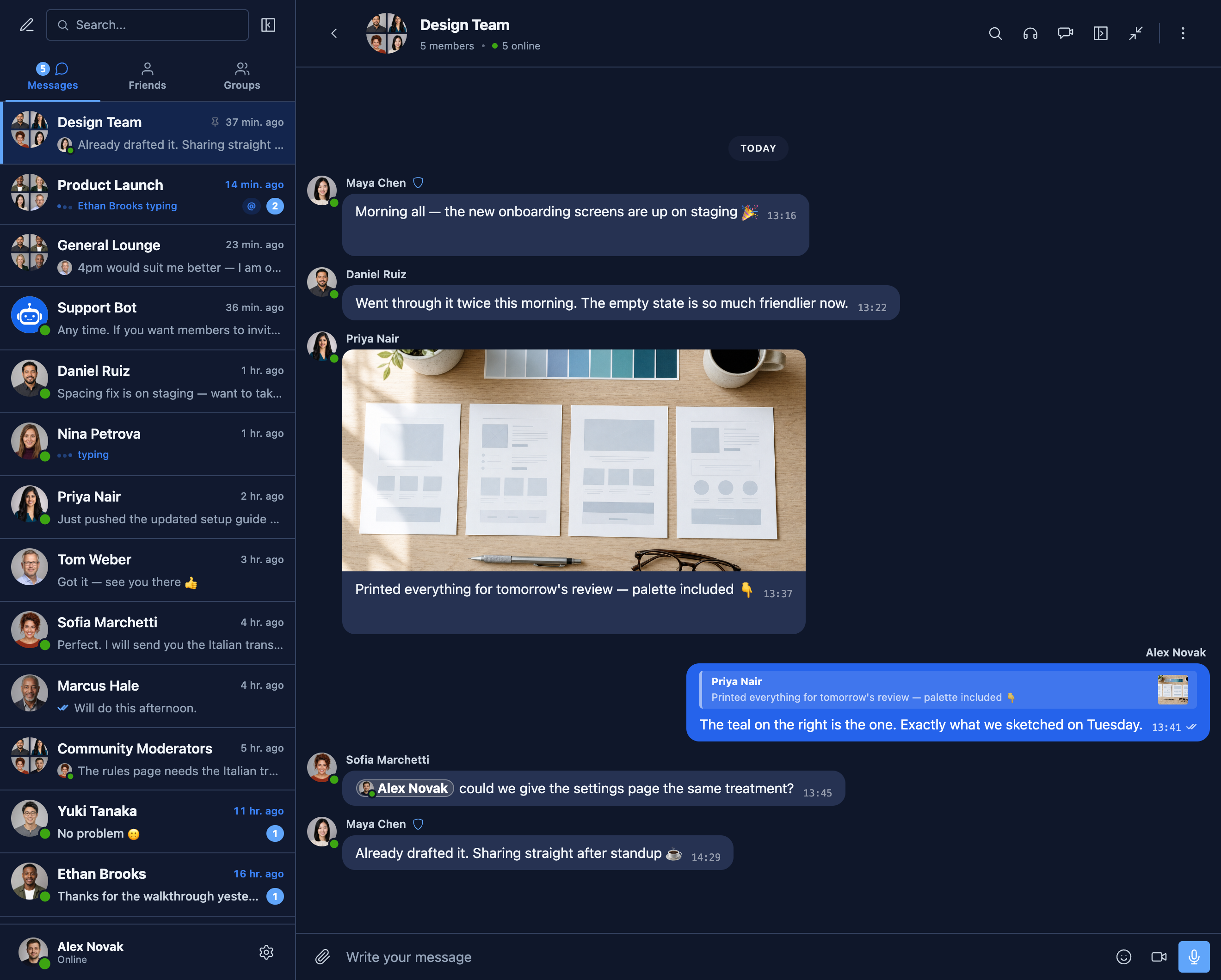
Blöcke
Dieses Plugin bietet 2 Blöcke.
- Nachrichten Die Nachrichten des Benutzers, in denen er jede Unterhaltung öffnen kann, an der er teilnimmt
- Chatraum Einen Better Messages Chatraum einbetten
Installation
- Laden Sie die Plugin-Dateien in das Verzeichnis
/wp-content/plugins/bp-better-messageshoch oder installieren Sie das Plugin direkt über den WordPress-Plugin-Bildschirm. - Aktivieren Sie das Plugin über den Bildschirm ‚Plugins‘ in WordPress
- Verwenden Sie Einstellungen -> Better Messages, um das Plugin zu konfigurieren
FAQ
-
Ist Better Messages kostenlos?
-
Yes — install the free version from WordPress.org. It supports private and group conversations, chat rooms, file sharing, oEmbed previews, smart-batched email notifications, role-based access, guest chat, and the standard messenger feature set. The WebSocket version is paid and unlocks instant delivery, one-on-one and group voice / video calls with backgrounds, noise removal and recording, Better Messages Cloud AI (content moderation, message translation and voice message transcription with no API key of your own), web push, end-to-end encryption, and your own iOS and Android apps.
-
Mit welchen WordPress-Plugins lässt sich Better Messages integrieren?
-
35+ native integrations across community platforms (BuddyPress, BuddyBoss Platform, PeepSo, Ultimate Member, FluentCommunity, SureDash, ProfileGrid, UsersWP, WP User Manager), LMS (LearnDash, LearnPress, Tutor LMS, MasterStudy LMS), e-commerce (WooCommerce — pre-sales and order support chat with contact buttons on product, cart, checkout, and order pages), multi-vendor marketplaces (Dokan, WCFM, WC Vendors, MultiVendorX), listings and directories (HivePress, Directorist, GeoDirectory, Classified Listing, Motors, WP Job Manager), real estate themes (Houzez, RealHomes), forums (wpForo, bbPress), gamification (GamiPress, MyCRED), automation (Uncanny Automator, AutomatorWP), page builders (Crocoblock JetEngine), push / PWA (FluentNotify, OneSignal, Progressify), and multilingual sites (GTranslate, Weglot). If your plugin isn’t listed, the built-in visual Shortcode Builder lets you add a Live Chat Button to any custom post type without writing PHP. See the full list of integrations.
-
Unterstützt es Gruppenunterhaltungen?
-
Ja — vollwertige Gruppenchats mit gemeinsamem Verlauf, Erwähnungen, Reaktionen, Datei-Uploads, Antworten, Bearbeiten / Löschen / Weiterleiten sowie Gruppen-Sprach- / Videoanrufen (WebSocket-Version). Gruppenchats können automatisch mit BuddyPress- / BuddyBoss- / PeepSo- / Ultimate Member- / FluentCommunity-Gruppen verknüpft werden; Mitglieder treten dem Chat im Gleichschritt mit der Quell-Community-Gruppe bei oder verlassen ihn.
-
Können nicht registrierte Besucher (Gäste) chatten?
-
Ja — Guest Chat ermöglicht nicht registrierten Besuchern, Chaträumen beizutreten, Verkäufern auf Marktplätzen zu schreiben, Fragen zu Verzeichniseinträgen zu stellen oder mit dem Site-Support zu chatten. Gäste geben einen Anzeigenamen (und optional eine E-Mail-Adresse) ein und nehmen anschließend als Gast-Benutzer teil. Ihr Thread-Verlauf bleibt erhalten, falls sie sich später registrieren.
-
Unterstützt es Sprach- und Videoanrufe in WordPress?
-
Yes (WebSocket version) — one-on-one and group voice / video calls live inside the messenger thread, not as a separate Zoom / Whereby integration. Hosted media relay is included with the WebSocket license, no separate Twilio account, no Daily / Whereby subscription, no Zoom developer plan. There is no limit on people in a group call: each site includes 32 people on video or 50 on audio at once across its group calls, plus 5,000 WordPlus Cloud credits every month for more. Calls have device settings, background blur and virtual backgrounds, AI noise removal, screen sharing, host controls and picture in picture, and group calls can be recorded with a transcript.
-
Ist Better Messages GDPR-konform?
-
Yes. All message data is stored only in your WordPress database. The WebSocket cloud relay is blind to message content — it routes encrypted events and keeps only the last few minutes of each conversation, still encrypted, but cannot read or inspect what passes through. Better Messages also integrates with WordPress’s built-in Personal Data Export and Erasure tools. Call recordings, when an administrator turns them on, are kept on your site or in your own cloud storage. For sites with stricter data-sovereignty requirements (GDPR Article 9, HIPAA-adjacent, regulated-data workloads), a self-hosted plan is available — contact support.
-
Gibt es AI-Funktionen?
-
Yes. AI Chat Bots (OpenAI, Anthropic Claude, Google Gemini) work in the free version with your own provider API key. They act as full participants in any thread, with custom system prompts and per-bot points charging via GamiPress / MyCRED. Better Messages Cloud AI (WebSocket version) provides AI Content Moderation (23+ categories including spam, scam, doxxing, contact sharing), AI Message Translation (53 languages with auto-detection), and Voice Message Transcription (99+ languages) — all included with the WebSocket license, no third-party API key required.
-
Gibt es native iOS- und Android-Apps?
-
Yes (WebSocket version) — Better Messages makes native iOS and Android apps for your site, on Capacitor, with push notifications, real-time delivery, native voice / video call screens, website sign-in with your two-factor authentication, an app lock with Face ID or the fingerprint, and the messenger’s features. You build your branded app from WP Admin and publish it on the App Store / Play Store under your own developer accounts.
-
Kann ich die Messenger-Oberfläche in meine Sprache übersetzen?
-
Ja — Better Messages ist über die Standard-Übersetzungswerkzeuge von WordPress (Loco Translate, WPML, Polylang) vollständig übersetzbar und verwendet die Text-Domain
bp-better-messages. Bringt über 30 Community-Übersetzungen mit. Trage zur Übersetzung bei oder verbessere sie unter translate.wordpress.org. -
Unterstützt es Ende-zu-Ende-Verschlüsselung?
-
Ja (WebSocket version). Die Ende-zu-Ende-Verschlüsselung wird pro Thread aktiviert — Nachrichten und Dateianhänge werden im Browser des Absenders mit AES-256-GCM verschlüsselt, bevor sie übertragen werden, bleiben in der Datenbank verschlüsselt und werden erst im Browser des Empfängers entschlüsselt. Der Server speichert ausschließlich Chiffretext: Kein Administrator, kein Hosting-Ingenieur und kein Angreifer mit Datenbankzugriff kann den Nachrichteninhalt eines E2E-Threads lesen.
-
Wo finde ich die ausführliche Dokumentation?
-
Die vollständige Dokumentation, Integrationsleitfäden, REST-API-Referenz, Hook-Referenz, Videotutorials und über 80 Blogbeiträge findest du unter www.better-messages.com.
-
Which external services does Better Messages connect to?
-
The plugin connects to WordPlus Cloud, the plugin author’s service that sells and licenses the WebSocket version, only when an administrator uses one of these features:
- Plans, prices and reviews. When an administrator opens Better Messages Upgrade, the site asks WordPlus Cloud (api.wordplus.cloud) for the current plans, prices and customer reviews, and keeps the answer for an hour. No personal data is sent, only the request itself, which WordPress makes with the site’s address. The administrator’s browser then loads the reviews‘ photos from WordPlus Cloud.
- Contact form. When an administrator sends a message from Better Messages Support, the plugin sends what they wrote, their name and email address, any files they attach, any access details they choose to share, and the site’s address and technical details (the WordPress, PHP, database and web server versions, the theme and the active plugins), which the form shows before sending.
- Better Messages Assistant, only after you press Start. The AI assistant on Better Messages Support sends nothing until an administrator presses Start under the list of what it sends. Start registers the site with WordPlus Cloud (its address, the plugin version and whether it is the free or the WebSocket version). Then each question goes to WordPlus Cloud’s assistant service (rest.wordplus.cloud) with the site’s address, the plugin’s settings (without keys or passwords), the plugin, WordPress, PHP and theme versions, the active plugins and the administrator’s language, and the answer comes back to the page. Questions and answers are stored and read by the plugin’s team to improve the assistant. Visitors‘ data is never sent. „Turn off the assistant“ under the chat stops it, and the
wordplus_sdk_assistant_enabledfilter hides it. - Buying. Buying happens on the WordPlus Cloud website (www.wordplus.cloud), never inside WordPress. The Upgrade buttons open it with the site’s address. After paying, the plugin sends WordPlus Cloud the one-time code it came back with, the site’s address, the plugin version and a random identifier of the site, and gets the licence key.
- Installing the WebSocket version, only when asked for. If the buyer asks for it on the WordPlus Cloud checkout page, WordPlus Cloud contacts the site, and the site downloads the WebSocket version from WordPlus Cloud and installs it. Nothing is installed unless the buyer asks on that page.
- Licence check. Once a licence key is saved, the site sends the key, its address and the plugin version to WordPlus Cloud once a day to confirm the licence.
- Emoji and sticker downloads, only when an administrator asks. „Download emoji images to your server“, the emoji names in other languages and the sticker packs come from WordPlus Cloud’s CDN (cdn.wordplus.cloud), or from WordPlus Cloud (api.wordplus.cloud) when the CDN fails, and the sticker settings ask it for the list of packs when they open. The administrator’s browser loads the packs‘ cover pictures from the same addresses. These requests send the plugin’s name and version, and WordPress adds the site’s address to every request it makes.
- Usage data, only if you opt in. After the plugin is first activated, it asks once whether to share usage data, and nothing is sent unless an administrator chooses Allow & Continue. Then the site sends the administrator’s name and email address (to tell them about security and feature updates), the site’s address, title, language and time zone, the WordPress, PHP and plugin versions and whether the plugin is active, and, unless switched off, which of the plugin’s features and settings are in use (on/off values, numbers and short setting values, never your content, addresses or keys, and the size of the site’s messaging only as a range) and the names and versions of its plugins and themes. With them goes how far the setup in Get started has come (which of its cards are done or dismissed), and when the free trial notice was shown and which of its buttons was clicked. It sends them once a day when something changed, and when the plugin is activated, deactivated or deleted. The newsletter is a separate choice, off unless switched on. Each choice can be changed, or the sharing stopped, from the Opt out link under the plugin on the Plugins screen. Opting out has WordPlus Cloud erase what was shared. A site that opted in through Freemius in an earlier version stays opted in, and its administrators are told once that its data goes to WordPlus Cloud now. Only the WebSocket version adds the features and settings in use to what such a site shares, unless switched off. The free version shares them only once an administrator switches them on. A site that skipped Freemius’s opt-in is not asked again.
- AI model prices, only when an administrator asks, or with a licence. The AI chat bots count what their answers cost by a price list of the AI models that comes with the plugin. Check for new prices in Settings Integrations AI Services asks WordPlus Cloud for a newer list, from its CDN (cdn.wordplus.cloud) or from WordPlus Cloud (api.wordplus.cloud) when the CDN fails, and a site with an active WebSocket licence asks once a week, after its licence check. The request sends the version of the WordPlus code in the plugin, and WordPress adds the address of the site to every request it makes. Only the list comes back, which the site reads as prices and nothing else.
- Deactivation feedback, only when you send it. When the plugin is deactivated, it may ask why. The answer is sent to WordPlus Cloud only if the administrator submits it, without their email or the site’s address unless they opted in to usage data and left „Anonymous feedback“ unticked.
The WebSocket version, which WordPlus Cloud sells and which is not on WordPress.org, also connects to WordPlus Cloud for these:
- Realtime delivery and calls. Messages, typing, online statuses and call signals go through WordPlus Cloud’s realtime servers (ws.wordplus.cloud, rest.wordplus.cloud), encrypted with keys only the site gives out, and calls through its call servers (*.rtc.wordplus.cloud). Better Messages Cloud AI, where an administrator switches it on, sends the message or voice message it moderates, translates or transcribes, and keeps nothing. The licence status at the top of the settings shows the WordPlus Cloud credits of the site’s account, which group calls above the 32 people a site includes and call recordings use.
- Video effects, only when an administrator downloads them. Settings Calls Video Effects downloads the background effects and AI Noise Removal from WordPlus Cloud’s CDN (cdn.wordplus.cloud), or from WordPlus Cloud (api.wordplus.cloud) when the CDN fails, and reads its catalog of built-in backgrounds there, downloading the pictures an administrator picks. The administrator’s browser loads the catalog’s thumbnails from the same addresses. After an update of the plugin, a site that downloaded them gets the newer files the same way. Calls then load the effects and backgrounds from the site itself. WordPress adds the address of the site to every request it makes.
- Call recording, only when an administrator turns it on. With Record Group Calls on, a moderator’s Record has WordPlus Cloud’s recorder join that group call: it receives the call’s sound, video and shared screens, with the names and profile pictures of the people in it, makes the recording and, unless switched off, its transcript, and puts the files into the site’s cloud storage, or keeps them until the site downloads them, for seven days at most. Each minute recorded takes a WordPlus Cloud credit.
WordPlus Cloud: terms of service, privacy policy.
-
Which other services can Better Messages use?
-
Besides WordPlus Cloud, the plugin uses these services, each as described:
- Emoji images (jsDelivr). Emoji show as Apple’s images by default, and until the site downloads them, browsers load the image sheet from jsDelivr (cdn.jsdelivr.net), which receives the visitor’s IP address. „Download emoji images to your server“ in the emoji settings, or the native emoji set, stops it. jsDelivr: terms of service, privacy policy.
- Video and media links (YouTube, Vimeo and other oEmbed providers). With oEmbeds on, which is the default, a link to a provider WordPress’s oEmbed support knows makes the site ask that provider for its player, and the player loads from the provider in the conversation. With „Privacy-friendly oEmbeds“ on, a video loads only after a click. YouTube: terms of service, Google privacy policy. Vimeo: terms of service, privacy policy.
- GIFs (GIPHY, KLIPY), only with your own API key. Searches typed in the GIF picker go from the site to the chosen provider, with a random identifier for each member and never their name, and GIFs load in browsers from the provider’s servers. GIPHY: terms of service, privacy policy. KLIPY: API terms, privacy policy.
- Stipop stickers, only with your own API key. The sticker store and sticker searches go to Stipop (messenger.stipop.io) with the member’s numeric ID on the site and the chosen language, and the stickers load in browsers from img.stipop.io. Stipop: terms of service, privacy policy.
- AI chat bots and AI features, only with your own API key. With an OpenAI, Anthropic or Google Gemini key, the messages of conversations with an AI bot, with the bot’s instructions, and the content an AI feature works on (messages it checks, voice messages it transcribes) go to that provider. OpenAI: terms of use, privacy policy. Anthropic: commercial terms, privacy policy. Google Gemini: API terms, privacy policy.
- Location sharing, only when switched on. Browsers showing a shared place load the map from tile.openstreetmap.org, and the place search and nearby places send the search text or the map’s position to nominatim.openstreetmap.org and overpass-api.de. These addresses can be changed in the location settings. OpenStreetMap: tile usage policy, Nominatim usage policy, privacy policy. Overpass API: terms.
- OneSignal, only with the OneSignal plugin. When the OneSignal integration is used, the site links each member’s push subscription to their numeric ID on the site at OneSignal (api.onesignal.com), so message notifications reach them. OneSignal: terms of service, privacy policy.
- Cloud storage, only when connected. With a storage provider connected (Amazon S3, Cloudflare R2 or another S3-compatible service), files sent in messages are kept with that provider in the administrator’s own account, and browsers upload and download them there. The provider’s own terms and privacy policy apply.
- Mobile App, only when an administrator sets one up. On Better Messages Mobile App, the Android signing key and its passwords are sent to the plugin author’s app builder (builder.better-messages.com) to check or create them, and the Apple and Google keys the administrator enters are checked with Apple (api.appstoreconnect.apple.com) and Google. Apple: privacy policy. Google Firebase: terms, privacy policy.
- FFmpeg, only when downloaded. „FFmpeg WASM (~30 MB)“ in the media settings downloads the video converter once from better-messages.com to the site, which then serves it to the browsers that convert videos before sending them.
Rezensionen


Mitwirkende und Entwickler
„Better Messages – Chaträume, Gruppenchat, private Nachrichten & KI-Chatbots“ ist Open-Source-Software. Folgende Menschen haben an diesem Plugin mitgewirkt:
Mitwirkende
„Better Messages – Chaträume, Gruppenchat, private Nachrichten & KI-Chatbots“ wurde in 32 Sprachen übersetzt. Danke an die Übersetzer für ihre Mitwirkung.
Interessiert an der Entwicklung?
Durchstöbere den Code, sieh dir das SVN-Repository an oder abonniere das Entwicklungsprotokoll per RSS.
Änderungsprotokoll
Noticed something wrong after updating? Email support@better-messages.com or open a topic on the support forum.
3.2.3
- Added
get_chat_online_usersin PHP andBetterMessages.getRoomOnlineUsers()in JavaScript (WebSocket version): custom code can now read who is in a presence-based chat room, which keeps no members to match against the online users of the site - Added the
better_messages_scripts_printedaction: a plugin that adds to the messenger can print its scripts inside the portal of FluentCommunity, which runs no footer of WordPress - Improved the admin pages: Settings, Chat Rooms, AI Chat Bots and the Mobile App page now use the WordPlus admin design shared by every WordPlus plugin. Chat Rooms and AI Chat Bots open as a list with a page for each, and confirmations ask inside the page instead of in a browser pop-up
- Improved the sound of group calls on a poor connection: while someone is talking their sound comes first, so the camera sends a smaller picture, a step at a time, before the sound breaks up, and grows back as the connection recovers. Sound lost on the way to the call server is sent again (the mobile app with its next build), and a jammed upload shows as a warning mark on the connection badge
- Improved group calls on a very slow upload: with small video tiles and in encrypted calls the microphone now gives way too, so the picture freezes less and the sound holds up better (the mobile app with its next build)
- Improved video in group calls from computers whose graphics card drops the camera’s frames: the camera now moves to another codec within 30 seconds, and VP9 is no longer judged too heavy for a computer that sends it without trouble
- Improved video in one-to-one calls: on a direct connection the camera now sends as much as the connection carries, up to 10 Mbps where it was held at 4, for a sharper picture on a good connection (the mobile app with its next build)
- Fixed the microphone taking long to turn on in a call with AI Noise Removal on: it now turns on at once while the noise removal loads, and the browser keeps its files for later visits
- Fixed the microphone turning on by itself when joining a group call, on some Android phones (with the next app build)
- Fixed the camera or microphone turning off when a slow computer reconnected to a group call, and a dead second camera that could stay in the call afterwards
- Fixed the camera in some one-to-one calls sending smaller and softer than the connection allowed for the whole call, when it was sent in H.265 (Safari on a Mac, Chrome on Android)
- Fixed holding Space in a call leaving the microphone on after letting go, when the microphone button had just been clicked or the microphone was slow to open
- Fixed Mark as unread being undone within seconds when a conversation was marked right after it was opened (WebSocket version)
- Fixed blocking or unblocking someone while the conversation was still loading, which left the message field, or the notice that replies are blocked, in place until a reload
- Fixed the mention list putting names that only contain the typed text below the ones that start with it, so Enter could pick the wrong person
- Fixed long names running out past the edge of the mention list: the list now widens to fit them as far as the window allows
- Fixed a message’s menu, and its reactions, not opening in a chat room shown beside a WordPlus Live Stream player in full screen
- Fixed a live stream not showing in a chat room opened inside the portal of FluentCommunity (with WordPlus Live Stream 0.2.2)
- Fixed presence-based chat rooms never showing how many people are in them in the Chat Rooms list (WebSocket version)
- Fixed the title of a course, product or listing card above a conversation turning purple once its link was opened, on FluentCommunity and on other pages whose theme does not color links
- Updated the WordPlus SDK to 1.0.8, the version WordPlus Live Stream 0.2.2 carries
- Other minor bugfixes and improvements
3.2.2
- Added the
better_messages_can_add_participantfilter: it can refuse someone before they join an existing conversation, on every route that adds a person to one and before anything is published - Added the
better_messages_system_message_should_emitfilter: one conversation can have a system message, such as the group call alert, while they are off for the site - Added
GET /app/bootstrapandGET /app/stringsfor apps built on a site (WebSocket version): how to sign in, who is asking, how to connect, features and limits, reactions, appearance and translated words, and pages on other origins can now send signed requests - Added picture in picture to group video calls in the mobile app, showing one person as on the web: the spotlight or a pin, a shared screen, or whoever is speaking (with the next app build)
- Improved the microphone and camera controls in calls: they spin from the press until the device is on, so one waiting for AI Noise Removal or a background to start no longer reads as a press that did nothing
- Improved choosing a camera, microphone or speaker in the device settings of a call: each is now a clear field that opens the native menu of the browser or phone (the mobile app with its next build)
- Improved group calls on a slow upload: the microphone gives way to the camera, so the picture freezes less (the mobile app with its next build)
- Improved joining a group call where a network blocks the address of the call servers: the browser now tries the other call servers, the nearest first, and starts from the one that worked for the next day
- Improved the flag beside Settings on WebSocket sites: a new report or a message held for approval shows on it within seconds, and it goes within seconds of being handled
- Improved background blur in calls on a Mac, iPhone or iPad: the device settings suggest Portrait or Background in Control Center, and in Safari Blur pauses by itself while Portrait is on, so the background is not blurred twice
- Improved notifications during a call: new message, site notification and group call cards wait until the call ends, so they no longer cover the call or show on a shared screen, and message sounds stay off
- Improved the Plugins screen: a WebSocket version update that cannot be installed now says why in its row
- Improved Settings Calls: AI Noise Removal has a section of its own, Audio Effects, as it works in audio calls too
- Improved sticker suggestions while typing: they open once the typing stops and float over the conversation, so they no longer flash or move it
- Improved on-site notifications: they no longer cover the reply area, and step above it as it grows, as the page scrolls or as a conversation opens under them
- Fixed on-site notifications standing in the middle of the screen while a conversation stayed docked in the closed floating bubble
- Fixed guests on a screen reader or a keyboard being unable to choose their name: the guest sign-up takes them to a labelled Display Name field, and (Change) beside their name can be reached and pressed
- Fixed the floating bubble, Restore? after deleting a conversation and buttons other plugins add to the conversation header not working from a keyboard or a screen reader, and the time unit and group call choices having no name for a screen reader
- Fixed the camera in a direct call staying at very low quality on a slow upload, and the microphone now gives way there so the picture freezes less (the mobile app with its next build)
- Fixed the microphone in a group call in the iPhone app coming straight back on after being turned off (with the next app build)
- Fixed Video interrupted covering a camera that was still playing, for as long as it kept playing: a browser no longer decides it from what it decodes itself. Until the WebSocket servers can say when someone’s media really stopped, which a later update brings, a stopped camera keeps its last picture in a browser, without the notice
- Fixed call microphones opened in stereo going silent moments into a call in Chrome: they now open in mono, and the sound of a shared screen stays in stereo
- Fixed error messages being hidden behind a call that fills the window or the screen
- Fixed an AI bot renamed on a site with a persistent object cache, such as Redis, keeping its old name: the room puts it right as it opens, and the update puts right a bot renamed before it
- Fixed the word in @all not being translatable, so a translation can show it as @everyone or in its own language
- Fixed words that stayed in English on translated sites: „You:“ before your own last message, the name of a group without a subject, the file encryption error, two request errors, and the mobile app error screen and its Android notification channels
- Fixed the notice on joining a group call squeezing its words beside its buttons on a wide call
- Fixed the Chat Rooms list answering a member signed in from an app as if signed out
- Fixed adding someone who cannot join a conversation, such as an AI chat bot to an encrypted one, saying everyone is already in it
- Fixed a member logged out while a page stayed open seeing „Cookie check failed“ on any page of the site: the messenger now asks to refresh the page, a message not sent goes out by itself after logging in again, and a tab logged back in no longer stays refused
- Fixed a returning guest who was deleted from the site seeing „Guest authorization failed“, and a chat room that never finished loading for them: the page now opens for them as a new visitor
- Fixed WordPress 7.2 compatibility: mentions and @all notified nobody and left no @ marker, AI chat bots did not answer a mention, and a custom email template lost its doctype when saved
- Fixed a mention showing as raw code in mobile app notifications, moderation emails, the plain-text part of BuddyPress emails, the personal data export and the Abilities API, where it now reads as the name
- Fixed moderation emails showing apostrophes, quotes and signs such as & as code in the message, the report description and the site name
- Fixed emails showing empty quotes for a conversation without a visible subject, with a custom or translated email template too
- Fixed a link whose address has a parameter named like an HTML entity, such as ©=, opening a different address
- Fixed the messenger appearing several times on the Messages page, in the header, the page and the footer, on a site with Avada Layouts
- Fixed a blank page on phones after closing the full screen messenger, on a site whose theme shows a loading screen while the page loads
- Security improvement: a link, a link preview or an encrypted message can no longer spell markup in character references, so a crafted message can no longer run script on the site
- Security improvement: a tag a member writes in a message keeps only what it needs, such as the address of a link, so a message can no longer cover the page or draw a video player of its own
- Other minor bugfixes and improvements
See the full changelog for every earlier version.