

Beschreibung
Das Plugin EU Widerrufsbutton für WooCommerce sorgt dafür, dass WooCommerce die Anforderungen der EU-Richtlinie 2023/2673 erfüllt. Mit Hilfe dieses kleinen Plugins können deine Kunden ganz einfach einen (Teil-) Widerruf für Bestellungen online erklären.
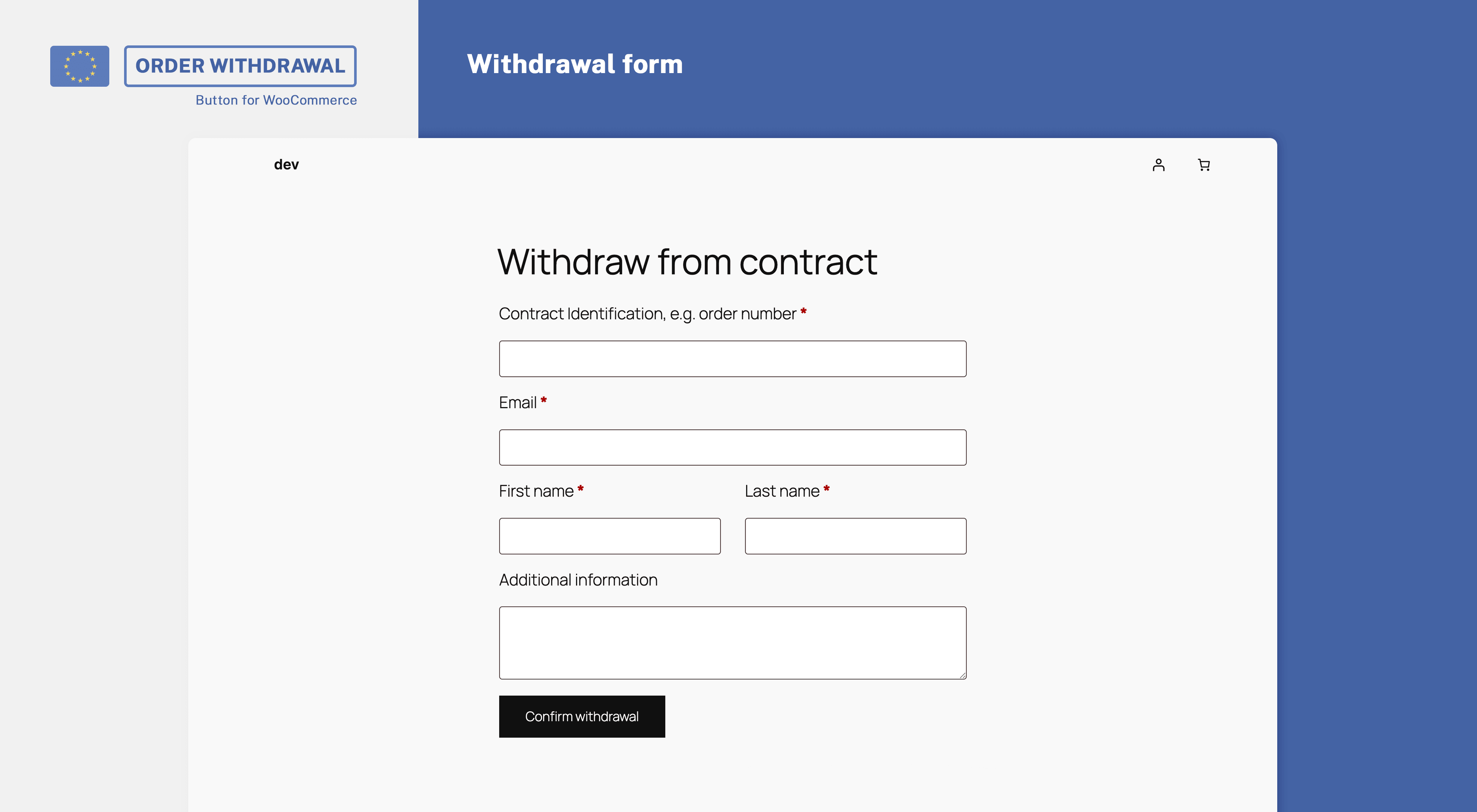
- Widerrufsformular – Nutze einen Shortcode um ein Widerrufsformular für Kunden und Gäste anzubieten.
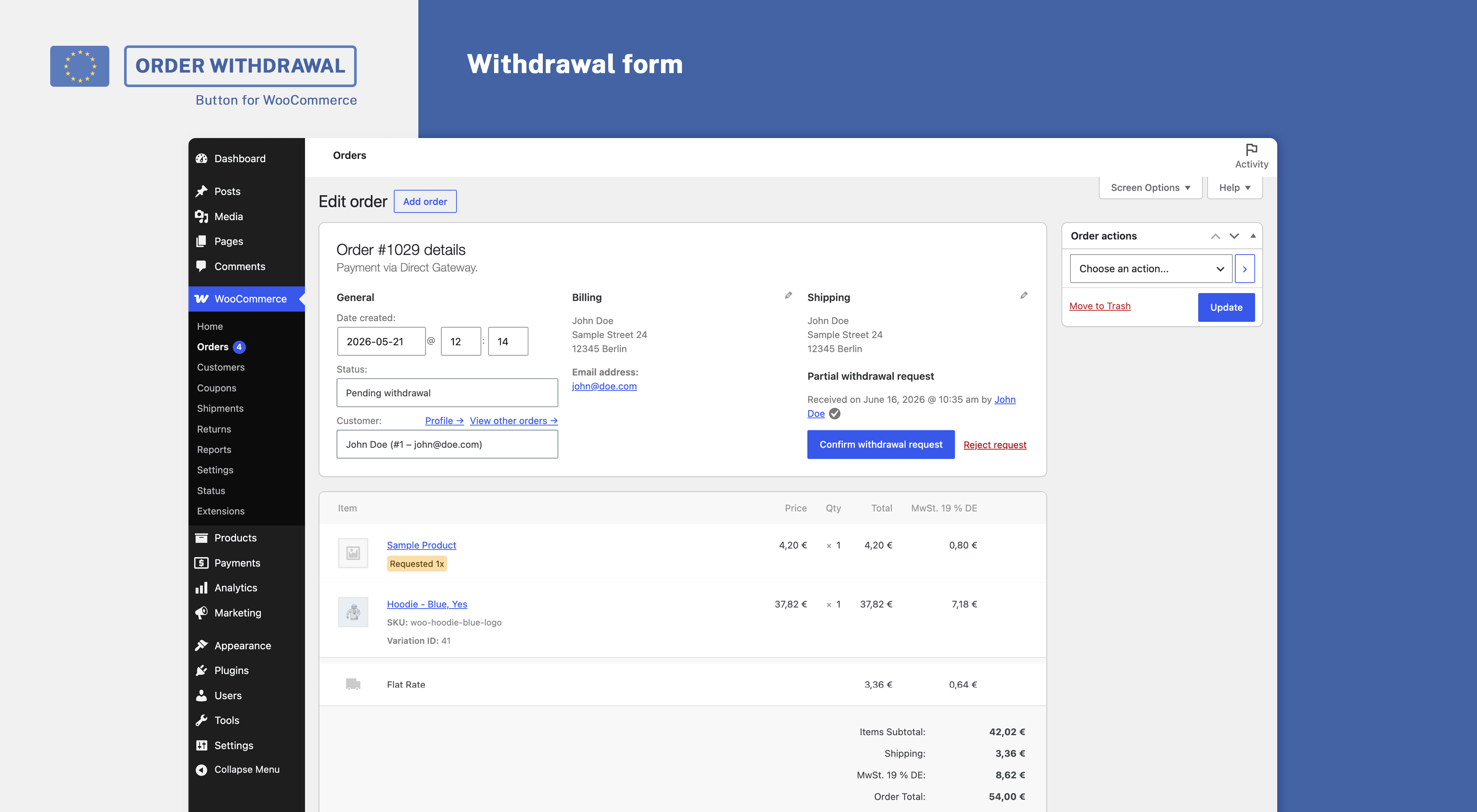
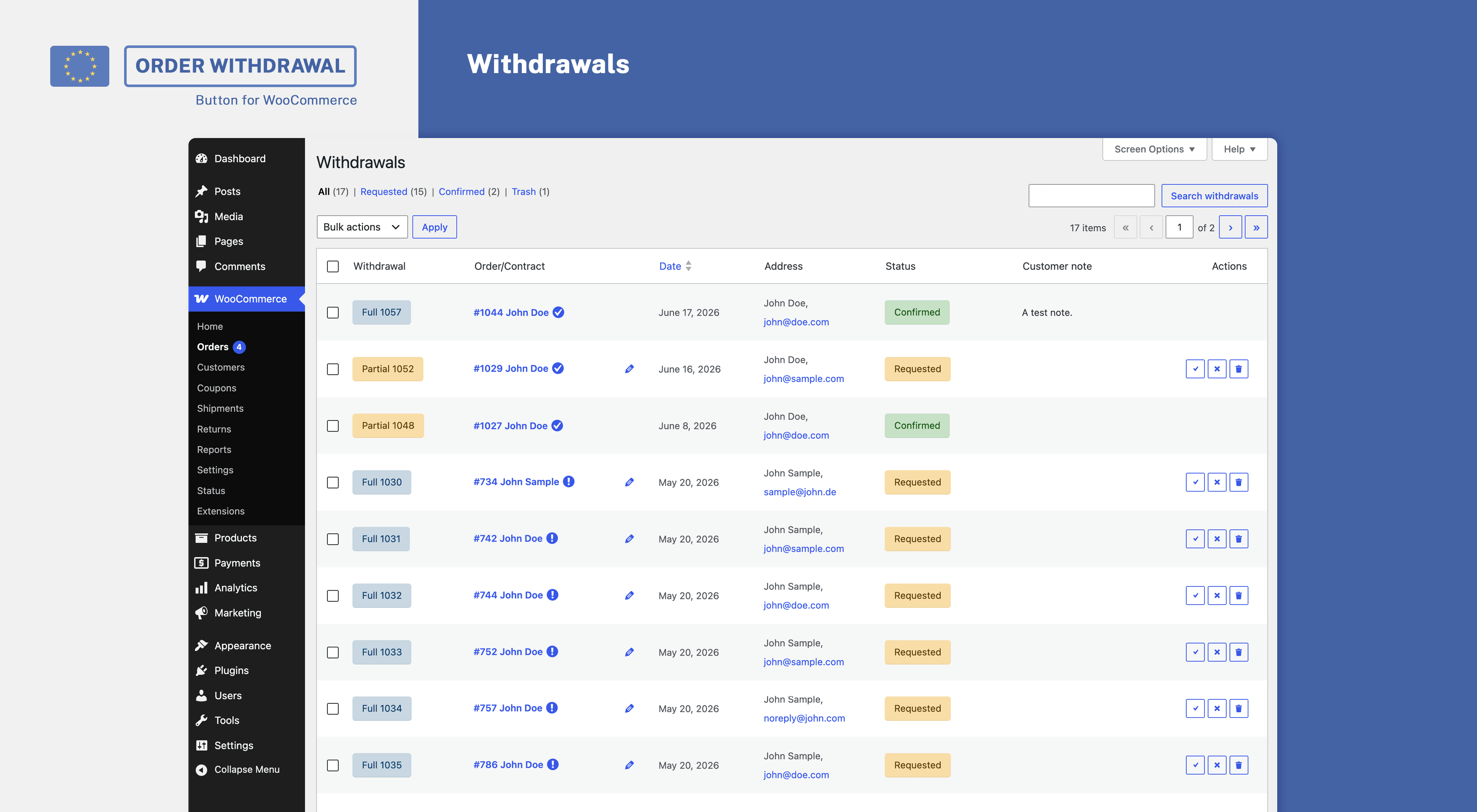
- Verwalte ausstehende Widerrufanträge – Bearbeite Widerrufanträge einfach über deine WooCommerce Bestellseite indem du Anträge bestätigst oder ablehnst.
- Sende Bestätigungsmails – Bestätige automatisch den Eingang des Widerrufs inklusive aller gemachten Angaben.
- Teilwiderruf – Lasse deine Kunden optional einen Teilwiderruf erstellen.
- Validierung von Gastanträgen – Wähle eine Validierung für Widerrufsanträge von Gästen aus, z.B. keine, Bestellung muss existieren, E-Mail-Adresse muss übereinstimmen etc.
- Zusätzlicher Spamschutz – Verhindere Spam per integriertem Honeypot-Feld und IP-Limits.
- DSGVO vorbereitet – Liefert einen Vorschlag für deine Datenschutzbestimmungen mit und unterstützt den Export bzw. Löschen von persönlichen Daten.
- WPML Kompatibilität – Liefert eine Kompatibilität mit WPML direkt mit.
Ersteinrichtung und Platzierung des Widerrufsbuttons
Mit Installation des Plugins wird eine neue Seite (Vertrag widerrufen) als Entwurf angelegt. Diese Seite enthält den Shortcode [eu_owb_order_withdrawal_request_form] um das Widerrufsformular auszugeben.
- Überprüfe die erstellte Seite und deine Einstellungen unter WooCommerce > Einstellungen > Erweitert > Widerrufe (falls du unser Plugin Germanized für WooCommerce verwendest findest du die Einstellungen unter WooCommerce > Einstellungen > Germanized > Allgemein > Widerrufsbutton)
- Veröffentliche die Seite, die den Shortcode enthält
- Stelle sicher, dass der Widerrufsbutton im Footer auf Shop-Seiten angezeigt wird
- Überprüfe die individuellen E-Mail-Vorlagen zur Bestätigung des Eingangs, Bestätigung bzw. Ablehnung des Widerrufs unter WooCommerce > Einstellungen > E-Mails.
- Teste den Prozess zum Widerruf als Gast und als registrierter Kunde
Wenn du nicht möchtest, dass der Widerrufsbutton automatisch eingebettet wird, deaktiviere die entsprechende Einstellung und nutze entweder den Shortcode [eu_owb_order_withdrawal_button] um den Button zu platzieren oder erzeuge in deinem Theme bzw. Pagebuilder manuell einen Link zum Widerrufsformular.
Integration mit Shiptatic für WooCommerce
Nutze unser Plugin Shiptastic für WooCommerce um Retouren mit geringem Aufwand zu managen. Nach der Bestätigung eines Widerrufs erzeugt Shiptastic automatisch eine Retoure, die alle Positionen des dazugehörigen Antrags enthält. Benachrichtige auf diese Art deine Kunden darüber, wie sie die Ware an dich zurücksenden können. Nutze Shiptastic darüberhinaus um einzelne Produkte vom Widerruf auszuschließen.
Screenshots
Installation
Minimale Voraussetzungen
- WordPress 4.9 oder neuer
- WooCommerce 3.9 (neueste Version empfohlen)
- PHP Version 7.0 der neuer
Automatische Installation
Wir empfehlen die Installation und Aktivierung des EU Widerrufsbutton für WooCommerce über deine WordPress Adminoberfläche. Bitte installiere WooCommerce, bevor du unser Plugin installierst.
Befolge die Schritte zur Ersteinrichtung um das Plugin zu konfigurieren.
FAQ
-
Wie zeige ich das Formular zum Erklären des Widerrufs an?
-
Füge den Shortcode [eu_owb_order_withdrawal_request_form] an einer beliebigen Stelle auf einer Seite ein, um das Formular anzuzeigen.
-
Nutze die Einstellung um den Button direkt in deinem Footer zu verknüpfen oder Optionen deines Themes um die Widerrufseite zu verlinken. Du kannst auch den Shortcode [eu_owb_order_withdrawal_button] nutzen um den Button an beliebiger Stelle zu platzieren.
-
Stelle sicher, dass du deine Seite für den Widerruf veröffentlicht hast (die standardmäßig bei der Installation als Entwurf erstellt wird). Der Widerrufsbutton wird nur auf Seiten angezeigt, die mit dem Shop in Zusammenhang stehen.
-
Du benötigst Hilfe?
-
Du kannst Fragen in unserem kostenlosen WordPress-Supportforum stellen.
-
Möchtest du einen Fehler melden oder das Plugin verbessern?
-
Bug-Reports können über unser GitHub-Repository eingereicht werden.
-
Wo melde ich Sicherheitslücken, die ich in diesem Plugin finde?
-
Bitte melde Sicherheitslücken, die im Quellcode des Plugins EU Order Withdrawal Button for WooCommerce gefunden wurden, über das Patchstack Vulnerability Disclosure Program. Das Patchstack-Team unterstützt Dich bei der Verifizierung, der CVE-Zuweisung und benachrichtigt die Entwickler dieses Plugins.
Rezensionen


Mitwirkende und Entwickler
„EU Widerrufsbutton für WooCommerce“ ist Open-Source-Software. Folgende Menschen haben an diesem Plugin mitgewirkt:
Mitwirkende

„EU Widerrufsbutton für WooCommerce“ wurde in 8 Sprachen übersetzt. Danke an die Übersetzer für ihre Mitwirkung.
Übersetze „EU Widerrufsbutton für WooCommerce“ in deine Sprache.
Interessiert an der Entwicklung?
Durchstöbere den Code, sieh dir das SVN-Repository an oder abonniere das Entwicklungsprotokoll per RSS.
Änderungsprotokoll
2.4.6
- Improvement: Make sure that withdrawal edit flow does not delete the original withdrawal request in case the (linked) order stays the same
- Improvement: Indicate that a withdrawal request has been edited when sending notifications
- Improvement: Honeypot-field id-based CSS-rule as fallback
- Fix: Prevent original status from turning to pending-wdraw
2.4.5
- Fix: Privacy eraser/exporter overrides
2.4.4
- Improvement: Explicitly exclude shop_order_withdraw order type from cot-migration to prevent data sync hiccups
- Improvement: Do not set order_number meta for (non-verified) guest withdrawals to prevent possible incompatibilities with sequential order number plugins
2.4.3
- Improvement: Try to find the order by a custom order number field first as the parsed order number can be numeric too
2.4.2
- Improvement: Introduce guest order validation setting (set to none after update)
2.4.1
- Improvement: Prefer searching for custom order number first to prevent finding wrong ids
- Improvement: Restock order items on withdrawal confirmation in case no payment has been made yet
2.4.0
- Improvement: Edit withdrawal flow
- Improvement: Bulk spam protection
- Security: Remove the partial withdrawal availability check to prevent information leakage (e.g. to check whether a specific email + order exists)
- Fix: Fix a template typo show_imag vs. show_image
2.3.2
- New: Introduce setting to place a withdrawal link (in case available) within customer account order actions
- Improvement: Override additional abstract order method to prevent compatibility issues
- Improvement: Add a generic error message in case no valid XHR response is received
- Improvement: Show withdrawn/requested labels for order items within view order endpoint
- Improvement: Introduce eu_order_woocommerce_withdrawal_email_show_verification_code filter which allows to hide the verification code from emails
2.3.1
- New: Withdrawal preview modal
- Improvement: Link withdrawal items with refunds to prevent reducing withdrawable quantity twice
- Fix: Edge-case where edit withdrawal guest links where missing the current order
2.3.0
- New: WPML compatibility
- New: Privacy additions (export, erase, policy suggestions)
- New: Setting to select which fields to be mandatory
- New: Setting to add an „additional information“ textarea
- New: Added sha256 verification code which reflects the data contained within the withdrawal request
- Improvement: Allow setting days to withdraw to 0 to keep order withdrawable indefinitely
- Improvement: Renamed order number field to „Contract identification“ and make it mandatory by default
- Improvement: Explicitly exclude checkout-draft status
- Improvement: Add order notes to withdrawals, e.g. on status updates
- Fix: Woo < 10.X backwards compatibility
2.2.1
- Improvement: Show withdrawal page valid/invalid status in settings
- Improvement: Use a more consistent HTML markup for checkboxes
- Improvement: Do not pass (parent) order object in case existent to emails for consistency
2.2.0
- Improvement: Use additional content within withdrawal confirmation email to allow for a more customized message
- Improvement: Backwards compatibility with Woo < 8.7
- Improvement: Use woocommerce_form_field to output form fields within withdrawal form
- Improvement: Prevent rejected unverified withdrawal requests from reducing the quantity available to withdraw
- Improvement: Introduce sane first name, order number and last name maxlength
- Improvement: Check whether a new withdrawal request actually has any updates
- Fix: Allow (guest) withdrawal requests to be overridden (in case verified) – thanks to Ilyess Ghalem from fraudless.tech
- Fix: Plaintext email template usage
2.1.1
- Improvement: Basic spam protection via honeypot field + direct post check
- Improvement: Prevent guests from submitting
- Fix: Performance improvement for legacy withdrawal imports by using direct queries
2.1.0
- New: Accept withdrawal requests without matching order
- New: Withdrawal admin UI
- New: Store withdrawals as custom order type
- New: Allow choosing a different support email via setting
2.0.2
- Improvement: List all orders for logged-in users and show non-withdrawable notices on request
2.0.1
- Fix: Prevent calling customer in admin context
2.0.0
- Improvement: Allow withdrawal requests without order number and differing email address
- Improvement: Mark withdrawal requests as verified/unverified based on email address
- Improvement: Separately list unverified withdrawal requests by default
- Improvement: Allow verified guests to choose another order in case multiple orders are withdrawable
- Improvement: Allow choosing first + last name
1.0.2
- Improvement: Inform guest customers about partial withdrawals within original form
- Fix: HPOS order number search
1.0.1
- Fix: Partial withdrawal request check
- Improvement: Fallback to customer_id in case billing_email differs
1.0.0
- Initial commit