
Beschreibung
WordPress Single Sign On – WordPress SSO with our SAML Single Sign On Plugin allows unlimited users login via SAML SSO with Azure AD / Microsoft Entra ID, Azure AD B2C, Okta, GSuite / Google Apps / Google Workspace, Salesforce, Keycloak, ADFS, Shibboleth, Office 365, OneLogin, Auth0 and many more. WordPress SAML SSO Plugin can enable WP SSO with any SAML 2.0 compliant Identity Provider.
Key Features | Premium Plan Features | Setup Guides | Addons | Office 365 Integrations
Check our step-by-step video guide for effortless SSO configuration with your SAML Identity Provider. Streamline your authentication process in minutes to enhance your WordPress site:
Discover Supported Identity Providers for WordPress Single Sign On (SAML SSO)
- Azure AD Single Sign On / Microsoft Entra ID Single Sign On ( SSO ) (supports Azure AD SSO using SAML for WordPress login)
- Azure AD B2C Single Sign On ( SSO ) (supports Azure AD B2C SSO using SAML for WordPress login)
- Keycloak Single Sign On ( SSO ) (supports Keycloak SSO login into WordPress)
- ADFS Single Sign On ( SSO ) (supports ADFS SSO login into WordPress)
- Okta Single Sign On ( SSO ) (supports Login with Okta into WordPress using SAML SSO)
- Salesforce Single Sign On ( SSO ) (supports Salesforce Login into WordPress with SAML SSO)
- Office 365 Single Sign On ( SSO ) (supports Office 365 SSO Login into WordPress)
- Shibboleth Single Sign On ( SSO ) (supports WordPress SSO Login using Shibboleth)
- GSuite / Google Apps Single Sign On ( SSO ) (supports WordPress SSO Login using Google Apps)
- miniOrange Single Sign On ( SSO ) (supports SAML SSO for WordPress login)
- OneLogin Single Sign On ( SSO ) (supports OneLogin SSO into WordPress)
- Auth0 Single Sign On ( SSO ) (supports WordPress Auth0 Login using SAML SSO)
- Centrify Single Sign On ( SSO ) (supports SAML SSO for WordPress login)
- Gluu Server Single Sign On ( SSO ) (supports SAML SSO for WordPress login)
- SimpleSAMLphp Single Sign On ( SSO ) (supports SAML SSO for WordPress login)
- OpenAM Single Sign On ( SSO ) (supports SAML SSO for WordPress login)
- Ping Identity / PingOne Single Sign On ( SSO ) (supports SAML SSO for WordPress login)
- Ping Federate / Ping Identity Single Sign On ( SSO ) (supports SAML SSO for WordPress login)
- RSA Single Sign On ( SSO ) (supports SAML SSO for WordPress login)
- Sharepoint Single Sign On ( SSO ) (supports SAML SSO for WordPress login)
- IBM Single Sign On ( SSO ) (supports SAML SSO for WordPress login)
- Oracle Single Sign On ( SSO ) (supports SAML SSO for WordPress login)
- Bitium Single Sign On ( SSO ) (supports SAML SSO for WordPress login)
- WSO2 Single Sign On ( SSO ) (supports SAML SSO for WordPress login)
- NetIQ Single Sign On ( SSO ) (supports SAML SSO for WordPress login)
- FusionAuth Single Sign On ( SSO ) (supports SAML SSO for WordPress login)
- Absorb LMS Single Sign On ( SSO ) (supports SAML SSO for WordPress login)
- IdentityServer4 Single Sign On ( SSO ) (supports SAML SSO for WordPress login)
- OpenAthens Single Sign On ( SSO ) (supports SAML SSO for WordPress login)
- CyberArk Single Sign On ( SSO ) (supports SAML SSO for WordPress login)
- SiteMinder Single Sign On ( SSO ) (supports SAML SSO for WordPress login)
- Fonteva Single Sign On ( SSO ) (supports SAML SSO for WordPress login)
- PhenixID Single Sign On ( SSO ) (supports SAML SSO for WordPress login)
- LastPass Single Sign On ( SSO ) (supports SAML SSO for WordPress login)
and practically any SAML Identity Provider.
WordPress Single Sign On ( WordPress SSO )
-
Login using a single set of credentials: WordPress SAML Single Sign On ( SSO ) provides a SAML authentication process in which a user can login to multiple applications and/or websites by using only a single set of login credentials (such as username and password). This prevents the need for the user to login separately into the different applications. SAML authentication for WordPress Single Sign On – WordPress SSO addresses the challenge of maintaining the credentials for each application separately, streamlining the process of signing on without needing to re-enter the password.
-
Auto login and session sharing: WordPress Single Sign On – WP SSO login allows your users to login to your WordPress site by authenticating with their SAML 2.0 compliant IDP. If your users first login to some other application connected to your IDP, they can seamlessly login to WordPress without being prompted for login again.
-
SAML compliant Service Provider: This SAML WordPress SSO solution provides SAML SSO capability to your WordPress site, converting it to a SAML compliant Service Provider which can be configured with any SAML compliant Identity Provider, allowing your users to login to your WordPress (WP) site.
-
Login using any SAML Identity Provider: WordPress Single Sign On ( WP SAML SSO ) also allows you to manage login and achieve WordPress Single Sign On – WP SSO on your WordPress membership site using Azure AD, Azure AD B2C, ADFS, Keycloak, GSuite / Google Apps, Okta, Salesforce, Office 365, Shibboleth, Auth0, or any SAML compliant Identity Provider so that you can allow your users to login to WordPress as a member via using their SAML IDP credentials.
miniOrange WordPress Single Sign On ( WordPress SSO ) Plugin acts as a SAML 2.0 Service Provider which can be configured to establish trust between the plugin and a SAML 2.0 capable Identity Provider to securely authenticate the user to the WordPress site. This allows your users to securely login to your WordPress site.
Single Sign On for WordPress Multi-Site Environments and the ability to configure Multiple SAML IDPs against WordPress as a SAML Service Provider is also supported in the premium WordPress SAML SP Single Sign On SSO plugin ( SAML SSO ). -
Anonymous Login or Guest User Login: WordPress SAML Single Sign On ( SSO ) premium provides Anonymous WP SSO Login (Guest User Login) for your WordPress site so that your users can login to the WordPress site using their IDP credentials via SSO without creating the users in the site.
-
Migration Support for pre-production environments: WordPress Single Sign On ( WP SSO ) plugin provides an Easy migration feature in the Enterprise and an All-Inclusive plan suited to hosting providers like WP Engine, Pantheon, etc. This allows you to configure our WordPress SSO SAML plugin for your production and pre-production environments at once and easily switch between your environments without overwriting the configurations.
WordPress SAML Single Sign On – WordPress SSO supports all kinds of WP SSO use cases such as Azure login into WordPress, Login with Azure (Azure login), Azure AD login into WordPress, Azure AD SSO ( Azure AD Single Sign On ), Login with Azure AD, Login using Azure AD, WP SSO with Azure AD, Login with Office 365, Office 365 SSO login, Office 365 Single Sign On SSO, Login using Office 365, Login with Azure B2C, Azure B2C login, Login with Azure AD B2C, Azure AD B2C login, SSO with Azure ADFS, ADFS login into WordPress, Login with ADFS, SSO Login with ADFS, Okta SSO,Login with Okta, SSO with Okta, WP Okta login, Login with Okta in WordPress, WordPress Okta SSO, OneLogin SSO, Salesforce login, Login using Salesforce, Google Apps login, Google Apps Single Sign On SSO, Login with Google Apps, Login using Google Apps, Login using Gsuite, Gsuite login into WordPress, Keycloak login, Keycloak WP SSO, Auth0 login, Auth0 Single Sign On, Shibboleth login, Login with Shibboleth, Login using Shibboleth, Login with Ping, PingFederate login, Ping Federate SSO, ClassLink WP SSO, FusionAuth WP SSO, Absorb LMS WP SSO, etc allowing your users to securely login to the WordPress site.
WORDPRESS SINGLE SIGN ON ( WORDPRESS SSO ) USE-CASES:
WordPress Single Sign On – SSO ( WP SSO ) for Universities & Education Institutes
We also support seamless WordPress integration with Salesforce and all Microsoft Apps like Sharepoint, PowerBI, Dynamics CRM, etc.
WordPress Single Sign On ( SSO ) for Educational Institutes provides an easy and secure method to authenticate users of educational institutes like schools, colleges and universities into single or multiple WordPress sites using their Identity Provider like Google Workspace, Azure AD, Shibboleth, HAKA, InCommon. Single Sign On (SSO) allows students, teachers, and staff/faculty members to log in and access university or school resources, with single login credentials.
Our WordPress SAML Single Sign On (WP SSO) plugin also provides SSO support for schools and universities use cases like ClassLink SSO or Login using ClassLink into your WordPress site ( ClassLink Single Sign On ). We have also solved WordPress SSO for Healthcare & Medical Institutes use cases.
Azure SSO – Login with Azure
-
WordPress SAML Single Sign On ( SAML SSO ) with Azure AD
Azure AD WordPress SSO / Office 365 WordPress SSO login (SAML Single Sign On) can be achieved using our WordPress SAML SP Single Sign On (WP SSO) plugin. Our SSO solution will make WordPress a SAML 2.0 compliant Service Provider by establishing trust between the WordPress site and Azure AD / Azure AD B2C to securely authenticate and login users to the WordPress site. -
WordPress SSO ( WP SSO ) with multiple Azure tenants
With our Azure multi-tenant add-on you can enable WordPress Single Sign On with multiple Azure tenants. With WordPress Login with Azure (Azure login), users in multiple Azure tenants or Office 365 tenants can access your WordPress site.
Azure AD Login or Azure AD SSO (Azure AD Single Sign On) allows your users to log into the WordPress site by authenticating with their Azure Active Directory credentials on the Microsoft login page.
The SAML Single Sign On SSO plugin for WordPress allows users from any Azure AD tenancy to sign into their WordPress sites. Azure AD multi-tenancy SSO add-on simplifies multi-tenancy and enables WordPress SSOwith various Azure AD tenants on your WordPress website. -
Azure AD User Profile Mapping
WordPress Single Sign On (WordPress SSO) and Azure AD SSO Login are deeply integrated by us, allowing you to transfer user information from Azure AD to WordPress sites, including given names, email addresses, last names, and security groups. -
Office 365 Integrations / Microsoft Integrations
We also support seamless WordPress integration with all Microsoft Apps like Sharepoint, PowerBI, Dynamics CRM.
Additionally, the plugin can work seamlessly with solutions like Embed Sharepoint Files/Folders, Embed Power BI Reports, Dynamics CRM Sync, etc -
Authenticating using Office 365 credentials
By authenticating using their Office 365 credentials, also enables your Office 365 users to access WordPress Single Sign On (Login using Office 365 credentials/Office 365 Login/Login with Office 365). With the help of our WordPress SSO plugin, you can smoothly accomplish Office 365 Login, Login with Office 365 Credentials, Office 365 SSO, and Login with Office 365 by mapping user information from Office 365 to your WordPress site. We also provide SSO using PowerBI Credentials, Dynamics CRM Credentials, etc.
Google Apps SSO – Login with Google
-
WordPress SAML Single Sign On with Google Apps
SSO with GSuite / Google Apps is supported by the WordPress SAML Single Sign On SSO plugin (Google Apps Login / Login using GSuite / Login using Google Apps / Login using Google Apps / GSuite login ), so users can login using their organization’s Google Apps credentials to your WordPress site. -
Google Apps User Profile Mapping
You can use the WordPress Single Sign On (SSO) plugin to map the user information such as first name, last name, employee details, etc from Google Apps to your WordPress site in order to achieve Google Apps Login / SSO with GSuite or Login with Google Apps / Login using Google Apps into WordPress.
Our WordPress SSO plugin enables displaying user’s Google Profile photos in place of their avatars throughout the site (available with Custom integration) in addition to Google Apps Login / WordPress SSO with GSuite. -
Google Apps SSO Integration
We provide seamless integration between WordPress Single Sign On ( WordPress SSO ) and Google Apps Login ( SSO Login with Google Apps ) in which you can provide Role controls to your users based on Google Groups or Organizational Unit membership.
This enables users of your WordPress site to easily log in to Google Apps using a single sign on, or authenticating using a Google Apps login. We also support WordPress SSO Single Sign On with multiple Google Apps organizations on the same site using our All-Inclusive plan.
Federation SSO
The WordPress SAML Single Sign On SSO plugin ( WP SAML SSO ) is compatible with Federation use cases allowing your students or staff to login to the WordPress site using their university credentials that are affiliated with any federation such as InCommon, HAKA, HKAF, etc.
To enable Federation WordPress Single Sign On SSO, you will need to get the Federation SSO add-on.
Salesforce Community SSO
The WordPress SAML Single Sign On SSO ( WordPress SAML SSO ) plugin allows your Salesforce community users to login to the WordPress site by authenticating with their Salesforce credentials ( Login using Salesforce / Salesforce Login ).
You can also enable SAML Single Sign On SSO with multiple Salesforce communities using our Salesforce Community add-on.
Our WordPress Single Sign On ( SAML SSO ) plugin supports all the Salesforce SSO use cases such as Salesforce Login, Salesforce Single Sign On, Salesforce Community SSO, Salesforce Login ( Single Sign On ) into WordPress, Login using Salesforce, Login with Salesforce, Salesforce Integration.
This allows you to seamlessly achieve WP SAML SSO Login using Salesforce, Salesforce Login, Salesforce Community SSO, Login with Salesforce, and Salesforce Single Sign On for your WordPress site.
WooCommerce SSO Integration
The WordPress SAML SSO ( WP SAML SSO ) plugin also supports integration with WooCommerce for WooCommerce Single Sign On SSO. WooCommerce SSO allows you to configure Single Sign On ( …
Screenshots
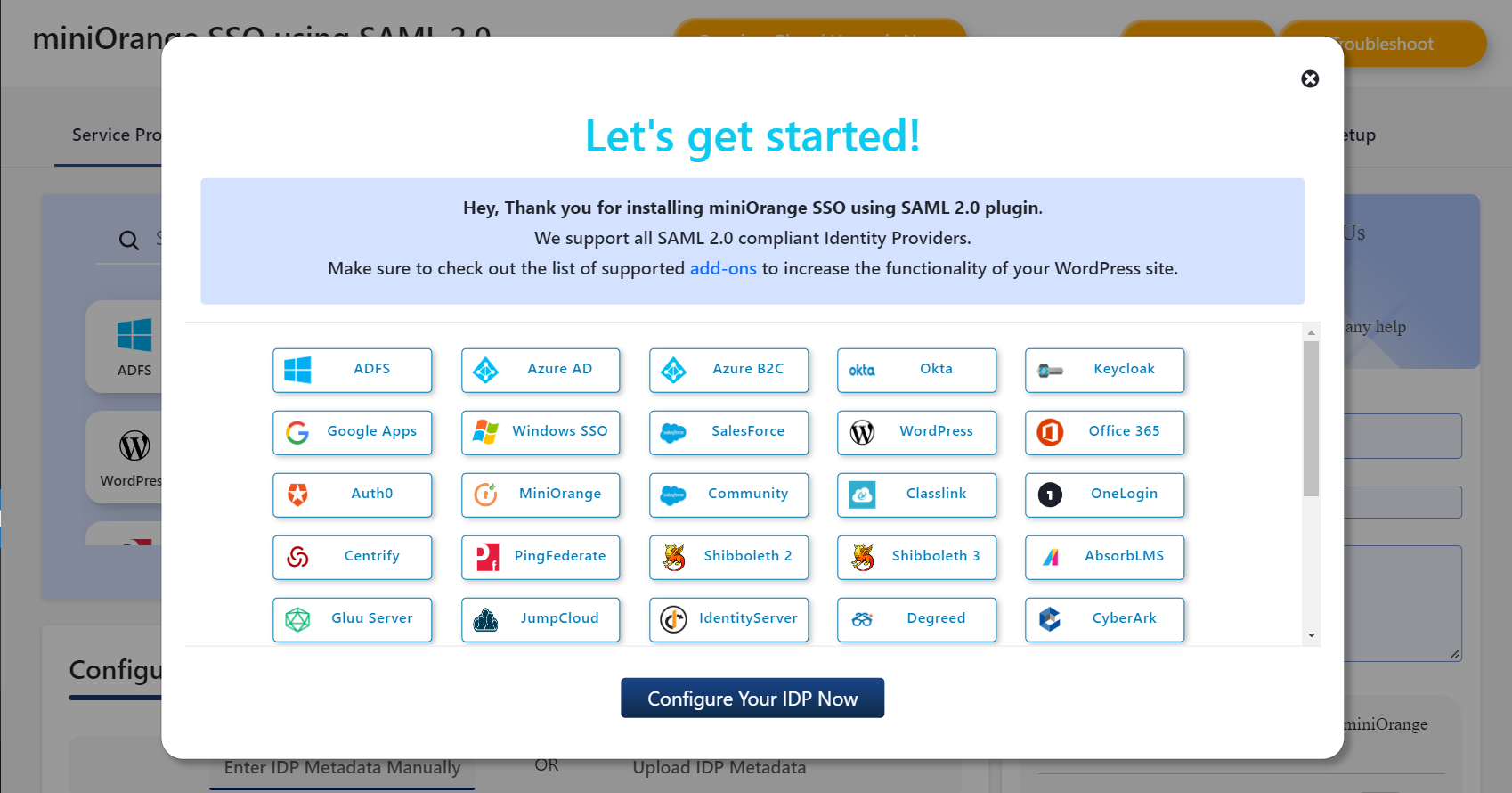
Enable WordPress SSO with any SAML-compliant Identity Provider. 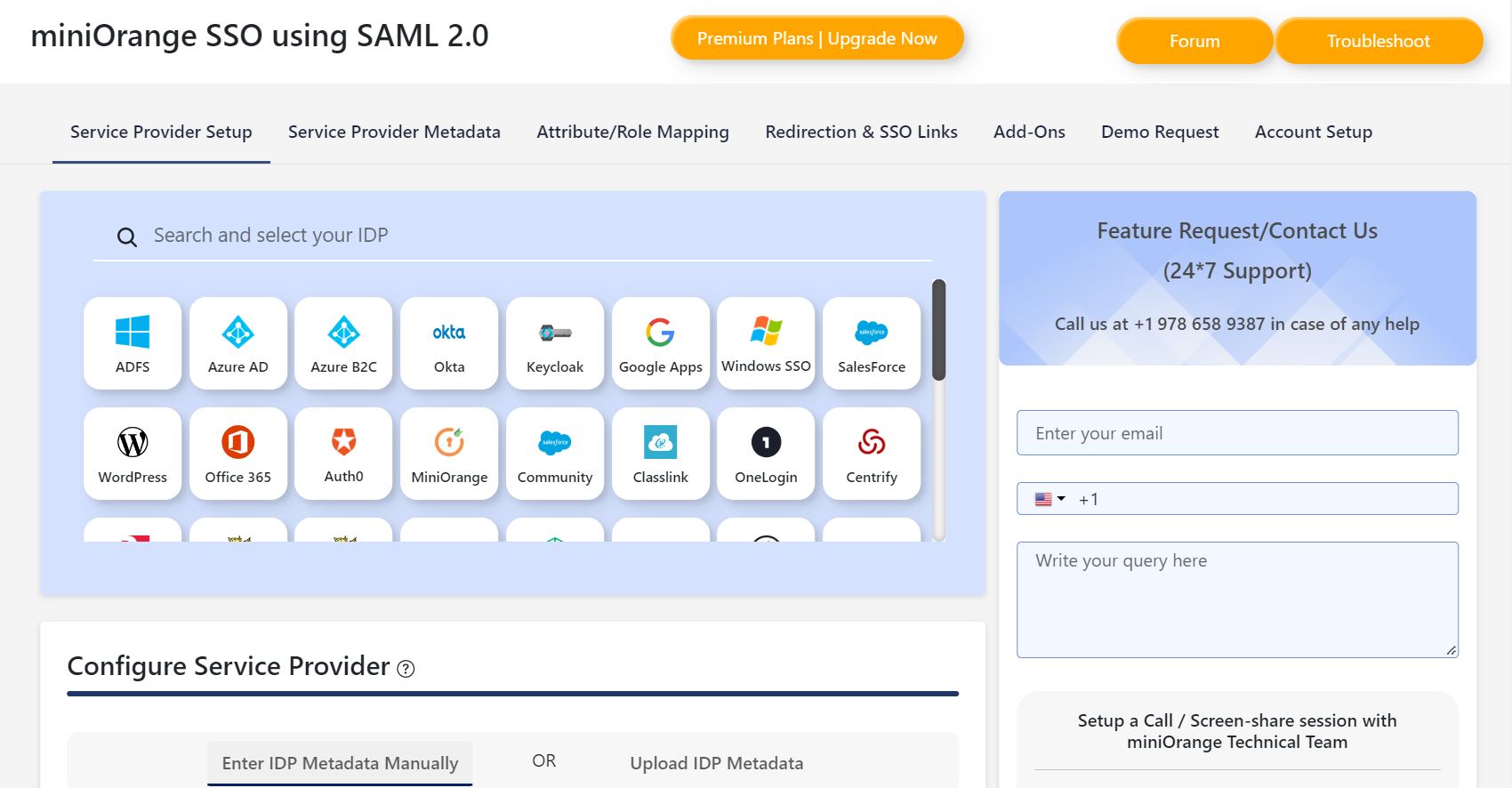
Configure your WordPress as a SAML Service Provider. 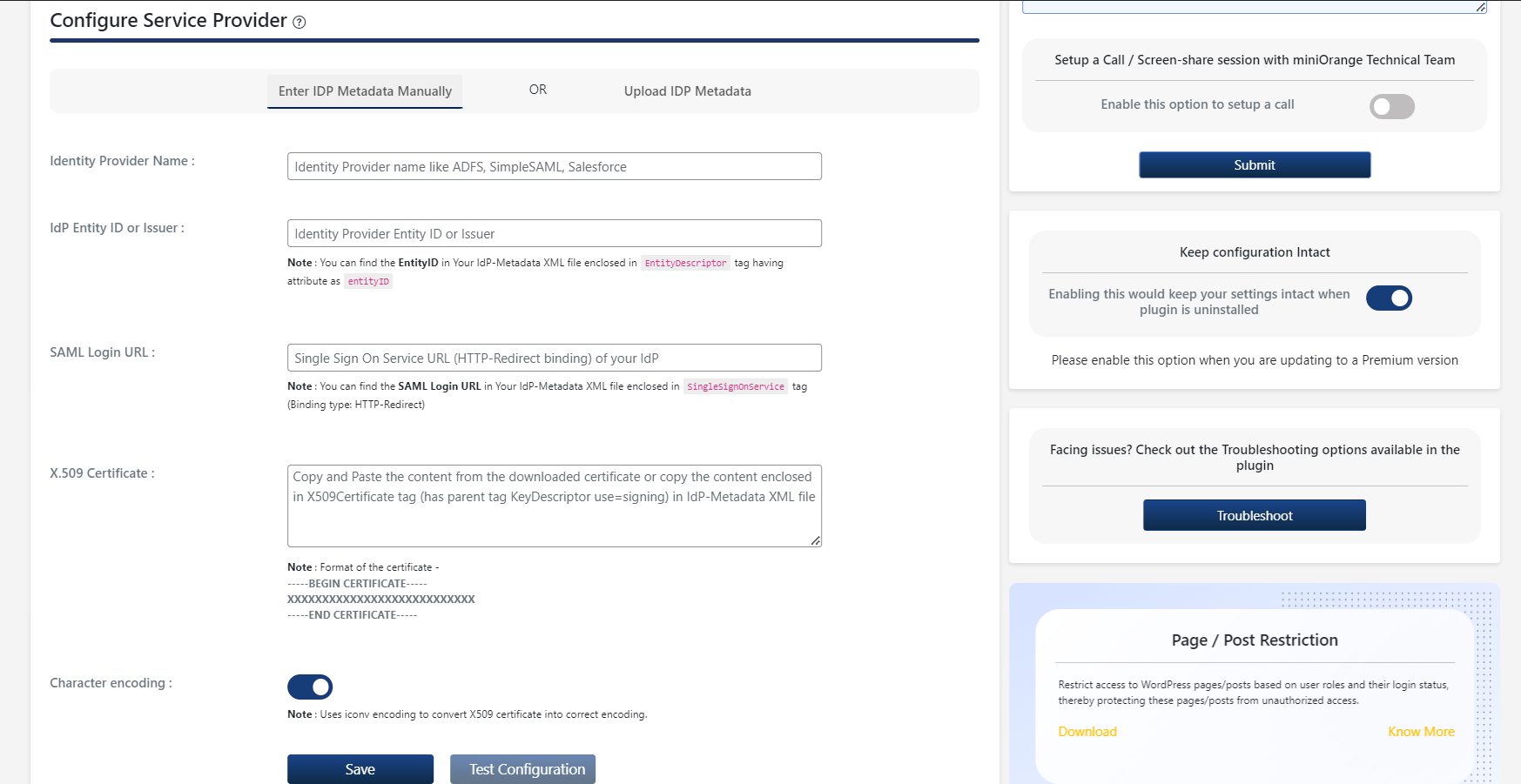
Configure IDP Metadata for SAML SSO. 
Upload IDP Metadata using Metadata file or URL to configure SSO. 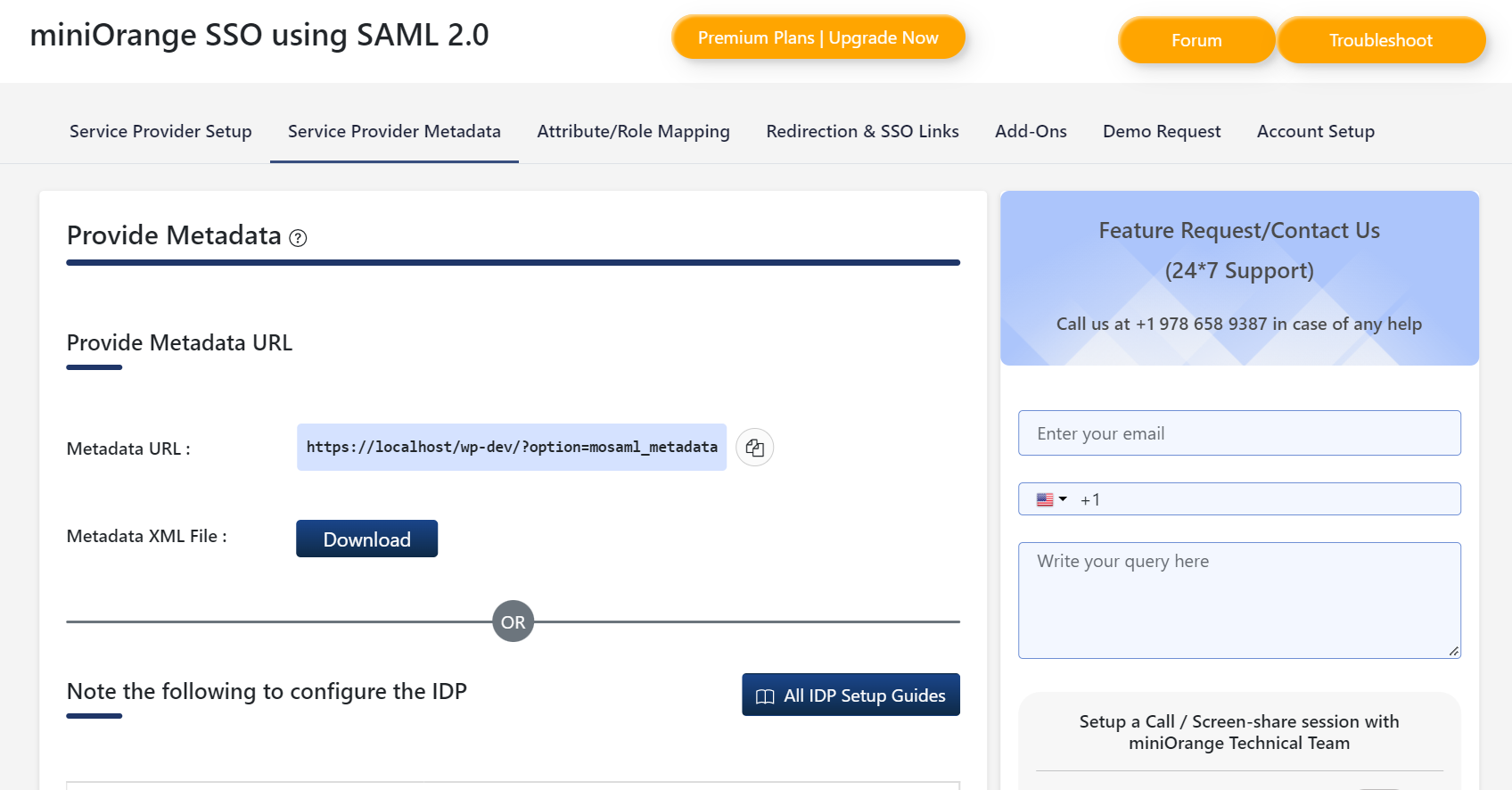
Get SP Metadata URL or file for Identity Provider to configure SSO. 
Get SP Metadata Endpoints for Identity Provider to configure SSO. 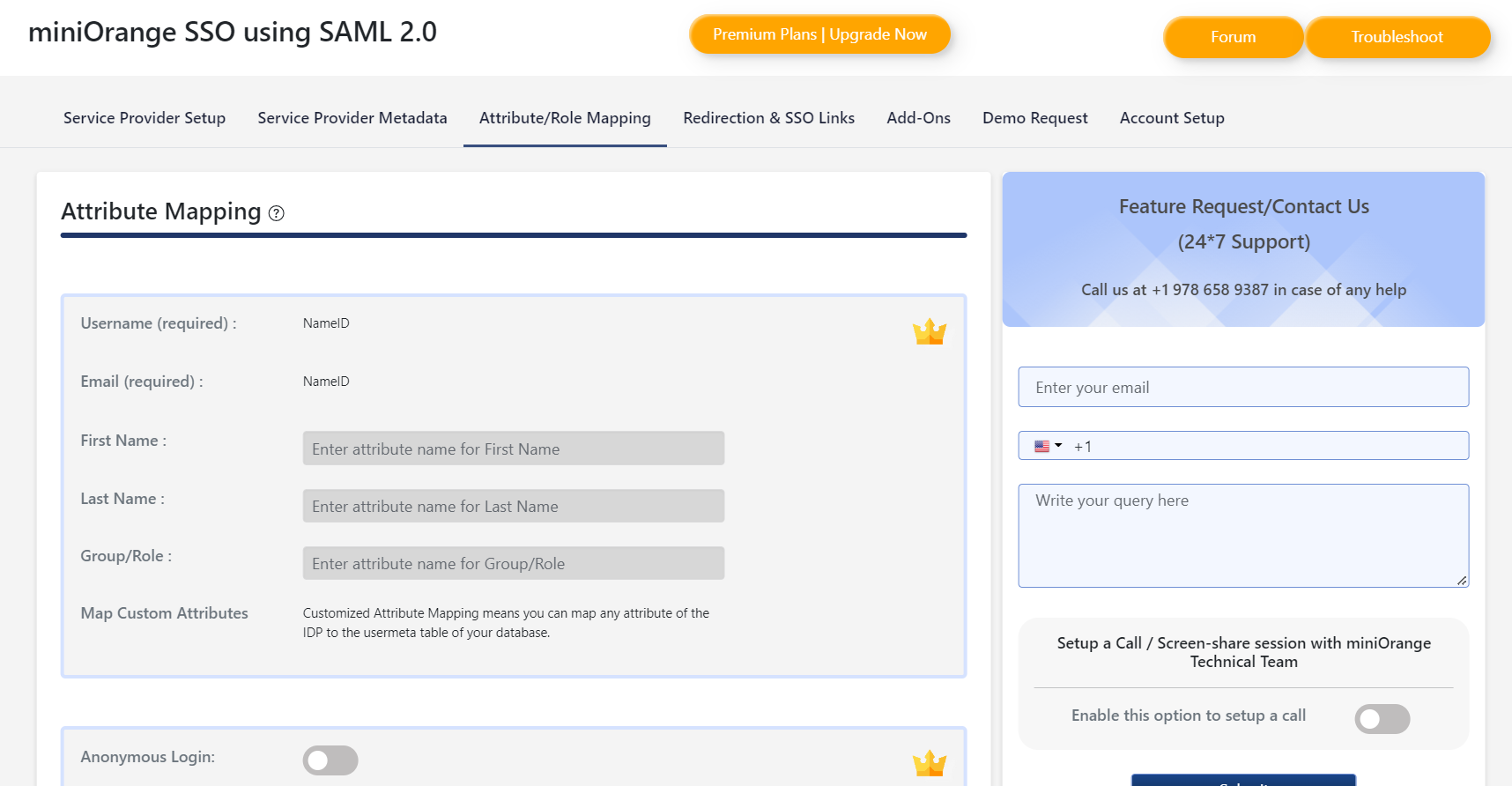
Assign IDP attributes to users in WordPress after SSO. 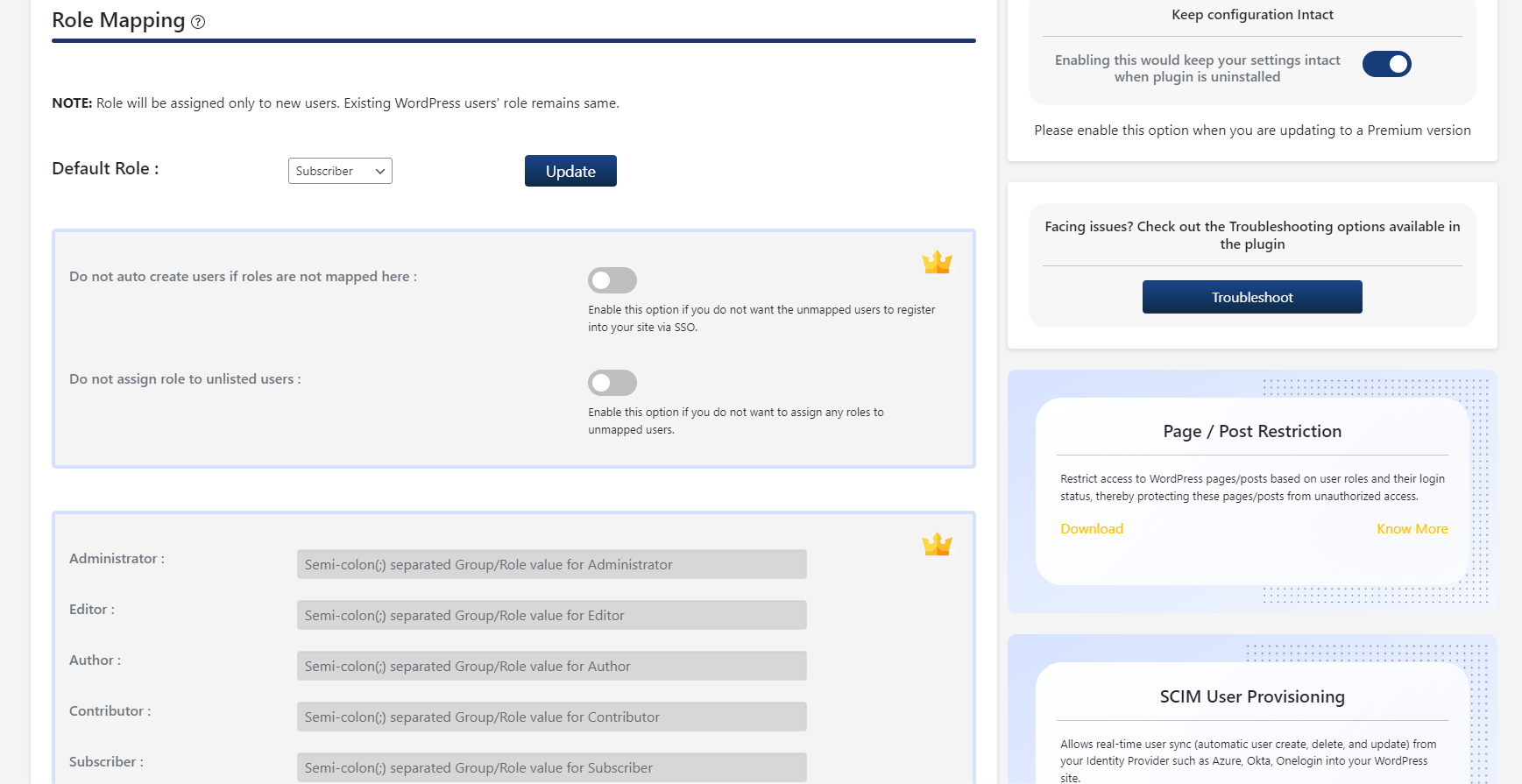
Assign a default WordPress Role to users after SSO. 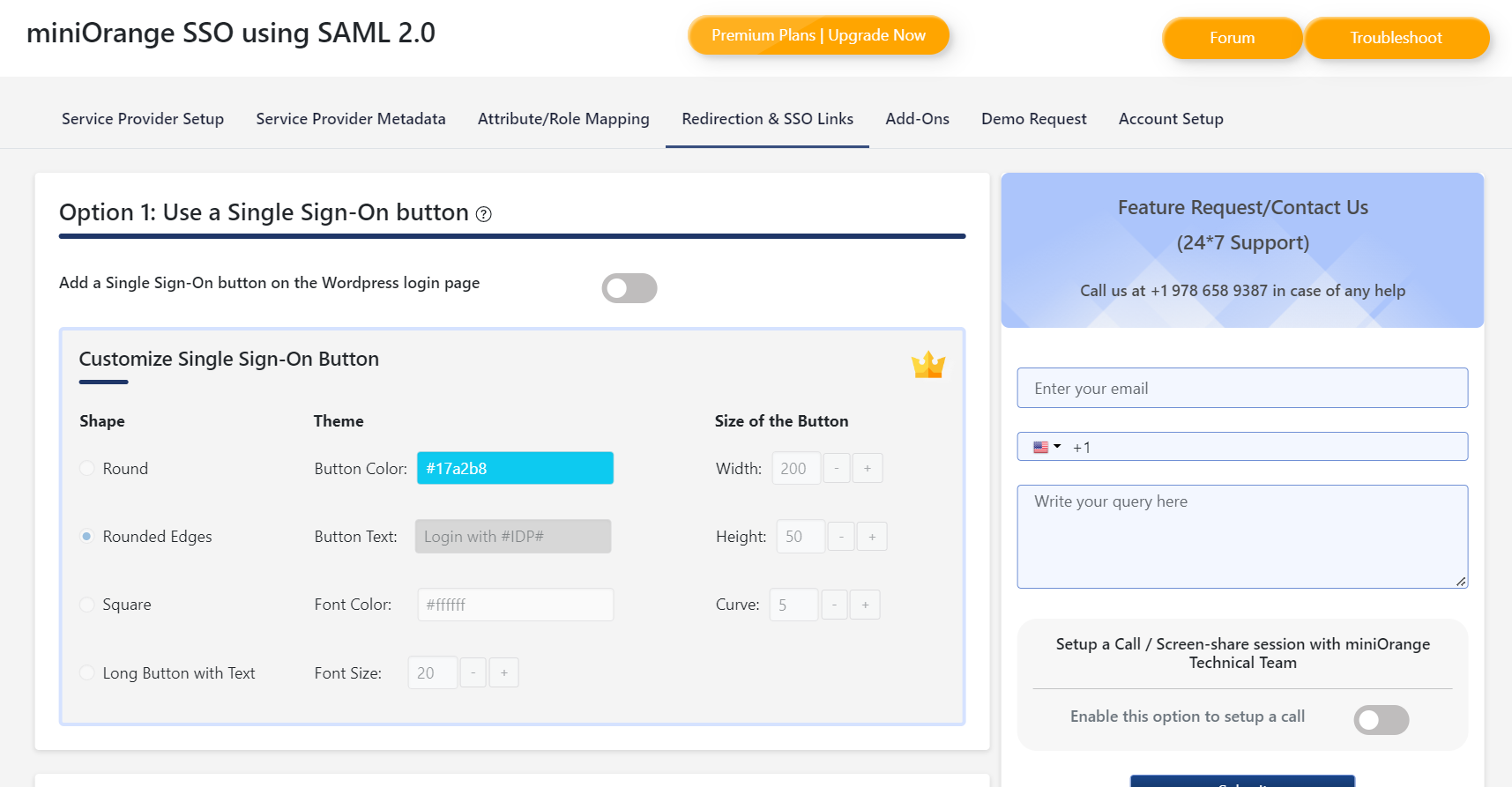
Add a WordPress SSO button on the wp-login page. 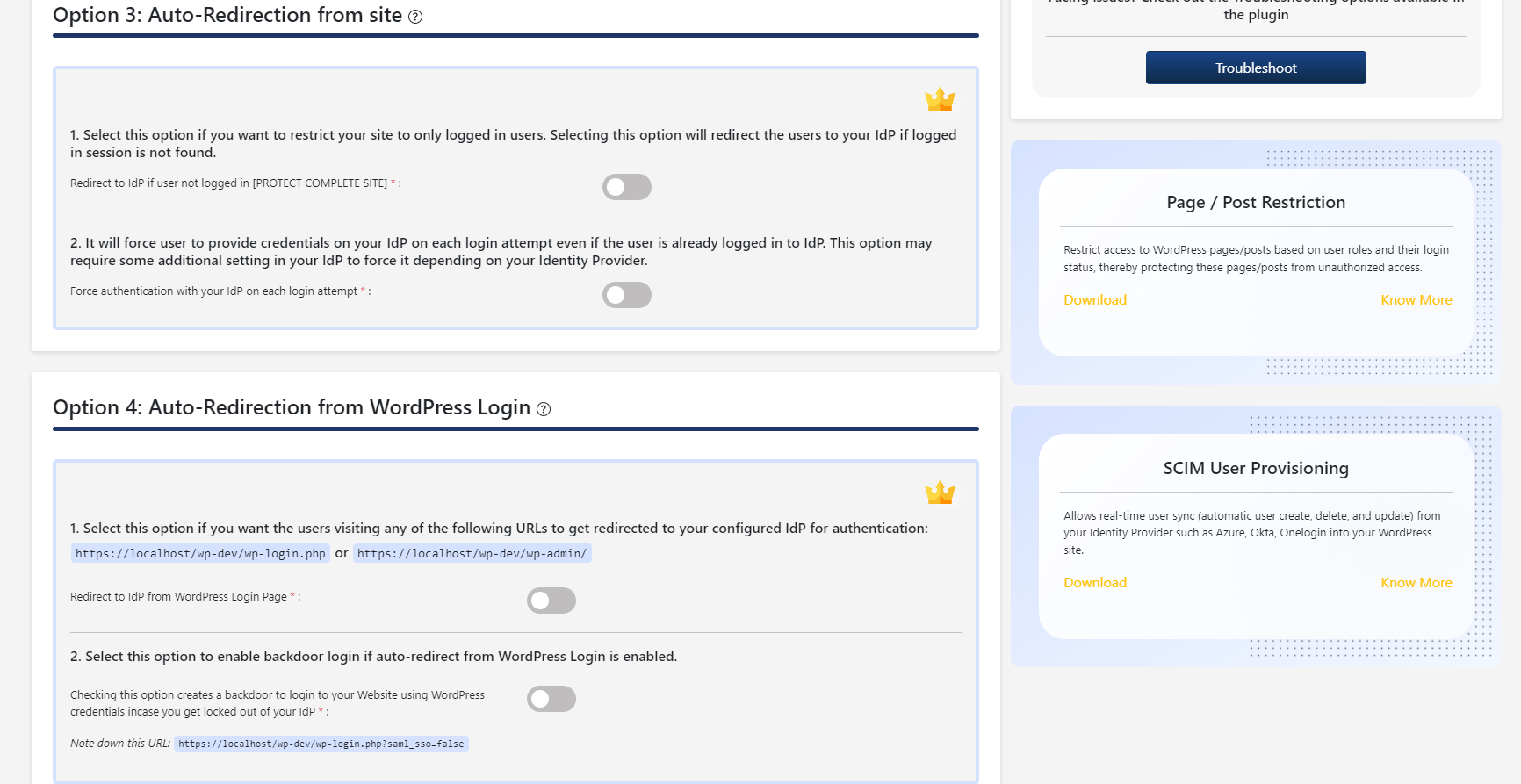
Premium features of WordPress SAML SSO Plugin for force authentication. 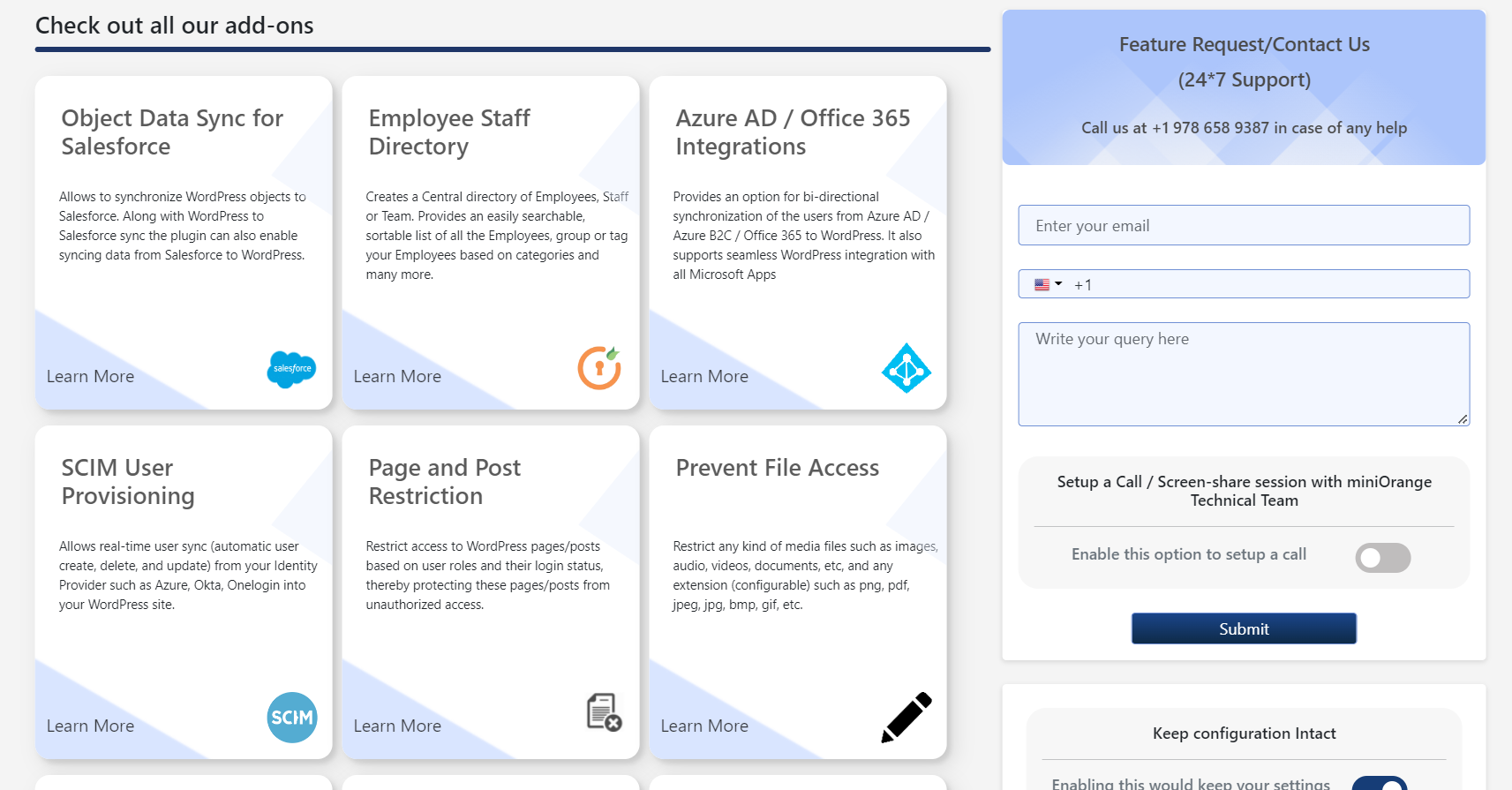
Addons that extend plugin functionality.
Installation
Vom WordPress dashboard
- Visit
Plugins > Add New. - Search for
SAML SP Single Sign On. Find and InstallSAML SP Single Sign On – SSO login. - Activate the plugin from your Plugins page.
Von WordPress.org
- Download SAML SP Single Sign On – SSO login plugin.
- Unzip and upload the
miniorange-saml-20-single-sign-ondirectory to your/wp-content/plugins/directory. - Activate miniOrange SSO using SAML 2.0 from your Plugins page.
FAQ
-
How to configure WordPress SAML SSO?
-
- Download and install WordPress SAML 2.0 SSO plugin.
- Add your WordPress site metadata details from the WordPress SAML Single Sign-On plugin, into your Identity Provider (IDP), and generate the IDP metadata.
- Upload the IDP metadata file/URL in the WP SSO Plugin on your WordPress site for a successful WordPress SSO connection.
-
I am not able to configure the Identity Provider with the provided settings
-
Please email us at samlsupport@xecurify.com or Contact us. You can also submit your app request from the plugin’s configuration page.
-
My SAML Identity Provider is not listed in the plugin or guides. How can I configure the plugin with my SAML IDP?
-
The WordPress SAML Single Sign-On plugin can be configured with any SAML compliant Identity Provider simply by exchanging the SAML metadata between the plugin and your SAML IDP.
If you need any help in configuring the plugin, please email us at samlsupport@xecurify.com. -
Can the plugin be configured to support multiple Identity Providers?
-
You can configure multiple SAML Identity Providers like Azure AD, Azure B2C, Okta, ADFS, Keycloak, Ping, etc in the plugin and provide different Single Sign-On SSO login flows to the users.
-
Is the plugin compatible with hosting providers like WP Engine, Pantheon, WordPress VIP, etc?
-
The Enterprise and All-Inclusive plans of our WordPress Single Sign-On SSO SAML plugin are best suitable for multiple environments in a hosting provider.
-
Is it possible to redirect users to a particular URL after login or logout
-
With our WordPress Single Sign-On SSO plugin, you can set Relay State URLs to redirect users after login as well as after logout.
-
I need integration with different third party plugins like Learndash, BuddyPress, WooCommerce, Memberpress, etc. installed on my WordPress site
-
We already provide support for most of the third party plugins. Please email us at info@xecurify.com or Contact us
and we will assist you with the integration. -
For any query/problem/request
-
Visit Help & FAQ section in the plugin OR email us at info@xecurify.com or Contact us. You can also submit your query from the plugin’s configuration page.
Rezensionen


Mitwirkende & Entwickler
„SAML Single Sign On – SSO Login“ ist Open-Source-Software. Folgende Menschen haben an diesem Plugin mitgewirkt:
Mitwirkende
„SAML Single Sign On – SSO Login“ wurde in 1 Sprache übersetzt. Danke an die Übersetzerinnen und Übersetzer für ihre Mitwirkung.
Übersetze „SAML Single Sign On – SSO Login“ in deine Sprache.
Interessiert an der Entwicklung?
Durchstöbere den Code, sieh dir das SVN Repository an oder abonniere das Entwicklungsprotokoll per RSS.
Änderungsprotokoll
5.1.4
- Compatibility Fixes with WordPress 6.5
5.1.3
- Updating pricing links for WordPress SSO Plugin
5.1.2
- Added free trial for SAML SSO
5.1.1
- Updates in SAML SSO Plans UI
5.1.0
- SSO button Fix on update
5.0.9
- Fix for iconv() warning in linux environment
- Fix for upgrade to premium versions
- Minor UI improvements
5.0.8
- WP 6.4 Compatibility
- Compatibility fix with Themify Plugin
- UI fixes
5.0.7
- WP 6.3 Compatibility
- Added proper error message when wp-config.php is not writable for enabling debug logs
- Fix for warning in the list of IDP logos
5.0.6
- Fix for NetIQ SAML IDP Logo
- Fix for x509 certificate in SAML SSO Configurations
5.0.5
- Vulnerability fix for Broken Access Control in SSO Settings
5.0.4
- Added additional exception handling checks to enhance the validation of SAML Response
- Added Steps to download the paid plugin
- Minor Bug Fixes
5.0.3
- Added new IDPs like Siteminder, VMWare, OpenAthens
- Minor Bug Fixes
5.0.2
- Added new IDPs like Sharepoint, Dynamic CRM, LastPass, Drupal
5.0.1
- Compatibility with WordPress 6.2
- Added iconv encoding issue flow
- Fixed plugin update using FTP replace
- Fixed SSO widget title issue
- Fixed plugin deactivation issue
- Fixes in debug log functionality
5.0.0
- Added PHPCS fixes
4.9.32
- Security fix for Open Redirect Vulnerability
4.9.31
- Fixes in logger functionality
4.9.30
- Added an option to disable assertion validity
- Added custom Bootstrap CSS and JS
- Updated images to webp format
- Added Azure AD Integrations
- Cross browser UI fixes
4.9.29
- Compatibility with WordPress 6.1
- Fixes for PHP 8.1
4.9.28
- Fixed console warning
4.9.27
- Plugin delete fix
4.9.26
- Modified code flow for form save
- Made Utilities class static
- Improvements in logger flow
4.9.25
- Updated intel-tel library
- Updated modenizr, Font Awesome, Time Picker libraries
- Improved design of success and error messages
- Added support for dynamic folder name for plugin
4.9.24
- Updated Bootstrap version
- Sanitization fixes for global variables
4.9.23
- Removed role mapping for existing users
4.9.22
- Fixed a bug with post login redirection
- Fixed RelayState URL
4.9.21
- Sanitization and Escaping fixes
- Role Mapping fix
4.9.20
- Introduced Error Codes
- Removed some obsolete functions
4.9.19
- Fixed UI compatibility with all themes
4.9.18
- Minor UI fixes
4.9.17
- Fixed Login button positioning
4.9.16
- Revamped plugin’s UI
- NameID Format fix for ADFS
4.9.15
- Compatibility with WordPress 5.9
- Added Support for NameID Policy in SAML Request
4.9.14
- Removed end of year sale
- Readme updates
4.9.13
- License Banner fixes
4.9.12
- Added discounted pricing for WordPress SSO plans
4.9.11
- Updated licensing plans for SAML SSO
- Fixed bugs for Debug Framework
- Other UI fixes
4.9.10
- Fixed an issue with broken plugin links
4.9.09
- Added Debug Logs Framework
- Added new IDP’s support for SSO
- WordPress 5.8 Compatibility
4.9.08
- Demo request improvements
4.9.07
- Licensing Update for WordPress SSO plans
4.9.06
- UI changes and fixes
- Readme changes
4.9.05
- UI improvements and fixes
- WordPress 5.7 Compatibility
4.9.04
- Licensing Update for WordPress SSO plans
4.9.03
- Added video plugin guides for WordPress SSO
4.9.02
- Welcome page fixes
4.9.01
- Added support of Localization
- WordPress 5.6 Loop back issue fix
- PHP 8 Compatibility
- Fixed SAML Login URL query parameters bug
- Removed end of year sale
4.9.00
- Rolled out end of year sale
For older changelog entries, please see the additional changelog.txt file provided with the plugin.