
Beschreibung
Uncanny Automator is the easiest and most powerful way to automate your WordPress site with no code. Build automations in minutes that connect your WordPress plugins, sites and apps together using billions of recipe combinations.
Here’s how Uncanny Automator works:
When something happens, Automator can make other things happen.
When a user buys a product, add them to a membership level, enroll them in a course and pass their information to Google Sheets.
It’s that simple! Here’s a video outlining how it all works.
If you’ve used Zapier, setting things up will be intuitive. And if not, that’s okay too!
E-commerce Automation
Improve customer engagement by having your purchases trigger marketing automation campaigns, award store credit, promote 5-star reviews, schedule time-limited bonus offers and offer profile-driven discounts. Or for advanced reporting and customer service, create WooCommerce automations that send purchase details to Google Sheets, Slack and ActiveCampaign. It all happens automatically!
Google Sheets Automation
Build powerful reports and dashboards based on almost any WordPress activity or data with 1-click Google Sheets integration. Track purchases, course completions, blog post updates, forum posts and more. Not only can you create new rows for reports with Uncanny Automator, but you can update existing records, making it perfect for dashboard reporting.
Webhook Automation
Looking for the most powerful and comprehensive webhook support to connect your WordPress site to other apps? Uncanny Automator has support for security headers, any request method and any data format (including nesting support, JSON, XML, arrays and more). Use our 1-click sample generation and debug records to simplify connecting to other sites and systems, and send unlimited outgoing webhooks with the free version.
LearnDash and E-Learning Automation
Personalize student experiences and deliver better learning outcomes with no-code automations. Notify an instructor when users fail a quiz and enroll them in a remedial course–automatically. Add users to groups based on performance to allow easy collaboration. Automate student outreach when users fall behind in their coursework and offer easy learning interventions.
Social Media Automation
Spend less time sharing your posts and announcements on social media with automatic posting. Automatically post anything you want to Facebook Pages, Facebook Groups, Twitter, LinkedIn and Instagram, including with images and links. Sign up for a free account to get 250 credits for social posting; Pro plugin users get unlimited posting.
OpenAI Automation
Connect your new posts and site activity to OpenAI, with full support for ChatGPT and Dall-E models. Use Automator and the OpenAI to generate article summaries, social media posts, SEO descriptions, translations, email campaigns, featured images and more.
Marketing Automation
Integrate your favourite CRM with your WordPress plugins for full marketing automation. Add or remove tags based on course activity, purchases and more, and keep your email lists updated automatically. Or, with Automator Pro and Loops, send emails out in bulk and use Automator as your own CRM.
Free doesn’t mean limited
The free version of Automator is incredibly powerful and comes with built-in automation support for all of these popular apps and WordPress plugins:
Supported apps
- ActiveCampaign
- Brevo
- ClickUp
- Constant Contact
- ConvertKit
- Drip
- Facebook Groups
- Facebook Pages
- Google Calendar
- Google Contacts
- Google Sheets
- GoTo Training
- GoTo Webinar
- Help Scout
- HubSpot
- LinkedIn Pages
- Mailchimp
- MailerLite (Pro)
- Mautic
- Microsoft Teams
- OpenAI and GPT
- Sendy
- Slack
- Telegram
- Trello
- Twilio
- Zoho Campaigns
- Zoom Meetings
- Zoom Webinars
WordPress Plugins Integrations
- Advanced Ads
- Advanced Coupons
- Advanced Custom Fields (Pro)
- AffiliateWP
- Airtable
- Amelia
- ARMember
- Automator Core
- Autonami
- BadgeOS
- bbPress
- Bitly (Pro)
- BuddyBoss
- BuddyPress
- Caldera Forms
- Charitable
- Contact Form 7
- Date and Time (Pro)
- Divi
- Easy Affiliate
- Easy Digital Downloads
- Easy Digital Downloads – Recurring Payments
- Easy Digital Downloads – Software Licensing
- Elementor Pro
- Emails
- Events Manager
- Fluent Forms
- Fluent Support
- FluentCRM
- Formidable Forms
- Forminator
- GamiPress
- Generator (Pro)
- GiveWP
- Gravity Forms
- GravityKit (Pro)
- Groundhogg
- H5P (Pro)
- HappyForms
- Heroic Knowledge Base
- IFTTT
- Integrately
- Integromat
- JetEngine (Pro)
- JetFormBuilder
- Jetpack CRM
- KonnectzIT
- LearnDash
- LearnDash Achievements
- LearnPress
- LifterLMS
- Magic Button (Pro)
- MailPoet
- Make
- MasterStudy LMS
- Memberium For Keap
- MemberPress
- MemberPress Courses
- Meta Box (Pro)
- Modern Events Calendar
- myCred
- Newsletter (Pro)
- Ninja Forms
- OptinMonster (Pro)
- Pabbly Connect
- Paid Memberships Pro
- PeepSo
- Popup Maker
- Presto Player
- Pretty Links
- QR Code (Pro)
- RafflePress
- Restrict Content Pro
- Run Code (Pro)
- SeedProd
- Studiocart
- SureCart
- The Events Calendar
- Thrive Apprentice
- Thrive Architect
- Thrive Leads
- Thrive Ovation
- Thrive Quiz Builder
- Thrive Ultimatum
- Tin Canny Reporting
- Tutor LMS
- Ultimate Member
- Uncanny Codes
- Uncanny Continuing Education Credits
- Uncanny Groups
- Uncanny Toolkit
- Upsell Plugin
- UserFeedback
- Webhooks
- Wholesale Suite
- Wishlist Member
- WooCommerce
- WooCommerce Bookings
- WooCommerce Memberships
- WooCommerce ShipStation
- WooCommerce Subscriptions
- WordPress
- WordPress Multisite (Pro)
- WordPress Download Manager
- WP All Import
- WP Courseware
- WP Fusion
- WP Fusion Lite
- WP Job Manager
- WP LMS
- WP Mail SMTP Pro
- WP Simple Pay
- WP User Manager
- WP Webhooks
- WP-Polls
- WPCode
- WPForms
- WS Form LITE
- wpDiscuz
- wpForo
- Zapier
Over 350 automation triggers and actions are available for the plugins and apps listed above in the free version. There’s straightforward documentation in our Knowledge Base, including some quick and straightforward instructional videos. Developers, there’s robust documentation and code samples for you too!
Beyond the plugin and app integrations, this free version of Uncanny Automator also supports common WP triggers and actions in automations:
- A user views a page
- A user submits a comment
- A user logs in
- A user publishes a post
- Send an email
- Create a post
- Add a WP role
All WP plugin triggers and actions included in Uncanny Automator come with a forever free license, which allows unlimited usage on your WordPress site. By creating a free, optional Automator account, you can unlock 250 credits to try out app integrations. You can use credits on your site to:
- Post new content to Facebook Groups, Facebook Pages, Twitter and Instagram
- Pass records to Google Sheets (to generate charts or reports or manipulate data outside of WordPress)
- Notify staff of key events in Slack
- Register customers in Zoom events on product purchase
- Send Mailchimp campaigns when new blog posts are published
- Generate, proofread or translate text with OpenAI and GPT
- and more
Take automation to the next level
Uncanny Automator Pro, our premium plugin, adds even more features and integrations, including the ability to create users and posts, delay and schedule actions, connect multiple sites together, add conditions to actions, and unlock unlimited use of app integrations like Google Sheets and Twitter. It also triples the number of available triggers and actions.
Pro also adds features like Run Now and Loops, which allow you to do things like send emails to all users matching certain criteria, tagging users based on site activity, or even generating instant reports in Google Sheets of all users that completed a specific course, purchased a certain product, or anything else you can imagine.
Here are some of the other really cool automations you can create with Automator Pro:
- When a user makes a purchase using WooCommerce on one site, create a user on another WP site, send the user a link to set a new password, enroll the user in a course and add a membership level.
- When a user submits a form, add the user to a mailing list if their email address matches a certain domain, add them to a social group and schedule their trial access to expire in 7 days if they don’t make a purchase.
- When a new course is published, send an email campaign, post to X/Twitter and Facebook with GPT-generated content, post to the BuddyBoss sitewide activity stream and notify instructors in a Slack channel.
- Whenever you want, generate a list of all users in a group that haven’t yet completed a course.
And here are some of the key features in the Pro version that allow incredibly flexible and powerful automations for WP:
- Run recipes for logged out users with Everyone recipes; you can even create and update existing users.
- Have external apps trigger recipes and vice versa.
- Set up buttons and links that can trigger any recipe on click.
- Set custom user and post meta, both individually and in bulk via loops.
- Delay or Schedule an action
- Filter actions so they only run when conditions are met, like a matching user email domain or WordPress role.
- Run any WordPress hook or call custom functions in your recipes.
- Automatic log pruning to keep log size down.
Business licenses and higher get access to our Custom User Fields Addon addon, which makes it really easy to create and manage user profile fields in WordPress. Automatically add new fields to user edit pages and connect fields to your recipes and plugins like Advanced Custom Fields.
An Automator Pro license also includes access to our world-class premium support.
For the full list of triggers and actions, make sure to check out this list.
Here’s what other people are saying about Uncanny Automator:
Screenshots
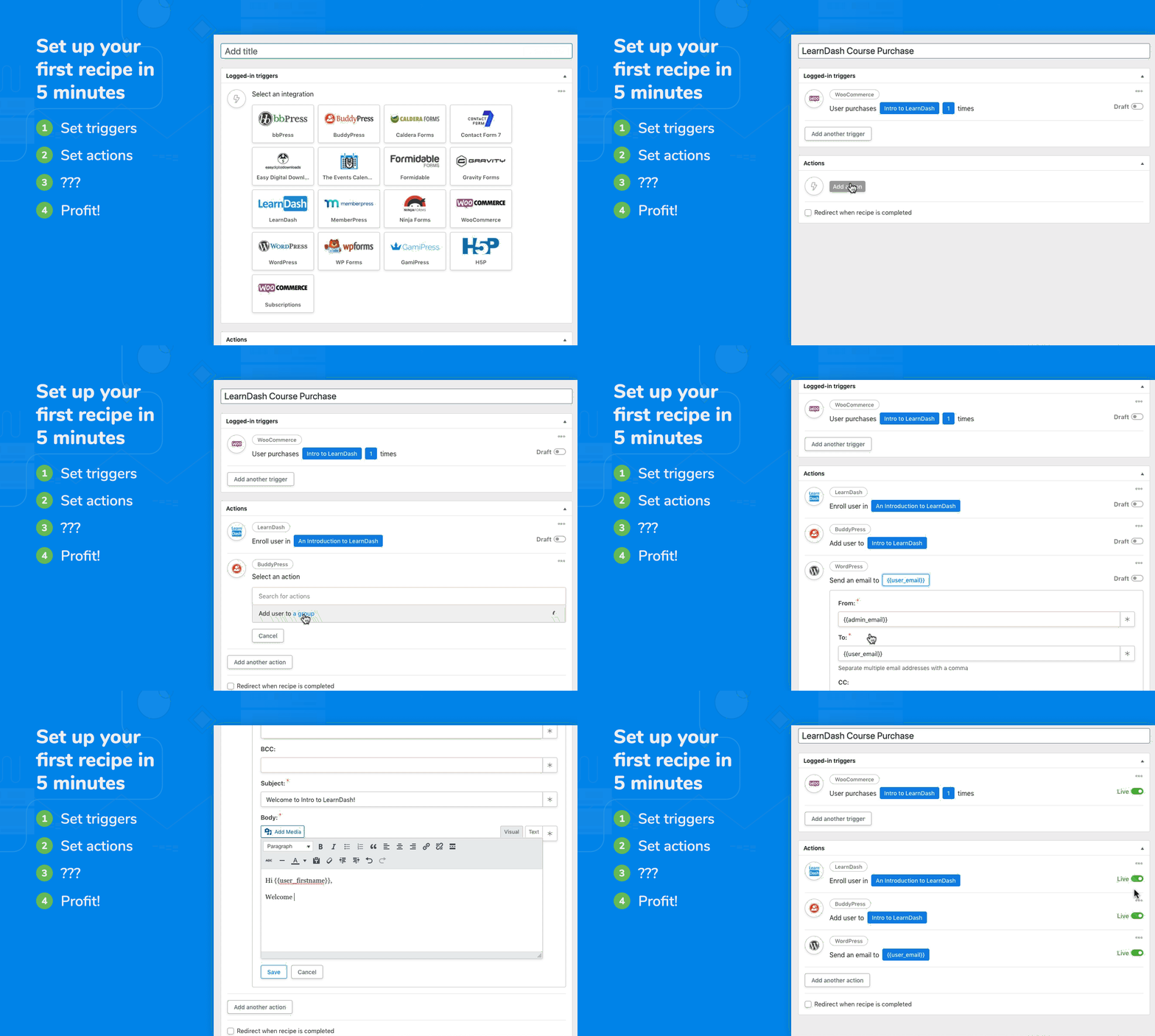
Set up your first recipe in 5 minutes 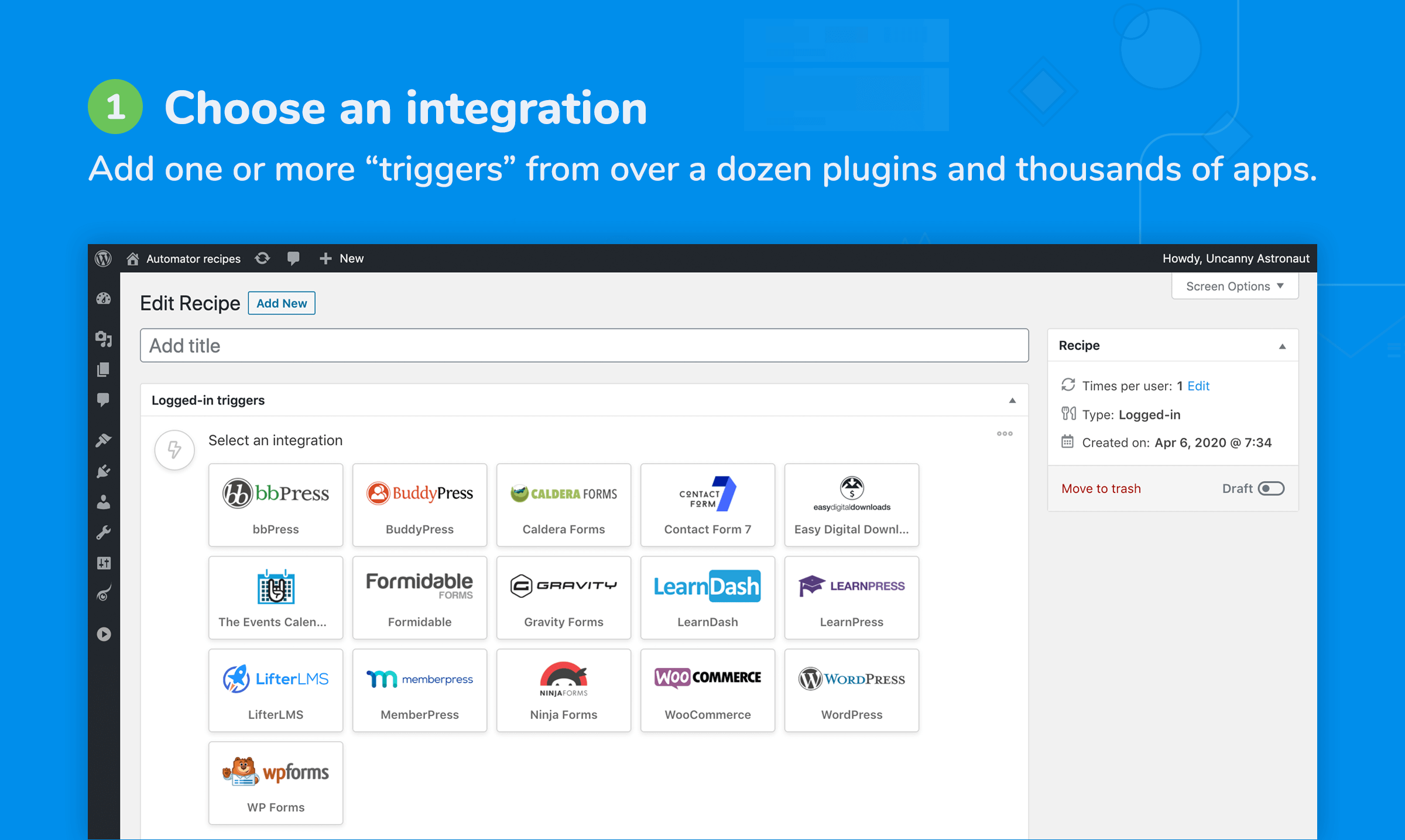
Add one or more triggers from dozens of plugins and thousands of apps 
Identify what starts the recipe, like a purchase or form submission 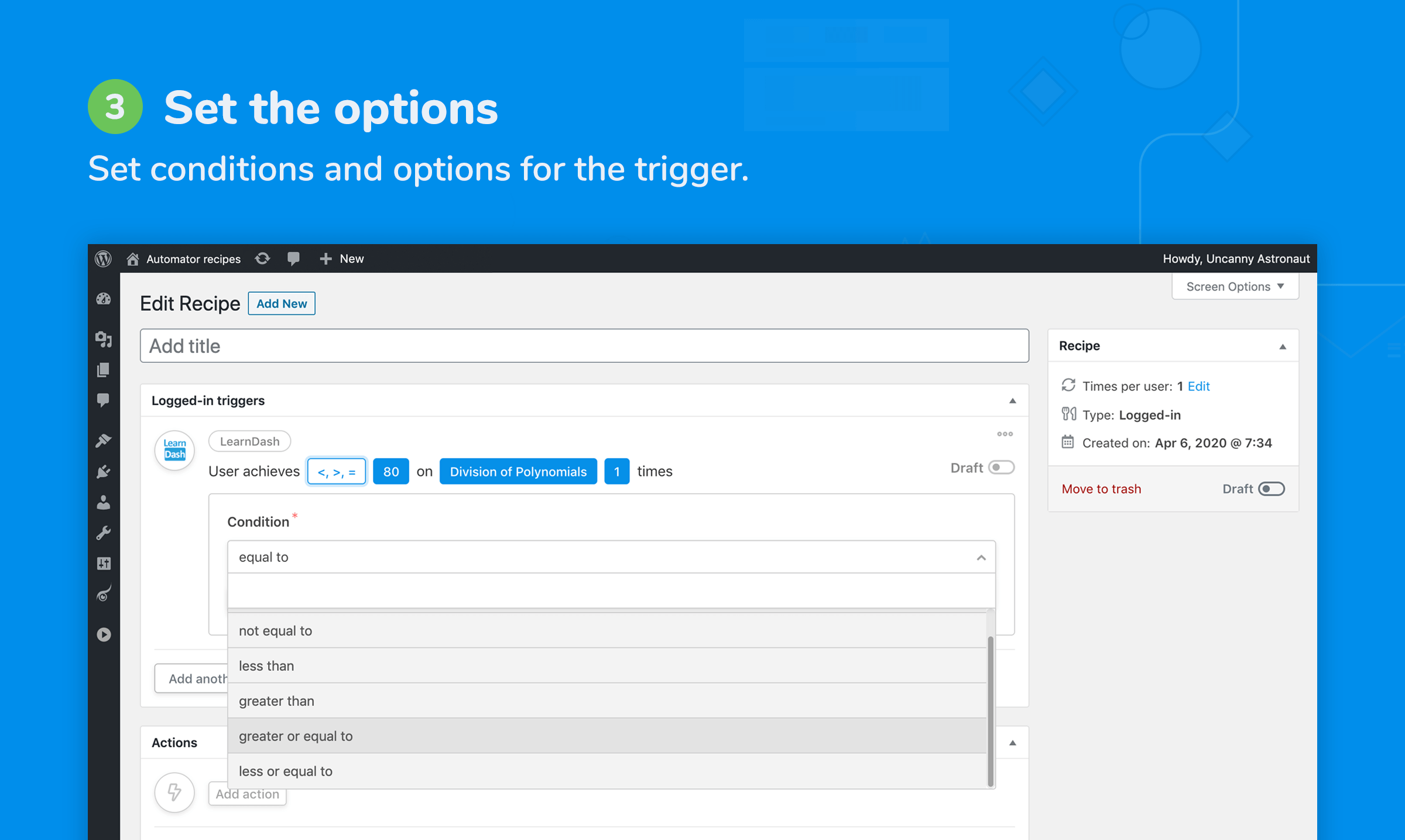
Set conditions and options for the trigger(s) 
Add one or more actions from any of the available integrations 
When the triggers are completed, actions run automatically 
Customize your actions to do exactly what you need 
Create powerful recipes that just work, all with one plugin
FAQ
-
Where can I find Automator documentation and more info?
-
You can learn more about Uncanny Automator on our website at https://automatorplugin.com/ and our Knowledge Base is here: https://automatorplugin.com/knowledge-base/
-
How do I get started with my first automation?
-
Have a look at https://automatorplugin.com/knowledge-base/creating-a-recipe/. Don’t forget to watch the video there. Hopefully it will be the first recipe of many!
-
Will Uncanny Automator slow down my website?
-
Uncanny Automator is built from the ground up for efficiency and performance. Automator adds negligible overhead to WordPress sites and has been rigorously tested across dozens of hosting environments.
-
What are the limits of your free version?
-
All integrations, triggers, actions and tokens listed here that don’t have a „Pro“ label are available in our free version. For the WordPress plugins listed, we include a forever-free license that allows you to run recipes with these triggers and actions an unlimited number of times. There are also no limits on the number of recipes you can set up or what you can include in each. For recipes that include apps, like Twitter and Facebook, you can create a free account to unlock 250 credits to try out these integrations.
-
Is Automator translation friendly?
-
Absolutely! The plugin was created with translation in mind and tested with a variety of translation plugins. We will support any translation issues you run into.
-
How can I request an integration for a plugin?
-
The best thing you can do is reach out to the creator of the plugin that you want an integration for. Let them know you’re using Uncanny Automator and that they could greatly extend the capabilities of their plugin by helping us develop an integration for it. As more plugin authors become aware of Uncanny Automator and realize its potential for their users, we’ll be able to continue to invest in expanding Uncanny Automator’s capabilities! Also, fill out this form on our site to let us know what you’re looking for.
-
How can I add an integration for my plugin?
-
Check out our developer documentation over at https://developer.automatorplugin.com/. Also consider reaching out to our team, maybe we can help or even turn it into an official integration!
-
Yes. It is easy to set up automation and share content on Social Media platforms. Set up integrations with Instagram, Facebook Pages, Facebook Groups, LinkedIn Pages and Twitter by creating a free account to unlock 250 free credits.
-
Do I need coding skills or help from a developer?
-
No coding skills are required. Uncanny Automator is built for non-developers to build automations using our intuitive recipe builder.
-
Does Automator work with LearnDash?
-
Absolutely! LearnDash is our most popular integration. Automator provides an easy way to build powerful LearnDash activity reports, personalize learning paths, connect LearnDash to live events and more.
-
How does Automator use OpenAI?
-
By connecting your recipes to an OpenAI API account, you can send prompts to OpenAI and use the responses in other actions. Generate titles and descriptions, excerpts for social media, translations, new blog posts and more; you can even perform sentiment analysis on submitted text. Automator supports GPT-3.5, GPT-4 and other OpenAI models.
-
Does Uncanny Automator allow me to customize the look and design of the emails it sends?
-
Yes, with WordPress’s „Send Email“ action, send rich text, plain text and raw HTML emails. Create follow-up emails with your own custom HTML templates.
-
Why should I consider upgrading to Uncanny Automator Pro?
-
You can use the free version forever without purchasing the Uncanny Automator Pro version. However, with Uncanny Automator Pro, you’ll get access to more automation triggers and actions, additional features, and unlimited credits for app integrations. Visit our plans page to learn more.
-
Who is Uncanny Owl?
-
We’re a Toronto-based WordPress company specializing in elearning and automation solutions for WordPress. We’re behind the popular Uncanny LearnDash Toolkit plugin and we also have a suite of highly-acclaimed commercial LearnDash add-ons.
Rezensionen


Mitwirkende & Entwickler
„Uncanny Automator – Automate everything with the #1 automation, integration & webhooks plugin“ ist Open-Source-Software. Folgende Menschen haben an diesem Plugin mitgewirkt:
Mitwirkende


„Uncanny Automator – Automate everything with the #1 automation, integration & webhooks plugin“ wurde in 2 Sprachen übersetzt. Danke an die Übersetzerinnen und Übersetzer für ihre Mitwirkung.
Interessiert an der Entwicklung?
Durchstöbere den Code, sieh dir das SVN Repository an oder abonniere das Entwicklungsprotokoll per RSS.
Änderungsprotokoll
5.6.0.2 [2024-03-21]
Under the hood:
- Recipe UI – Filters block not rendering on screen when custom delay option is used in Automator Pro #4509
5.6.0.1 [2024-03-14]
Fix:
- Automator – Erroneously hiding some admin notices on some pages #4496
Under the hood:
- Status Check – Updated the GET and POST endpoints #4498
5.6 [2024-03-13]
New Feature:
- BuddyBoss – Universal Xprofile field tokens #4349
- BuddyPress – Universal Xprofile field tokens #4349
New Integration:
- wpDiscuz #4364
New Triggers:
- SureCart – An order for a product is shipped #4140
- wpDiscuz – A user submits a comment on a post #4359
- wpDiscuz – A user’s post receives a comment #4360
New Actions:
- WordPress – Change the post type of a post to a post type #4337
- wpDiscuz – Add a reply to a comment #4361
Added:
- DB Tools – Added „Empty“ table action for API Logs table #4392
- OpenAI – gpt-4-0125-preview Added #4381
- Recipe Logs – Dismissible admin notice that shows the size of database tables #4394
- WP Job Manager – Dynamic Field token support added #4440
- Woo Memberships – Add the user to a membership plan – Token support for Membership plan field #4429
- WordPress – Taxonomy Triggers – „Also include child categories“ option #4380
New Tokens:
- Paid Membership Pro – Initial amount #4402
New Action Token:
- ClickUp – Create a task – Task ID (newly created task ID) #4464
Updated:
- ActiveCampaign – Updated field descriptions to include [delete] details #4473 #4477
- Closure – Improved framework to support better redirects #2973
- Google Sheets – Update a row in a Google Sheet – Support updating multiple rows if multiple matches found #3486
- HubSpot – Add/Update the user in HubSpot & Create/Update a contact in HubSpot – Updated field descriptions to include [delete] details #4417
- OpenAI – WP filter
automator_openai_image_generate_descriptionto change the description of the downloaded media #4471
Fixed:
- Emails – Send Email – Filter empty header values for CC and BCC to avoid plugin conflicts #4373
- Fluent Forms – Erroneously triggering multiple recipes with Fluent triggers #4475
- Forminator – File field token returning as Array and not the file path #4431
- Paid Memberships Pro – A user’s subscription to a membership expires – Not working as expected #4390
- Recipe structure – PHP Error when External Object Cache is enabled on some servers #4453
- Setup wizard – Show an error message if there’s an issue during site connection #4396
- Thrive Leads – Tokens show as unavailable after saving action #4436
Under the hood:
- Automator menu – App Integrations submenu – Not redirecting to App integrations on some sites #4459
- Duplicate recipe – PHP Notice when duplicating Advanced tokens #4386
- Google Apps – Some sites cannot connect to Google Services when external cache is enabled #4424
- Recipe UI – Added field attribute to exclude field’s default token #4466
- Recipe logs – App logs table – Optionally log app responses by a WP filter #4391
- Recipe UI – Support for token usage in Delay/Schedule popup in Automator Pro #4303
- Setup Wizard – Some sites were unable to connect account #4470
- Status – Debug – Log file content not appearing in browser #4457
- Automator – Only show Automator admin notices on Automator pages #4489
5.5.0.1 [2024-02-20]
Fixed:
- Groundhogg – Get tags functionality not working as expected #4398
- PHP Notice – Function
wp_cache_flush_groupwas called incorrectly #4383 - Plugin cannot be deleted on some sites #4414
5.5 [2024-01-25]
Added:
- Emails – Send a test email from inside the email action #4058
- Data management – New setting „Delete all data“ to delete plugin data on deletion #4326
- Outgoing Webhook – Separate Authorization header field with data masking #4242
New Tokens:
- Fluent CRM – Primary Company Name #4305
- Woo – User’s total spend & User’s total spend (unformatted) #4278
- WordPress – Post content (formatted) #4356
Updated:
- ActiveCampaign – Tag actions – Added support to pass Tag names #4285
- LearnDash – Mark complete actions – Support for future
learndash_process_mark_completefunction updates #4343 - MailPoet – Actions will now complete with errors if an issue occurs #4251
- OpenAI – Deprecated models replaced in Recipe UI #4333
- Recipe logs – Integration icons are now listed once per log entry if multiple triggers or actions of the same integration are part of recipe #4296
- WordPress – „Post content“ token renamed to „Post content (raw)“ #4357
Fixed:
- EDD Recurring Payments – Cancel the user’s subscription to a download – List variable pricing recurring downloads #4366
- JetPack CRM – Dynamic contact status options in dropdown #4297
- LearnDash – Mark complete action – Autocomplete not working on Actions for complete lessons and complete topics #4343
- Recipe Logs – The initial run of the new recipe counts as twice runs #4294
- WordPress – A user updates a type of post – Running twice when Yet Another Related Posts Plugin (YARPP) is active #4309
Under the hood:
- Added Gutenberg Automator Block category #4354
- Brevo – Create or update a contact – Passed missing
$action_datato the function #4371 $is_login_requiredattribute in the new integration framework #4342- Recipe logs – Added
stacktraceproperty to show in logs if PHP Exception or Error occurs #4260 - System status – Permalink status added #4346
- A core file not loading as expected #4368
5.4.0.1 [2024-01-10]
Fixed:
- Google Sheets – Actions will show „Completed with errors“ if the entry failed due to an issue with the Google API #4298
- OpenAI – Changed deprecated models to use
gpt-3.5-turbo-instruct#4314 - Recipe UI – Newly added actions now showing when on LiteSpeed server/cache #4287
- WPCode – Free actions don’t show up when the Premium plugin is active #4307
Under the hood:
- PHP Notices #4262
5.4 [2023-12-21]
New Integrations:
- EDD Software Licensing #4182
- Heroic Knowledge Base #4179
- SeedProd #3981
- Thrive Ultimatum #4085
New Triggers:
- EDD Software Licensing – A license for a download is created #4183
- EDD Software Licensing – A license for a download expires #4184
- Heroic KB – A user gives a negative rating to an article #4186
- Heroic KB – A user gives a positive rating to an article #4185
- Heroic KB – An article receives a negative rating #4188
- Heroic KB – An article receives a positive rating #4187
- SeedProd – An Optin Form is submitted #3984
- Thrive Ultimatum – A user triggers an evergreen campaign #4216
- Thrive Ultimatum – An evergreen campaign is triggered #4117
New Tokens:
- Outgoing Webhooks – Response – Status code #4231
- Woo #4209
- Order fee (unformatted)
- Shipping fee (unformatted)
- Stripe fee (unformatted)
- Stripe payout (unformatted)
Added:
- Data management – Immediately delete log entries when recipes are completed #4215
- Data management – Delete recipe records when user is deleted #3509
Updated:
- Brevo – Account validation process updated #4206
- Brevo – Create or update a contact – Update existing contact checkbox bool type value fix #4253
- Data management – Prune recipe logs – Field updated to allow decimal input for even shorter interval #4084
- WordPress – Create a post – Add fields to set custom CSS and JS in the created post #4214
Fixed:
- BuddyPress & BuddyBoss – Add the user to a group – Custom token values not rendering properly #4225
- Gravity Forms – A specific field in an entry for a form is updated to a specific value – Form tokens are not showing in the list #4248
- Number of times option not working in some triggers until it is resaved #4239
- OpenAI – Erroneously reducing App credits on models fetch #4236
- RafflePress – Someone registers for a giveaway – Not firing when someone registers #4204
- Recipe – Run closure when there are no actions #4220
- Recipe UI – Order of scheduled actions ignored the time #4155
- Recipe UI – Safari compatibility issue for versions below 16.1 due to unsupported regex lookbehind #4212
- Recipe UI – Handle PHP fatal error when the integration of a used action is missing #4076
- Redis/Object Caching – Automator’s clear cache now only clears its cache instead of flushing everything #4245
Under the hood:
- Automator DB – Nightly health-check will automatically fix any missing tables or views #4255
- Recipe UI – Support setting field visibility conditionally based on value of other fields #4213
AUTOMATOR_DISABLE_APP_INTEGRATION_REQUESTSconstant to disable all outgoing App & Webhook requests #4240AUTOMATOR_DISABLE_SENDEMAIL_ACTIONconstant to disable all outgoing emails #4241- Settings – Logs – Renamed to „Data management“ #3508
- Data management – Auto Prune in Automator Pro – Styling updates #4252
5.3.0.1 [2023-12-05]
Fixed:
- Gravity Forms with Uncanny Codes or Uncanny Groups – PHP Error when code is redeemed #4175
- Instagram – Publish a photo to an Instagram account – Caption line spacing issue #4189
- Recipe builder – „Add ▼“ button doesn’t work on Safari #4196
- Wishlist Member – Add the user to a membership level – Replace deprecated functions #4169
- WordPress – Post is published triggers – Firing when WordPress auto saves a draft #4191
Under the hood:
- Fix uncaught exception during the weekly license check #4193
- Integration transient type warning in a specific situation #4194
- Review Banner – Link to WP.org to leave a review is not working as expected #4146
5.3 [2023-11-20]
IMPORTANT: Support for PHP 5.6 has been discontinued. If you are running PHP 5.6, you MUST upgrade PHP before installing Uncanny Automator v5.3. Failure to do that will disable Automator’s core functionality.
New App Integrations:
- Google Contacts #3771
- Sendy #3870
New Integrations:
- Thrive Architect #4086
- WooCommerce Bookings #3893
New Triggers:
- Thrive Architect – A form is submitted #4095
- Thrive Architect – A user submits a form #4097
- Uncanny CEUs – A user earns a number or more CEUs #4150
- WooCommerce Bookings – A booking is created #3894
New Actions:
- Google Contacts – Add a label to a contact #3775
- Google Contacts – Create a contact #3772
- Google Contacts – Create a label #3774
- Help Scout – Update the properties of a customer #3943
- Sendy – Add / Update a contact to a list #3876
- Sendy – Delete a contact from list #4151
- Sendy – Unsubscribe a contact from a list #3878
New Tokens:
- StudioCart – Payment option label #4128
- WP Simple Pay – Price option & Quantity #4115
Updated:
- OpenAI – Add support for DALL-E 3 #4135
- WordPress – Adding default_value in some triggers causing them to not trigger properly #3638
Fixed:
- Brevo – Add Update Contact action not appearing for selection #4126
- BuddyBoss – Social media fields tokens now parse reliably #4161
- FluentCRM – Add/Update a contact does not update the status #4113
- LearnDash Quiz Tokens – Issues with learndash_get_quiz_questions #4148
- WPForms – A user submits a form – Firing for non-logged-in users #4160
- WordPress – A user updates a type of post – Firing when a post type is auto saved #4152
Under the hood:
- Support for Post loops in Automator Pro #4171
- Upgrade to Pro – Text updates #4106
- Usage stats – Updated logging algorithm #3098
5.2.0.2 [2023-11-08]
Fixed:
- Duplicate recipes – Unable to duplicate actions in a specific scenario #4130
Under the hood:
- Recipe UI – Servers with Memcached enabled causing the Recipe UI to not load properly in a specific situation #4141
5.2.0.1 [2023-10-27]
Fixed:
- App Settings – Settings are not saved when no recipes are active on the site #4110
5.2 [2023-10-26]
New Integrations:
- Constant Contact #3879
- Memberium for Keap #3755
New Trigger:
- Fluent Support – A ticket is opened #4035
New Actions:
- Constant Contact – Add a contact to a list #3881
- Constant Contact – Add a tag to a contact #3883
- Constant Contact – Create or update a contact #3880
- Constant Contact – Delete a contact #3882
- Mautic – Add a contact to a segment #3454
- Mautic – Create a segment #3458
- Mautic – Remove a contact from a segment #3455
- Memberium for Keap – Update a contact field #3762
New Action Tokens:
- Uncanny Groups – Create an Uncanny group – Group signup URL token when the Group Sign up module is active in Uncanny Toolkit Pro #4012
- LearnDash – Create a group – Group signup URL token when the Group Sign up module is active in Uncanny Toolkit Pro #4011
Added:
- Automator Pro – Ability to remove user selector from recipe #4072
- Outgoing Webhooks – Manual retries #4056
- X/Twitter – App settings now let you choose between default and your own Custom App #3533
Fixed:
- ActiveCampaign – Custom fields not working due to misassigned object variable #4054
- Contact Form7 – Tokens like Menu fields and attachment/File upload are not working #4069
- Divi – Everyone trigger is not firing as expected #4029
- Facebook Page – Facebook showing disconnected and can’t resend from logs #4009
- WPForms – Intermittent token issue doesn’t work for other selection values #4022
- WPForms – The Dropdown, Checkboxes, and Multiple Choice fields are not showing the values if a user modifies them #4052
- WSForm – PHP Error in on some sites #4044
- WordPress – A specific role is added to the user – Firing twice with the latest WordPress version #4099
Under the hood:
- Improved PHP 8.2 compatibility #4043
- Action logs – Large error messages break layout #3982
- Emails – WP Filter
automator_send_emailto optionally turn off email for a user ID or recipe ID #4050 - License checks – Move license checks to nightly health calls #3978
- Uncanny Automator – Social icons in the footer #3980
- Recipe UI – Delay button not appearing for Pro-only integrations #4093
- Recipe logs – Delayed action token logging #3764
- Recipe logs – Fields not showing for the API integrations when background actions are enabled #3764
- Several core framework improvements to reduce memory usage #4079 #4089
- Twitter – Renamed to X/Twitter #4051
5.1.0.3 [2023-10-16]
Fixed:
- Status page – PHP error related to ‚mysql_get_server_info‘ in a specific situation #4032
- Debug logs – Improved security when debugging is enabled #4033
- Recipe UI – Show built-in or active Pro integrations only #4038
5.1.0.2 [2023-10-05]
New Token:
- Ninja Forms – Submission ID #3996
Fixed:
- MasterStudy LMS – Lesson and Quiz By Course ID Changes #3959
- Reset password link and Reset password URL token not working with Paid Memberships Pro #4000
- WPForms – Support legacy Smart Tags #4005
Updated:
- Easy Digital Downloads – „A user purchases a product“ renamed to „A user purchases a download“ #4017
- Uncanny Groups – Add / Remove seats actions now available for both logged-in and Everyone recipes #3994
Under the hood:
- Review Banner – Credits left warning banner can’t be dismissed on the dashboard #4003
- Recipe Logs – Properties Framework – Added Trigger properties to support Incoming Webhooks in Pro #4001
- WordPress Playground updates to fix some notices #4020
5.1.0.1 [2023-09-28]
Under the hood:
- Action tokens do not work when the source action has a delay or schedule #3988
- All Integrations – Data source switched to a static
.jsonfile #3356 - Recipe UI – Show Pro-only integrations preview when Automator Pro is not active #3800
5.1 [2023-09-25]
New Integrations:
- Easy Digital Downloads – Recurring Payments #3277
- Mautic #3200
New Trigger:
- EDD Recurring Payments – A user subscribes to a download #3446
New Actions:
- EDD Recurring Payments – Cancel the user’s subscription to a download #3511
- Mautic – Create or update a contact #3464
Updated:
- Brevo – Create or update a contact – Update existing bool variable support for PHP 7.4 #3950
- Facebook Groups – Disconnect now only disconnect the current site #3262
- Recipe object – Handle invalid UTF-8 characters #3946
Fixed:
- AffiliateWP – An affiliate makes a referral of a specific type – Not working when creating a referral in the back end #3692 #3919
- Gravity Forms – An entry for a form is updated – Not firing when fields are updated by
GFAPI#3977 - User Loops – User tokens not parsing for universal tokens #3964
- User Loops – Action buttons hidden on Firefox because of invalid selector #3947
- Zoho Campaigns – Subscribe a contact to a list – Not parsing repeater fields #3970
Under the hood:
- Core – Additional WordPress hooks for recipe duplication in Automator Pro #3930
- Internal debug logs – PHP notice #3623
- Internal debug logs – Update to put the contents in
file.txtinstead offile.log#3623 - Recipe Logs – Action Repeater Fields – Not displaying the data correctly when multiple repeater fields are in the action #3972
- Support for Run Now in Automator Pro v5.1+ #3957
5.0.1.2 [2023-09-14]
Fixed:
- Loops – Fixed the user context of common tokens inside loops #3942
5.0.1.1 [2023-09-14]
Fixed:
- PHP error related to an IP address token in Windows environments #3940
5.0.1 [2023-09-13]
New Tokens:
- WooCommerce #3866
- Billing country (full name)
- Billing state (full name)
- Shipping country (full name)
- Shipping state (full name)
- Outgoing Webhooks – Response – Body (raw) #3869
Updated:
- ActiveCampaign – Improved error messages & error handling and return actual response message #3875
- MemberPress – A user purchases a recurring subscription product – Filter for recurring payments #3914
- WP All Import – Specific post type is imported – Erroneously firing when posts are updated during import #3911
- WordPress – Create a post – Content sanitization for the „Post Content“ is removed #3933
- Zoho Campaigns – Add additional fields like name and other details #3903
Fixed:
- Automator –
AUTOLOGINLINKdoesn’t show up in the token selector #3857 - Automator – A recipe completes with errors a number of times – Firing for completed, awaiting status #3900
- Elementor – A post is published with Elementor – Firing when a post is updated #3932
- LearnDash – Action Tokens – Not returning correct values #3726
- OpenAI – Generate a meta description with GPT-4 – Typo in prompt #3921
- Outgoing Webhooks – Sending incorrect payload body for form-data format #3923
- Outgoing Webhooks – Response header not properly encoding double quotes #3889
- Recipe Logs – Logs not working when WordPress is installed in a subdirectory #3826
- Recipe Logs – Custom Properties not displaying correctly #3874
- Telegram – Preserve line breaks in messages #3908
- WPForms – Smart Tags Label Matching for Value / Label Tokens #3928
- WPForms – The Number slider is returning a string with multiple values instead of a number with the selected value #3910
- WPForms – Remove extra white space from labels that were preventing multiple choice tokens from matching and rendering values #3896
- WordPress – Create a post – TinyMCE textarea sanitization breaks tokens inside
<img src="">tags #3844
Under the hood:
- Action tokens – Nested tokens, or a token inside a token causing logs to output an empty record when there is an action field token #3899
- Closure – WordPress filter – automator_recipe_closure_admin_redirect #3931
- Core – Additional filters and actions for database repair #3868
- Fixing some known 5.0 issues #3856
- Improved PHP 5.6 compatibility #3934
- Inconsistent recipe objects when both Redis and Object Caching is installed and enabled #3917
- Re-architect common tokens and move them to Automator core #3905
- Add „Addon“ tab #3935