

Beschreibung
Ultimate Multisite ist ein WordPress-Multisite-Plugin, das Ihnen hilft, eine Website-as-a-Service-(WaaS)-Plattform auf Ihrer eigenen Infrastruktur aufzubauen, zu verkaufen und zu verwalten.
Mit Ultimate Multisite können Sie Abonnement-Tarife erstellen, neue Websites aus Vorlagen bereitstellen, individuelle Domains zuordnen und Kunden über Ihr gesamtes WordPress-Multisite-Netzwerk hinweg verwalten — alles aus einem integrierten System, das speziell für Multisite entwickelt wurde.
Starten Sie Nischen-Website-Builder, produktisierte Dienste, Franchise-Netzwerke oder interne Plattformen, ohne Dutzende von Plugins zusammenflicken zu müssen. Von der Kasse über die Bereitstellung bis hin zur laufenden Verwaltung bietet Ultimate Multisite die grundlegenden Bausteine für den Betrieb einer modernen, skalierbaren WordPress-Multisite-Plattform.
Früher bekannt als WP Ultimo, wird Ultimate Multisite jetzt von der Community gepflegt und aktiv weiterentwickelt.
Auch bekannt als
Nach Ultimate Multisite wird häufig gesucht als:
- Ultimate Multisite Plugin
- Ultimate Multisite WordPress
- Multisite Ultimate
- WP Ultimo
Wenn Sie nach WP Ultimo suchen, ist dies der von der Community gepflegte Nachfolger.
Hauptfunktionen
Alles, was Sie zum Aufbau und zur Skalierung einer WordPress-Multisite-SaaS-Plattform benötigen:
- Schnelle Website-Erstellung – Self-Service-Registrierung, die neue Websites sofort aus Vorlagen bereitstellt
- Domain-Zuordnung – Individuelle Domains mit automatischer DNS-Verifizierung und geführter Einrichtung
- Zahlungen & Abonnements – Stripe- und PayPal-Unterstützung für wiederkehrende Tarife und Einmalgebühren
- Flexible Tarife & Limits – Funktionen bündeln und Kontingente in Ihrem gesamten Multisite-Netzwerk durchsetzen
- Vorlagenbibliothek – Konversionstarke Website-Vorlagen, die Kunden in wenigen Minuten starten können
- Kunden-Dashboard – Markenspezifische Oberfläche zur Verwaltung von Abrechnung, Websites, Domains und Einstellungen
- Passwordless Login – Passkey sign-in and short-lived email codes across login and checkout flows
- White-Label-fähig – Umbenennen, Rebranding und individuelle Anpassung
- Hosting-Integrationen – Cloudflare, GridPane, Cloudways, WPMU DEV und mehr
- Entwicklerfreundlich – Hooks, Filter und ein erweiterbares Add-on-System
Für wen ist Ultimate Multisite?
- Agenturen, die WordPress in wiederkehrende Tarife verwandeln
- Ersteller, die Nischen- oder branchenspezifische Website-Builder starten
- Hoster und MSPs, die White-Label-WordPress-Plattformen anbieten
- Franchise-Unternehmen und Marken mit mehreren Standorten, die viele ähnliche Websites verwalten
- Universitäten und Organisationen, die Websites im großen Maßstab bereitstellen
- Interne Teams, die Microsites und Kampagnen bereitstellen
Beliebte Anwendungsfälle
- Produktisierte Website-Dienste mit wiederkehrender Abrechnung
- Franchise- und Mehrstandort-Netzwerke mit markenkonformen Websites
- Branchenspezifische „Website-Builder“-Plattformen
- Private Netzwerke für Veranstaltungen, Abteilungen oder Communities
- Bildungseinrichtungen, die Programm- oder Kurs-Websites bereitstellen
Warum Ultimate Multisite wählen
- Für WordPress Multisite entwickelt – Nicht nachträglich aus Einzelseiten-Annahmen angepasst
- Offen & von der Community gepflegt – Transparente Entwicklung und häufige Aktualisierungen
- Bewährte Architektur – Vorlagen, Tarife und Domain-Zuordnung integriert
- Von Grund auf erweiterbar – Add-ons, Actions, Filter und Hosting-Integrationen
- Sie besitzen den Stack – Kein erzwungener SaaS-Lock-in oder proprietäres Hosting
Wenn Sie im WordPress-Plugin-Verzeichnis nach „Ultimate Multisite“ gesucht haben, bietet dieses Plugin die vollständige Multisite-SaaS- und WaaS-Funktionalität, die Sie suchen.
In wenigen Minuten loslegen
- Aktivieren Sie WordPress Multisite auf einer Staging- oder Produktionsseite
- Installieren und Ultimate Multisite netzwerkweit aktivieren
- Führen Sie den Einrichtungsassistenten aus und erstellen Sie Ihren ersten Tarif und Ihre erste Vorlage
- Teilen Sie Ihre Registrierungsseite und beginnen Sie mit der Bereitstellung von Websites
Dokumentation
Voraussetzungen
- WordPress Multisite 5.3 oder höher
- PHP 8.2 or higher
- MySQL 5.6 oder höher
Support
Für Support eröffnen Sie bitte ein Issue im GitHub-Repository.
Externe Dienste
Dieses Plugin stellt Verbindungen zu externen Diensten her, um optionale Funktionen bereitzustellen. Alle Dienste werden während der Einrichtung offengelegt und können bei Bedarf aktiviert oder deaktiviert werden.
Geolokalisierungsdienste
MaxMind GeoLite2
– Lädt eine Geolokalisierungsdatenbank herunter (keine personenbezogenen Daten werden gesendet)
– Wird nur verwendet, wenn Geolokalisierungsfunktionen aktiviert sind
– https://www.maxmind.com/en/privacy-policy
IP-Lookup-APIs
– Werden zur Ermittlung der öffentlichen IP-Adresse verwendet (keine Daten werden gespeichert)
– Zu den Diensten gehören IPify, IPinfo.io, IP-API und andere
Plugin-Aktualisierungen und Add-ons
Ultimate Multisite Update Server
– Sendet Website-URL, Plugin-Version und Lizenz-Metadaten
– Wird für Plugin- und Add-on-Aktualisierungen verwendet
– https://ultimatemultisite.com/privacy-policy/
Zahlungsabwicklung
Stripe
– Verarbeitet Kartenzahlungen und Abonnements
– Bei Nutzung der Stripe-Integration wird eine Transaktionsgebühr von 3 % erhoben, um die laufende Entwicklung zu unterstützen. Diese Gebühr entfällt für Websites, die ein beliebiges Add-on von ultimatemultisite.com erworben haben. Die Gebühr wird von Stripe als Teil der Zahlung eingezogen und hat keinen Einfluss auf den Betrag, der Ihren Kunden berechnet wird.
– https://stripe.com/privacy
PayPal
– Verarbeitet PayPal-Zahlungen
– https://www.paypal.com/us/legalhub/privacy-full
Site Screenshots
Microlink (primary)
– Generates site thumbnail screenshots using a headless browser
– Sends only the target site URL; no user data is transmitted
– Free tier: 50 requests per day without an API key
– https://microlink.io/privacy
thum.io (fallback)
– Used as a fallback when Microlink is unavailable
– Sends only the target site URL; no user data is transmitted
– https://www.thum.io/
Hosting-Integrationen
Integrationen senden Website-Konfigurationsdaten und API-Zugangsdaten nur, wenn sie ausdrücklich aktiviert sind.
Unterstützte Anbieter umfassen:
– Cloudflare
– Closte
– Cloudways
– GridPane
– WPMU DEV
Nutzungsverfolgung (Opt-in)
Anonyme Telemetrie ist standardmäßig deaktiviert und erfordert eine ausdrückliche Zustimmung.
Erfasste Daten umfassen:
– WordPress- und PHP-Versionen
– Plugin-Version und aktivierte Add-ons
– Anonymisierte Nutzungsbereiche
Es werden keine personenbezogenen Daten, Domains, IP-Adressen oder Zahlungsinformationen erfasst.
Screenshots
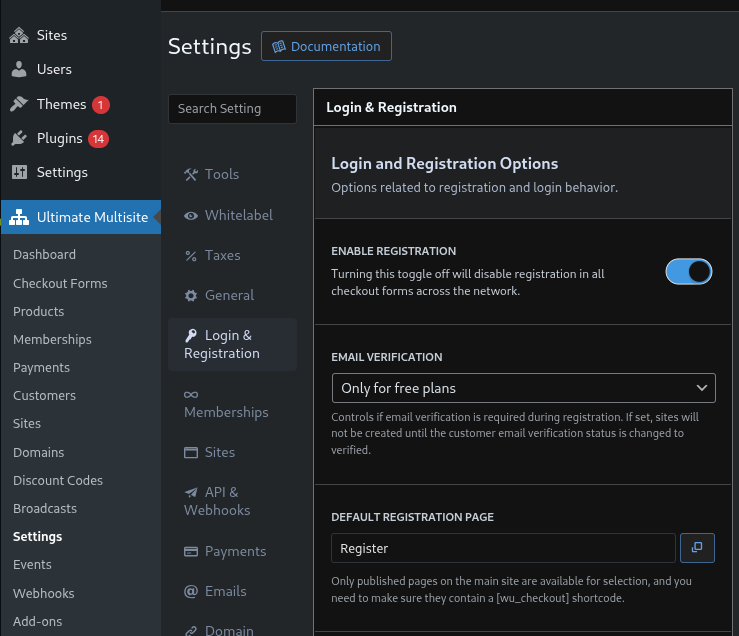
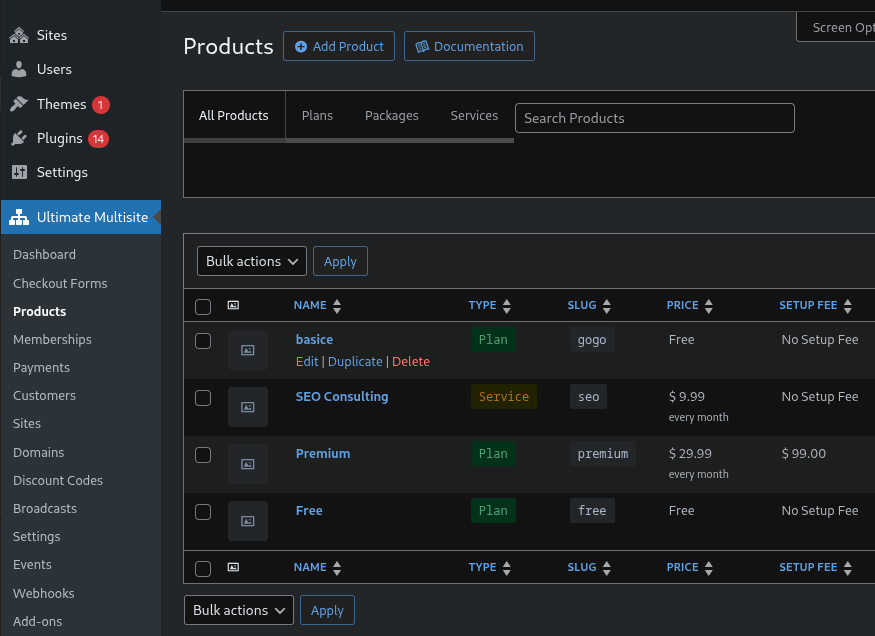
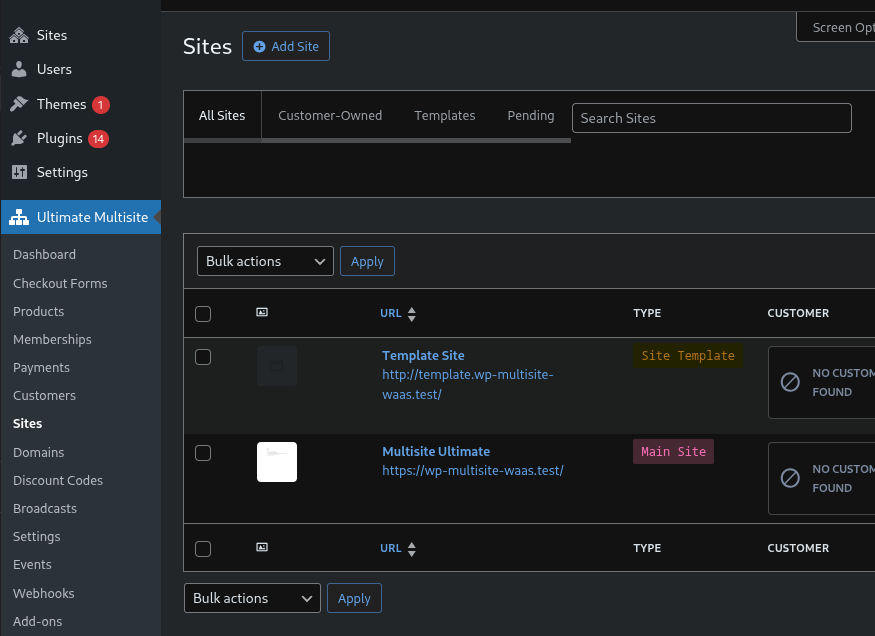
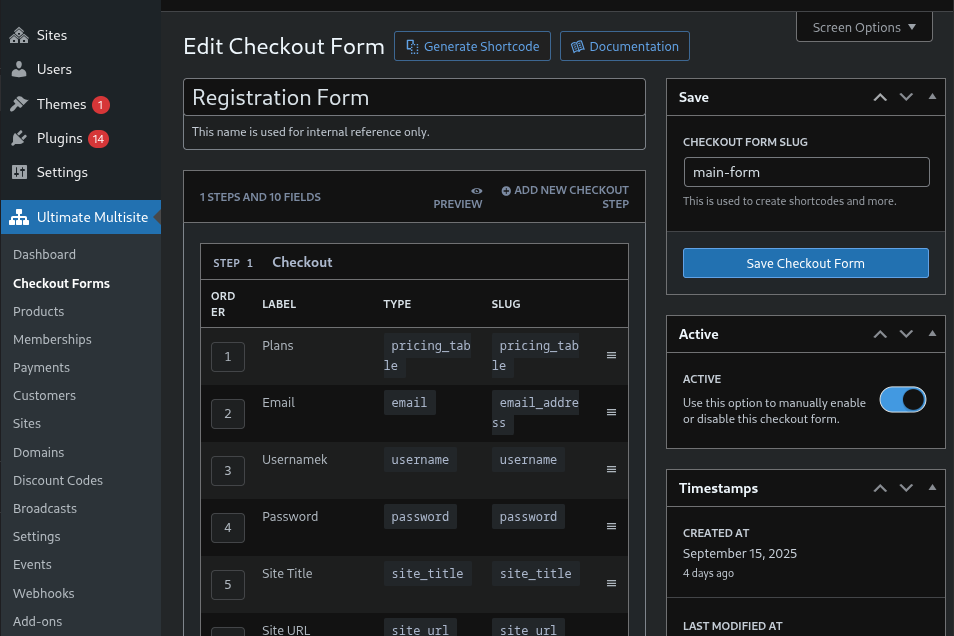
FAQ
Kann ich Ultimate Multisite auf einer regulären WordPress-Website verwenden?
Nein. Ultimate Multisite erfordert WordPress Multisite und ist speziell für Netzwerkinstallationen konzipiert.
Unterstützt Ultimate Multisite individuelle Domains?
Ja. Ultimate Multisite enthält eine robuste Domain-Zuordnung mit automatischer DNS-Verifizierung und geführter Einrichtung für Endbenutzer.
Welche Zahlungs-Gateways werden unterstützt?
Stripe, PayPal und manuelle Zahlungen werden standardmäßig unterstützt.
Does Ultimate Multisite support passwordless login?
Yes. Ultimate Multisite includes native passwordless login with passkeys when the browser supports WebAuthn and short-lived email one-time codes as a fallback.
Kann ich von WP Ultimo migrieren?
Ja. Ultimate Multisite ist ein von der Community gepflegter Fork von WP Ultimo 2.x. Die Migration erfolgt automatisch, wenn das Plugin aktiviert wird.
Funktioniert Ultimate Multisite mit Multisite mit Unterverzeichnissen?
Ja. Ultimate Multisite unterstützt sowohl Unterverzeichnis- als auch Subdomain-Installationen.
Funktioniert Ultimate Multisite mit Multisite mit Subdomains?
Ja. Ultimate Multisite unterstützt sowohl Unterverzeichnis- als auch Subdomain-Installationen.
Kann ich mit Ultimate Multisite einschränken, welche Plugins und Themes Benutzer verwenden können?
Ja. Mit Ultimate Multisite können Sie auswählen, welche Plugins und Themes für jeden Tarif in Ihrem Netzwerk verfügbar sind.
Kann ich mit Ultimate Multisite die Anzahl der Beiträge begrenzen, die ein Benutzer auf seiner Website erstellen kann?
Ja. Mit Ultimate Multisite können Sie Beitragskontingente für jeden verfügbaren Inhaltstyp in Ihrem Netzwerk festlegen. Sie können auch die Anzahl der Benutzer, die der Administrator einladen kann, den Speicherplatz und vieles mehr begrenzen.
Unterstützt Ultimate Multisite Website-Vorlagen?
Ja. Mit Ultimate Multisite können Sie beliebig viele Website-Vorlagen erstellen. Website-Vorlagen sind keine Themes, sondern normale Websites in Ihrem Netzwerk. Sie können Plugins und Themes aktivieren und die Website-Vorlage nach Belieben anpassen. Wenn ein Benutzer diese Vorlage auswählt, wird seine Website als Kopie dieser Vorlage mit allen Anpassungen erstellt. Sie können auch eine bestimmte Vorlage für einen Tarif festlegen. Dadurch wird für jeden Benutzer, der sich für diesen Tarif anmeldet, seine Website als Duplikat dieser Website-Vorlage erstellt.
Lässt sich Ultimate Multisite mit WooCommerce integrieren?
Ja! Wenn Sie möchten, dass Ihre Netzwerkbenutzer WooCommerce zur Verfügung haben, um eigene Shops einzurichten, ist dies mit Ultimate Multisite möglich. Sie können sogar die Anzahl der Produkte begrenzen, die Ihre Kunden in jeder Tarifstufe erstellen können. Für Abonnementzahlungen bei Ultimate Multisite können Sie das Ultimate Multisite: WooCommerce Integration Add-on verwenden, damit Ihre Ultimate-Multisite-Kunden über WooCommerce-Zahlungs-Gateways auf Ihrer Hauptseite bezahlen können. Auf diese Weise können Sie die umfangreiche Bibliothek von Zahlungs-Gateways nutzen, die für WooCommerce entwickelt wurden, und diese zur Abrechnung Ihrer Ultimate-Multisite-Kunden verwenden.
Gibt es eine Möglichkeit, Abonnements von WPMUDEV Pro Sites zu migrieren?
Ja, Ultimate Multisite bietet Ihnen jetzt ein hilfreiches Werkzeug, um Ihr Pro-Sites-Netzwerk zu migrieren.
Warum ist der Tab „Erlaubte Plugins“ auf meiner Tarif-Bearbeitungsseite leer?
Ultimate Multisite ermöglicht es Ihnen nur, den Zugriff auf Plugins zu erlauben oder zu verweigern, die nicht netzwerkweit aktiviert sind. Wenn ein Plugin netzwerkweit aktiviert ist, wird es von Natur aus standardmäßig auf jeder Website Ihres Netzwerks geladen. Wenn auf dem Tab „Erlaubte Plugins“ keine Plugins aufgelistet sind, prüfen Sie, ob das gewünschte Plugin netzwerkweit aktiviert ist oder nicht.
Kann ich mein eigenes Preistabellen-Design verwenden?
Ja. Seit Version 1.4.0 unterstützt Ultimate Multisite das Überschreiben von Vorlagen.
Funktioniert Ultimate Multisite mit WP Engine?
Ja. Ultimate Multisite wurde schon immer von WP Engine unterstützt, aber damit die Domain-Zuordnung funktionierte, waren manuelle zusätzliche Schritte des Administrators erforderlich (Hinzufügen der Domain im WP Engine Panel). Dies ist seit Version 1.6.0 nicht mehr der Fall. Ultimate Multisite integriert sich direkt mit der WP Engine API und Domains werden nach der Zuordnung automatisch zum Panel hinzugefügt.
Welchen Hosting-Anbieter empfehlen Sie?
Ultimate Multisite sollte mit jedem Hosting-Anbieter funktionieren. Der einzige Unterschied besteht darin, dass einige Hosting-Anbieter wie Closte, Serverpilot, WPMUDEV, WP Engine, Cloudways, Gridpane und Runcloud.io eine engere Integration für Domain-Zuordnungsfunktionen bieten, sodass diese sofort einsatzbereit sind. Bei anderen Hosts, die kein cPanel verwenden, müssen Sie die Domain-Zuordnung möglicherweise manuell einrichten. Bei einem privaten Server mit einer dedizierten IP-Adresse kann der Webserver so konfiguriert werden, dass er die WordPress-Installation standardmäßig ausliefert, und es sind keine zusätzlichen Schritte für die Domain-Zuordnung erforderlich.
Site screenshots show a Cloudflare challenge page instead of the actual site
Ultimate Multisite uses Microlink as its primary screenshot provider and falls back to thum.io if Microlink is unavailable. If your network is behind Cloudflare with Bot Fight Mode or similar protections enabled, the screenshot service may be blocked and return a Cloudflare challenge page instead of your site screenshot.
Solution: Create a Cloudflare WAF exception rule to allow the screenshot service crawlers, or temporarily disable Bot Fight Mode for screenshot generation.
Note: Screenshots require sites to be publicly accessible. Local development environments cannot generate screenshots regardless of Cloudflare settings. Microlink’s free tier allows 50 screenshot requests per day without an API key — this is generally sufficient since screenshots are only taken once per site at creation time.
Rezensionen


Mitwirkende und Entwickler
„Ultimate Multisite – WordPress-Multisite-SaaS- & WaaS-Plattform“ ist Open-Source-Software. Folgende Menschen haben an diesem Plugin mitgewirkt:
Mitwirkende


„Ultimate Multisite – WordPress-Multisite-SaaS- & WaaS-Plattform“ wurde in 5 Sprachen übersetzt. Danke an die Übersetzer für ihre Mitwirkung.
Übersetze „Ultimate Multisite – WordPress-Multisite-SaaS- & WaaS-Plattform“ in deine Sprache.
Interessiert an der Entwicklung?
Durchstöbere den Code, sieh dir das SVN-Repository an oder abonniere das Entwicklungsprotokoll per RSS.
Änderungsprotokoll
2.17.2
Version [2.17.2] – Released on 2026-10-06
– Fix: Prevent unauthorized local file access through checkout field template rendering. Thanks to Artur12555 and hanzzly for reporting the vulnerability.
– Fix: Site publishing now returns the correct error details when a pending site cannot be published.
– Fix: Add-ons search and category navigation stay within the viewport on mobile screens.
– Improved: Added a security support and private vulnerability reporting policy.
2.17.1
Version [2.17.1] – Released on 2026-10-03
– Fix: Checkout forms with prefixed text fields, including Multinetwork network signup forms, no longer fail with a critical error when optional input-group attributes are omitted.
2.17.0
Version [2.17.0] – Released on 2026-10-02
– New: GridPane domain mapping now supports the current bearer-token API, site and server discovery, and optional DNS integration settings.
– Security: Hardened checkout account ownership checks and automatic login. Thanks to WPScan (Erwan LR) for responsible disclosure.
– Fix: Checkout validation now displays field names and character limits instead of untranslated placeholders, including confirmation-field errors.
– Fix: Repeat signup now honors the multiple-memberships setting, while restored no-card trials retain their timing and collect applicable setup fees.
– Fix: Site cloning handles plugin-owned initialization and duplicate tables more reliably, reports genuine copy failures, and prevents duplicate pending-site publication.
– Fix: Cross-domain payment links authenticate safely, and checkout preserves static front-page routing and right-to-left site-address entry.
– Fix: Product deletion reassigns memberships only to supported plans, debug resets safely handle empty IDs, and usage statistics count the correct sites.
– Improved: Setup errors, modal failures, media-quota guidance, and hosting integration instructions provide clearer feedback.
– Improved: PHP 8.4 validation compatibility and full-suite CI verification improve release reliability without coverage overhead.
2.16.1
Version [2.16.1] – Released on 2026-09-11
– Fix: Site templates now retain readable serialized settings and refresh cloned-site roles reliably.
– Fix: Per-site plugin access and mapped domains now remain reliable across multisite requests and maintenance operations.
– Fix: Checkout works correctly on subdirectory networks, while payment management and SSO migrations handle edge cases safely.
2.16.0
Version [2.16.0] – Released on 2026-09-09
– New: Try Ultimate Multisite in a live WordPress.org Playground preview before installing it.
– Fix: Checkout plan labels, keyboard selection, existing-user login, and missing-payment-gateway guidance now work reliably.
– Fix: Stripe subscriptions using Basil invoice references, SSO authentication cookies, and networks upgrading without saved SSO settings now behave correctly.
– Fix: Setup wizard branding and wp-config.php error reporting, manual payment periods, and lifetime membership expiration now display and save correctly.
– Improved: Translation comment handling and release quality checks are more reliable.
2.15.2
Version [2.15.2] – Released on 2026-09-08
– Fix: Checkout now requires existing WordPress users to log in, preserves correct membership expiration dates, and publishes pending sites only after signup records are committed.
– Fix: SSO magic links now recognize direct custom domains, and SSO remains disabled until administrators explicitly enable it.
– Fix: Setup wizard conditional fields and wp-config.php updates now behave reliably without duplicate constants.
– Fix: Site duplication preserves empty plugin table schemas, settings stay isolated per network, and transient database misses recover correctly.
– Fix: PayPal setup now rejects invalid webhook URLs with guidance for configuring a public HTTPS endpoint.
– Fix: MCP integration now requires the canonical network-active MCP Adapter and reports missing or unsupported dependencies.
– Fix: Order bump controls, translations, PHP 8.5 compatibility, and bundled frontend dependencies no longer emit known warnings or build failures.
– Improved: Front-end My Sites toolbar queries are lighter on large networks, while dependency and CI maintenance improves release reliability.
2.15.1
Version 2.15.1 – Released on 2026-08-19
– Improved: WordPress compatibility metadata now reflects testing through WordPress 7.1.
Version [2.15.0] – Released on 2026-07-30
– New: DirectAdmin hosting integration now supports domain mapping and guided setup.
– New: Administrators can review recent log errors directly from the dashboard.
– Fix: Stripe trials, free checkouts, checkout styling, billing fields, notifications, and legacy settings now behave reliably across more configurations.
– Fix: Site imports, exports, duplication, cron cleanup, setup recommendations, API key visibility, and generated site names now handle edge cases safely.
– Fix: DirectAdmin responses and dependency handling are more resilient, including security updates.
Version [2.14.2] – Released on 2026-07-16
– New: Authenticated site availability diagnostics now report domain, lock, visit-limit, and frontend smoke-test details for support and automation.
– Fix: Cross-domain SSO now preserves the correct admin destination and handles cookie-less token redirects more safely.
– Fix: Visit-limit lock pages now return HTTP 503, blank screenshots are rejected, and MU-Migration WP-CLI probes no longer trigger autoload errors.
– Fix: Shortcode generator fields, late add-on forms, and default template availability now load reliably.
Version [2.14.1] – Released on 2026-07-11
– Fix: Checkout billing address fields now stay visible and validated when required, including free checkout flows and localized postal-code handling.
– Fix: Admin select-icon fields now load their configured options reliably when editing checkout fields.
– Fix: Baseline performance checks now handle transient server startup delays more reliably.
– Improved: Checkout pre-flight email persistence is covered by regression tests to prevent signup session regressions.
Version [2.14.0] – Released on 2026-07-09
– New: Passwordless login with passkeys, Iranian Toman currency, main-site promotion, OCI Email Delivery, and Cloudflare transactional DNS publishing are now available.
– Fix: Security hardening now protects customer-panel actions, privileged AJAX endpoints, payment polling, REST credentials, imports, DNS forms, Broadcast output, webhooks, and admin-rendered data.
– Fix: Checkout, SSO, mapped-domain redirects, site duplication, imports, exports, template selection, recurring cron cleanup, PayPal IPN, and addon-store connections are more reliable.
– Improved: PHP 8.2 support, dependency patching, test stability, site-exporter scheduling, template table copying, and admin UI resilience were improved.
Version [2.13.1] – Released on 2026-06-08
– Fix: Pending site provisioning now tolerates longer queues and works on FrankenPHP, reducing checkout timeouts.
– Fix: Checkout progress no longer shows stale live-state after the active session moves forward.
– Fix: Divi clones no longer inherit stale CSS cache, and multisite cron URLs now use the correct site context.
Version [2.13.0] – Released on 2026-06-05
– New: Sovereign-tenant support now routes customer account, checkout, billing, site, invoice, template switching, and domain mapping actions back to the main site when needed.
– New: Recurring memberships now detect missing renewal credentials so gateways can disable auto-renewal safely.
– Improved: Pending site publishing is more reliable on hosts where background jobs are delayed.
– Fix: SSO is more reliable across mapped domains, anonymous broker visits, logout, and plugin conflicts.
– Fix: Checkout, billing address, password reset, email verification, template switching, tours, dashboard, renewal, and payment edge cases no longer block normal customer flows.
– Fix: Broadcast emails keep recipients private and avoid fatal errors when recipient lists or mail transports fail.
Version [2.12.0] – Released on 2026-05-15
– New: Hostinger (hPanel) is now supported for domain mapping.
– New: Site Exporter now supports network import bundles for network-wide site restoration.
– Fix: Broadcast emails no longer expose BCC recipients.
– Fix: Membership expiration dates, Stripe discount updates, SSO redirect loops, and setup wizard image selection now behave correctly.
Version [2.11.1] – Released on 2026-05-12
– Fix: SSO no longer fails when WordPress initialises site context later than expected.
Version [2.11.0] – Released on 2026-05-11
– New: Site exports are self-booting, include plugins, themes, and uploads, and network export can bundle all subsites in one archive.
– New: Checkout form editor warns when products are missing required fields, and plan limits now restrict template availability reliably.
– Fix: Password reset, welcome, and set-password emails now work correctly on subsites and duplicated sites.
– Fix: Template switching now handles missing current templates, missing images, and complex element configurations.
– Fix: Cloudways, Enhance, WPEngine, domain mapping, setup wizard, site deletion, mobile checkout editor, and tour display issues were resolved.
Version [2.10.1] – Released on 2026-05-05
– Fix: Unavailable templates are hidden from the customer template grid, and template descriptions are no longer truncated.
– Fix: Stripe checkout preflight, early query access, and site deletion errors now fail safely instead of causing crashes or silent redirects.
Version [2.10.0] – Released on 2026-05-05
– New: PayPal setup now includes a guided manual credential wizard.
– New: Template switching panel now shows the current template, a persistent grid, and a reset option.
– Fix: Template switching no longer hangs on AJAX failure and now enforces permissions correctly.
– Fix: Billing address prompts, SSO paths, blank site identity options, and site override validation now work reliably.
Version [2.9.3] – Released on 2026-05-04
– Fix: Mapped domains and redirects now handle non-standard ports correctly, preventing authentication failures.
– Fix: Cross-domain SSO preserves return URLs and works more reliably without third-party cookies.
– Fix: CyberPanel domain mapping, mobile checkout form editing, auto-generated site URLs, and template switching stability were improved.
Version [2.9.2] – Released on 2026-05-01
– Fix: Screenshot URLs no longer include duplicate protocols.
– Fix: Add-ons now activate correctly on non-standard WordPress installs where sunrise.php lives outside the plugin directory.
Version [2.9.1] – Released on 2026-05-01
– New: Checkout Forms are available from admin bar quick links.
– Fix: Trial periods now apply correctly for returning customers with cancelled subscriptions that had no renewals.
– Fix: Site import, export downloads, and screenshot generation are more reliable.
Version [2.9.0] – Released on 2026-04-30
– New: Single-site export and import are available in the admin dashboard.
– Fix: Export ZIP downloads are authenticated, and pending export/import queries were secured.
– Fix: Pending sites now publish after manual email verification, are easier to find in All Sites, and are cleaned up when memberships are missing.
– Improved: Export/import compatibility and screenshot reliability were improved.
Version [2.8.0] – Released on 2026-04-29
– New: Added an Enable Jumper setting and checkout form status column.
– Fix: Thank-you page cards, screenshots, registration defaults, domains with ports, cloned media, custom domain promotion, and password strength checks now work correctly.
– Fix: Duplicate signups are blocked, free memberships are lifetime, and email verification now holds site publishing until verification completes.
– Fix: Site provisioning, pending membership cleanup, auto-login, SES email delivery, and PHP 8.4 expiration handling were hardened.
Version [2.7.0] – Released on 2026-04-22
– Improved: Inline login during checkout and signup is smoother.
– Fix: WooCommerce order completion can reclaim orphan pending sites, and checkout retries no longer create duplicate WordPress users.
– Fix: Membership cancellation, downgrade paths, demo products, and PHP warnings were stabilised.
Version [2.6.3] – Released on 2026-04-17
– Fix: Billing-period switch scheduling was rolled back to avoid unexpected renewal behaviour.
– Fix: Site duplication no longer creates malformed hostnames when the site title is empty.
– Fix: Core multisite tables are protected from accidental deletion, and admin modals load styles correctly on addon pages.
Version [2.6.2] – Released on 2026-04-16
– Fix: Switching from a longer billing period to a shorter one is handled as a renewal-time downgrade instead of being blocked.
– Fix: Connecting to ultimatemultisite.com no longer fails with missing OAuth client credentials.
– Fix: Network activation now shows the real WordPress error message when activation fails.
Version [2.6.1] – Released on 2026-04-15
– New: Template selection fields were added to single-step and multi-step checkout forms.
– New: Setup wizard can now network-activate the plugin when needed.
– Improved: Cloudflare for SaaS was renamed to Cloudflare Custom Hostnames in user-facing screens.
– Fix: Default role display, menu icon rendering, integration wizard redirects, setup wizard success banner, free-cart gateway handling, PWYW pricing saves, and select field rendering now work correctly.
Version [2.6.0] – Released on 2026-04-13
– New: CyberPanel hosting integration now supports domain mapping and auto-SSL.
– Fix: Subsite wp-admin redirects, Domain Mapping settings, malformed subdomains, cloned menu/attachment/Elementor data, template switching, stuck site creation spinners, PayPal buttons, AJAX searches, and dashboard assets were corrected.
Version [2.5.2] – Released on 2026-04-10
– Fix: Addon compatibility was restored for extensions that subclass core Ultimate Multisite classes.
– Fix: Invoices, command palette icons, and admin menu icons no longer trigger missing asset errors.
Version [2.5.1] – Released on 2026-04-09
– Fix: Dashboard activity styles, multi-network routing, domain normalization, checkout validation, ability validation, and default template selection now work correctly.
Version [2.5.0] – Released on 2026-04-06
– New: Simple checkout, PayPal Commerce Platform, Command Palette navigation, resubscription/reactivation flows, client-side checkout validation, Cloudflare Custom Hostnames, DNS record management, Template Library, External Cron Service, Amazon SES, Plesk, Laravel Forge, and demo products were added.
– New: Downgrade handling and signup activity tracking were added for membership flows.
– Fix: Cross-domain SSO, PayPal merchant validation, Safari autofill password checks, PWYW pricing, coupons, currency precision, subsite password resets, addon upgrade pricing, admin UI, checkout, and SSO stability were improved.
Version [2.4.13] – Unreleased
– Fix: Large dropdowns no longer truncate options.
– Fix: Abandoned checkouts, cancelled payments, declined cards, trial reuse, pending payment prompts, and plan changes now recover correctly.
– Fix: Site name conflicts now show clear errors, failed site creation can retry, complex templates avoid timeout failures, and thank-you page polling is faster and more resilient.
Version [2.4.12] – Released on 2026-02-27
– New: Payment admins can send and resend invoices, and customers can pay standalone invoices without a membership.
– New: Payment Methods element shows current card details and uses Stripe Billing Portal for payment method changes.
– New: Invoice sent, recurring payment failure, and membership expired events can send customer emails.
– Fix: Password strength validation, SSO redirects, Stripe Checkout, membership cancellation, independent billing cycles, network installation, addon checkout validation, subdomain HTTPS redirects, and invoice PDF rendering were corrected.
– Improved: Payment method changes, integration wizard fields, addon settings, Select2 ordering, PayPal payment failures, password strength defaults, and first-steps widget labels are clearer.
Version [2.4.11] – Released on 2026-02-16
– New: PWYW pricing, billing-period controls, improved error pages, Stripe Connect, Stripe Checkout Element, Multisite Setup Wizard, hosting integrations, and consistent checkout/login field styling were added.
– Fix: Checkout password strength, SSO/domain redirects, inline login, site title fields, Elementor URL replacement, country/state selection, Stripe checkout fields, invoice downloads, PHP 8.4 settings crashes, single-site setup, and rewrite rules were corrected.
– Improved: Frontend performance and security for validation, credential storage, and cart processing were improved.
Version [2.4.10] – Released on 2026-01-23
– New: Configurable checkout password strength, real-time password hints, password visibility toggle, opt-in usage tracking, rating reminder, and WooCommerce Subscriptions duplication compatibility were added.
– Improved: Pending site creation responses are more reliable outside FastCGI environments.
Version [2.4.9] – Released on 2025-12-23
– New: Existing users can log in during checkout without leaving the flow.
– Improved: Runcloud V3 hosting support was added.
– Fix: Template switching preserves images, system emails are created during setup, permissions show clearer errors, and only one primary domain is set.
Version [2.4.8] – Released on 2025-11-21
– New: Multi-network installations can use network-specific customers, memberships, and products.
– New: Magic login links support SSO when third-party cookies are disabled, and admins are warned about invalid COOKIE_DOMAIN settings.
– Fix: WooCommerce subscriptions, custom-domain SSO, template switching, domain mapping, login forms, redirects, and site creation speed were improved.
Version [2.4.7] – Released on 2025-10-31
– Fix: YesCookie plugin conflicts, secondary-domain redirects, checkout form template selection, and extra domain creation on subdirectory installs were resolved.
– Improved: Template thumbnails are sharper and custom domain instructions can include HTML.
Version [2.4.6] – Released on 2025-10-15
– Fix: RTL toggles, legacy addon admin pages, Stripe errors, overly escaped HTML, credits HTML saving, and trial downgrade periods were corrected.
– Improved: Site URL autogeneration now includes a preview.
Version [2.4.5] – Released on 2025-09-30
– Added: Recommended plugin installation, optional „Powered by“ footer message, and setup wizard User Switching installation.
– Fix: Custom domain downgrade checks, scheduled actions, hosting integration wizard freezes, login URL obfuscation, installer errors, and generated site URLs/usernames were improved.
Version [2.4.4] – Released on 2025-09-17
– New: Site owners can be allowed to edit users, admins are warned when sunrise.php is missing, and hosting integrations can skip automatic www subdomains.
– Fix: Email templates, invoices without logos, DNS checks behind reverse proxies, and limitation loading were improved.
– Improved: Plugin renamed to Ultimate Multisite.
Version [2.4.3] – Released on 2025-08-15
– New: Addon Marketplace added.
– Fix: Slim SEO compatibility, email/invoice logos, and limitation loading were corrected.
Version [2.4.2] – Released on 2025-08-07
– Fix: API authentication, checkout field saving, product creation, site creation, and site duplication were corrected.
– Improved: Multisite switching performance, Stripe currency support, and the template previewer were improved.
Version [2.4.1] – Released on 2025-07-17
– Fix: Upgrade fatal errors after the plugin rename were corrected.
– Improved: Stripe compatibility and custom domain downgrade checks were improved.
Version [2.4.0] – Released on 2025-07-07
– Fix: Security hardening added escaping, nonce checks, and input sanitization.
– Fix: Deprecation and translation timing notices were reduced.
– Improved: Scripts load more efficiently, country flags display as emoji, discounts appear on the thank-you page, and downgrade limits prevent plans from exceeding post type quotas.
– Fix: Legacy checkout thank-you page styles were corrected.
Version [2.3.4] – Released on 2024-01-31
– Fix: Checkout works with payment gateways again.
– Fix: A WordPress admin warning for $pagenow was resolved.
Version [2.3.3] – Released on 2024-01-29
– Improved: Plugin renamed to Multisite Ultimate.
– Removed: Paid license enforcement.
– Fix: WordPress 6.7 and translation timing compatibility were improved.
– Improved: Plugin package size was reduced.