
Beschreibung
Paid traffic brings real leads and a lot of junk: numbers like 1111111, random digits, bots. Phone Validator for WPForms filters them out before they reach your inbox or CRM. It works with WPForms Lite and WPForms Pro and needs no setup to start: install, activate, done.
What it checks
- Phone number rules. Minimum and maximum length, identical digits in a row (000000), ascending and descending sequences (1234567), your own blacklist.
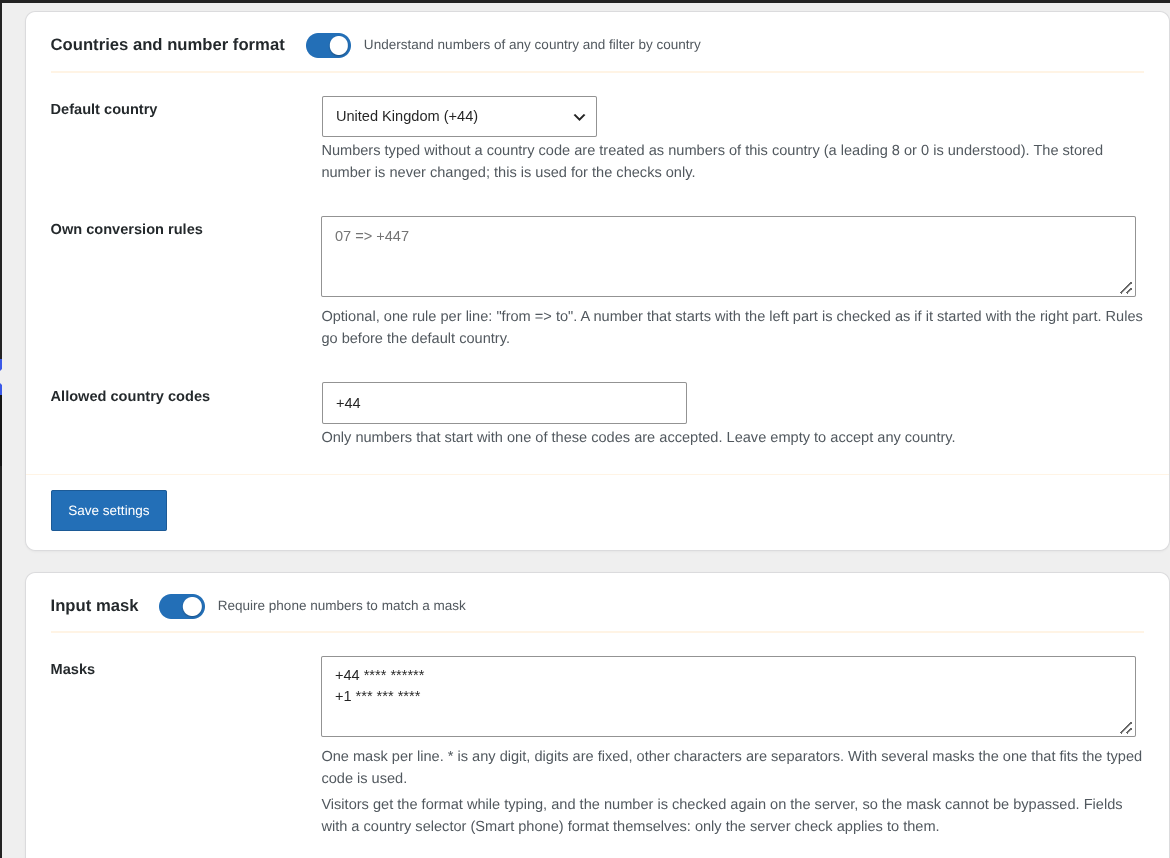
- Any country. Numbers are understood in national and international form (020 7946 0958, +44 20 7946 0958, 0044 20 7946 0958). Set a default country or write your own conversion rules like
07 => +447. A table of country calling codes and number lengths is built in. The number stored by WPForms is never changed. - Allowed country codes. Accept only the countries you serve, for example +1, +44, +33, +34.
- Input mask. Describe the format once, for example
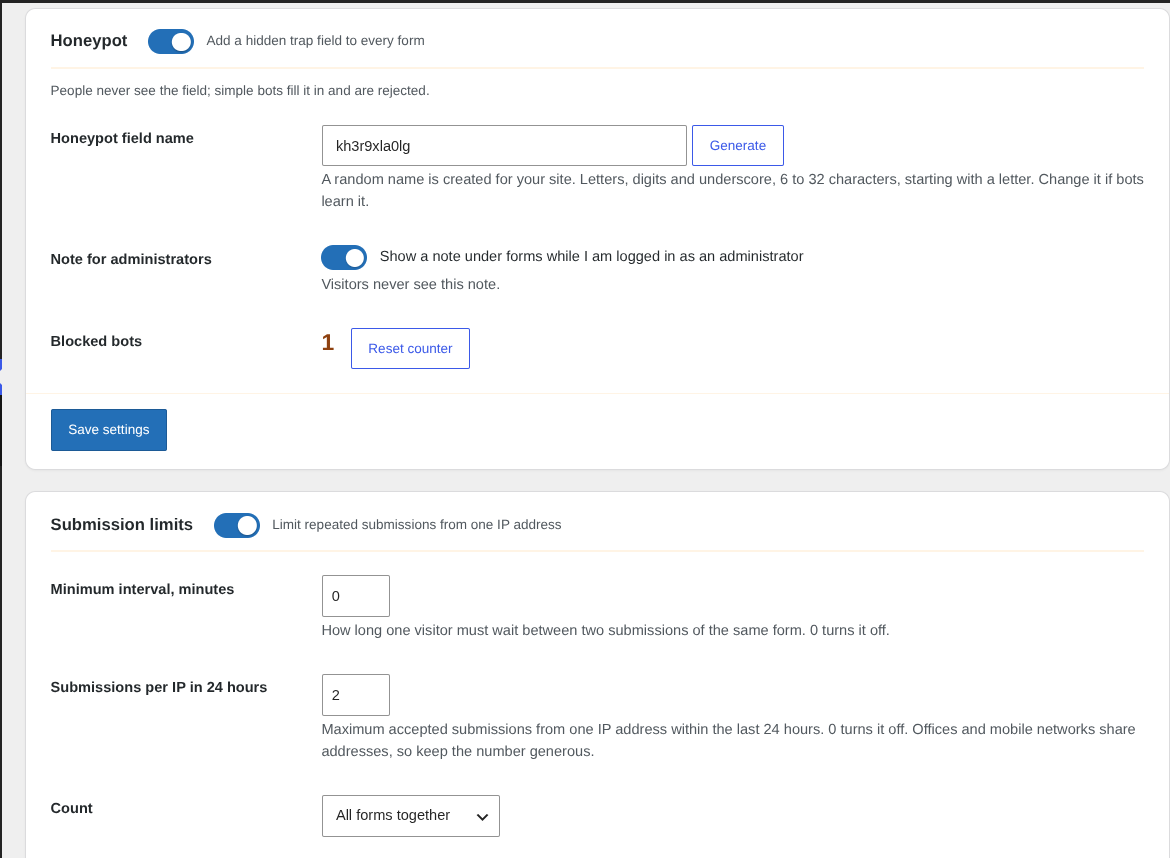
+1 *** *** ****, and visitors get it while typing. The server checks the number again, so the mask cannot be bypassed by a bot. - Honeypot. An invisible field that people never fill and simple bots always do. The field name is random for your site and you can change it. A counter shows how many bots were stopped.
- Browser check. A small script adds a hidden field in the visitor’s browser. Bots that send the form without a browser, or with a forged value, are stopped before WPForms saves anything. Can be switched off if a caching plugin delays scripts on your site.
- Limits per IP. A minimum interval between submissions and a limit of submissions per IP address in 24 hours. Trusted IP addresses and logged-in administrators can be excluded.
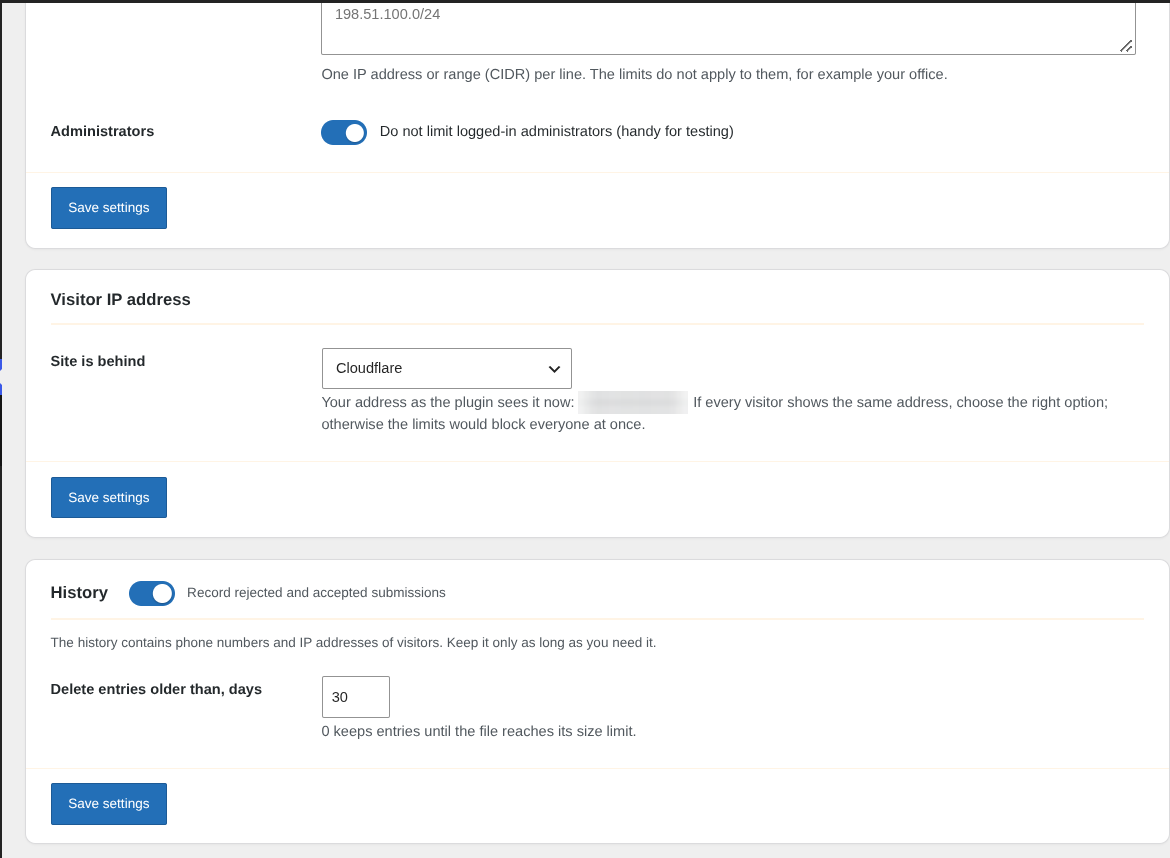
- Correct IP behind Cloudflare and proxies. Without it every visitor would look the same and the limits would block everyone. Cloudflare is built in; other proxies are supported through a list of trusted addresses.
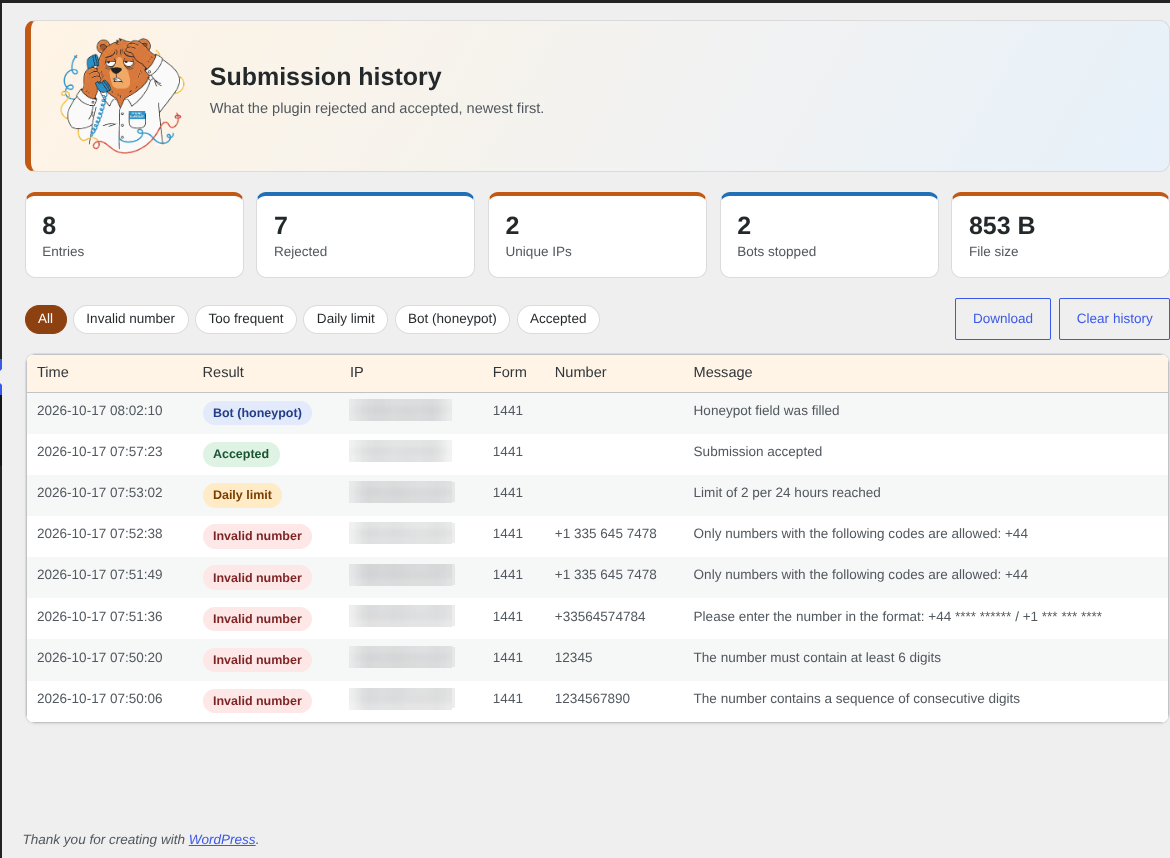
- History. Rejected and accepted submissions with filters, paging, download and automatic cleanup.
Good to know
- The mask is applied while typing to plain phone fields. WPForms „Smart“ phone fields (with a country selector) format themselves, for them the server check applies.
- The honeypot, the browser check and the mask are re-checked on the server. Rejecting submissions without the browser check needs JavaScript in the visitor’s browser; you can turn that option off.
- A short note under forms is shown only to logged-in administrators (it can be turned off). Visitors never see any label or link of the plugin.
Privacy
The plugin does not send data anywhere. The optional history is a file in the uploads folder (random name, not accessible from the web) with phone numbers and IP addresses of visitors. Logging can be turned off and old entries are deleted automatically (30 days by default). If you collect data of visitors from the EU, mention the history in your privacy policy or turn it off.
Credits
The table of country calling codes and number lengths is generated from the open libphonenumber metadata (Apache License 2.0).
Screenshots

Installation
- Make sure WPForms (Lite or Pro) is installed and active.
- Upload the
phone-validator-for-wpformsfolder to/wp-content/plugins/or install the plugin from the Plugins screen. - Activate the plugin.
- Open Phone Validator Settings and check the default country. Everything else works with the default values.
FAQ
-
Does it work with WPForms Lite?
-
Yes, with WPForms Lite and Pro.
-
Will it change the numbers that are saved?
-
No. Numbers are converted only for checking. WPForms saves exactly what the visitor typed.
-
The mask does not appear on my phone field.
-
Plain phone fields get the mask while typing. Smart phone fields (with a country selector) format themselves; the number is still checked against the mask on the server.
-
All visitors are blocked by the limit.
-
Your site is probably behind a proxy or CDN and every visitor has the same address. Open Settings Visitor IP address and choose Cloudflare or add your proxy.
-
Is the honeypot visible to visitors?
-
No. The field is hidden and the plugin shows nothing about it. Only logged-in administrators see a note under the form, and it can be turned off.
-
Where is the history stored?
-
In a protected file in
wp-content/uploads/phone-validator-for-wpforms/. It is removed when you delete the plugin. -
How do I translate it?
-
The plugin is translation ready. Translations are contributed on translate.wordpress.org.
Rezensionen

Mitwirkende und Entwickler
„Phone Validator for WPForms“ ist Open-Source-Software. Folgende Menschen haben an diesem Plugin mitgewirkt:
Mitwirkende
„Phone Validator for WPForms“ wurde in 4 Sprachen übersetzt. Danke an die Übersetzer für ihre Mitwirkung.
Übersetze „Phone Validator for WPForms“ in deine Sprache.
Interessiert an der Entwicklung?
Durchstöbere den Code, sieh dir das SVN-Repository an oder abonniere das Entwicklungsprotokoll per RSS.
Änderungsprotokoll
1.1.1
- Fixed: accepted submissions were not written to the history when limits were off, or for administrators and trusted IP addresses.
- Fixed: the honeypot is now checked at the very start of processing, so a rejected bot is not saved by WPForms, not even as spam.
- New: browser check. A small script adds a hidden field in the visitor’s browser; submissions sent without a real browser or with a forged value are rejected.
- New: option to reject submissions without the browser check. It is on for new installations; sites updated from 1.1.0 keep it off until you turn it on.
- New: a recommended value and a hint under every option in the settings.
- New: history types „Bot (browser check)“ and „No JavaScript“.
- Improved: AMP verification requests are ignored by the bot checks.
1.1.0
- New: limit of submissions per IP address in 24 hours (all forms together or per form), trusted IP addresses, administrators excluded.
- New: input mask such as +1 *** *** **** with a server-side re-check.
- New: honeypot with a random field name, blocked bots counter and a note for administrators.
- New: Support link on the Plugins screen and a support line at the bottom of the plugin pages.
- New: number normalization for all countries, default country and own conversion rules; the blacklist and country filter use it.
- New: check for ascending and descending digit sequences.
- New: correct visitor IP behind Cloudflare and other proxies.
- New: history filter by type, paging, download from the admin, redesigned screens.
- Improved: the history file has a random name and cannot be opened from the web; size limit and safe cleanup.
- Fixed: a number typed in national form (for example 07700 900123) was rejected when only its country code (+44) was allowed.
- Fixed: the history could be forged with line breaks in the submitted value.
- Fixed: uninstall left the history folder behind.
- Settings of earlier versions are kept. The honeypot is on after the update; the mask and the daily limit are off until you enable them.
1.0.0
- Initial release.