

Beschreibung
CharityGlow is a modern WordPress donation and fundraising plugin for nonprofits, NGOs, charities, mosques, religious organizations, schools, and community organizations.
Create professional donation forms, launch fundraising campaigns, accept one-time or recurring donations, and manage donor information — without needing to build a donation system from scratch.
Simple setup. Powerful features. No coding required.
🚀 See CharityGlow in Action
👉 Live Demo: https://demo.charityglow.com/
👉 Official Website: https://charityglow.com/
🎁 Free Setup Assistance
Free setup assistance for the first 100 organizations.
If you need help getting started, we’ll help you install, configure, and launch your CharityGlow donation system.
💡 Why CharityGlow?
CharityGlow gives you the core tools needed to start accepting donations and managing fundraising campaigns from your WordPress website.
- Create beautiful donation forms
- Accept one-time and recurring donations
- Connect popular payment gateways
- Create unlimited fundraising campaigns
- Track donations and donors
- Display campaign goals and progress
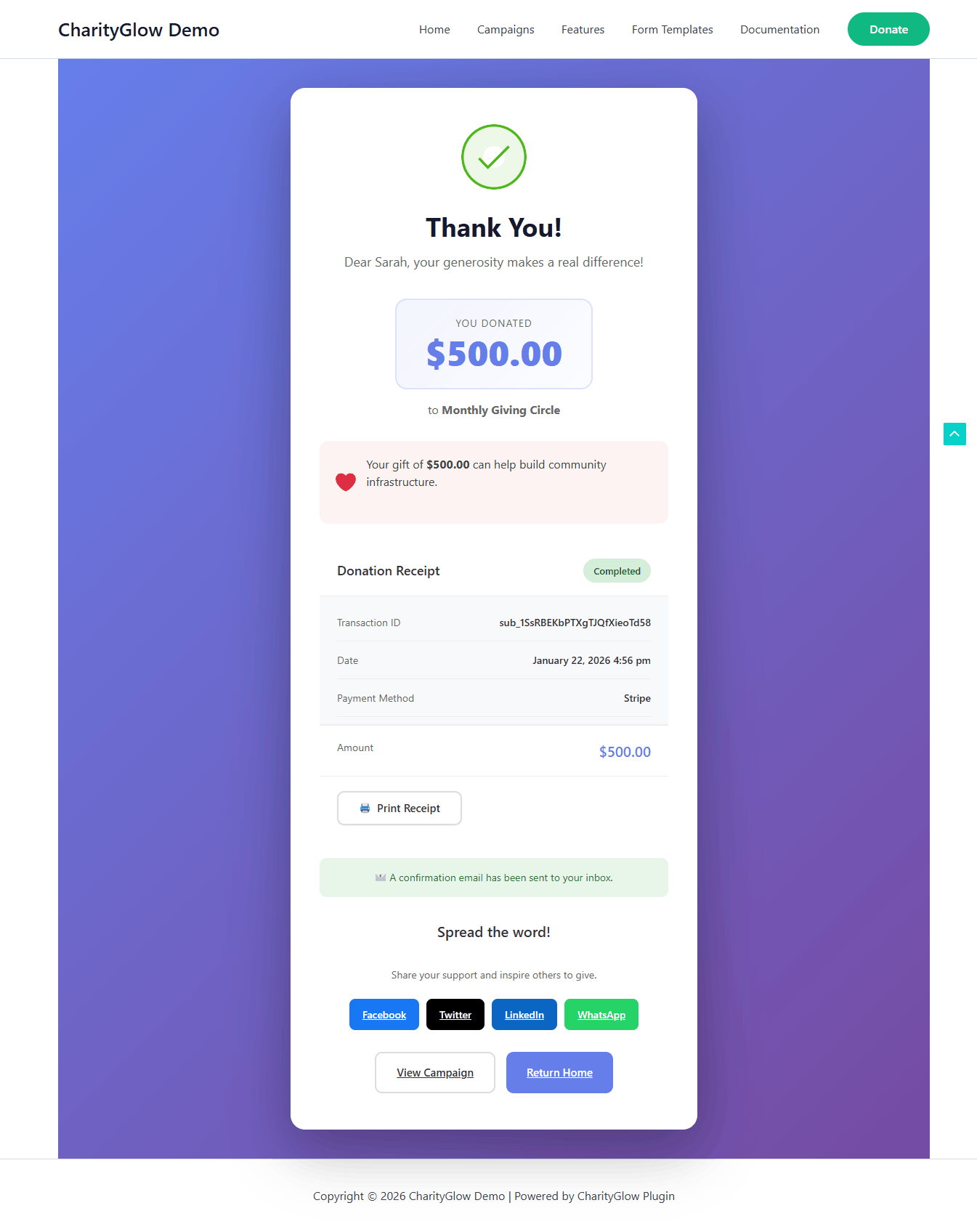
- Send donor receipts and admin notifications
- Manage donation data from your WordPress dashboard
Start free, then upgrade when you need more advanced fundraising tools.
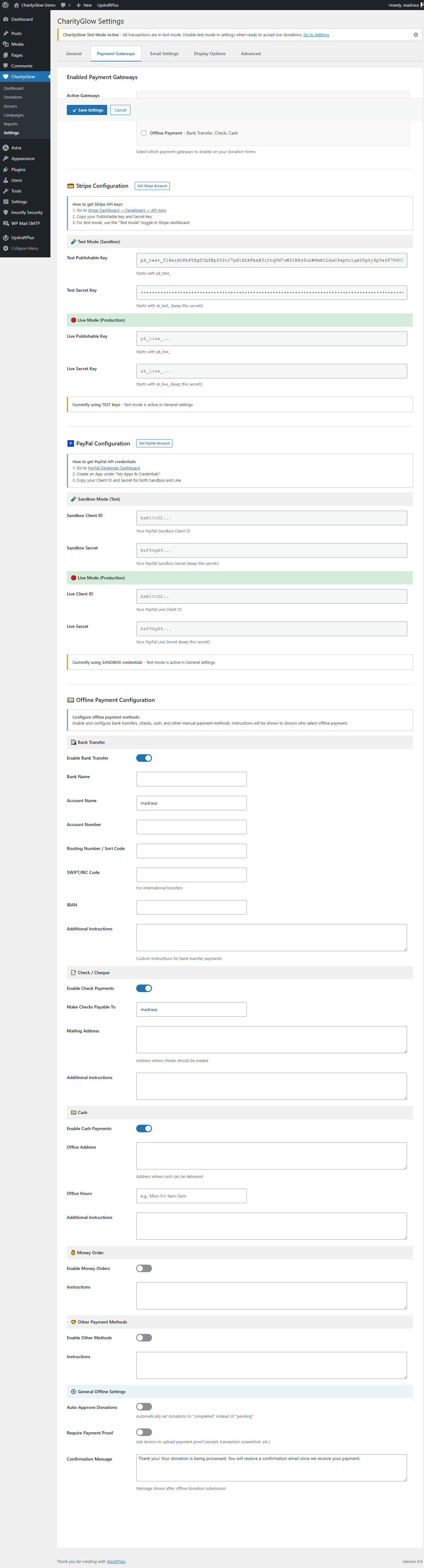
💳 Payment Gateways
- Stripe — Credit and debit card donations
- PayPal — PayPal and supported guest checkout options
- SSLCommerz — bKash, Nagad, Rocket, Upay, Bangladeshi bank cards and internet banking
- Bank Transfer — Offline/manual donations
🇧🇩 Built for Bangladesh
CharityGlow includes SSLCommerz in the free version, giving Bangladesh-based organizations access to local payment methods from the same donation system.
Accept donations through:
- bKash
- Nagad
- Rocket
- Upay
- Bangladeshi bank cards
- Internet banking supported by SSLCommerz
Note: SSLCommerz is intended for organizations using BDT and requires an approved SSLCommerz merchant account for live payments.
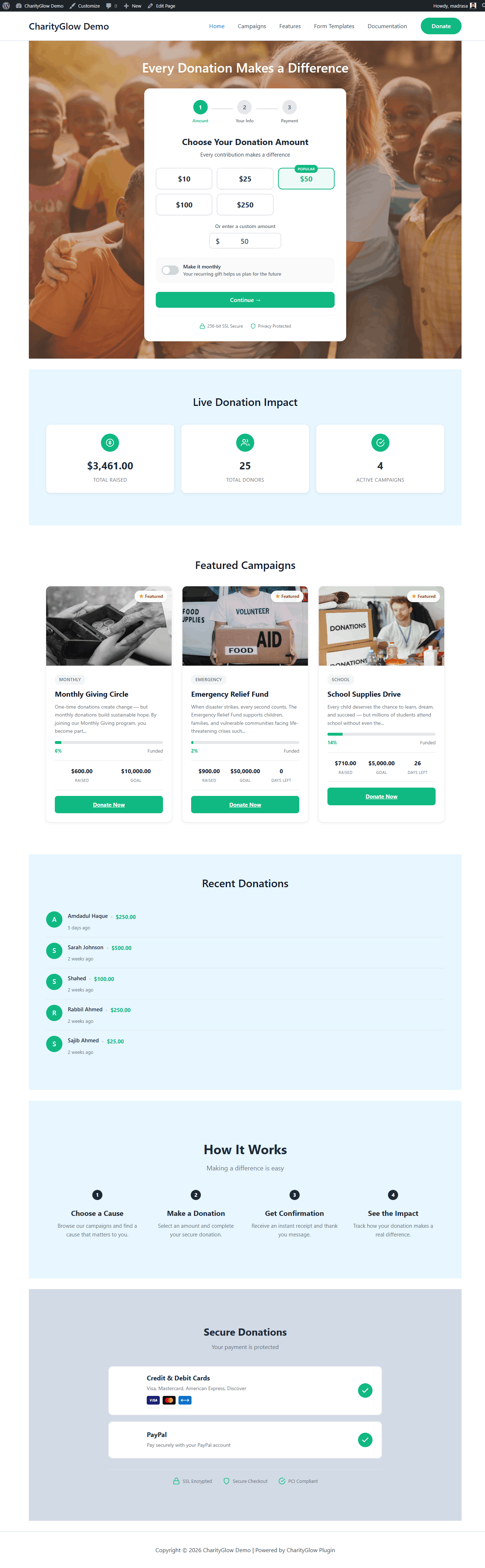
🎨 Beautiful Donation Forms
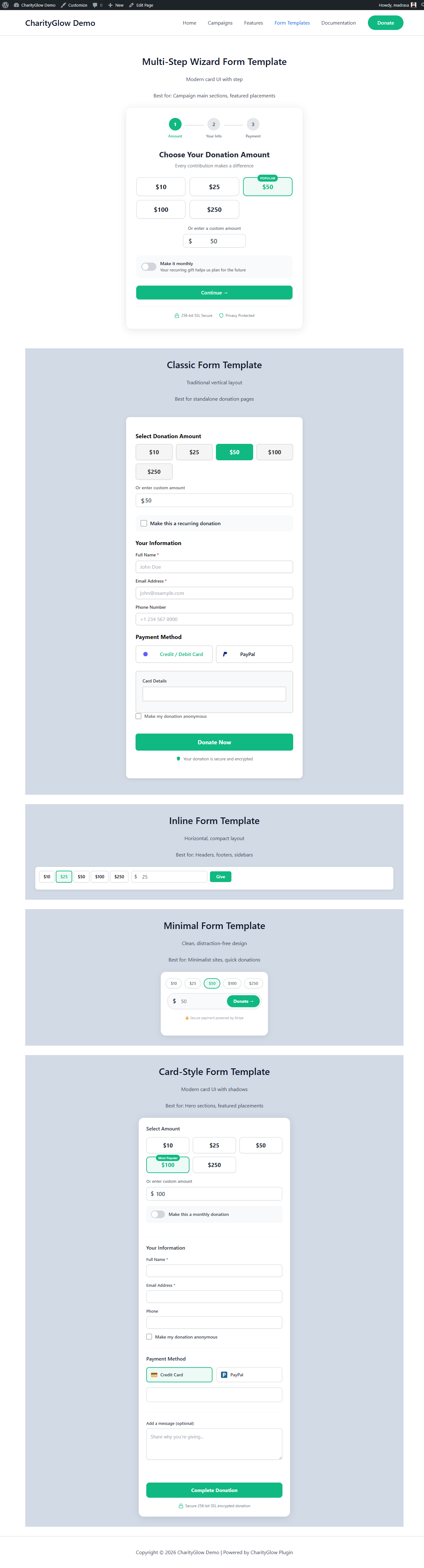
Choose from 5 included donation form templates:
- Classic
- Inline
- Minimal
- Card
- Wizard
You can also configure preset donation amounts, custom amounts, anonymous donations, and donation comments.
❤️ Fundraising Campaigns
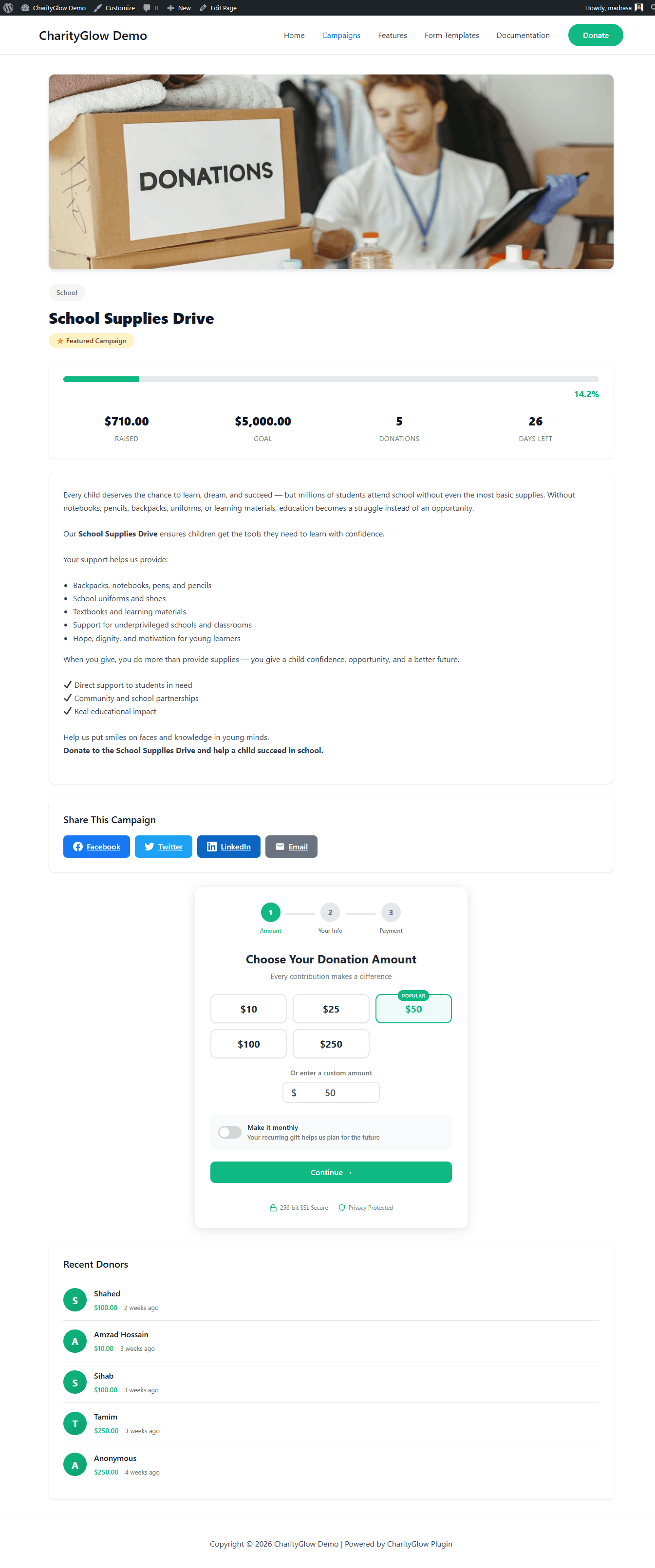
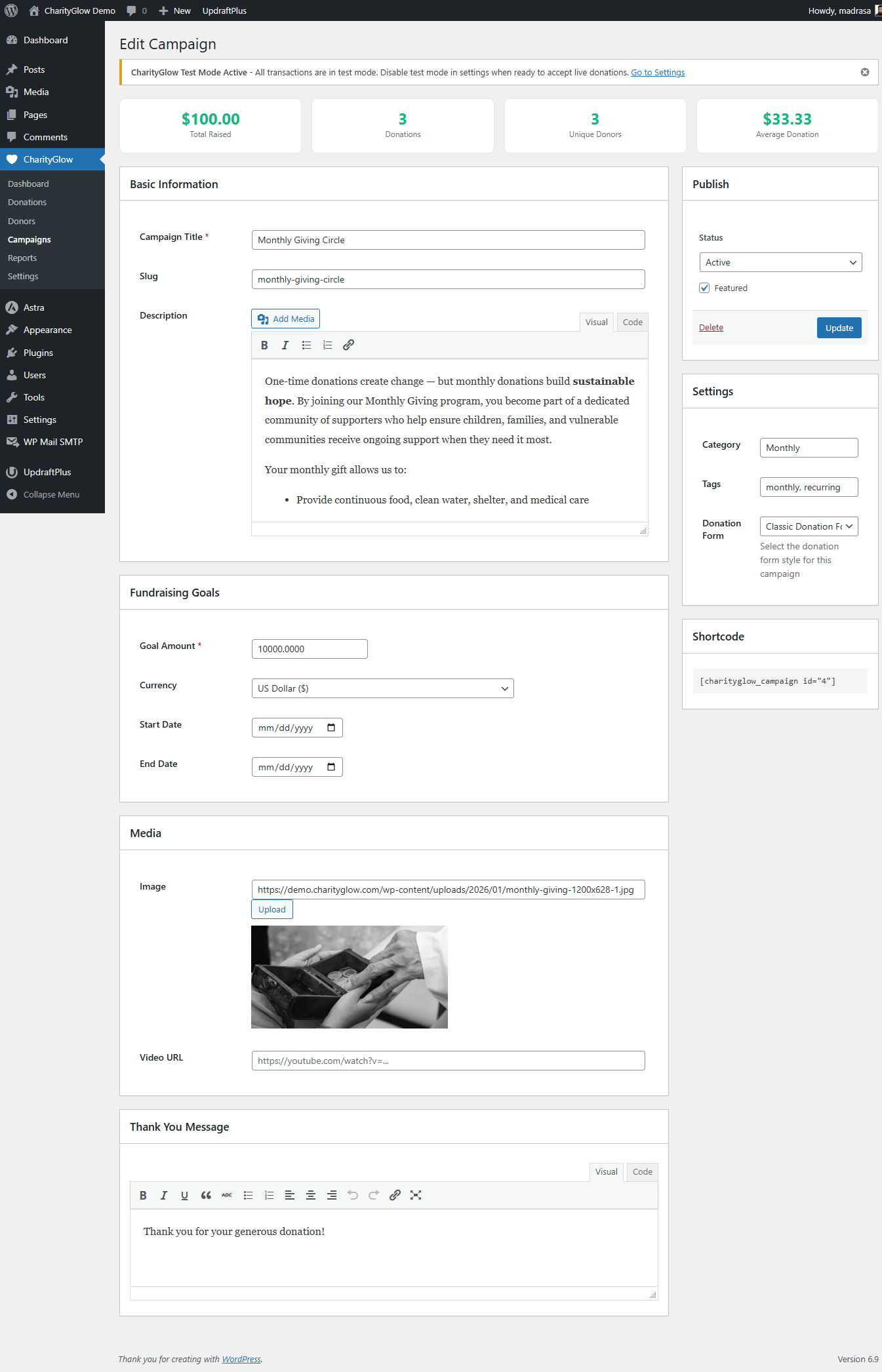
Create unlimited campaigns and give each campaign its own fundraising goal, deadline, featured image, donation form, and progress display.
Use CharityGlow to build campaigns for:
- Emergency fundraising
- Zakat and sadaqah
- Orphan support
- Education
- Medical assistance
- Community projects
- General charity campaigns
🔁 Recurring Donations
Give donors the option to make recurring contributions:
- Monthly
- Quarterly
- Yearly
Recurring payments are handled through supported payment gateways.
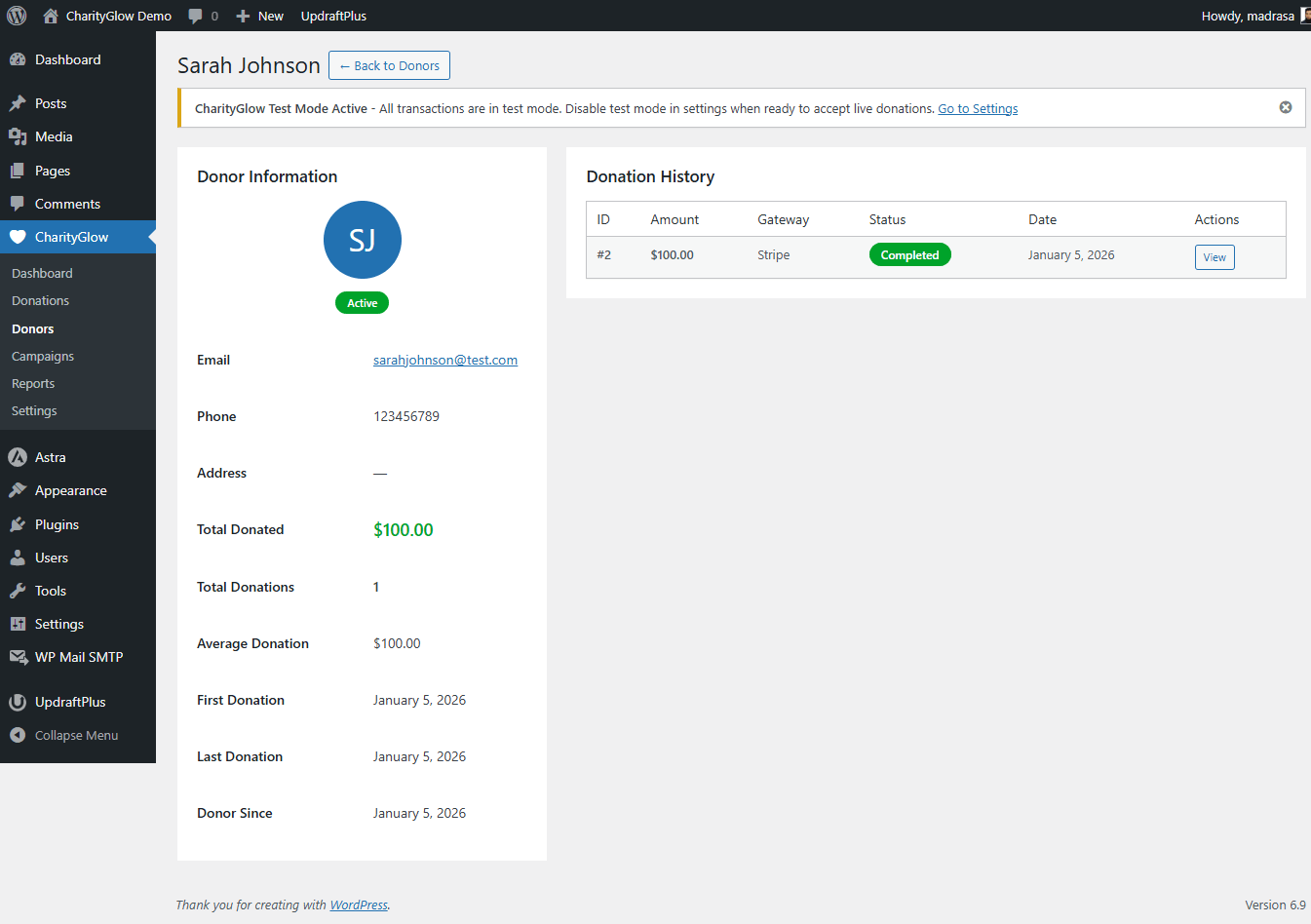
👥 Donor Management
Keep donation and donor information organized inside WordPress.
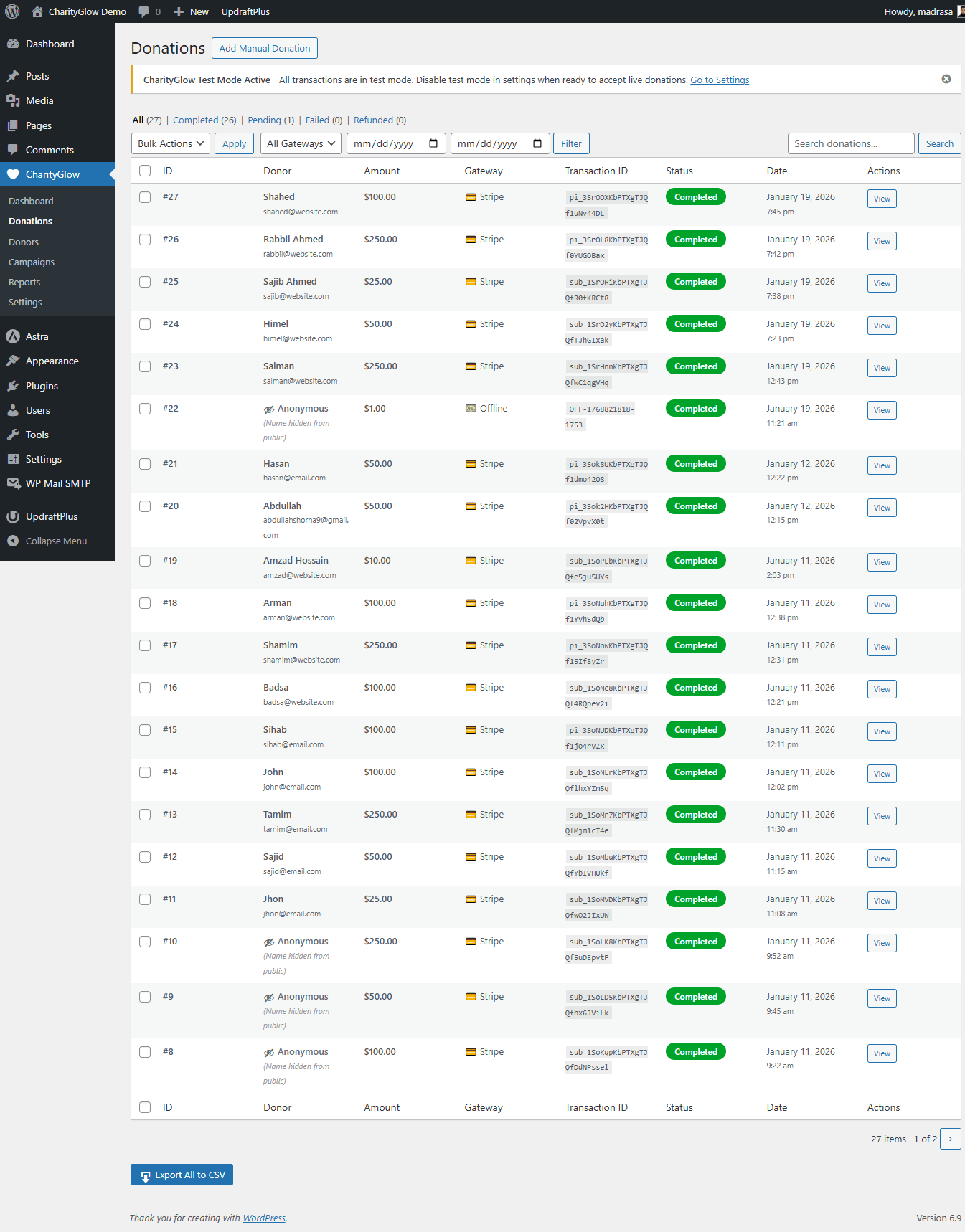
- Donor profiles
- Donation history
- Lifetime value
- Campaign-related donation data
- Recent donations
- Public donor wall with anonymous donation support
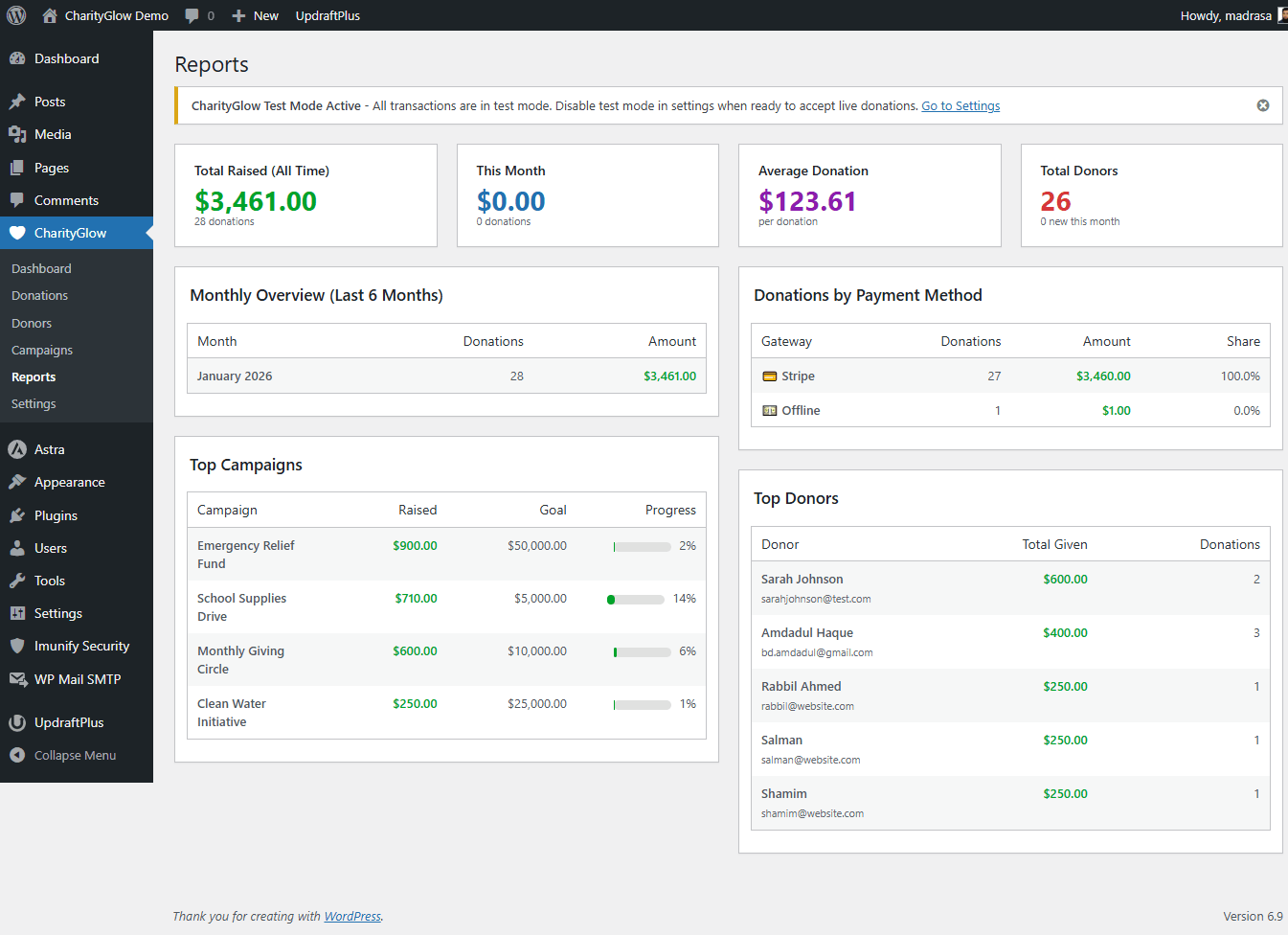
📊 Reports & Dashboard
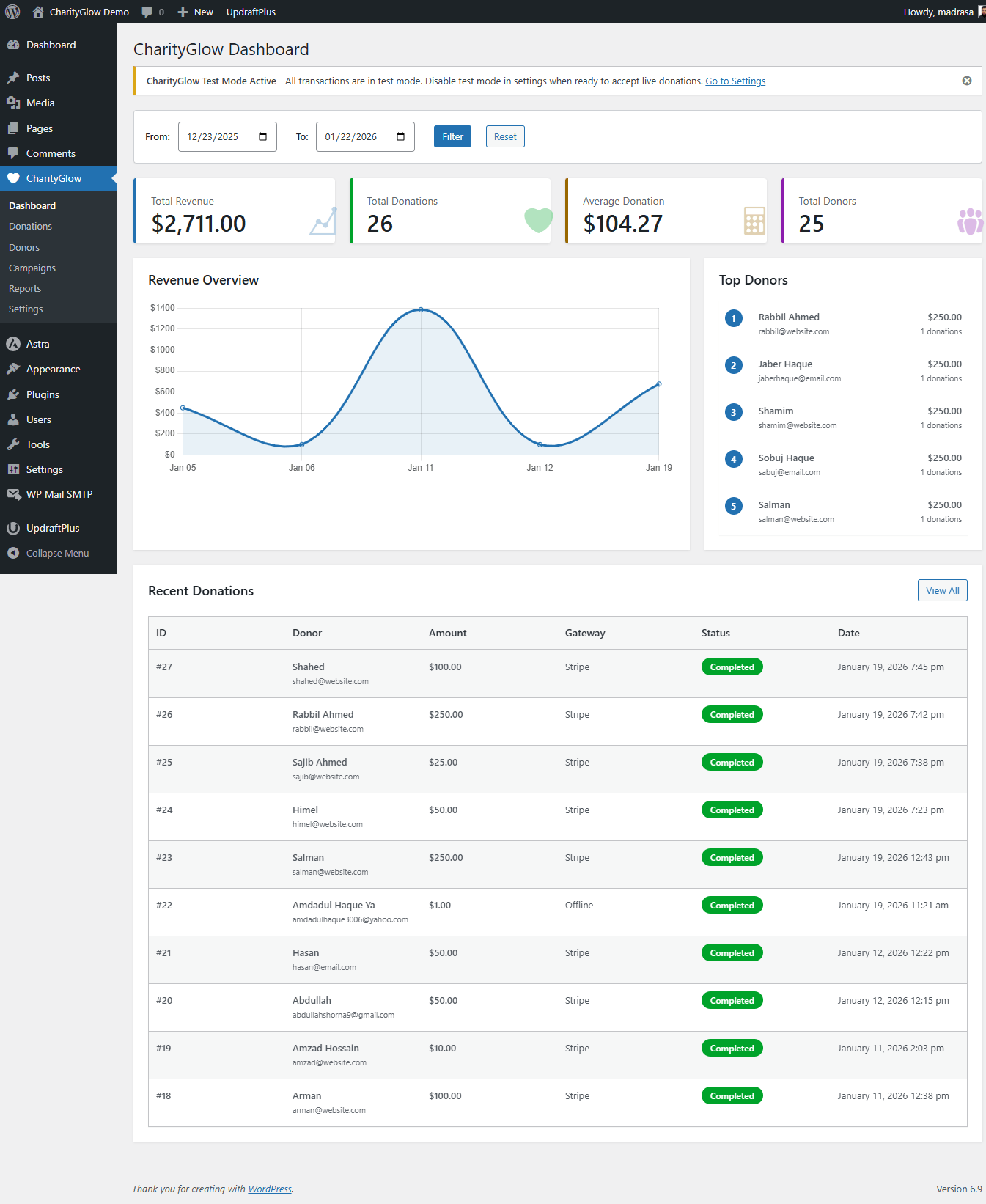
Monitor your fundraising activity from the WordPress dashboard.
- Donation statistics
- Basic charts
- Recent donations
- Campaign progress
- Donation records
- Donor information
📧 Donation Receipts & Notifications
CharityGlow can send:
- Donor email receipts
- Admin donation notifications
Your donors can receive confirmation after a successful donation while administrators stay informed about new donations.
📱 Mobile-Friendly
CharityGlow donation forms are designed to work across:
- Desktop
- Tablet
- Mobile
🆓 Free Version
The free version includes the core tools needed to launch a WordPress donation system.
Included in Free:
- 5 donation form templates
- Stripe
- PayPal
- SSLCommerz
- Bank Transfer
- One-time donations
- Recurring donations
- Unlimited campaigns
- Campaign goals and deadlines
- Progress bars
- Featured campaign images
- Donor profiles
- Donation history
- Lifetime donor value
- Dashboard statistics
- Basic charts
- Recent donations
- Donor wall
- Donation comments
- Anonymous donations
- Donation email receipts
- Admin notifications
- 12 shortcodes
- 25+ currencies
- Mobile-responsive forms
- GDPR-related data tools
Free version limitation: Donation forms include CharityGlow branding.
🚀 CharityGlow Pro
Need more control over your donation forms, receipts, reporting, and page-builder integration?
CharityGlow Pro adds advanced fundraising tools on top of the free version.
Pro features include:
- Advanced form builder
- Multi-step donation forms
- Basic conditional fields
- Custom donation amounts in the form builder
- Popup/modal donation forms
- 10 premium donation templates
- Remove CharityGlow branding
- PDF donation receipts
- Custom receipt logo and branding
- Sequential receipt numbers
- Failed payment email notifications
- Donor CSV import/export
- Campaign-level reports
- Basic fundraising analytics
- Elementor widgets for donation forms, campaigns, and progress
- Additional payment options and integrations as Pro development expands
👉 Explore CharityGlow Pro: https://charityglow.com/
🔥 Why Upgrade?
The free version is designed to help you start accepting donations quickly.
Upgrade to Pro when you need advanced tools such as:
Advanced Forms
* More form layouts
* Multi-step forms
* Conditional fields
* Popup/modal donation forms
Professional Receipts
* PDF donation receipts
* Custom receipt branding
* Sequential receipt numbers
Better Administration
* Campaign-level reports
* Donor CSV import/export
* Additional analytics
WordPress Page Builder Integration
* Elementor widgets for forms, campaigns, and progress
Branding Control
* Remove CharityGlow branding from donation forms
❤️ Who Is CharityGlow For?
CharityGlow is suitable for:
- Nonprofits and NGOs
- Charities and fundraising organizations
- Mosques and Islamic organizations
- Churches and religious organizations
- Schools and educational organizations
- Community and social organizations
- Individual fundraising campaigns
🧩 Shortcodes
[charityglow_form]— Main donation form[charityglow_form campaign_id="123"]— Donation form linked to a campaign[charityglow_form amounts="10,25,50,100,250"]— Custom preset donation amounts[charityglow_campaigns]— Display campaigns[charityglow_progress_bar campaign_id="123"]— Display campaign progress[charityglow_donor_wall]— Display public donor wall[charityglow_recent_donations]— Display recent donations[charityglow_stats]— Display donation statistics
🔒 Security & Privacy
CharityGlow is designed to work with established payment providers for payment processing.
- Payment card information is handled by the supported payment provider rather than stored as raw card data by CharityGlow.
- Stripe, PayPal, and SSLCommerz process payments through their own systems.
- CharityGlow includes data export and deletion tools to help site administrators manage donor data.
- Review the payment provider’s terms and privacy policy for details about their services.
🎥 Live Demo
👉 Frontend Demo: https://demo.charityglow.com/
See donation forms, campaigns, payment options, donor management, reports, and other CharityGlow features in action.
🔧 Installation
- Install CharityGlow from the WordPress plugin directory, or upload the
charityglowfolder to/wp-content/plugins/. - Activate the plugin through the Plugins menu in WordPress.
- Go to CharityGlow Settings.
- Configure one or more payment gateways.
- Create your first campaign from CharityGlow Campaigns.
- Add
[charityglow_form]to a page where you want to accept donations.
🎁 Free setup assistance is available for the first 100 charities.
⚡ Quick Start
- Install and activate CharityGlow.
- Open CharityGlow Settings.
- Configure Stripe, PayPal, SSLCommerz, and/or Bank Transfer.
- Create a campaign.
- Add a CharityGlow donation form to your page.
- Test your donation flow.
- Publish your campaign and start accepting donations.
Quick Start for Stripe Testing
- Go to CharityGlow Settings.
- Enter your Stripe test API keys.
- Enable test mode.
- Create a test campaign.
- Add
[charityglow_form]to a page. - Use Stripe’s official test card information when testing payments.
For current Stripe test-card details, see Stripe’s documentation.
Quick Start for Bangladesh (SSLCommerz)
- Go to CharityGlow Settings Payment Gateways.
- Enable SSLCommerz.
- Enter your SSLCommerz Store ID and Store Password.
- Use your approved sandbox credentials for testing.
- Set your donation currency to BDT.
- Add
[charityglow_form]to a page and test the donation flow.
Use the credentials provided by SSLCommerz for your account. Do not publish real merchant credentials in documentation or support requests.
External Services
This plugin connects to third-party services for payment processing. These connections are used when a site administrator enables the corresponding payment gateway and a donor initiates a payment.
Stripe
CharityGlow uses Stripe to process credit and debit card donations and supported recurring payments.
What it’s used for: Processing card donations, recurring payments, and supported payment operations.
What data may be sent:
* Payment amount and currency
* Donor name and email address
* Billing information when collected
* Donation metadata such as campaign ID, form ID, and donation ID
* Card/payment information required by Stripe’s payment system
When data is sent: When a donor submits a donation using Stripe.
Service Provider: Stripe, Inc.
* Website: https://stripe.com
* Terms of Service: https://stripe.com/legal/ssa
* Privacy Policy: https://stripe.com/privacy
CharityGlow communicates with Stripe through its API and Stripe’s supported payment libraries.
PayPal
CharityGlow uses PayPal to process donations through PayPal accounts and supported guest checkout options.
What it’s used for: Processing donations through PayPal.
What data may be sent:
* Payment amount and currency
* Donation/order description
* Return and cancellation URLs
* Donor information required by PayPal
* Donation/invoice ID for tracking
When data is sent: When a donor selects PayPal and proceeds to payment.
Service Provider: PayPal, Inc.
* Website: https://www.paypal.com
* Terms of Service: https://www.paypal.com/webapps/mpp/ua/useragreement-full
* Privacy Policy: https://www.paypal.com/webapps/mpp/ua/privacy-full
CharityGlow communicates with PayPal through PayPal’s supported API endpoints.
SSLCommerz
CharityGlow uses SSLCommerz to process donations through Bangladeshi payment methods including bKash, Nagad, Rocket, Upay, internet banking, and supported bank cards.
What it’s used for: Processing donations in Bangladesh using SSLCommerz-supported payment methods.
What data may be sent:
* Payment amount and currency
* Donor name, email, and phone number
* Donation/transaction ID
* Return URLs for success, failure, and cancellation
* Merchant/store and transaction references required by SSLCommerz
When data is sent: When a donor selects SSLCommerz and proceeds to payment.
Service Provider: SSLCOMMERZ Limited
* Website: https://sslcommerz.com
* Terms of Service: https://sslcommerz.com/terms-condition/
* Privacy Policy: https://sslcommerz.com/privacy-policy/
CharityGlow communicates with SSLCommerz through its supported API endpoints.
Currency limitation: SSLCommerz payments in CharityGlow are intended for BDT transactions.
Screenshots
FAQ
Which payment gateways are supported?
CharityGlow supports Stripe, PayPal, SSLCommerz (Bangladesh — bKash, Nagad, Rocket, Upay, bank cards and internet banking), and Offline/Bank Transfer payments.
Does CharityGlow support bKash, Nagad, or Rocket?
Yes. Through the SSLCommerz integration, organizations can accept donations using bKash, Nagad, Rocket, Upay, supported Bangladeshi bank cards, and supported internet banking options.
Is SSLCommerz included in the free version?
Yes. SSLCommerz is included in the free version of CharityGlow. You need an approved SSLCommerz merchant account to accept live payments.
Can I accept recurring donations?
Yes. CharityGlow supports monthly, quarterly, and yearly recurring donations through supported payment gateways.
What donation form templates are available?
The free version includes five templates: Classic, Inline, Minimal, Card, and Wizard. CharityGlow Pro adds additional premium templates and advanced form tools.
Is CharityGlow mobile-friendly?
Yes. Donation forms are designed to work on desktop, tablet, and mobile devices.
Can I customize donation amounts?
Yes. You can configure preset donation amounts and allow custom donation amounts. You can also use shortcode attributes such as
[charityglow_form amounts="10,25,50,100,250"].Does CharityGlow send email receipts?
Yes. Donors can receive donation receipts by email, and administrators can receive donation notifications.
Can I create unlimited campaigns?
Yes. CharityGlow supports unlimited fundraising campaigns.
Can I track donations by campaign?
Yes. Campaigns can have their own goals, deadlines, progress displays, and donation records. CharityGlow Pro adds campaign-level reporting.
Can donors give anonymously?
Yes. Donors can choose to make their donation anonymous. Their name can be hidden from public donor displays.
What currencies are supported?
CharityGlow supports 25+ currencies, including USD, EUR, GBP, BDT, CAD, AUD, JPY, and INR. Currency availability can also depend on the payment gateway being used.
Does CharityGlow work with my WordPress theme?
CharityGlow is designed to work with properly coded WordPress themes. Compatibility can vary depending on the theme and other plugins installed on a site.
How do I display a campaign progress bar?
Use the shortcode:
[charityglow_progress_bar campaign_id="123"]Can I show recent donations on my site?
Yes. Use
[charityglow_recent_donations]or[charityglow_donor_wall]to display recent donations or a public donor wall.What is included in CharityGlow Pro?
CharityGlow Pro adds advanced form building, premium templates, PDF receipts, custom receipt branding, sequential receipt numbers, campaign-level reports, donor CSV import/export, Elementor widgets, failed-payment notifications, and other advanced fundraising features.
Payment-related data is sent to the selected payment provider when a donor initiates a payment. See the External Services section below for details about Stripe, PayPal, and SSLCommerz.
Rezensionen


Mitwirkende und Entwickler
„CharityGlow — Donations & Fundraising“ ist Open-Source-Software. Folgende Menschen haben an diesem Plugin mitgewirkt:
Mitwirkende
Übersetze „CharityGlow — Donations & Fundraising“ in deine Sprache.
Interessiert an der Entwicklung?
Durchstöbere den Code, sieh dir das SVN-Repository an oder abonniere das Entwicklungsprotokoll per RSS.
Änderungsprotokoll
1.2.1 – 2026-08-27
- New: Data Export & Import System — Full plugin data export/import via JSON format for campaigns, donations, donors, forms, and activity logs.
- Fix: Donation Success Page social sharing — Fixed Facebook sharing and updated LinkedIn and X sharing URLs.
- Fix: Campaign Single Page social sharing — Fixed LinkedIn sharing and updated X sharing.
1.2.0 – 2026-05-09
- Improvement: Introduced a consistent brand color system across the plugin — Primary Green (#15803D), Secondary Blue (#1E40AF), and Accent Amber (#F59E0B).
- Improvement: Campaign details page redesigned with improved layout, goal/progress display, and donor information presentation.
- Improvement: Setup wizard updated with refreshed UI and smoother onboarding.
- Fix: Multiple CSS conflicts and styling inconsistencies in the admin area.
- Fix: Admin panel color overrides are properly scoped to avoid conflicts with WordPress core styles.
1.1.0 – 2026-03-11
- New: SSLCommerz payment gateway integration for Bangladesh — bKash, Nagad, Rocket, Upay, bank cards, and internet banking.
- New: BDT (Bangladeshi Taka) currency support.
- Improvement: Payment gateway settings now show a Bangladesh-specific notice for SSLCommerz.
- Improvement: Donation forms display enabled payment options based on administrator settings.
1.0.0 – 2026-02-02
- Initial release.
- Payment gateways: Stripe, PayPal, Razorpay, Offline/Bank Transfer.
- Form templates: Classic, Inline, Minimal, Card, Wizard.
- Campaign management with goals, deadlines, and progress tracking.
- Donor management with profiles, history, and lifetime value.
- Shortcodes for forms, campaigns, statistics, donor walls, progress bars, and more.
- Email receipts and administrator notifications.
- Analytics dashboard with statistics, charts, and reports.
- Recurring donations: monthly, quarterly, and yearly.
- Multi-currency support with proper formatting.
- Zero-decimal currency support.
- Mobile-responsive donation forms.
- GDPR-related data export and deletion tools.
- Anonymous donations.
- Theme compatibility with properly coded WordPress themes.