

Beschreibung
Jedes YouTube-Video, jede Karte von Google Maps und jeder Instagram-Beitrag auf deiner Website kontaktiert seinen Anbieter, sobald die Seite geöffnet wird – noch bevor der Besucher irgendetwas zugestimmt hat. Calucon Third-Party Embed Gate hält diese Einbettungen hinter einem Platzhalter zurück, der erst auf Klick lädt. Bis der Besucher auf „Laden“ drückt, wird beim Anbieter nichts angefragt und auf seinem Gerät nichts gespeichert – weder vom Anbieter noch von diesem Plugin. Das ist die Zwei-Klick-Lösung, sauber umgesetzt: kein Cookie-Banner, keine Consent-Plattform, kein Konto, kein Abonnement. Das Plugin wirkt, sobald es aktiviert ist.
Sieh es dir in der Live-Demo an – alle 36 Anbieter auf einer Seite, 30 davon mit echten Inhalten, null Anfragen an Drittanbieter, bis du einen Button drückst – oder lies die Details auf der Plugin-Seite.
Warum das wichtig ist
Eine einfache Anfrage an www.youtube.com/embed/… – ohne Wiedergabe und ohne ausgeführte Skripte – setzt sechs Cookies, vier davon Kennungen mit rund sechs Monaten Laufzeit (gemessen im August 2026). Jeder Besucher bekommt sie auf jeder Seite mit einem Video, ganz gleich, ob er die Wiedergabe je startet. Dieselbe Anfrage an www.youtube-nocookie.com setzt keines – und von dort lädt dieses Plugin YouTube nach dem Klick.
So funktioniert es
- Du schreibst Beiträge wie bisher: URL einfügen, WordPress erzeugt die Einbettung, und im Block-Editor sehen Redakteure die gewohnte Einbettung.
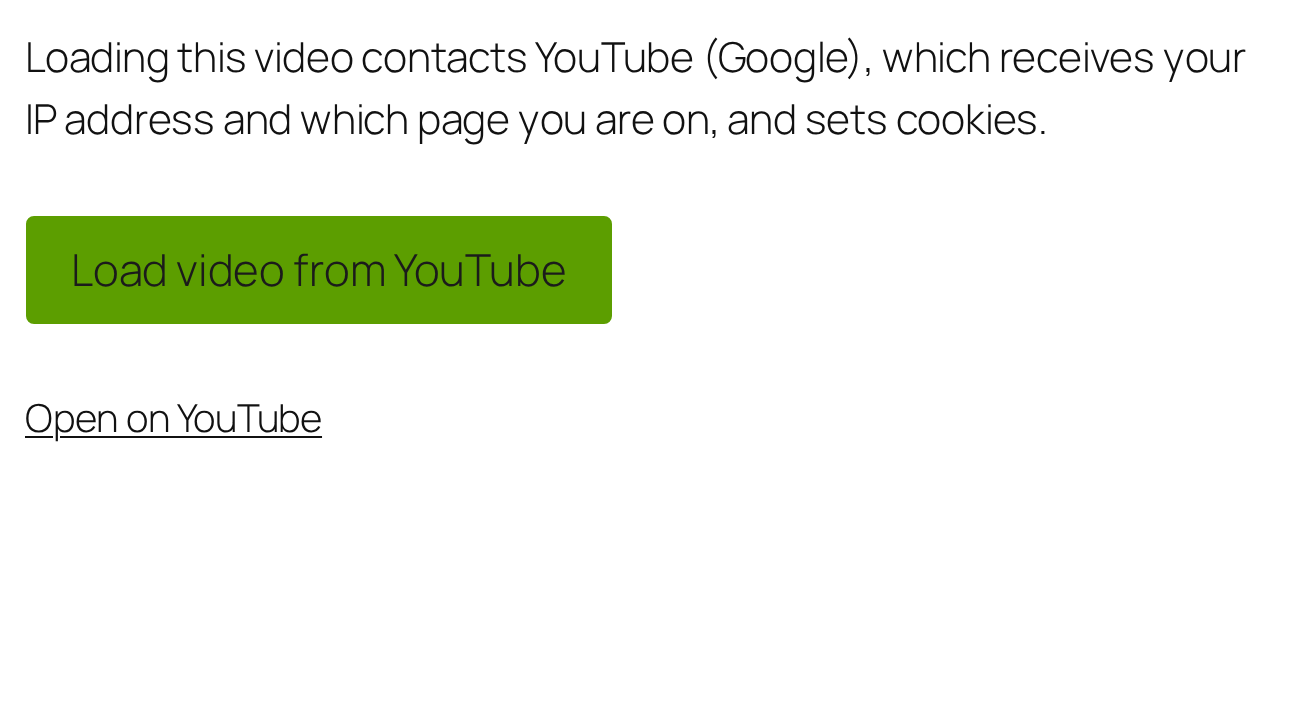
- Besucher sehen stattdessen einen Platzhalter. Er wird auf dem Server gerendert und ist deshalb da, bevor überhaupt JavaScript läuft: Name und Symbol des Anbieters, ein Satz dazu, was das Laden bedeutet, ein echter „Laden“-Button und ein einfacher Link zum Inhalt für alle, die ihn lieber dort öffnen.
- Mit dem Klick lädt genau diese eine Einbettung – von der datenschutzfreundlichen Adresse, sofern der Anbieter eine hat. Sonst ändert sich auf der Seite nichts, und für Einbettungen, die der Besucher nicht angefordert hat, lädt nichts.
Was du bekommst
- Wirkt sofort nach der Aktivierung – ohne Konfiguration, ohne Konto und ohne externen Dienst.
- Kennt 36 Einbettungstypen namentlich – jeden, den WordPress von Haus aus anbietet, von YouTube und Vimeo über Spotify, Google Maps, X, Instagram und TikTok bis Calendly. Zu jedem gehören ein Symbol, ein Hinweistext, ein optionaler Link zur Datenschutzerklärung und ein funktionierender Link ohne JavaScript. Was das Plugin nicht kennt, wird genauso gesperrt: Maßgeblich ist der Host, nicht eine Liste – so rutscht kein neuer Tracker versehentlich durch.
- Findet auch die Einbettungen, die dein Caching- oder Optimierungs-Plugin schon minifiziert hat – ohne Anführungszeichen an den Attributen, mit Zeilenumbrüchen mitten im Tag. Genau daran scheitern die meisten Umsetzungen still. Ebenso erkannt werden Lazy-Loading-Markup (
data-src), die Loader-Skripte und Stylesheets, die manche Einbettungen mitbringen, und Inhalte, die per AJAX oder REST-API nachgeladen werden („Mehr laden“, Endlos-Scrollen). - Barrierefrei und auch ohne JavaScript benutzbar: benannte Gruppe, ein echter Button, sichtbarer Fokus, ausreichender Kontrast, der Fokus bleibt nach dem Laden erhalten; null axe-core-Verstöße in der CI. Ohne JavaScript führt der Link weiterhin zum Inhalt.
- Lädt von datenschutzfreundlichen Adressen, wo es sie gibt:
youtube-nocookie.com, Vimeo mitdnt=1. Baut jede Einbettung aus einer Freigabeliste von Attributen neu auf –sandboxbleibt erhalten,autoplayüberlebt nie – und entfernt Resource Hints wiepreconnectunddns-prefetch, die den Anbieter vorzeitig kontaktieren würden. - Passt sich ohne CSS an deine Website an: Schnellstile, Farben, die der Palette deines Themes folgen, Ecken, Ränder, Schatten, Button-Stile und eigene Farben für den Dunkelmodus. Eine Live-Vorschau zeigt das Ergebnis, eine automatische Lesbarkeitsprüfung achtet auf den Kontrast. Dazu kommen ein Posterbild pro Einbettung aus deiner eigenen Mediathek – nie beim Anbieter geholt – sowie Button- und Hinweistext pro Einbettung im Block-Editor.
- Deutsch ist dabei: Das Plugin wird für alle fünf deutschen Sprachvarianten übersetzt mitgeliefert (Deutschland du und Sie, Österreich, Schweiz), und die Texte, die du selbst eingibst, sind für WPML und Polylang zur Übersetzung angemeldet.
- Optional und standardmäßig aus: Die Entscheidung des Besuchers lässt sich in seinem Browser merken – pro Einbettung, pro Anbieter oder für alle Einbettungen, für die Sitzung oder für eine bestimmte Zahl von Tagen. Für den Widerruf gibt es einen Block und einen Shortcode. Dazu kommt eine Brücke zu deiner Consent-Plattform: Eine dort erteilte Einwilligung lädt die Einbettungen, ein Widerruf dort sperrt sie wieder.
- Funkt nie nach Hause. Keine Telemetrie, keine Update-Prüfung bei einem privaten Server, keine entfernte Schrift, kein entferntes Skript – keine ausgehende Anfrage von deinem Server oder aus den Browsern deiner Besucher, auf keinem Weg und aus keinem Grund.
Funktioniert mit
- Caching- und Optimierungs-Plugins: W3 Total Cache, WP Super Cache, LiteSpeed Cache, Autoptimize, WP Fastest Cache, SiteGround Optimizer, WP Rocket. Gesperrt wird auf dem Server, gespeichert wird also die bereits gesperrte Seite. Unter Status und Werkzeuge stehen die Dateien, die du von „JavaScript verzögern“ ausnehmen solltest, samt dem Ort, an dem das jeweilige Plugin seine Ausschlussliste führt.
- Consent-Plattformen über die optionale Brücke: WP Consent API, Complianz, Cookiebot, CookieYes, Borlabs Cookie 3, Real Cookie Banner. Die Brücke liest nur die Antwort der Plattform; bei jeder anderen Plattform und ohne Antwort bleibt die Sperre bestehen.
- Page-Builder: Die HTML- und Video-Widgets von Elementor werden von Haus aus gesperrt. Rendert ein Builder außerhalb der Inhaltsfilter von WordPress, liest das Plugin mit der Option „Die gesamte Seitenausgabe sperren“ unter Erkennung stattdessen die fertige Seite.
- Mehrsprachige Websites: WPML, Polylang, TranslatePress, Weglot.
Diese Angaben werden monatlich auf einem echten WordPress mit den aktuellen Versionen der frei installierbaren Plugins nachgeprüft. Die übrigen – WP Rocket, Borlabs Cookie, WPML, Weglot und das Banner von Cookiebot – werden anhand von Simulationen ihres dokumentierten Verhaltens geprüft.
Was es nicht ist
Calucon Third-Party Embed Gate ist eine technische Maßnahme, keine Consent-Management-Plattform. Es verhindert die Anfragen der Einbettungsanbieter, bis der Besucher handelt, und der Klick ist die Einwilligung für diese eine Einbettung – oder, wenn das Merken der Einwilligung aktiviert ist, für den von dir eingestellten Bereich. Es erzeugt keine Einwilligungsnachweise für Rechenschaftszwecke, es untersucht deine Website nicht auf andere Tracker und es trifft keine rechtlichen Aussagen über deine Website. Verantwortlich bleibst du: für deine Datenschutzerklärung, die weiterhin die Anbieter nennen muss, von denen du einbettest, und für deine Rechtsgrundlagen. Wer einen dokumentierten Einwilligungsnachweis braucht, braucht eine Consent-Management-Plattform.
Für Entwickler
- Theme-Override:
templates/placeholder.phpnach{your-theme}/calucon-embed-gate/placeholder.phpkopieren. - CSS-Custom-Properties auf
.cg-embed(--cg-bg,--cg-fg,--cg-accent, …), um ohne Spezifitäts-Kämpfe umzugestalten. - WP-CLI:
wp calucon-embed-gate scan(ist jede Einbettung gesperrt?--format=jsonfür CI und Automatisierung) undwp calucon-embed-gate providers. Beide lesen nur. - Dokumentierte Filter:
calucon_embed_gate_providers,calucon_embed_gate_provider_for_url,calucon_embed_gate_should_gate,calucon_embed_gate_is_own_host,calucon_embed_gate_own_hosts,calucon_embed_gate_placeholder_html,calucon_embed_gate_payload,calucon_embed_gate_note_text,calucon_embed_gate_action_text,calucon_embed_gate_fallback_url,calucon_embed_gate_www_equivalence,calucon_embed_gate_cmp_config,calucon_embed_gate_asset_version,calucon_embed_gate_the_content_priority,calucon_embed_gate_render_block_prioritysowie die Aktionencalucon_embed_gate_before_render,calucon_embed_gate_embed_gatedundcalucon_embed_gate_flush_caches. Zu jedem Hook sind Signatur, Auslösezeitpunkt und Rückgabewert indocs/customizing.mddokumentiert, die im Plugin mitgeliefert wird (wp-content/plugins/calucon-third-party-embed-gate/docs/customizing.md) und auf GitHub lesbar ist. Einen Anbieter hinzuzufügen ist ein Filter von zehn Zeilen in derfunctions.php. - Stabil seit 1.0: Der Markup-Vertrag (
cg--Klassen,data-cg-*-Attribute,--cg-*-Custom-Properties), die dokumentierten Hooks, die Template-Variablen, die Einstellungsschlüssel und die WP-CLI-Befehle bleiben über Minor-Releases hinweg unverändert; die Beschreibungen der Anbieter und die Listen der getesteten Plattformen sind Daten und können sich ändern.docs/customizing.mdwird im Plugin mitgeliefert und ist für Entwickler wie für KI-Agenten geschrieben.
Externe Dienste
Dieses Plugin stellt keine Anfrage an einen externen Dienst – auf keiner Seite, zu keinem Zeitpunkt. Es kontaktiert keine API, lädt kein entferntes Skript, keine Schrift, kein Bild und keine Update-Prüfung und sendet keine Telemetrie. Sein ganzer Zweck ist die Gegenrichtung: Es verhindert, dass deine Seiten Einbettungsanbieter kontaktieren.
Inhalte von Drittanbietern kommen erst ins Spiel, wenn ein Besucher auf den „Laden“-Button eines Platzhalters klickt. In diesem Moment lädt der Browser des Besuchers diese eine Einbettung beim Anbieter (zum Beispiel YouTube, Vimeo oder Google Maps) – genau so, wie es ohne dieses Plugin geschehen wäre, nur eben auf Wunsch des Besuchers statt automatisch. Jeder Platzhalter nennt den Anbieter und verlinkt dessen Datenschutzerklärung schon vor dem Klick, sofern der optionale Link unter „Anbieter“ aktiviert ist. Die Hostnamen der Anbieter im Quelltext des Plugins existieren ausschließlich dazu, solche Inhalte zu erkennen und zu sperren. Das Plugin selbst sendet keine Daten irgendwohin.
Screenshots


Blöcke
Dieses Plugin bietet 1 Block.
- Calucon Embed Gate Withdraw
Installation
- Gehe im WordPress-Adminbereich zu Plugins Installieren, suche nach „Calucon Third-Party Embed Gate“, klicke auf Jetzt installieren und dann auf Aktivieren. Aus einer heruntergeladenen ZIP-Datei installierst du stattdessen über Plugins Installieren Plugin hochladen.
- Das war alles. Einbettungen von Drittanbietern laden im Frontend jetzt erst auf Klick, und vor dem Klick des Besuchers wird kein Drittanbieter kontaktiert. Redakteure sehen im Block-Editor weiterhin die normale Einbettung – am Schreiben ändert sich also nichts.
- Optional: Unter Einstellungen Calucon Third-Party Embed Gate lassen sich Design, Verhalten pro Anbieter, Erkennungsregeln, das Merken der Einwilligung und die Brücke zur Consent-Plattform anpassen. Für den Schutz ist nichts davon nötig.
Wenn du das Merken der Einwilligung aktivierst, gib deinen Besuchern einen Weg zurück: Setze den Block „Einwilligungen widerrufen“ oder den Shortcode [calucon_embed_gate_withdraw] in deine Datenschutzerklärung.
Voraussetzungen: WordPress 5.9 oder neuer und PHP 7.4 oder neuer. Kein Build-Schritt, keine Laufzeit-Abhängigkeiten und keine ausgehende Anfrage von deiner Website, auf keinem Weg.
FAQ
-
Macht das meine Website DSGVO-konform?
-
Das kann kein Plugin behaupten, und dieses behauptet es nicht. Calucon Third-Party Embed Gate setzt eine technische Maßnahme um: Es verhindert Anfragen an Einbettungsanbieter – und die Speicherung, die diese auf dem Gerät des Besuchers auslösen –, bis der Besucher den Inhalt ausdrücklich anfordert. Ob die Verarbeitung auf deiner Website insgesamt rechtmäßig ist, hängt von Dingen ab, die ein Plugin nicht wissen kann. Der Hintergrund – § 25 TDDDG bzw. Art. 5 Abs. 3 ePrivacy-Richtlinie für die Speicherung auf Endgeräten, Art. 6 Abs. 1 lit. a DSGVO für die Verarbeitung nach dem Klick – ist in der Dokumentation beschrieben, und deine Datenschutzerklärung muss weiterhin die Anbieter nennen, die du einsetzt.
-
Weil es beim Seitenaufruf nichts anzukündigen gibt. Wenn nichts von Drittanbietern lädt, bevor der Besucher es anfordert, gibt es beim Seitenaufruf auch keine Speicherung von Drittanbietern, in die eingewilligt werden müsste. Die Einwilligung ist der Klick – und gilt für die eine Einbettung, zu der er gehört.
-
Nein. Von Haus aus lässt das Plugin das Banner unbeachtet und sperrt weiter: Besucher sehen dein Banner für dessen Kategorien und den Platzhalter für Einbettungen. Doppelt blockiert dabei nichts, denn der Platzhalter enthält kein Iframe und kein Skript, das der Blocker eines Banners abfangen könnte. Wenn dir eine Entscheidung statt zweier lieber ist, aktiviere die Brücke zur Consent-Plattform unter Einstellungen Calucon Third-Party Embed Gate Einwilligung merken: Eine in der Plattform erteilte Einwilligung lädt dann die Einbettungen, ein Widerruf dort sperrt sie wieder. Die Brücke arbeitet mit den in dieser Ansicht genannten Plattformen; bei jeder anderen hält sie sich heraus. Soll für einen bestimmten Anbieter lieber der Blocker deiner Plattform greifen, deaktiviere diesen Anbieter unter „Anbieter“ – dann tritt das Plugin dafür zurück.
-
Muss ein Besucher wirklich jedes Mal klicken?
-
Standardmäßig ja: einmal pro Einbettung, auf jeder Seite, und es wird nichts auf dem Gerät des Besuchers gespeichert, um sich das zu merken. Wenn dir das zu viel Reibung ist, kann „Einwilligung merken“ die Entscheidung im Browser des Besuchers speichern – für die eine Einbettung, für alles von diesem Anbieter oder für alle Einbettungen –, und zwar bis der Browser geschlossen wird oder für eine von dir gewählte Anzahl Tage. Die Option ist standardmäßig aus und speichert nichts vor dem ersten Klick des Besuchers. Wenn du sie aktivierst, gib Besuchern einen Weg zurück: Der Block „Einwilligungen widerrufen“ oder der Shortcode
[calucon_embed_gate_withdraw]löscht das Gespeicherte. -
Ich nutze ein Caching- oder Minifizierungs-Plugin – funktioniert das trotzdem?
-
Ja. Gesperrt wird auf dem Server, gespeichert wird also die bereits gesperrte Seite, und minifiziertes HTML ist eingeplant und kein Problem – der Scanner ist dafür gebaut. Auch Deferring, Zusammenfassen oder spätes Nachladen des Plugin-Skripts funktionieren.
Eine Einstellung solltest du kennen: „JavaScript bis zur Interaktion verzögern“ hält alle Skripte zurück, bis der Besucher die Seite zum ersten Mal berührt – und diese Interaktion wird dafür verbraucht, die Skripte einzuschalten. Sein erster Klick auf einen „Laden“-Button bewirkt dann nichts und er muss ein zweites Mal klicken. Durch den zusätzlichen Klick wird kein Drittanbieter kontaktiert, aber der Platzhalter wirkt kaputt. Unter Einstellungen Status und Werkzeuge stehen die genauen Dateien, die du in die Ausschlussliste deines Optimierungs-Plugins einträgst, samt dem, was sich über die JavaScript-Einstellungen dieses Plugins auslesen ließ.
Werden deine Assets über einen CDN-Hostnamen ausgeliefert, gilt dieser als deiner eigener: Die meisten CDN-Plugins filtern die WordPress-Funktionen, die angeben, wo deine Dateien liegen. Ein CDN, das stattdessen die fertige Seite umschreibt, lässt sich so nicht erkennen. Deshalb bleiben Skripte und Stylesheets, deren Pfad
/wp-content/oder/wp-includes/enthält, unangetastet – ganz gleich, welcher Host sie ausliefert. Bilder sind davon nicht erfasst, was einer der Gründe dafür ist, dass Bilder von Drittanbietern standardmäßig nicht gesperrt werden.Und wenn der Platzhalter nach einem Update ungestylt aussieht: Liefert deine Minifizierung CSS von einer URL aus, die lange im Cache bleibt, halten Browser womöglich am alten Stylesheet fest. Ein harter Reload behebt das; das Plugin kann es nicht.
-
Eine Einbettung aus meinem Page-Builder wird nicht gesperrt
-
Die HTML- und Video-Widgets von Elementor werden von Haus aus gesperrt. Andere Page-Builder rendern außerhalb der Inhaltsfilter von WordPress, an denen das Plugin standardmäßig ansetzt: Aktiviere „Die gesamte Seitenausgabe sperren“ unter Einstellungen Calucon Third-Party Embed Gate Erkennung, dann liest das Plugin stattdessen die fertige Seite. Die Option ist standardmäßig aus, weil das Puffern der gesamten Seite mit anderen puffernden Plugins kollidieren kann.
-
Etwas auf meiner Website ist gesperrt und soll normal laden
-
Öffne Einstellungen Calucon Third-Party Embed Gate Anbieter und klicke auf „Prüfen, was auf meiner Website läuft“. Der Scan listet jede Einbettung in deinen neuesten Beiträgen und Seiten auf, samt der Adresse, die sie kontaktieren würde. Neben jeder kannst du sie entweder benennen – die Sperre bleibt dann bestehen, der Platzhalter bekommt aber einen richtigen Namen und ein Symbol – oder durchlassen; dann lädt sie für jeden Besucher ohne Platzhalter. Einen Hostnamen musst du dir nie selbst zusammensuchen, und nichts ändert sich, bis du speicherst. Von dir durchgelassene Hosts bleiben oben in derselben Ansicht aufgelistet und lassen sich dort mit einem Klick wieder sperren.
-
Welche Einbettungen erkennt es namentlich?
-
Videos: YouTube, Vimeo, Dailymotion, TED, VideoPress und WordPress.tv, TikTok. Audio: Spotify, SoundCloud, Apple Music, Mixcloud, Pocket Casts. Karten: Google Maps, OpenStreetMap. Social-Media-Beiträge: X, Instagram, Facebook, Reddit, Tumblr, Bluesky, Pinterest, Imgur, GIPHY, Strava. Dokumente: Scribd, Speaker Deck, Issuu, Wolfram Cloud, Amazon Kindle, Kickstarter. Formulare und Kalender: Google Kalender, Google Formulare, Typeform, Calendly, Crowdsignal. 3D: Matterport, Sketchfab.
Alles andere wird ebenfalls gesperrt – das hängt nicht an einer Liste. Eine Einbettung von einem unbenannten Host bekommt denselben Platzhalter und denselben Button, benannt nach dem Host, den sie kontaktieren würde, mit einem Link zum Inhalt selbst. Ein namentlich bekannter Anbieter ergänzt lediglich den Namen, das Symbol, den Link zur Datenschutzerklärung und einen aufgeräumteren „Auf … öffnen“-Link. Ein paar der Einbettungsblöcke von WordPress selbst sind noch nicht benannt (Flickr, SmugMug, Animoto, ReverbNation, Cloudup); du kannst sie unter Anbieter Eigene Anbieter selbst benennen.
Manche Einbettungen bringen zum Player ein Loader-Skript oder Stylesheets mit (VideoPress, Scribd, Wolfram Cloud). Diese werden zusammen mit der Einbettung gesperrt, zu der sie gehören, und laden mit demselben Klick – nicht davor.
-
Kann ich einen Anbieter ergänzen, der nicht in der Liste steht?
-
Ja, ohne Code: Anbieter Eigene Anbieter nimmt einen Namen, die Einbettungs-Hosts (einen pro Zeile) und optional Skript-Hosts sowie die Art der Einbettung entgegen, die das Button-Symbol bestimmt. Nach dem Speichern erscheint der Eintrag in der Anbietertabelle mit eigenem Hinweistext, Button-Text und Datenschutz-Link. Unbekannte Hosts werden ohnehin gesperrt – ein eigener Anbieter gibt einem solchen Host nur einen richtigen Namen und eigene Texte. Hosts, um die sich die mitgelieferten Anbieter kümmern, bleiben bei diesen, und eigene Anbieter sind immer gesperrt; um einen Host durchzulassen, ist die Liste „Diese Hosts nie sperren“ unter Erkennung der richtige Ort.
-
Kann ich das Aussehen des Platzhalters ohne CSS ändern?
-
Ja. Der Tab „Design“ bietet Schnellstile, Farben, die der Palette deines Themes folgen können, sowie Einstellungen für Ecken, Rand, Schatten, Abstände, Button, Posterbild und Dunkelmodus – mit Live-Vorschau und automatischer Lesbarkeitsprüfung. Ein Häkchen im Tab „Anbieter“ ergänzt in jedem Platzhalter einen Link auf die Datenschutzerklärung des jeweiligen Anbieters; standardmäßig ist das aus, die URL lässt sich pro Anbieter abweichend setzen, und durch das Anzeigen des Links wird beim Anbieter nichts abgerufen. Eigenes CSS wirkt weiterhin darüber: Der Platzhalter stellt CSS-Custom-Properties bereit und lässt sich per Template überschreiben (siehe docs/customizing.md im Plugin-Ordner).
-
Gibt es das Plugin auf Deutsch?
-
Ja. Deutsch wird für alle fünf deutschen Sprachvarianten mitgeliefert, die WordPress anbietet – Deutschland informell und formell („de_DE“, „de_DE_formal“), Österreich („de_AT“) sowie Schweiz formell und informell („de_CH“, „de_CH_informal“, mit ss statt ß) – und deckt alles ab, was eine Person liest: den Platzhalter, den deine Besucher sehen, die Einstellungsansicht und die Steuerelemente im Block-Editor. Stell die Sprache deiner Website ein, der Rest folgt. Weitere Sprachen sind über translate.wordpress.org willkommen; eine Übersetzung von dort hat Vorrang vor der mitgelieferten.
-
Wird Google Consent Mode v2 unterstützt?
-
Consent Mode wird bewusst weder gelesen noch geschrieben. Es ist ein Signal, das Consent-Plattformen an Googles Tags senden; Google veröffentlicht keine Schnittstelle, über die andere Skripte es lesen könnten, und kein Consent-Mode-Signal steuert Iframes wie YouTube-Einbettungen. Die Brücke verbindet sich stattdessen mit der Consent-Plattform selbst – also mit der Quelle, aus der Consent Mode seinen Zustand bezieht –, was der verlässliche Weg ist, dieselbe Entscheidung des Besuchers zu berücksichtigen. Calucon Third-Party Embed Gate sendet außerdem nie
gtag('consent', …)-Updates: Ein Klick auf eine Einbettung ist eine Einwilligung für diese Einbettung, keine websiteweite Marketing-Einwilligung – sie als solche zu melden wäre schlicht falsch. -
Zählt `loading=“lazy“` an einem Iframe als Einwilligung?
-
Nein. Lazy Loading verschiebt die Anfrage auf den Moment des Scrollens – gestellt wird sie trotzdem ohne Einwilligung. Lazy-Iframes werden gesperrt wie alle anderen auch.
-
Ein Anbieter bietet Einbettungscode und Skript an – was soll ich nehmen?
-
Gesperrt wird beides, es ist also keine Datenschutzfrage, sondern eine der Darstellung: Nimm den einfachen
<iframe>-Einbettungscode, wo der Anbieter einen anbietet. Ein Iframe rendert sich selbst; ein Loader-Skript muss die Einbettung erst finden und zeichnen, und manche Anbieter-Skripte tun das nur, während die Seite geparst wird – nach dem Klick des Besuchers bleiben sie dann leer, mit oder ohne dieses Plugin. Bleibt eine skriptbasierte Einbettung nach dem Laden leer, probiere den Iframe-Code des Anbieters. -
Brauche ich den Abschnitt zur Content-Security-Policy?
-
Nur, wenn deine Website einen Content-Security-Policy-Header sendet – die meisten WordPress-Websites tun das nicht. Der Abschnitt unter Status und Werkzeuge kann deine eigene Startseite darauf prüfen (aus deinem Browser heraus, nichts verlässt deine Website) und sagt dir, ob die aktivierten Anbieter bereits erlaubt sind; falls nicht, listet er die Zeilen auf, die zu ergänzen sind.
-
Wie melde ich ein Sicherheitsproblem?
-
Bitte vertraulich – über die private Sicherheitsmeldung („private vulnerability reporting“) im Plugin-Repository auf GitHub (https://github.com/Calucon/calucon-third-party-embed-gate/security/advisories/new), nicht in einem öffentlichen Issue oder Support-Thread. Die SECURITY.md im Repository beschreibt, was zählt: neben den üblichen Klassen ist jeder Weg, eine Seite vor dem Klick einen Drittanbieter kontaktieren zu lassen, eine Sicherheitslücke.
Rezensionen
Zu diesem Plugin liegen noch keine Rezensionen vor.
Mitwirkende und Entwickler
„Calucon Third-Party Embed Gate“ ist Open-Source-Software. Folgende Menschen haben an diesem Plugin mitgewirkt:
Mitwirkende
„Calucon Third-Party Embed Gate“ wurde in 1 Sprache übersetzt. Danke an die Übersetzer für ihre Mitwirkung.
Übersetze „Calucon Third-Party Embed Gate“ in deine Sprache.
Interessiert an der Entwicklung?
Durchstöbere den Code, sieh dir das SVN-Repository an oder abonniere das Entwicklungsprotokoll per RSS.
Änderungsprotokoll
1.0.0
- Security: the placeholder’s payload — what the front-end script loads after the click — moves from a
data-cg-payloadattribute into a<script type="application/json" class="cg-embed__payload">element inside the panel, and the script reads it from nowhere else. WordPress lets users without theunfiltered_htmlcapability (Contributors, Authors) writeclassanddata-*attributes on any tag, so the attribute form was forgeable in post content and could execute script in a visitor’s browser after a click; a<script>element is exactly what WordPress never lets them write. If you override the template, echo$payload_tag(which replaces$payload_attr) as a direct child of the container. Inert script blocks (JSON-LD, templates) are also no longer treated as loaders. - Security: a
?context=editquery string switched gating off for whoever sent it — any visitor following such a link was served the raw embeds. The parameter marks an editing context and is now honoured only for users who can edit posts, like the AJAX and REST editor paths already were. - Security: the fallback and privacy links and the poster URL are now scheme-checked the way a browser reads a URL — tab, newline and leading control characters stripped first — so a
java<TAB>script:URL arriving from a page-builder setting or a filter can no longer land in a link. Elementor’s video widget also no longer links to itsyoutube_urlsetting unless that setting is a real page. - Fixed: the two on-demand scans on Status & tools (recent content, theme files) require the page’s own nonce; a bare query string no longer makes an administrator’s browser run them.
- Fixed: an Elementor video setting containing a backslash came out of the gate’s rewrite as invalid JSON, so Elementor could not read its own remaining settings.
- Security: the HTML scanner reads markup the way a browser does — a tag opens only where a browser opens one. Before, a comment opener or a raw-text tag name inside an attribute value (
<div data-x="<!--">) hid every embed after it from the gate, silently, and an<iframeinside analttext got a placeholder spliced into the attribute; both are within reach of any author, since WordPress keeps<inside attribute values. - Changed: the wordpress.org listing text was rewritten to say first what the plugin is and why; no functional change.
- Removed: the experimental IAB TCF v2.2 bridge and its setting. It could not be validated against any real TCF platform (none is free to test), and 1.0 promises only what is proven. Sites that had the flag on lose nothing that worked: the platform bridge itself is unchanged.
- 1.0: the plugin is feature-complete and enters maintenance. From here on the markup contract (the
cg-classes — including thecg-embed__payloadJSON script element that replaces the 0.xdata-cg-payloadattribute — thedata-cg-*attributes and--cg-*custom properties), the documented filters and actions, the template variables, the settings keys and the WP-CLI commands are stable across minor releases; provider descriptors and the tested-platform lists are data and may change in minors. New features are not planned; fixes, field-validation findings and WordPress/PHP compatibility are. - Fixed: Elementor’s video widget was not gated at all — Elementor builds the YouTube player from a JSON attribute in its own script, so there was no iframe to find, and the page contacted YouTube and DoubleClick before any click. The widget now gets the same placeholder as any other embed, with the owner’s overlay image as its poster; Vimeo and Dailymotion widgets render a real iframe and were already gated. Found by the new field-validation suite, which runs the compatibility claims against the real plugins (see the repository’s docs/field-validation.md).
- Fixed: with a CDN serving your assets from another hostname and whole-page gating enabled, the plugin could treat your site’s own scripts and stylesheets as third-party and replace them with a placeholder — which broke the page’s JavaScript instead of protecting anyone. The site’s own asset hosts (from
content_url(),includes_url(),plugins_url(), the uploads base and the theme URIs) now count as its own, so a CDN plugin that filters those is trusted automatically. For a CDN that rewrites the finished page instead, a/wp-content/or/wp-includes/path is left alone whatever host serves it — scripts and stylesheets only, never iframes, and your always-gate list still overrides it. - New: Status & tools lists the plugin’s own asset paths to paste into a caching or minification plugin’s exclusion list, and reports what it could read about the JavaScript settings of the caching plugin you have installed — including, honestly, when it could read nothing.
- New: Status & tools now also names WHERE that exclusion list lives in the plugin it detected — Performance Minify JS for W3 Total Cache, File Optimization for WP Rocket (which keeps a separate box for „Delay JavaScript execution“), and so on for LiteSpeed, Autoptimize, WP Fastest Cache and SiteGround Optimizer. Two answer honestly rather than invent a path: Cloudflare’s Rocket Loader takes no list and is switched off per script, and WP Super Cache does not touch JavaScript at all.
- Fixed: a third-party script or stylesheet served from a
/wp-content/or/wp-includes/path is no longer exempt from gating when its host belongs to a provider the plugin already knows. The exemption exists for CDNs that rewrite the finished page, and a path is a heuristic about the shape of a URL — shape being something anyone can copy. The failure mode it removes is the invisible one: letting something through, rather than gating something harmless. - Fixed: the plugin could replace its own
gate.jswith a placeholder. Putting your asset CDN’s hostname on the always-gate list is enough — that list correctly overrides both the own-host rule and the path exemption, and the plugin’s own script is then served from a gated host. The result was silent and total: every placeholder became a button that did nothing, because the script that would have handled the click was the thing that got gated. - Fixed: the page cache is now flushed on the first save of the settings too. A site that had never opened the settings screen had no stored settings, so WordPress created them rather than updating them — a different event, which the plugin was not listening for. That first save is the one where gating usually gets turned on, so a page cache still holding pre-gate HTML was exactly the case the flush exists to prevent.
- Changed: the check for third-party asset hosts in your theme now runs when you ask for it, on the same button as the content scan, instead of on every load of the settings screen. It reads up to 40 of the theme’s stylesheets, which is the same kind of work the content scan has always been on-demand for.
- New: a FAQ entry on caching and minification plugins, a symptom cause fix table and the per-plugin exclusion-list locations in the shipped
docs/customizing.md. - Tests: gate.js is now exercised deferred, async, and injected after the load event has fired, plus the script order a combiner produces and the „delay JavaScript until interaction“ setting. All of that already worked; none of it was covered. The own-host list — the half of the CDN fix that reads
content_url()and friends — is now covered too, together with whole-page gating, which is the pairing the fix exists for and which neither half had been tested with. The Compatibility screen’s consent-platform, page-builder and optimiser rows are exercised for the first time.
0.12.1
- Changed: the German translation was reviewed by the German translation team at translate.wordpress.org and corrected against their glossary and style guide. The Appearance tab is now called „Design“; „Reiter“ became „Tab“, „Rahmen“ became „Rand“, „Eigene“ became „Individuell“ where the English says „custom“, and a few sentences were rewritten because they read like English rather than German. Nothing changed for sites running in English.
- Internal: translations now go through a staged pipeline that verifies de_DE and de_DE_formal against the style guide and the glossary before deriving de_AT, de_CH and de_CH_informal — so a wrong word can no longer be copied into five locales at once.
0.12.0
- New: German translations ship with the plugin, for all five German locales WordPress offers — Deutschland (du und Sie), Österreich, and Schweiz (Sie und du, written with ss instead of ß as Switzerland does). WordPress does not fall back between them, so each one needs its own file. Everything a person reads is covered: the placeholder your visitors see, all five settings tabs and the per-block controls in the editor. Set the site language to German and it follows; a translation from translate.wordpress.org still takes precedence over the bundled one.
- Changed: the plugin loads its own translation files only on WordPress below 6.8, which is where it measured that WordPress stops finding bundled files by itself. Newer sites run without that call, as the plugin directory prefers. Nothing changes for sites running in English.
- New: the Compatibility overview names a detected multilingual plugin (WPML, Polylang, TranslatePress, Weglot) and says where the texts you typed yourself are translated — for WPML and Polylang, the screen that holds them; the other two translate the finished page and need nothing.
- Fixed: on WordPress older than 6.8, the bundled German never reached the block editor’s own controls — the front end and the settings screen were translated, the editor was not.
wp_set_script_translations()was not being told where the plugin keeps its translation files, so WordPress looked only in the language-pack directory. - Fixed: on WPML and Polylang sites, the texts you type yourself — a provider’s notice, button label or privacy-policy URL, and your own providers‘ names — showed in the site’s default language on every translation. They are now read in the language of the page being built. Translate them in WPML’s String Translation or Polylang’s Strings screen; the shipped wpml-config.xml already registers them.
0.11.0
- New: page caches are flushed automatically when the plugin is activated and after it updates, not only when settings are saved or the plugin is deactivated — so a cached page cannot keep serving pre-update markup.
- New: the Providers tab is grouped by what the embed is (video, audio, social, documents…) with a filter box, so a long list stays manageable — and it no longer scrolls sideways on a phone. Each provider’s wording and privacy-policy link sit behind a per-provider toggle.
- New: the content scan on Status & tools is now actionable. Every embed it finds can be named (so an unknown host gets a proper label and icon) or let through, without typing a host name anywhere — and hosts you have let through are listed with a one-click undo. Nothing changes until you press Save.
- Changed: the Dailymotion test fixture pointed at a re-uploaded television series; test fixtures now use placeholder ids unless the target is the provider’s own, an institution’s own, or ours.
- Fixed: the „Withdraw embed consents“ control sat against the left edge of the page on block themes instead of lining up with the text around it.
- Fixed: the settings screen’s read-only tables (Compatibility, the content scan, the Content-Security-Policy host list) pushed the page sideways on a phone; they now scroll within their own box.
- Fixed: on narrow screens the placeholder could be taller than the space reserved for the embed, hiding the fallback and privacy links behind a scrollbar that was easy to miss. The panel now grows to fit.
- Fixed: an embed whose script reserves an empty box of its own (Calendly’s inline widget) left a tall blank gap above the placeholder; the gap is gone while gated and comes back when the embed loads. Calendly placeholders now link the booking page instead of the script host.
- Fixed: the settings screen could claim „unsaved changes“ after merely switching tabs or opening a section. Only changing a value counts now.
- Fixed: Scribd embeds (an inline script that fetches Scribd’s loader), VideoPress embeds (a resize loader) and Wolfram Cloud notebooks (stylesheets and an inline call) requested their provider before the click; these companions are now gated with their panel and load only after it. Scripts of your own that merely mention a provider’s address are left alone.
- Fixed: a script of your own that merely names a provider’s address in a comment could be removed and replaced with a placeholder, so the script stopped running. A provider address now only counts where a script actually loads it.
- Fixed: a second embed from the same provider on one page lost its placeholder and its link, and loaded on the first embed’s click. Each embed is its own again.
- Fixed: a placeholder for a Scribd or Crowdsignal embed that came with no address to link to could show a broken „Open on …“ link. It now links the provider’s site.
- Fixed: with consent memory or a consent platform enabled, a returning visitor could get an embed that stayed blank because its loader ran before the script it needs. Also, remembering consent „for this embed only“ treated every script-built embed as the same one, so a click on one could load another provider’s embed on the next page view.
- Fixed: a placeholder inside a
<noscript>block (Crowdsignal polls) offered a button that could never work, since that markup is only shown when scripting is off. It shows the notice and the link instead. - Fixed: „Name this host“ put a host found as a script into the embed-hosts field, where it matched nothing.
- Fixed: after running the content scan, the „Check what is on my site“ button on the Providers tab did nothing — it now takes you back to the results.
- Fixed: the block editor’s script and stylesheet were the last ones not cache-busted per build, so a rebuilt same-version install could keep the previous editor script.
- New: built-in providers for the rest of WordPress core’s embed types — Dailymotion, TED, VideoPress and WordPress.tv, Mixcloud, Pocket Casts, Scribd, Speaker Deck, Issuu, Kickstarter, Wolfram Cloud and Amazon Kindle (players and documents), plus Imgur, Tumblr, Pinterest, Bluesky and Crowdsignal (script embeds, now with a real fallback link to the post instead of the script host). All of these were gated before under their host names; they now get a name, an icon, a privacy-policy link and a Providers-tab row.
0.10.0
- New: an optional privacy-policy link in each placeholder, pointing at the provider’s own policy page (for the built-in providers that declare one; unknown embeds have no known policy). Off by default — a checkbox on the Providers tab turns it on.
- New: fine-grained appearance controls without CSS — custom corner radius, border width and colour, shadow strength, panel spacing, button size, an optional bundled play glyph on the button, notice text size and panel alignment, all mirrored in the live preview.
- New: the „Withdraw embed consents“ control is now styled to match the panels (same colours and corners) with filled, outline and text-link variants.
- New: optional dark-mode colours, applied only when the visitor prefers a dark colour scheme.
- New: the Appearance tab is organised into sections with a one-click „Reset appearance to defaults“.
- New: load-button style (filled or outline), full-width option and hover strength; panel placement over poster images (corner card, centred card, or bottom bar) with a poster preview in the settings.
- New: per-embed button and notice text in the block editor, next to the existing gate override and poster controls.
- New: quick styles — four one-click starting points (Dark cinema, Light minimal, Brand card, Soft pastel) that fill in every Appearance control for you to tweak.
- New: the button icon is now chosen by what the embed is — play for videos, a pin for maps, a note for audio, a generic symbol otherwise; poster dimming; a separate link colour; a phone-width preview toggle.
- New: multilingual sites — the custom notice and button texts (settings and per block) are registered for WPML and Polylang via a shipped wpml-config.xml.
- New: per-provider privacy policy URL override on the Providers tab, for a localised or moved policy page (https only).
- New: a „Settings“ link next to the plugin on the Plugins screen, and a „Support development“ link in its row details.
- New: your own providers — name any embed host on the Providers tab (with optional script hosts and a kind for the button icon); it then gets the same note, button text and privacy-policy link controls as the built-ins. No code needed — and nothing to break: unknown hosts are gated either way, hosts a built-in provider handles are refused with a notice, and your own providers are always gated.
- New: ten provider kinds for the button icon — video, map, audio/podcast, social post, form, calendar/booking, document, image/GIF, 3D/virtual tour, generic — each with its own glyph; the built-ins are classified accordingly (X, Instagram, Facebook, Reddit and Strava as social posts; Typeform and Google Forms as forms; Calendly and Google Calendar as calendars; Matterport and Sketchfab as 3D; GIPHY as image), and the Providers tab shows every provider’s icon.
- New: the Content-Security-Policy section (Status & tools) now explains in plain language whether you need it at all, can check your own home page from the browser for an existing policy and say which provider hosts it still lacks, offers a Copy button, and lists which provider needs which host. It is collapsed by default — most sites send no policy.
- New: every colour can follow one of the theme’s own palette colours by name — the panel then changes with the theme — or be set to a custom colour; the pickers also offer the palette as named swatches.
- Fixed: a placeholder with a poster image could show a dead scrollbar — the image now always fits the reserved box, whatever its ratio.
- Fixed: right-to-left sites (icon and status spacing now follow the text direction) and Windows High Contrast mode (panel, buttons and icon keep visible borders).
- Fixed: the error state after a failed load could link the wrong destination when the panel showed more than one link.
0.9.4
- Performance and robustness: the embed detector now handles pathological markup (thousands of unterminated code blocks) in linear time instead of quadratic, the zero-embed fast path is ~4x cheaper on every page view, and resource-hint scrubbing skips pages with no hint tags at all.
- Front end: with consent memory enabled, remembered consents are now restored with a single storage read per page instead of one per embed; a failed embed-SDK load no longer leaves a dead script element behind, a retry can no longer lose the placeholder, and withdrawing a platform consent now also clears a stale error notice.
- Internal clean-up with no behaviour change: dead code removed, asset handling and the settings screen reorganised, and the unused
thumbnailprovider-descriptor key (a leftover of the rejected auto-fetch feature) removed.
0.9.3
- The source repository moved to github.com/Calucon/calucon-third-party-embed-gate, matching the plugin slug; the security-report and issue links were updated accordingly (the old address redirects). No functional change.
0.9.2
- The Status screen’s scan query parameter now carries the full plugin prefix (
calucon-embed-gate-scan). No functional change.
0.9.1
- When „Gate the whole page output“ is enabled, the plugin’s stylesheet and script are now delivered through the standard enqueue API on every front-end page instead of being written into the buffered document at shutdown. Direct tag injection is gone entirely.
- The translation bridge for the WordPress-free layers now resolves through a generated map of literal gettext calls (
languages/strings.php), so no translation function in the plugin ever receives a variable argument. - The provider descriptor key
hint_hostsis nowscrub_hint_hosts— a clearer name for what it always was: hostnames whosepreconnect/dns-prefetchresource hints the plugin removes. Nothing is ever requested from them. - Fixed the Cloudflare cache-purge integration: it now registers with the official Cloudflare plugin’s
cloudflare_purge_everything_actionsfilter and fires the plugin’s owncalucon_embed_gate_flush_cachesaction (the previous direct hook call never reached the Cloudflare plugin). The LiteSpeed purge hook now fires only when LiteSpeed Cache is installed.
0.9.0
- Before the WordPress.org listing goes live — while no installed sites exist to break — the plugin’s internal identifiers were aligned with its new name, with no legacy aliases: filters and actions are
calucon_embed_gate_*, the shortcode is[calucon_embed_gate_withdraw], the block iscalucon-embed-gate/withdraw, the WP-CLI namespace iswp calucon-embed-gate, the theme template override directory is{theme}/calucon-embed-gate/, and the settings option was renamed. If you somehow installed a pre-release build, update those references and re-save the settings. - The
.cg-embedCSS classes,--cg-*custom properties anddata-cg-*attributes are unchanged.
0.8.1
- Renamed the plugin’s constants to match the plugin: CALUCON_EMBED_GATE_VERSION, FILE and _DIR. The previous CONSENT_GATE* names remain defined as aliases and will be removed no earlier than 0.9.0, in a release of their own.
- Updated the plugin page and demo links to their new addresses.
- Everything a site can depend on is unchanged: the calucon_embed_gate_* filters, the [calucon_embed_gate_withdraw] shortcode, the wp calucon-embed-gate CLI commands, the .cg-embed CSS classes and the theme template override path all keep their existing names. Nothing you have already set up needs changing.
0.8.0
- Renamed from „Consent Gate“ to „Calucon Third-Party Embed Gate“ (new slug
calucon-third-party-embed-gate) during WordPress.org review, to make clear the plugin gates third-party embeds and is not a consent management platform. No functional change. - Translations: the strings defined in the WordPress-free layers are now mirrored in
languages/strings.phpas literal gettext calls, so translate.wordpress.org can extract them. Removed the redundantload_plugin_textdomain()call (WordPress loads language packs automatically since 4.6). - readme: added the „External services“ section stating what the plugin does (and does not) contact.
0.7.5
- Compliance: documented the WordPress-free layer’s
parse_url()usage and replaced a WordPress 6.5-only function with a version-agnostic equivalent, so the plugin passes WordPress Plugin Check cleanly on the 5.9 minimum. No functional change.
0.7.4
- Documentation: added Installation and Screenshots sections to the readme for the WordPress.org listing, and linked the plugin page and live demo. Plugin URI now points to the plugin’s home page. No functional change.
0.7.3
- Repository renamed to match the plugin (github.com/Calucon/consent-gate). Updated the Plugin URI and the issue/security-report links. No functional change.
0.7.2
- Added an optional way to support development: a Donate link, a support link in the plugin’s own settings footer, and a GitHub Sponsor button. Plain links only — no third-party widget or remote image loads, so the plugin still makes no outbound request from wp-admin.
0.7.1
- Security hardening (pre-submission audit). Closed a host-classification gap where a crafted embed URL using a backslash or irregular slashes in its authority (e.g.
https://evil.example\@yoursite/) parsed to your own host in PHP but connects to the third party in every browser — such URLs are now gated, matching how browsers resolve them. The fallback link now rejects non-navigable schemes (javascript:,data:), the inline settings JSON is emitted with the same tag-escaping as the embed payload, and provider note/button overrides are length-capped. - Robustness: when a script-strategy SDK (X/Twitter, Instagram, …) is blocked by the browser, the other embeds of that provider keep their panels and fallback links instead of disappearing until reload.
- Every plugin PHP file now carries a direct-access guard, and the plugin declares its Domain Path — housekeeping for the WordPress.org directory.
0.7.0
- Consent platform bridge (off by default): when an installed, tested consent platform — WP Consent API, Complianz, Cookiebot, CookieYes, Borlabs Cookie 3, or Real Cookie Banner — reports consent for the embeds‘ category, gated embeds load without a second click, and a withdrawal in the platform re-gates what the bridge loaded (an embed the visitor clicked personally stays). Client-side and read-only: the bridge stores nothing, sends nothing, and with an untested platform or no answer gating stands unchanged.
- IAB TCF v2.2 signals can additionally be honoured behind their own experimental flag; only providers with a Global Vendor List entry can ever be granted that way.
- The Compatibility screen now distinguishes tested platforms (bridge available or active) from untested ones (fail-closed, as before).
0.6.1
- Legacy Google Maps embeds (
maps.google.com/maps?q=…&output=embed, the older share form that is still widespread) are now recognised as Google Maps instead of falling back to the generic gate. They were already gated either way; they now get the Google Maps label, note and resource-hint scrubbing.
0.6.0
- Poster images: every embed block gains a „Set poster image“ control (Calucon Third-Party Embed Gate panel in the block inspector). The chosen media-library image is shown behind the consent panel until the visitor loads the embed — served from your own site, never fetched from the provider, so the zero-third-party-requests guarantee is untouched. The panel keeps its solid background on top of the image, so text contrast is preserved.
- Theme placeholder templates receive the poster as a
$postervariable; see docs/customizing.md.
0.5.0
- WP-CLI:
wp calucon-embed-gate scanreports every embed in recent content and whether it is gated (--format=jsonfor CI and automation);wp calucon-embed-gate providerslists providers as the gate resolves them. Both read-only, no outbound requests. - Ships
docs/customizing.md: a self-contained reference for customizing the plugin from functions.php or WP-CLI — descriptor keys, filter examples, the template contract, and the invariants a customization must keep. Written to serve developers and AI coding agents alike.
0.4.0
- The settings screen is now tabbed: Providers, Detection, Appearance, Consent memory, and a read-only Status & tools tab (Status scan, Compatibility, CSP snippet). One page, one Save button — saving returns you to the tab you were on.
- Tabs follow the ARIA tabs pattern (arrow keys, Home/End) and are an enhancement: without JavaScript the page renders as before, every section visible.
0.3.0
- Appearance made novice-friendly: the colour fields are now WordPress colour pickers (no hex typing), a corner-style choice (square, rounded, pill button) joins the panel-style presets, and the settings screen shows a live preview of the placeholder that updates as you change anything.
- The preview includes an automatic readability check: every colour pair (panel text, button text, fallback link) is measured against the WCAG 4.5:1 contrast minimum, in plain language, as you pick colours.
- The preview is rendered through the same pipeline as the front end — template overrides and text filters included — and is inert: the settings screen still makes no third-party request.
0.2.0
- Detection hardening: exclusion ranges are scanned sequentially, so a stray
<!--inside a script (JSON-LD, legacy script-hiding) or an unclosed<pre>can no longer disable gating for the rest of the page. - Gates attribute-swapped lazy loading (
data-src,data-lazy-src,data-original), legacy<embed>/<object>markup, andsrcdocembeds that reference third parties; invisible tracking iframes (zero-sized,display:none) are removed instead of becoming a visible dead panel. - Gates content delivered to visitors over AJAX and REST („load more“, infinite scroll); editors keep seeing original markup. New surfaces: Text-widget visual mode, comments and term/archive/author descriptions on classic themes.
- Whole-page gating repaired for page-builder sites: styles and scripts are injected into the buffered page (buttons work now), scanning is scoped to the body, and hint tags printed by performance plugins are scrubbed.
- Activation fixes: unknown widgets no longer share one consent/removal group (scoped per host);
id,name,classanddata-secretsurvive the rebuild, so the YouTube JS API,<form target>and WordPress-to-WordPress embed resizing work after consent; loading and error states are announced to assistive technology, with a link to the provider as the error fallback. - Resource hints:
preload/prefetch/prerendercovered, thewp_preload_resourcesfilter hooked, and providers‘ sibling CDN hosts scrubbed. - Feeds carry a plain fallback link where an embed was removed.
- New: per-block „Gate this embed“ override and a withdrawal block in the editor; Appearance presets and colours; Compatibility and Status screens; always-gate host list; opt-in third-party image gating.
- Providers registered from a theme’s
functions.phpnow appear in the settings table, the CSP snippet and hint scrubbing; five new documented hooks. - Multisite-aware uninstall; page caches are flushed on deactivation.
- The full E2E, accessibility (axe) and real-WordPress integration suites now run in CI on every change.
0.1.0
- Initial release: core gate (minification-tolerant scanner, host matcher, iframe and script rules), built-in provider set with privacy-preserving load targets, server-rendered accessible placeholder, settings screen, template override, feeds/excerpts/widgets/resource-hint handling, opt-in consent memory with withdrawal shortcode, CSP snippet generator.