

Beschreibung
WordPress lacks built-in page view tracking or a popular posts feature. Top 10 solves this by counting views across posts, pages, and custom post types, then letting you showcase your most popular content.
Top 10 provides blocks, widgets, shortcodes, and template functions for displaying popular posts and view counts across your site. All tracking data is stored locally in your WordPress database, with no external services involved.
Top 10 includes comprehensive features such as thumbnail support, flexible display options, custom post type support, and developer-friendly extensibility. A built-in caching layer reduces server load, while AJAX-based tracking avoids page cache interference and works with most popular caching plugins.
Top 10 also exposes a powerful API with WordPress actions and filters, allowing developers to customise queries, tracking behaviour, and output rendering without modifying core plugin files.
Funktionen
- Page Counter: Tracks hourly post views on posts, pages, and custom post types. Display counts automatically using blocks, shortcodes, or template functions
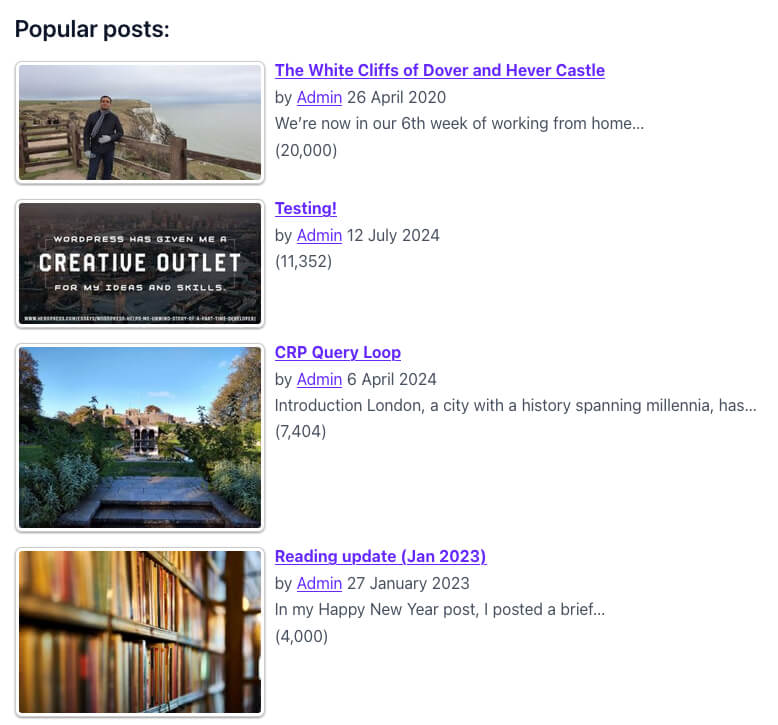
- Popular Posts: Display most viewed posts by total counts or within custom time periods
- Gutenberg Support: Dedicated “Popular Posts [Top 10]” block with configurable display options
- Multisite Dashboard: Network-wide aggregated statistics across all sites in a multisite installation
- Widgets: Sidebar widgets for daily and overall popular posts with extensive customisation
- Shortcodes: Use
[tptn_list]to display popular post lists and[tptn_views]to show view counts - Thumbnails:
- WordPress post thumbnail support with custom
tptn_thumbnailimage size - Automatic extraction of the first image from post content
- Manual thumbnail URLs via Edit Post screens
- WordPress post thumbnail support with custom
- Exclusions: Exclude posts by category or post ID from popular post lists
- Styling: Output wrapped in semantic CSS classes. Add custom CSS via settings or use included styles
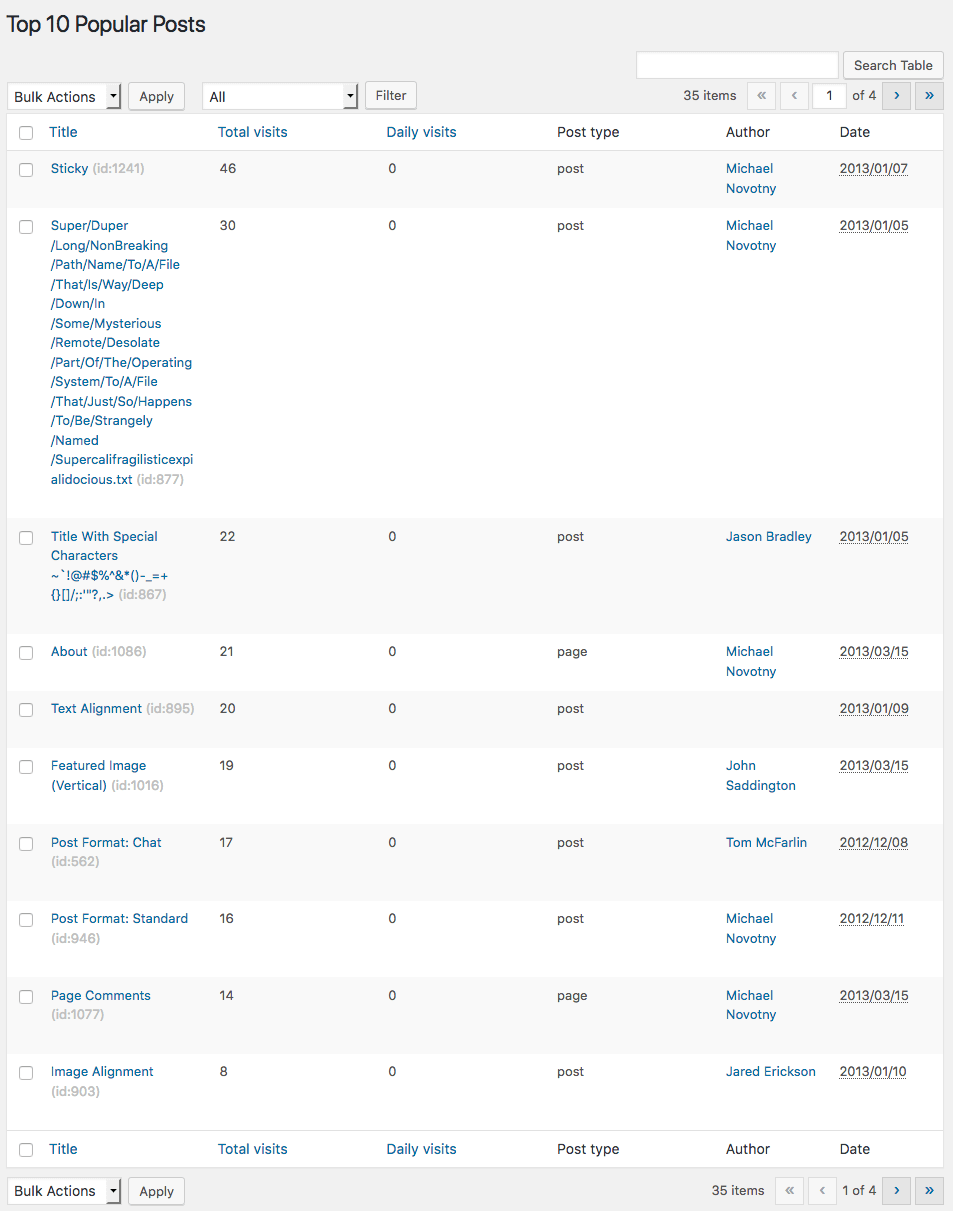
- Admin Interface: View daily and overall popular posts from the dashboard. Adds sortable view-count columns to post and page lists
- Export/Import: Export count tables and settings, and restore them on the same site or other installs
- Caching Compatibility: Works with WP Super Cache, W3 Total Cache, Quick Cache, and similar plugins
- Developer-Friendly: Extensive filters and actions to customise queries, tracking behaviour, and output rendering
Features in Top 10 Pro
-
Enhanced Tracking and Performance
- Fast and High-Traffic Trackers: Alternative tracking methods for improved performance on busy sites
- Query Optimisation: MySQL
MAX_EXECUTION_TIMEdirective to prevent long-running queries, configurable via settings and thetop_ten_query_max_execution_timefilter - Data Retention Override: Customizable data retention period (default 180 days via
TOP_TEN_STORE_DATA) - Lazy Loading: Render popular posts lists via JavaScript only when they are about to scroll into view, so full-page caching plugins can serve a page without baking in a live popular-posts query. Works with content, shortcodes, widgets, and the Popular Posts block; disable per instance with the
lazy_loadshortcode/block attribute
-
Advanced Blocks and Widgets
- Top 10 Query Block: Query and display popular posts directly from the block or site editor
- Enhanced Top 10 Featured Image Block: Support for multiple image sources with fallbacks
- Popular Posts Block Enhancements:
- Save and clear default block settings with a single click
- Auto-insert default and global settings attributes with an option to disable
-
Enhanced Admin Tools
- Admin Bar Integration: Admin bar menu item to view daily, total, and overall post counts, access admin pages, and clear cache
- Disable Admin Bar menu: Setting to disable the Admin Bar menu
- Dashboard Access Control: Setting to control which user roles can view the Top 10 dashboard
- Display Settings: Setting to choose which post type screens display admin columns
- Mini „Top 10 Views Overview“ widget: Compact views-over-time chart on the WordPress Dashboard
- Multisite Settings Copy: Tool to copy settings between sites in a multisite network
-
Custom Display Options
- Taxonomy-Specific Displays:
display_only_on_tax_idsparameter to restrict popular post displays to specific taxonomy terms - Category Inclusion: Edit Post meta box option to include popular posts from specific categories
- RSS Feed Filtering: Filter RSS feeds by category or post type via settings or URL parameters
- Taxonomy-Specific Displays:
-
WP-CLI Integration
wp top10 counts: View, get, set, reset, export, and import post view counts from the command linewp top10 db: Manage database tables — check status, create, update, recreate, prune old rows, force aggregation, truncate, and clean up orphaned countswp top10 cache: Flush, enable, disable, and check the status of the output cachewp top10 settings: Get, set, export, and import plugin settings as JSONwp top10 cron: View, enable, disable, and manually trigger the maintenance and aggregation cron jobswp top10 popular: List popular posts with counts using the same query as the front endwp top10 status: Print a full plugin status overview- All destructive commands support
--dry-runand--force; multisite commands support--networkand--blog-id
-
Developer-Friendly Features
- Custom Post Type Sortable Columns: Admin columns on supported custom post types with sortable functionality
GDPR
Top 10 does not collect personal visitor data out of the box. Tracking data is stored locally in the wp_top_ten and wp_top_ten_daily database tables (table prefix may vary).
You are responsible for ensuring GDPR compliance on your website.
Übersetzungen
Top 10 is available for translation on WordPress.org.
See the Translator Handbook to contribute.
Mitwirken
Top 10 is developed openly on GitHub.
Fork the project and submit pull requests for bug fixes or improvements. Please do not use GitHub for support requests.
Other WebberZone Plugins
- Contextual Related Posts – Display related posts on your WordPress site and feeds
- Better Search – Enhance WordPress search with relevance-based results
- Knowledge Base – Create a knowledge base or FAQ section
- WebberZone Snippetz – Manage custom HTML, CSS, and JavaScript snippets
- Auto-Close – Automatically close comments, pingbacks, and trackbacks
- Popular Authors – Display popular authors widgets. Addon for Top 10.
- Followed Posts – Show related posts based on reader journeys
- WebberZone Link Warnings – Add accessible warnings for external links and target=“_blank“ links
Screenshots
Blöcke
Dieses Plugin bietet 2 Blöcke.
- Top 10 Post Count Display the number of visits for a post.
- Top 10 Popular Posts Display the Popular Posts
Installation
WordPress install (easy way)
- Go to Plugins Add New in your WordPress Admin
- Search for “Top 10”
- Click Install Now and then Activate
Manual install
- Download the
top-10.zipfile - Go to Plugins Add New Upload Plugin
- Upload the ZIP file and click Install Now
- Activate the plugin
- Configure settings under Top 10 Settings
Help and Support
FAQ
-
Where can I get help and support?
-
Before opening a support request, please check the following resources:
These cover the most common questions and are the fastest way to get answers, as they are actively maintained.
If your question is not answered there, please create a new topic in the
WordPress.org support forum.
This is the preferred support channel for the free plugin, and the forums are monitored regularly.Support for products sold and distributed by WebberZone is available only
to users with an active, valid licence. Licensed users can request support here. -
Can this plugin replace Google Analytics?
-
No. Top 10 tracks page views and displays popular posts. It is not designed to replace analytics platforms.
-
How does tracking work?
-
Each visit is queued in a lightweight funnel table and aggregated into the count tables every five minutes by a cron job, so tracking never blocks page loads and works correctly behind page caches.
For a full explanation of tracker types, the funnel flow, and how to adjust the aggregation interval, see Trackers in Top 10.
-
How does scheduled maintenance work?
-
When enabled, Top 10 runs a scheduled task that periodically removes old entries
from thewp_top_ten_dailytable.Note: WordPress executes scheduled tasks on the first eligible page load.
-
How can I report security bugs?
-
You can report security bugs through the Patchstack Vulnerability Disclosure Program.
The Patchstack team help validate, triage and handle any security vulnerabilities.
Report a security vulnerability.
Rezensionen


Mitwirkende und Entwickler
„WebberZone Top 10 — Popular Posts“ ist Open-Source-Software. Folgende Menschen haben an diesem Plugin mitgewirkt:
Mitwirkende

„WebberZone Top 10 — Popular Posts“ wurde in 3 Sprachen übersetzt. Danke an die Übersetzer für ihre Mitwirkung.
Übersetze „WebberZone Top 10 — Popular Posts“ in deine Sprache.
Interessiert an der Entwicklung?
Durchstöbere den Code, sieh dir das SVN-Repository an oder abonniere das Entwicklungsprotokoll per RSS.
Änderungsprotokoll
4.4.0
Release Date – 22 July 2026
-
Features:
- New „Features“ tab under Settings: turn off plugin features that you do not use and their code will not be loaded at all. You can toggle the Popular Posts and Post Count blocks, popular posts feeds, legacy widgets, Query block, Featured Image block, Popular Posts Pro block, Fast and High-traffic trackers, Pro dashboard widgets, and Popular Authors.
- New „Tracking method“ setting under Settings » Counter/Tracker » Tracker settings: choose between Funnel tracking (default; views are buffered and merged into the count tables every few minutes) and Legacy tracking (views are written directly to the count tables on every visit, as in versions before 4.3). Switch to Legacy tracking if view counts are not updating on your site, e.g. when WP-Cron is disabled or unreliable. Note that Legacy tracking does not populate the visits log table. The Fast and High-traffic trackers respect this setting; regenerate the High-traffic config file after changing it.
- New „Number format style“ setting under Settings » Counter/Tracker » Counter settings: choose Abbreviated to display large view counts in a compact form, e.g. 1.2k or 3.4M, wherever counts are displayed. The default remains the full locale-formatted number. It can be overridden per instance with the
number_format_styleshortcode/block attribute, and the suffixes and rounding can be customised via thetptn_number_format_abbreviationsandtptn_abbreviate_number_decimalsfilters. - WP-PostRatings integration: new „Show WP-PostRatings rating“ setting under Settings » Posts list displays each post’s rating next to it in the popular posts list, either as the star rating rendered using the WP-PostRatings plugin’s own templates or as the average score number. Off by default and only takes effect when the free WP-PostRatings plugin is active. It can be overridden per instance with the
show_ratingsshortcode/block attribute (starsorscore), and the markup can be customised via thetptn_ratingsfilter. - [Pro] New „Lazy load popular posts“ setting under Settings » General: load popular posts lists via JavaScript only when they are about to enter the viewport instead of rendering them inline, so full-page caching plugins can serve a page without embedding a live popular-posts query. Applies to content, shortcodes, widgets, and the Popular Posts block. Off by default. Override it per instance with the
lazy_loadshortcode/block attribute, e.g.lazy_load="0". Not applied on feeds, admin, AJAX, cron, WP-CLI, or AMP pages.
-
Improvements:
- The
[tptn_list]shortcode now accepts all registered settings as attributes, including newly added settings that are not yet present in the saved settings. - Redesigned settings page with vertical tab navigation, which is responsive and reverts to horizontal tabs on smaller screens. The settings page now opens on the Features tab.
- New search box above the settings tabs: type to instantly filter settings across all tabs. Matching settings are shown grouped by tab with the search term highlighted in their labels and descriptions, each tab displays a count of its matches, and clicking a tab scrolls to its results. You can also search by the internal setting key, e.g.
cache_time. A single Save Changes bar replaces the per-tab buttons while searching, and the search is fully keyboard and screen reader accessible. - Checkbox settings now display as toggle switches.
- Settings that have been changed from their default value are marked with an indicator dot, with a legend below the buttons. The default value is also displayed below each setting’s description.
- Admin styles and scripts are now versioned with the plugin version so browsers reliably pick up changes after an update.
- Bot/crawler detection (used by the „Do not track bots“ tracker setting) now uses the actively maintained Crawler-Detect library for broader, more accurate coverage, alongside the existing built-in pattern list.
- The
-
Fixed:
- Admin banner no longer causes a horizontal scrollbar on the plugin’s admin pages.
- Custom period label („Daily“ vs „Custom (N days)“) on the Dashboard widget, Popular Posts submenu, and post list Views column now matches the data actually shown, instead of always following the site-wide Custom period setting.
- Post list Views column, and its sort order, now counts today only instead of the full Custom period range.
- Left thumbnail style no longer stacks the thumbnail above the text in narrow containers such as sidebar widgets; it now stays side by side unless there genuinely isn’t room.
- New „Fix Cron Schedules“ tool under Top 10 » Tools to clear and reschedule the maintenance and aggregation cron jobs if they stop running.
- The Tools page and an admin notice now surface WP-Cron scheduling errors (e.g. „The cron event list could not be saved“) directly in the dashboard instead of only appearing in the PHP error log.
- [Pro] Fast and High-traffic trackers now respect the „Do not track bots“ setting; previously they recorded views for bots and other automated user agents regardless of this setting.
4.3.2
Release Date – 8 July 2026
- Improvements:
- Dynamic post counts now load more reliably and are faster in modern browsers.
- Enhanced time range labeling: Interface now dynamically shows „Daily“ for 1-day periods or „Custom (N days)“ for longer periods, making the UI more accurate based on actual settings.
4.3.1
Release Date – 6 June 2026
-
Improvements:
- Aggregation cron now runs every 2 minutes instead of 5 minutes for faster count updates.
- Sync Funnel now shows distinct error messages for an empty funnel, a lock conflict, and database failures (including the actual database error).
- Dashboard chart now formats large numbers with K/M abbreviations (e.g. 15,437 15.4K) and auto-hides overlapping bar labels.
- „Recreate Database Tables“ in Tools now also recreates the visits funnel and visits log tables.
- [Pro]
wp top10 db recreate-tablesnow accepts--table=funneland--table=login addition tooverall,daily, andall.
-
Fixed:
- Sync Funnel on WordPress Playground (SQLite) incorrectly reported „another aggregation is in progress“ due to unreliable SQLite detection; the
DATABASE_TYPEconstant is now checked first. - Uninstalling the plugin no longer throws a fatal error when attempting to drop database tables; the path to the uninstaller was resolving one level above the plugin directory.
- „Recreate Database Tables“ silently left the daily table missing due to a stale static cache in the table-installed check; all four tables are now recreated reliably.
- Sync Funnel on WordPress Playground (SQLite) incorrectly reported „another aggregation is in progress“ due to unreliable SQLite detection; the
4.3.0
Release Date – 28 May 2026
-
New:
- Buffered visit tracking: page views are queued in a funnel table and aggregated every 5 minutes, reducing write contention on busy sites.
- [Pro] RSS/Atom feed views are now counted. Enable under Counter settings > Track feed views.
- [Pro] Dashboard At a Glance widget now shows views for the current hour and today.
- [Pro] Full
wp top10WP-CLI suite: counts, database, cache, settings, cron, and popular posts commands. All destructive commands support--dry-runand--force; multisite commands support--networkand--blog-id.
-
Improvements:
- Scheduled maintenance deletes old daily rows in batches to prevent timeouts on large databases.
- New index on the daily table speeds up maintenance queries. Apply it to existing installs via Recreate Primary Key under Tools.
-
Fixed:
- Cache setting was referencing the wrong key, preventing posts from ever being cached.
- Database version was recorded before upgrade routines ran, causing upgrades to be silently skipped on re-activation.
- Daily queries now work on MySQL servers with ONLY_FULL_GROUP_BY enabled.
- Posts with identical counts now display in a consistent order when paginated.
- Daily counts now use the site’s configured timezone instead of server time.
- Dashboard „Total visits“ now matches the chart total rather than summing only the top 20 posts.
- Popular posts ordering no longer overridden by Post Types Order and similar plugins.
- Deactivation now clears both cron jobs and sets the settings option to not autoload.
- Removed incorrect
wpmu_drop_tablesfilter that tried to drop network-wide tables on site deletion.
4.2.3
-
Security:
- Hardened Settings API and metabox output escaping.
-
Improvements:
- Updated Freemius SDK to version 2.13.1.
- Updated Settings API assets and Tom Select handling.
- Refreshed translations and generated assets.
-
Fixes:
- Fixed metabox screen handling when
get_current_screen()is unavailable. - Fixed admin notices package tags.
- Fixed metabox screen handling when
4.2.2
-
Modifications:
- Taxonomy Suggest script removed from Settings API. Metabox also uses Tom Select for the lookup of the category field in CRP Pro.
-
Fixes:
- CSS improvements for left-thumbs and grid-thumbs styles.
4.2.1
-
Security:
- Fixed REST API permission checks to prevent unauthorized exposure of post passwords in edit context.
-
Fixes:
- Fixed a bug with the „Clear cache“ button in the Tools page.
- Fixed thumbnail location restrictions to properly support Grid thumbnails style in addition to Left thumbnails.
- Improved JavaScript logic for style-based thumbnail location validation with better error handling and fallback mechanisms.
4.2.0
Release post: https://webberzone.com/announcements/top-10-v4-2-0/
-
New:
- Settings wizard to guide initial configuration and review existing settings
- Network-wide dashboard with aggregated multisite statistics
- [Pro] High-traffic tracking mode with status validation panel
- [Pro] Copy settings between multisite network sites
- [Pro] Compact “Top 10 Views Overview” dashboard widget
- [Pro] Option to disable the Admin Bar menu
- [Pro] Maintenance setting to override data retention period
-
Improvements:
- [Pro] Improved dashboard chart bar click-through to open the Popular Posts screen filtered to that day
- Updated Settings API to version 2.7.1
- Improved media handler with recursion protection and more robust processing
- Media Handler now supports the FIFU WordPress plugin for featured image detection.
- Improved Tools page statistics display and caching
- Wrapped Import/Export and Tools sections in postbox containers for consistent UI
-
Developer / Internal:
- Refactored popular posts queries for improved performance and WordPress VIP compatibility
- Updated caching behaviour for dynamic exclusions
- Refactored database operations into a dedicated Database class
- Updated Freemius SDK to version 2.13.0
-
Fixes:
- Fixed
Top_Ten_Queryhandling of thedate_queryargument - Fixed activation redirects on single-site installs within multisite networks
- Fixed
exclude_current_postbehaviour when caching is enabled - Fixed live-edit count updates in multisite statistics
- Fixed