
Beschreibung
The power of a page builder, the simplicity of native blocks.
DesignSetGo brings forms, sliders, dynamic queries, animations, and parallax to the block editor — without the bloat or learning curve. If you know WordPress blocks, you already know how to use it.
Why DesignSetGo
- Native blocks, not a page builder. You build with the block editor you already use, and what you see in the editor is what visitors see.
- 57 blocks replace 5+ plugins. Forms, sliders, tabs, accordions, modals, maps, breadcrumbs, timelines, comparison tables, charts, and the Dynamic Query family.
- 18 extensions enhance ANY block — including core and third-party blocks. Animations, parallax, sticky headers, responsive visibility, hover effects, conditional visibility.
- Complete form builder built in. AJAX submissions, spam protection (honeypot, rate limiting, and optional Cloudflare Turnstile), email notifications, and a submissions dashboard. No Contact Form 7 required.
- Performance first. Nothing loads on pages that don’t use DesignSetGo. Where its blocks are used, a shared stylesheet under 10 KB gzipped loads, plus only the CSS and JavaScript of the blocks on that page. No jQuery.
- WordPress-standard everything. theme.json, Site Editor, Block Bindings, REST API, WP-CLI, and Schema.org markup. Built with keyboard navigation, ARIA attributes, focus management, and colour contrast checks.
- Dynamic data. Bind text and styles to post meta, ACF, Meta Box, Pods, JetEngine, and WooCommerce fields.
What’s Inside
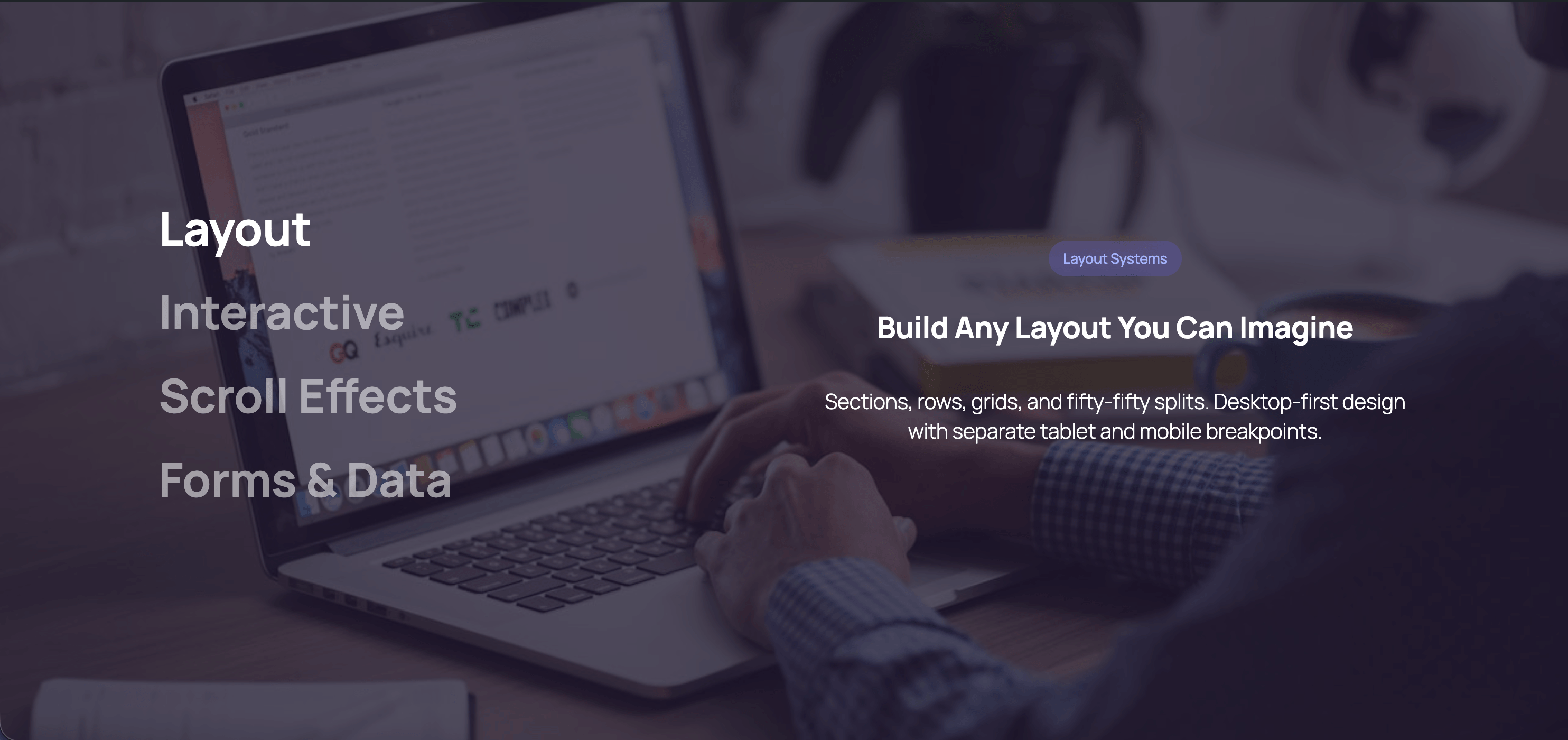
- Layout (4) — Grid, Row, Section with shape dividers, Section Divider
- Forms (12) — Form Builder plus 11 field types, with a submissions dashboard
- Interactive (15) — Tabs, Accordion, Modal, Modal Trigger, Flip Card, Slider, Scroll Slides, Sticky Sections, Scrolling Gallery, Scroll Accordion, Image Accordion, Counter Group, Progress Bar, Comparison Table, Timeline
- Dynamic Query (6) — Query, Pagination, Filter, Results, Group Header, No Results
- Typography & Navigation (3) — Advanced Heading, Breadcrumbs (Schema.org), Table of Contents
- Visual (12) — Icon (160+ icons), Icon Button, Icon List, Pill, Card, Divider, Countdown Timer, Blobs, Dynamic Image, Hotspot, Star Rating, Text Path
- Data (1) — Chart (bar, line, donut — no charting library loaded)
- Media & Location (2) — Fifty Fifty split layout, Map (OpenStreetMap or Google Maps)
- WooCommerce (2) — Product Categories Grid, Product Showcase Hero, plus product bindings and product-aware Dynamic Query
- Extensions (18) — Animations, Interactions, Schema.org Markup, Parallax, Text Reveal, Expanding Background, Sticky Header, Hover Effects, Clickable Groups, Background Video, Responsive Visibility, Conditional Visibility, Max Width, Custom CSS, Grid Span, Grid Mobile Order, SVG Patterns (25+), Reveal Control
- Plus — Text Style inline format, llms.txt + per-URL Markdown for AI, draft mode for published pages
External services
DesignSetGo only contacts outside services for the features below, and only when those features are used.
- OpenStreetMap — The Map block’s default provider. When a visitor views a page with an OpenStreetMap map, their browser loads map tiles from tile.openstreetmap.org, which receives their IP address. If a map has an address but no saved coordinates, the visitor’s browser also sends that address to nominatim.openstreetmap.org to locate it. Searching for an address in the Map block settings uses the same service. Turn on the block’s Privacy Mode to load a map only after the visitor clicks. Tile usage policy, Nominatim usage policy, privacy policy.
- Google Maps — Used only when you choose a Google provider on a Map block. The keyless option loads a map from maps.google.com with the map’s address or coordinates. The API option loads the Maps JavaScript API from maps.googleapis.com with the API key you enter under DesignSetGo Settings Integrations. Either way the visitor’s browser makes the request, and Privacy Mode applies. Google Maps Platform terms, Google privacy policy.
- Cloudflare Turnstile — Used only when you add Turnstile keys under DesignSetGo Settings Integrations and turn Turnstile on for a form. The visitor’s browser loads the challenge from challenges.cloudflare.com, and on submission your site sends the Turnstile token and the visitor’s IP address to Cloudflare to verify it. Cloudflare terms, Cloudflare privacy policy.
Two bundled patterns (Video Testimonial and Hero with Video Modal) include a sample YouTube video through WordPress’s own embed block. Replace it with your own video, or visitors‘ browsers will load it from YouTube.
The Slider block’s Scroll Carousel variation starts with four sample images hosted by Lorem Picsum. Replace them with your own images, or visitors‘ browsers will load them from picsum.photos. The Scrolling Gallery preview in the block inserter also shows sample images from Lorem Picsum.
Privacy
- DesignSetGo has no tracking or analytics, and sends nothing about your site to its developers.
- Form submissions are stored on your own site, together with the submitter’s IP address, browser user agent, and the page they submitted from. They are deleted after 30 days by default; change this under DesignSetGo Settings Features Forms. Notifications are sent through WordPress’s own email.
- Submissions are included in WordPress’s Export Personal Data and Erase Personal Data tools, matched by email address. DesignSetGo also suggests text for your privacy policy.
- Browser storage is used only to make features work: a modal set to show once per session or once per user remembers that it was shown, a form keeps its confirmation message across the page reload after a non-AJAX submission, and Draft Mode sets a cookie for logged-in editors previewing a draft.
Screenshots

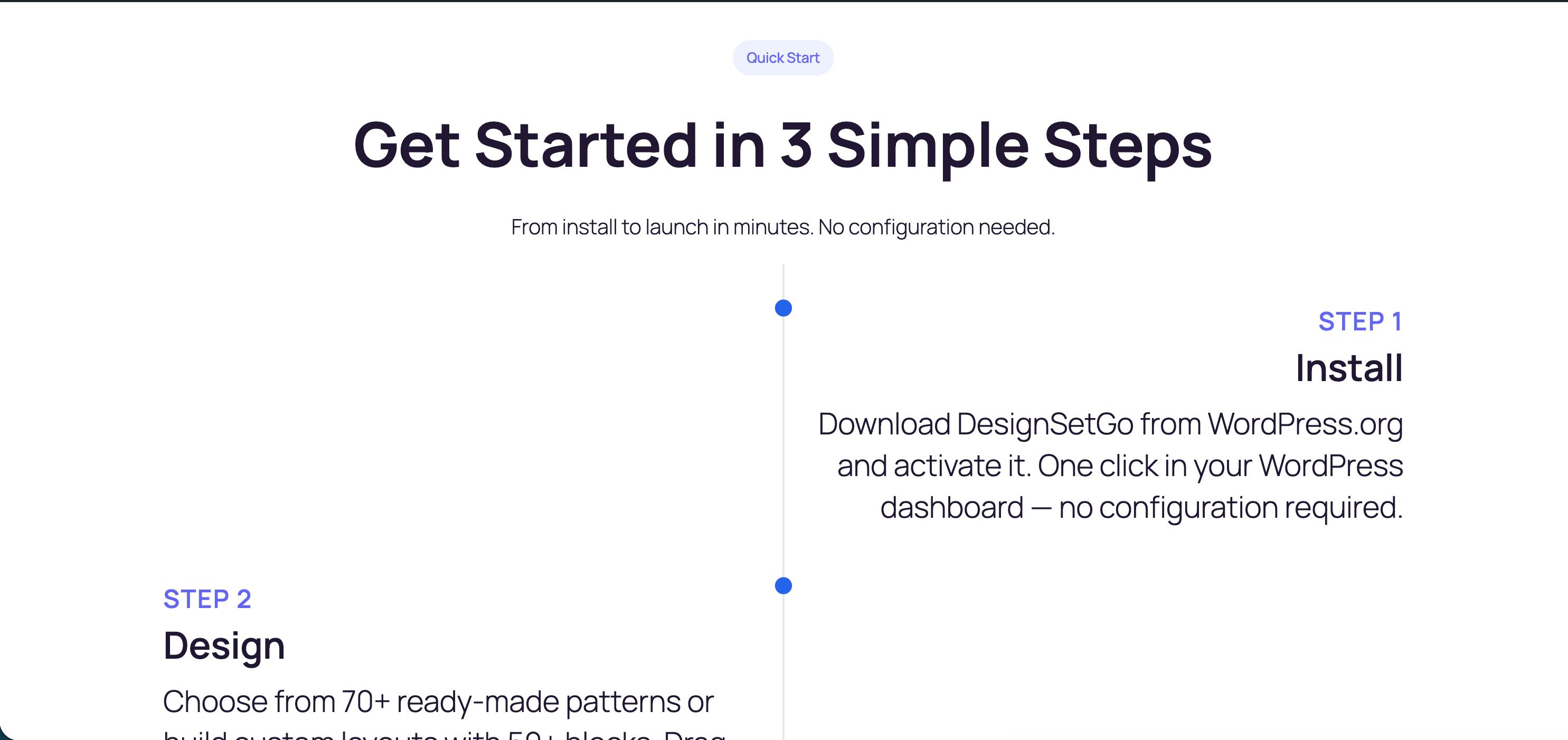
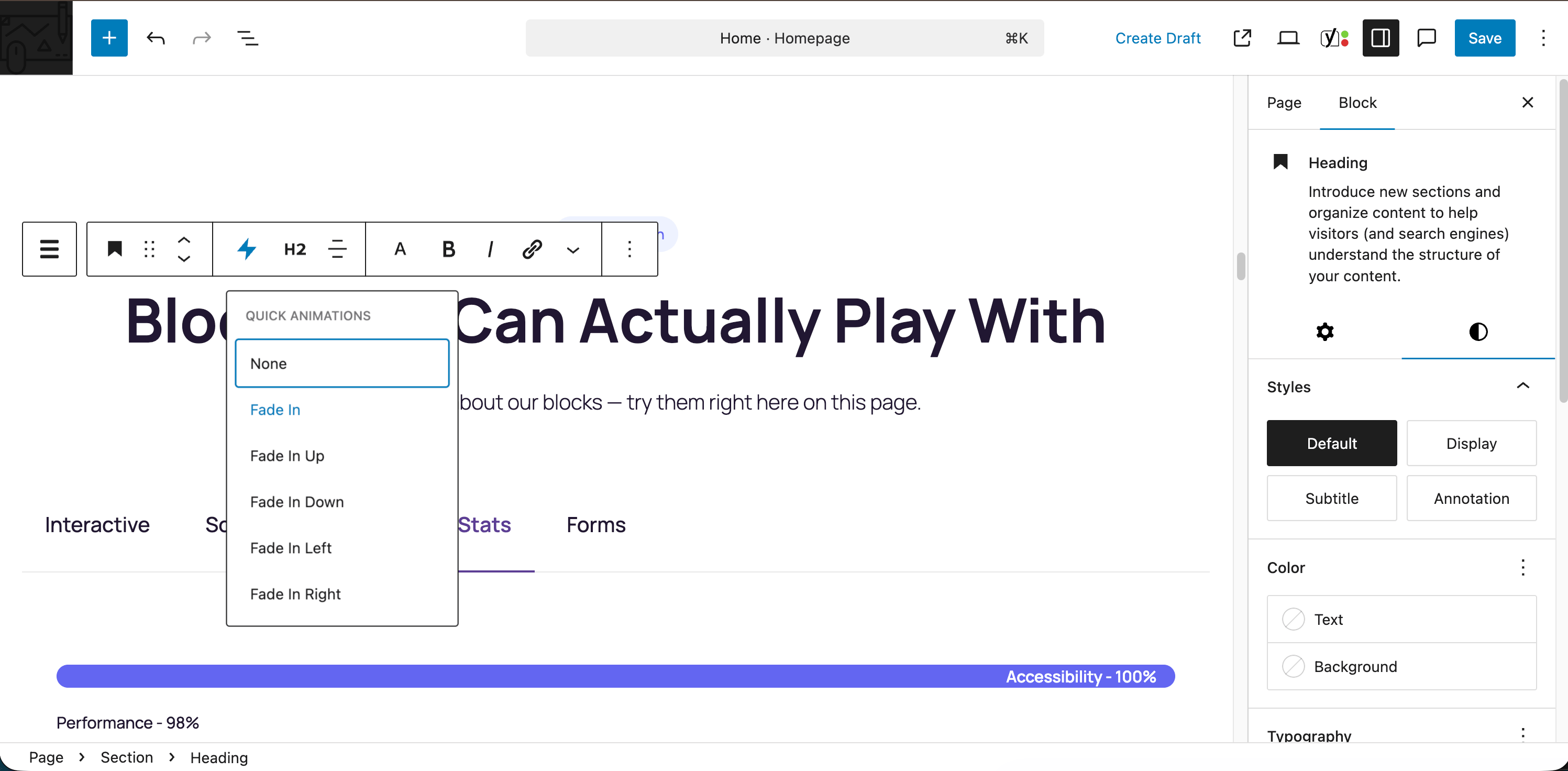
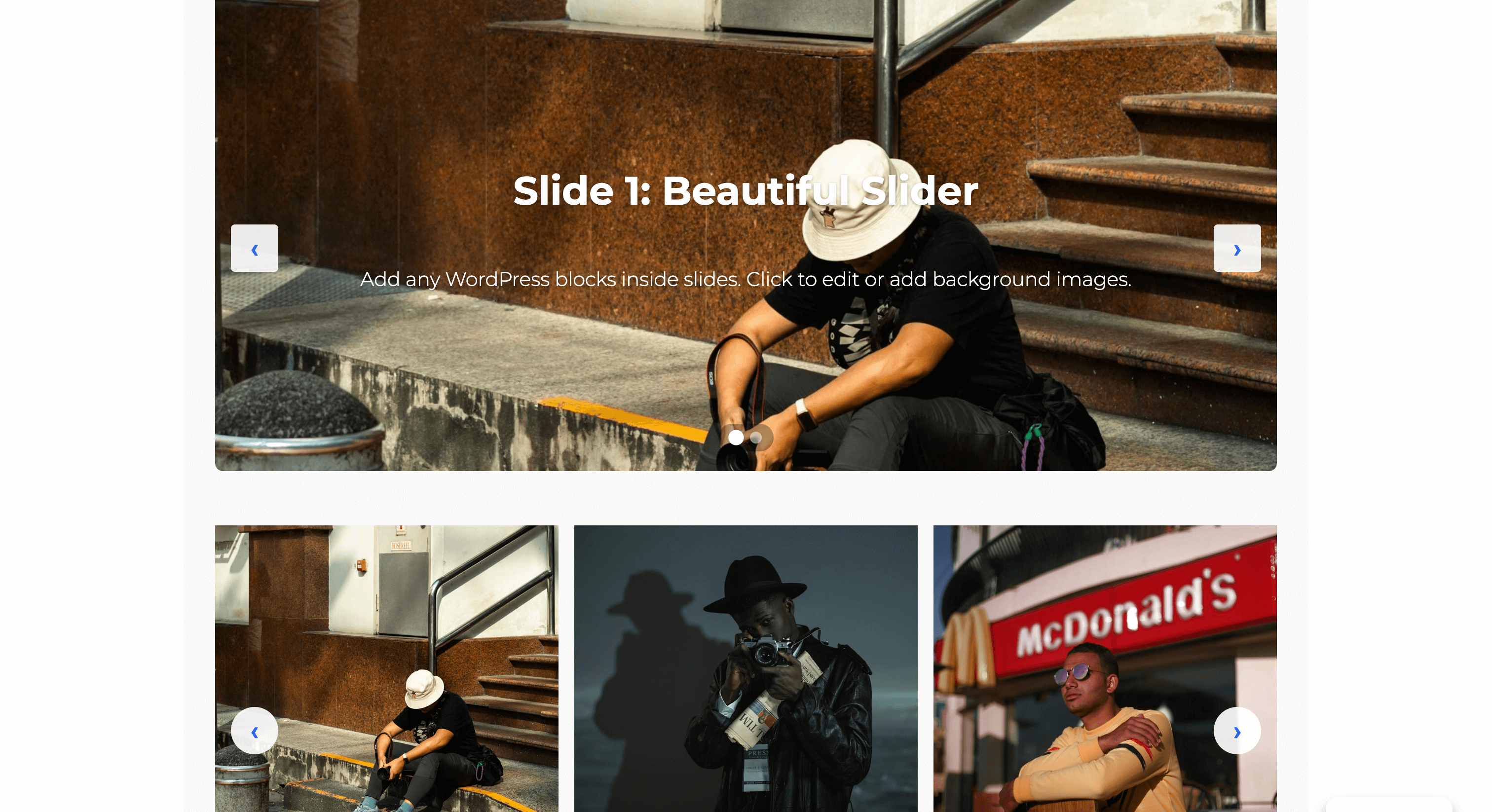
Blöcke
Dieses Plugin bietet 71 Blöcke.
- Row Flexible horizontal layouts with wrapping. Perfect for button groups, hero sections, and responsive card layouts.
- Flip Card Interactive card that flips to reveal content on the back. Perfect for team profiles, product showcases, and feature highlights.
- Slider A modern, performant slider with multiple transition effects, auto-play, and full block support inside slides.
- Pill Display text with a rounded background that wraps tightly around content.
- Icon List Create a list of items with icons, titles, and descriptions.
- Modal Trigger A button or link that opens a modal dialog.
- Map Display an interactive map using OpenStreetMap or Google Maps.
- Section Vertical stacking container for sections and content areas. Perfect for building layouts with consistent spacing. Can be nested within other sections for complex page structures.
- Accordion Create accessible accordion sections with customizable icons and behavior for FAQs and content organization.
- Icon Button A customizable button with optional icon and hover animations.
- Dynamic Image An image block whose source resolves at render time from the post, site, user, or a custom field (ACF, Meta Box, Pods, JetEngine).
- Product Showcase Hero Full-width hero section showcasing a WooCommerce product with large image, price, rating, and add-to-cart action. Requires WooCommerce.
- Icon Display an inline SVG icon with customizable styling.
- Dynamic Query Query any posts, users, or terms and render them with your own block design. Supports filters, pagination, and Block Bindings.
- Hotspot Place interactive markers over an image.
- Timeline Display chronological events, company history, or process steps in a visual timeline format with customizable layouts and scroll animations.
- Chart Display data as a bar, line, or donut chart. No JavaScript required.
- Scroll Accordion Accordion that reveals items progressively as you scroll down the page
- Countdown Timer Display a countdown timer to a specific date and time with customizable styling.
- Product Categories Grid Display WooCommerce product categories in a visual grid with images, names, and product counts. Requires WooCommerce.
- Counter Group Display animated statistics and numbers that count up on scroll
- Table of Contents Auto-generate a table of contents from page headings with smooth scroll navigation and scroll spy.
- Modal Create accessible modal dialogs with customizable triggers and content.
- No Results Content shown when the Dynamic Query returns no items.
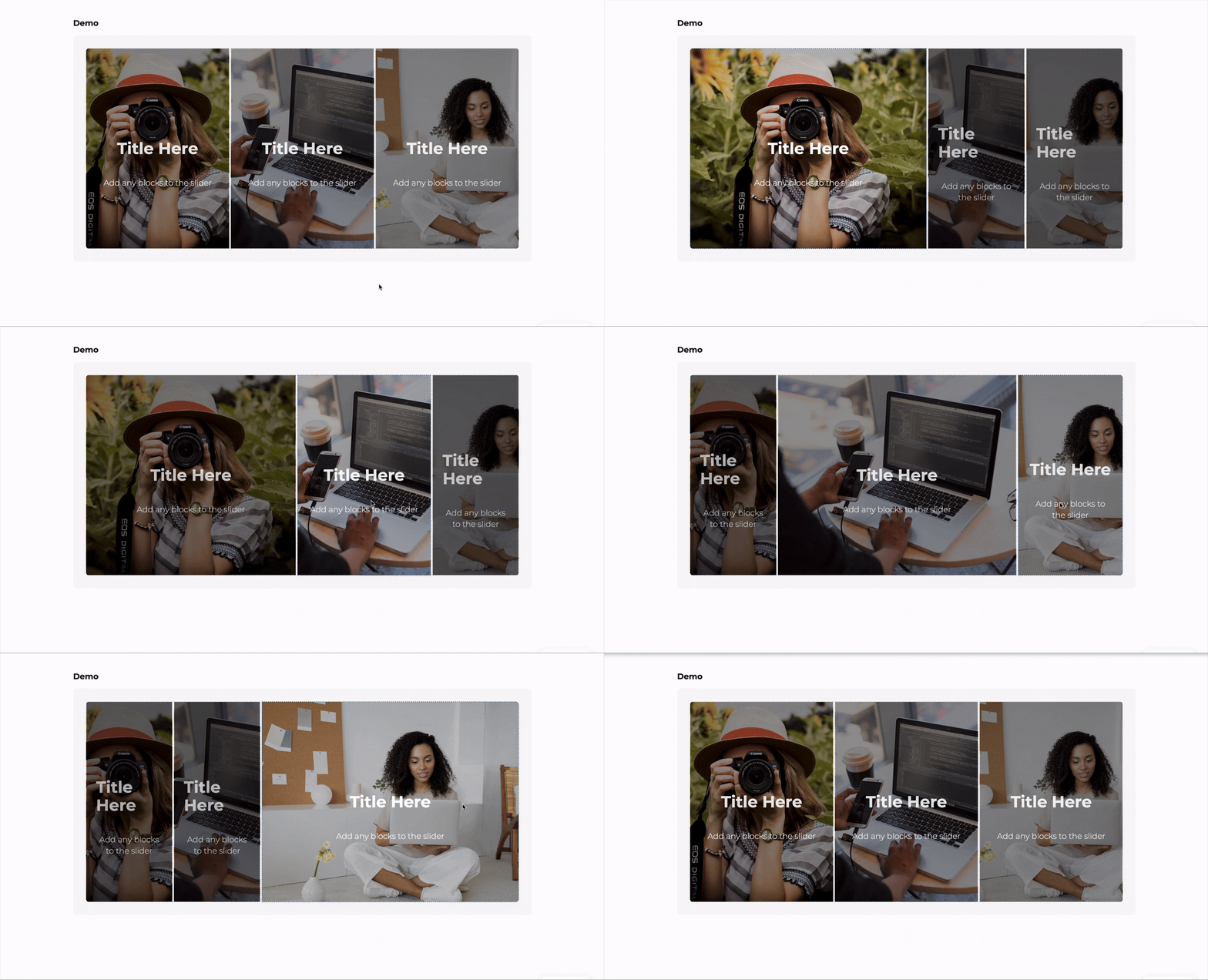
- Image Accordion Display a series of expandable image panels that reveal content on hover or click, perfect for showcasing portfolios, galleries, or featured content.
- Tabs Create tabbed content with icons, deep linking, and responsive accordion mode.
- Advanced Heading Create headings with multiple font styles — mix fonts, weights, and colors within a single heading for advanced typographic designs.
- Scroll Slides Full-screen scroll-pinned slideshow with crossfading content and navigation
- Progress Bar Display progress or statistics with an animated bar
- Form Builder Create custom forms with multiple field types, AJAX submission, and spam protection.
- Grid Responsive multi-column grid layouts. Perfect for feature grids, product listings, team members, and card layouts.
- Fifty Fifty Full-width 50/50 split layout with edge-to-edge media on one side and constrained content on the other. Perfect for hero sections, feature highlights, and about sections.
- Comparison Table Display a feature comparison table for products, services, or plans
- Scrolling Gallery Display rows of images that scroll horizontally in alternating directions based on page scroll. For best performance, use optimized images (WebP format recommended) and limit to 20 images or less.
- Sticky Sections Sections that stick and stack as you scroll, creating a card-stacking reveal effect
- Divider Add a visual separator with multiple style options including solid, dashed, gradient, and decorative patterns.
- Blobs Create random, unique, and organic-looking blob shapes. Customize with gradients, overlays, and images. Animate with smooth morphing effects.
- Query Pagination Pagination controls for the Dynamic Query block. Supports numbered links and Interactivity-API load-more.
- Star Rating Show a rating as stars — from a fixed value or bound to post meta, ACF or a WooCommerce average rating.
- Breadcrumbs Display navigation breadcrumbs with Schema.org markup for improved UX and SEO.
- Card Display content in a card layout with image, badge, title, subtitle, body text, and CTA button. Perfect for pricing, features, services, and team members.
- Text Path Flow text along an SVG path.
- Query Filter Filter, search, sort, or reset a Dynamic Query via URL parameters with no page reload.
- Section Divider A standalone shape divider you can drop between any two blocks. Shape, height, width, and color inherit from your theme by default.
- Phone Field A phone number input field for forms.
- Hotspot Item A marker within a Hotspot image.
- Checkbox Field A single checkbox field for forms.
- Email Field Email input field with built-in validation.
- Number Field A number input field for forms.
- Flip Card Face A face of the flip card. Use the Side attribute to mark it as front or back.
- Time Field A time picker input field for forms.
- Icon List Item A single item in an icon list, with an icon beside its content.
- Hidden Field A hidden field for passing data in forms.
- Slide Individual slide within a slider with background image support and full block flexibility.
- Query Results The repeating grid of items inside a Dynamic Query. Holds the item template that renders once per result.
- Timeline Item An individual milestone or event within a timeline.
- Date Field A date picker input field for forms.
- Accordion Item An individual collapsible item within an accordion.
- Scroll Accordion Item Individual item within a Scroll Accordion
- Flip Card Back Back face of the flip card.
- Flip Card Front Front face of the flip card.
- Textarea Multi-line text area for longer text input.
- Scroll Slide Individual slide within a Scroll Slides block
- Text Field Single-line text input field for forms.
- Image Accordion Item An individual expandable panel within an image accordion.
- Heading Segment A text segment within an Advanced Heading — each segment can use a different font, weight, or color.
- Tab Individual tab panel within a Tabs block.
- Query Group Header Renders once per group inside a Query with group-by enabled. Use block bindings or context to display the group label.
- Counter Individual counter item with animated number
- Select Field A dropdown select field for forms.
- URL Field A URL/website address input field for forms.
Installation
- Plugins Add Plugin, search DesignSetGo, click Install, then Activate.
- Edit any post or page, click +, and look for the DesignSetGo category.
Manual install: upload the ZIP via Plugins Add Plugin Upload Plugin.
FAQ
-
Will it work with my theme?
-
Yes. DesignSetGo respects theme.json colors, spacing, and typography, and is tested with block themes including Twenty Twenty-Five.
-
Will it slow my site down?
-
DesignSetGo loads nothing on pages that don’t use its blocks. On pages that do, it loads a shared stylesheet under 10 KB gzipped, plus the CSS and JavaScript of only the blocks on that page. There’s no jQuery.
-
What happens if I deactivate it?
-
Blocks saved as HTML — layouts, tabs, accordions, cards, and similar — stay in your posts, but lose DesignSetGo’s styling, animations, and interactive behaviour. Blocks the plugin renders on the server, such as forms, Dynamic Query, sliders, maps, icons, pills, and charts, show nothing until you reactivate it. When you click Deactivate, DesignSetGo offers to convert Section, Row, Grid, and Icon Button blocks to core WordPress blocks first, and saves a revision of each post it changes.
-
Do I need to know code?
-
No. Everything is controlled through the block settings. Custom CSS per block is available if you want it.
-
Does it work with the Site Editor and WooCommerce?
-
Yes to both. DesignSetGo blocks work in the Site Editor, templates, and template parts, and the Sticky Header extension is built for header template parts. With WooCommerce active you also get product blocks, product bindings, and Dynamic Query product controls that work with WooCommerce’s own filter blocks.
-
Where do I get support?
-
Documentation, the support forum, or GitHub.
Rezensionen


Mitwirkende und Entwickler
„DesignSetGo“ ist Open-Source-Software. Folgende Menschen haben an diesem Plugin mitgewirkt:
Mitwirkende

„DesignSetGo“ wurde in 2 Sprachen übersetzt. Danke an die Übersetzer für ihre Mitwirkung.
Übersetze „DesignSetGo“ in deine Sprache.
Interessiert an der Entwicklung?
Durchstöbere den Code, sieh dir das SVN-Repository an oder abonniere das Entwicklungsprotokoll per RSS.
Änderungsprotokoll
2.9.0 – 2026-09-29
- Security: Public Markdown, excerpts and generated exports respect visibility for logged-out visitors. Old plugin-owned caches and static exports are invalidated on update. If cleanup cannot write to the filesystem, resolve the administrator notice before regenerating exports.
- Security: Dynamic Query refresh templates stay on the server behind signed, viewer-bound opaque references; hidden block content no longer appears in page-source data.
- Security: Turnstile-enabled forms accept submissions only after successful Cloudflare verification. Missing keys and verification outages stop submissions; forms without Turnstile are unchanged.
- Performance: Load only the icons and extension assets a page uses. Blocks, extensions and icons added by Query load-more or an authorized live refresh initialize without a full page reload.
- Performance: Responsive images and image dimensions reduce unnecessary downloads and layout shift. Countdown updates pause in background tabs; Slider drag listeners exist only while dragging.
- Improved: More native block transforms preserve content and settings. Section and Row orientation changes no longer replace the block automatically. New Maps start with a location search.
- Improved: Clearer block inspectors, a Scroll Accordion Add Item toolbar control, theme-driven icon and marker sizes, and refreshed translations in all nine bundled locales.
- Fix: Browser-valid custom form patterns no longer receive a conflicting PHP interpretation. Supported shared patterns remain enforced on the server; unsupported custom syntax stays browser-only, alongside native field limits.
- Fix: Dynamic icon requests are split into batches of at most 100 names. Incomplete and failed answers remain retryable, so large updates retain every icon.
- Fix: Existing Modals retain their historical white surface and dark default close icon when unset. Editor and frontend use the same explicit background token; authored colors take precedence.
- Fix: Multiple Dynamic Query blocks keep their controls scoped independently, and Timeline marker sizes apply on the published page.
- Fix: Countdown deadlines honor the selected or WordPress site timezone consistently for all visitors.
- Packaging: Include all seven runtime pattern images; exclude development tooling and duplicate marketing assets.
- Before updating: Check countdown deadlines/site timezone and Turnstile keys. Saving/importing blocks without the
edit_csscapability can remove their per-block custom CSS. Unset visual values can follow theme defaults. - After updating: Purge page/CDN and Markdown caches. Open WordPress/admin, confirm export cleanup completed, and regenerate static Markdown/llms files if needed. Old cached Query pages need fresh references; keep page-cache lifetimes below 30 days and purge affected pages if Query source transients are cleared.
2.8.2 – 2026-09-23
- Fix: DesignSetGo blocks no longer show as unsupported in the editor after an update. If you had ever switched a block off under DesignSetGo Blocks & Extensions, blocks added in later versions arrived switched off too, and pages already using one showed „Your site doesn’t include support for this block“. New blocks and extensions now arrive switched on. Anything that was already off stays off, so if a page still reports a DesignSetGo block as unsupported, turn it back on under DesignSetGo Blocks & Extensions. Your content is safe either way.
- Fix: Switching an extension off under DesignSetGo Blocks & Extensions now takes effect. Before, only Dynamic Tags respected its switch. A switched-off extension’s controls no longer appear in the editor, and switching off Draft Mode turns it off entirely. Content already using an extension keeps working exactly as it was saved. If you switched extensions off in the past, their controls will now disappear from the editor.
- Fix: Switching off a block or extension, or removing a post type from llms.txt, sometimes didn’t stick after saving. These settings now save exactly as you set them.
2.8.1 – 2026-09-21
- Fix: On a page with an overlay header, the header sits over the top of the hero again, instead of leaving a band of empty space above it. 2.8.0 started adding space above the first section on these pages, which pushed the hero image down and left a strip of plain page background showing under the header.
- Fix: A hero’s own top spacing now shows from the first moment the page appears. 2.8.0 described this fix, but it wasn’t taking effect.
2.8.0 – 2026-09-18
- Fix: Timeline items fade in as you scroll on the published page again. They were appearing all at once, already visible, because a stylesheet meant only for the editor was also being sent to visitors. The same problem put a dashed outline around Image Accordion and a grey border on Scrolling Gallery images. 33 blocks were sending their editor styling to visitors; none are now.
- Fix: A page with an overlay header no longer hides the top of the hero behind the header while the page loads. The hero’s top spacing is now right from the first moment it appears, instead of being corrected a split second later.
- Fix: Form Builder – when two published pages hold forms that share an ID, a submission is now matched to the form that was actually filled in. Forms end up sharing an ID when you insert the same pattern twice or duplicate a form block. Before this fix the notification email could go to the other form’s recipient, or a submission could be refused for a required field that wasn’t on the form the visitor saw.
- Fix: Form Builder – fields laid out in three or four columns fit on one row, and stack properly on phones instead of overflowing.
- New: Section – Content Position puts the width-constrained content column on the left, center or right of the section, instead of always centering it.
- New: Section – Box Width caps the width of the section’s own box, so a section used as a card or panel narrows its background, border, shadow and shape dividers along with it. Until now only the text inside could be narrowed.
- New: Grid – a Column Template setting gives uneven columns on desktop, such as a narrow sidebar beside a wide main column. Tablet and mobile keep their own column counts.
- Fix: Section – the faint horizontal line that could show across a shape divider’s inner edge at certain browser zoom levels is gone.
- Fix: Tabs – tab labels take their color from the text around them instead of a theme preset, so they stay readable on a dark or colored background.
- Improved: New overlays on Section, Row, Grid and Scroll Accordion items start lighter, and an overlay color that already includes transparency now sets its own strength instead of having more applied on top. Overlays already on your pages keep their current strength, even after you edit them.
- Fix: The contact form’s „Select an option“ placeholder and other bundled text now appear translated on non-English sites. An older installed language pack could hide newer translations included with DesignSetGo.
- Fix: More blocks added by an AI assistant come out valid the first time you open them, so you no longer see „Attempt Recovery“. This covers images, lists, quotes, headings, captions, icon buttons, modals, cards, counters, form colors and grid ordering.
- New: AI and agent tooling – a
designsetgo/add-blocksability adds several top-level blocks in one step.
2.7.5 – 2026-09-10
- Fix: On some hosts, DesignSetGo couldn’t create the database table that powers Dynamic Query filters, and it tried again on every admin page. That slowed wp-admin down enough for WordPress updates to time out. The table now installs on those hosts, and if it ever can’t, DesignSetGo waits a day before trying again instead of retrying on every page.
- New: If DesignSetGo can’t create that table, administrators now see a notice explaining why, with a Retry now link. You can dismiss it. It stays on DesignSetGo’s own admin pages until the problem is fixed.
- Fix: Shape dividers, SVG patterns, expanding backgrounds and text reveal effects now work on blocks added by an AI assistant. The editor used to flag those blocks as invalid.
2.7.4 – 2026-09-10
- Fix: Dynamic Query — filters, sort, search, Load more and infinite scroll now work for visitors who aren’t logged in. On 2.7.3 the request behind them required a login, so for everyone else clicking did nothing.
- Fix: Dynamic Query — Load more keeps the active filters, search and sort. It used to fetch the next page of the unfiltered results and add it under the filtered ones.
- Fix: Dynamic Query — accordions, counters, flip cards, maps, modals and other interactive blocks inside results added by Load more or infinite scroll now start up. Only the first page’s items used to work.
- Fix: Dynamic Query — the request behind filters and Load more now only renders a query the site itself put on the page, instead of whatever query settings the browser sent. Grouping by a protected custom field (one whose name starts with an underscore) no longer prints that field’s values as headings, and a query on a password-protected page stays locked until the password is entered.
- Fix: Dynamic Query’s editor preview now requires permission to edit posts. Any logged-in account, a subscriber or a store customer included, could use it to list content that isn’t public.
- Fix: Dynamic Query — a user directory no longer lets visitors search or sort people by email address, matching WordPress’s own rules. People who can manage users still can.
- Fix: Dynamic Query filter counts update straight away when a post loses the last category, tag or field value a filter counts. The cached count used to keep including it.
- Fix: Form Builder enforces required fields on the server, so a submission that skips the browser’s own check is refused instead of being stored with the field empty. Submissions for a form that doesn’t exist on the site are refused, and fields that aren’t part of the form are ignored rather than stored. Forms on private pages and in previews no longer accept submissions.
- Improved: Form Builder — one visitor’s IP address can now send at most 20 submissions a minute across all forms on the site, on top of each form’s own limit. Adjust it with the
designsetgo_form_global_rate_limit_countanddesignsetgo_form_global_rate_limit_windowfilters. - Fix: Tabs — a Tabs block placed inside another one keeps its own panels. The outer block counted the inner block’s panels as its own and showed or hid them as you switched tabs.
- Fix: Scroll Accordion — an accordion removed from the page, for example when filters replace a Dynamic Query’s results, stops listening for scroll and resize. It kept measuring elements that were no longer there on every scroll.
- Fix: Map — an address containing quotation marks no longer sends the map to New York. The quotes reached the geocoder as stray
u0022text, so the lookup failed and the map fell back to its default location. - Improved: Pages that don’t use Grid, Row, Icon or Pill no longer carry those blocks‘ CSS inline in the page head.
- Fix: More blocks added by an AI assistant now come out valid. A Section that isn’t width-constrained no longer gets an inner max-width, Row and Grid keep their own padding and gap (including zero) instead of reverting to the defaults, Row honours vertical alignment including space-between, Grid honours a minimum column width and matched row heights, and Card keeps its border colour.
- New: AI and agent tooling — a
designsetgo/get-design-contextability returns the theme’s resolved settings, global styles and block style variations, so an assistant can build with the site’s own palette, fonts and spacing instead of guessing. It is read-only.
2.7.3 – 2026-09-04
- Fix: Blocks added by an AI assistant now come out valid. When a block was built through the plugin’s Abilities API rather than typed into the editor, the markup it produced did not always match what the editor writes, so opening the page showed „Attempt Recovery“ or silently rewrote content the author never touched. Every block is now checked against its own editor output, including at its plain defaults.
- Fix: Section, Row and Grid keep their hover and overlay colours when built this way — the five custom properties behind them were dropped entirely.
- Fix: Modal now uses the label you gave it for screen readers instead of always announcing „Modal“.
- Fix: Form Builder no longer writes email notification settings — recipient, subject, from and reply-to addresses — into the page’s public markup.
- Fix: Icon Button and Modal Trigger apply padding, colour, typography, border and shadow to the button itself rather than duplicating it on the wrapper.
- Fix: Counter Group honours its own column counts, Grid honours its HTML element setting, and Tabs keeps its colour settings.
- Fix: Alignment set on a block built this way is now carried into the markup, for blocks that align left/centre/right as well as those offering wide and full.
2.7.2 – 2026-08-26
- Fix: Advanced Heading — the typing effect no longer hides the last letter of each word. It also now types one character at a time, so short words no longer appear in twelve tiny slivers.
- Fix: Advanced Heading — the typing, clip, and blinds effects no longer shave the tops and tails off letters. Descenders on g, j, p, q, y and accented capitals were being cut.
- Fix: Text Path — turning on Motion now animates in the editor, not only on the published page. The frontend was always animating; the editor just never previewed it, which made the setting look broken.
- Fix: Advanced Heading — segments no longer run together in the editor. Plain segments were missing the spacing the published page gets, so the editor showed them squished while the frontend looked correct.
2.7.1 – 2026-08-26
- Fix: The Chart block works again. On 2.7.0, inserting a Chart showed „Error loading block“ instead of the chart — the block’s preview is drawn on the server, and the request that draws it was being rejected. Charts already saved on a page were unaffected; only the editor preview failed.
- Fix: Chart y-axis labels stay inside the chart. Longer labels — anything past about seven characters, which includes any formatted currency — were painted outside the block’s own area, over whatever sat to the left of them. The space reserved for them is now measured from the labels themselves.
- New: Chart — value prefix, suffix, and thousands grouping. Put a $ in front of every value or a % after it, and turn on grouping to read 1,234,567 instead of 1234567. These apply to the value labels, the y-axis, and the data table screen readers use, so the axis matches the bars. Donut slices keep showing their share of the total.
2.7.0 – 2026-08-25
- New: Chart — bar, line, and donut charts drawn as plain SVG, with a colour control per bar or slice. Type the data in by hand or read it from a post meta field. No charting library is loaded, and every chart also emits a screen-reader data table so the numbers are readable without the picture.
- New: Star Rating — show a rating as stars, either a fixed value or pulled from post meta, ACF, or a product’s WooCommerce average rating. Ships with a Reviews pattern, and can feed its value into review structured data.
- New: Hotspot — place interactive markers over an image, each with its own tooltip. Fully keyboard accessible.
- New: Text Path — flow a line of text along a wave, arc, circle, oval, spiral, straight line, or an SVG path of your own, with controls for arc size, rotation, word spacing, and padding, plus an optional motion mode that travels the text along the path.
- New: Animated Headline — Advanced Heading gains two headline modes. Rotating cycles a list of phrases through one of nine effects (typing, clip, flip, swirl, blinds, drop-in, wave, slide, slide-down), forward or in reverse, with duration, delay, and loop controls. Highlighted draws a hand-drawn mark behind or through a phrase — circle, curly, underline, double underline, zigzag, diagonal, strikethrough, or an X.
- New: Interactions — a new extension on every block. Bind a trigger (click, hover, scroll into view, exit intent, keypress) to an action on any other block: toggle a class, set an attribute, scroll to it, open or close a modal, show or hide something, play or pause media, focus a form field, or copy to clipboard. Edited in a modal with a point-and-click target picker on the canvas.
- New: Schema.org markup — opt an Accordion into FAQ or How-to structured data, and a Star Rating into Review or Aggregate rating. Nothing is emitted unless you deliberately choose a type, and password-protected content is never exposed.
- New: Off-canvas panel — Modal gains a panel mode that slides in from any edge, available as its own block variation, with a size control. It keeps the modal’s focus trap, Escape handling, scroll lock, and triggers.
- New: Deeper animations — four additions to the Animations extension: stagger a container’s children, scroll-linked animation that tracks the scroll position rather than firing once, SVG path drawing, and per-word or per-character text reveal with fade and rise. All CSS-driven, no animation library, and every one is fully disabled under „reduce motion“.
- New: WooCommerce — Dynamic Query gains product controls (catalog visibility, featured, on sale, stock status) and reads the URL parameters WooCommerce’s own filter blocks emit, so Woo’s filter UI can drive a DesignSetGo loop. Six new binding sources expose raw product values — price, regular price, discount percent, stock quantity, average rating, and Woo’s formatted price — for text and for dynamic CSS, so a stock bar or a discount badge is just a bound value.
- New: Map — a keyless Google Maps option that needs no API key at all, and loads no JavaScript on the page. The existing keyed Google and OpenStreetMap options are unchanged, and privacy mode still holds the map back until the visitor clicks Load Map.
- New: Loop Carousel — Slider and Scroll Slides now work properly as Dynamic Query layouts. Load more and filters work inside a carousel; infinite scroll, which cannot work inside a fixed-height viewport, degrades to a Load more button, and the editor says so up front with a one-click switch instead of leaving readers stranded on page one.
- Fix: Slider — a batch of fixes that apply to any slider, not just query-driven ones: responsive slides-per-view was read and then ignored; a multi-slide slider scrolled past its own last slide; asking for more slides per view than there were slides broke the block; dragging snapped back to the first slide; a vertical scroll changed slides; autoplay stopped after one tick, and kept running in background tabs and under „reduce motion“; keyboard focus could land on an off-screen slide; a duration entered in milliseconds froze the slider; and every page containing a slider was excluded from the browser’s back/forward cache.
- Fix: One click on Load more no longer fetches and appends the next page twice — eight new posts could arrive as twelve items.
- Fix: A Loop Carousel placed inside another query’s template previewed the outer query’s posts in the editor while the frontend correctly showed the inner one’s.
- Improved: WordPress 7.1 support. 7.1 lets you set per-viewport (mobile/tablet) style values on any block; those values now land on the same element as the desktop value for Pill, Scroll Marquee, Icon, Icon Button, and Modal Trigger, instead of a mobile background smearing across the content column or a mobile margin doubling up. This also corrects where theme.json styles for those blocks apply. Tested up to WordPress 7.1.
- Improved: AI and agent tooling — the Abilities API discovery endpoints now describe the plugin accurately. Categories, block groupings, and the WooCommerce binding group were all reported wrongly, so filtering returned partial or empty results; all 20 abilities now also declare whether they read or write, and the documentation covers all of them.
- Fix: Advanced Heading and Hotspot editing is smoother on long pages, duplicating a Text Path no longer breaks the original’s shape, and hotspot tooltips sit on their markers instead of drifting away from them.
- Fix: Translations — removed a JavaScript translation catalog whose files were keyed so that WordPress could never load them, and regenerated the translation template.
2.6.3 – 2026-08-11
- Fix: Grid columns with a minimum width set no longer run past the edge of the page. On a theme with a narrower content width, a grid asking for more columns than could fit at that minimum pushed its columns straight out of the content area. The grid now drops to fewer columns and wraps the extra items onto the next row, and still shows your chosen number of columns whenever there’s room for them. Existing grids are unchanged.
- Fix: The Overlay Header panel no longer causes an error when editing a template part in the Site Editor. The panel now appears only where the setting actually applies.
2.6.2 – 2026-08-05
- Fix: Sticky and overlay headers keep working on sites that replace page content without a full browser reload — an AI page builder or an AJAX-driven theme, for example. After one of those updates the header stayed where it belonged but stopped fading in its background as you scrolled, and only a full page refresh brought the behaviour back.
- Fix: The footer no longer paints the sticky header’s drop shadow across its own top edge when you scroll. Most themes put a navigation menu in the footer, and that alone was enough for the footer to be treated as a second header.
2.6.1 – 2026-08-04
- Fix: Turning on „background on scroll“ without choosing a color now gives you your theme’s background, rather than no background at all. The header also darkens or lightens its text to match, so it stays readable whichever way your theme’s palette runs.
- Fix: Forms on pages served from a full-page cache no longer fail with „Security verification failed. Please refresh the page and try again.“ A cached page can outlive the security token baked into it, and the form had no way to recover; it now quietly retries and submits successfully.
- Fix: The scrolled sticky/overlay header now picks up your theme’s colors instead of always fading in to a near-white bar. Pages using the per-page Overlay Header never reached the code that applies your chosen scroll background, so they fell back to a hardcoded white that looked out of place on darker palettes. The header now prefers your theme’s secondary surface color, and in dark mode pairs your palette’s contrast and base colors so the text stays readable. Themes that don’t define those colors look exactly as they did before, and any scroll background you set explicitly still wins.
- Fix: Forms placed outside the main post content — a newsletter signup in the footer, a form in a template part, synced pattern, or block widget — no longer fail every submission. The form looked and behaved normally right up until Submit, then silently failed because the data it needs to talk to the server was only attached when the form lived in the page’s own content.
2.6.0 – 2026-07-29
- New: Theme animation defaults — set an entrance animation once per block type (e.g. all Buttons fade in) under DesignSetGo Settings Features Animations, or in your theme’s
theme.json. Every block of that type inherits it automatically, and any individual block can override it (Custom) or opt out (Off). One rule can target several block types at once, includingnamespace/*wildcards. - Fix: The per-page Overlay Header is transparent again and no longer pulls page content up by the footer’s height. The header height was being measured from the wrong element on themes whose footer also contains a navigation block, which sliced the top off the hero; and the header stayed opaque on themes that paint it from a style variation or
theme.jsonrather than a background class. Your first content section now also clears the header while its background still runs behind it. - Fix: Section shape dividers now honour your theme’s divider height and width tokens. Previously a theme (or Style Kit) could set the default divider shape but not its size — the Section block’s top/bottom dividers ignored both size tokens. Untouched dividers now inherit the theme’s size (and reserve matching content clearance), while any size you set explicitly still wins. The Height/Width sliders gain a Reset that returns them to the theme default. Existing content is unchanged.
2.5.1 – 2026-07-23
- New: Section shape dividers — six new layered, tonal divider shapes: Triangle Layered, Triangle Layered Extra, Curvy Triangle Layered, Symmetric Waves Layered, Side Triangle Layered, and Side Triangle Layered Extra. Each paints as a soft two- or three-tone band that inherits your theme’s color by default and can be overridden per section.
- Fix: Section shape-divider spacing is now author-defined, so patterns that set the content clearance with a theme spacing token no longer show an „Attempt Recovery“ prompt. A new „Content Clearance“ control sets the gap between your content and the divider; existing dividers migrate silently, and a divider with no clearance set automatically reserves space to match its own height.
2.5.0 – 2026-07-21
- New: Grid — an „Align Rows“ option that lines up each row of card content (image, heading, text, button) across columns, so cards with different amounts of text stay aligned with no ragged whitespace. Works with Section, Row, and Group cards, and is off by default so existing grids are unchanged.
- New: Form Builder — the submit button now has a Button Style control (Default, Secondary, or Outline), so a form placed on a colored background can use a matching button. Your theme’s button style variations apply to it too, and AI-assisted form inserts respect the chosen style.
- Fix: Blocks whose on-screen text is changed by a site translation (or other content tools) no longer show an „Attempt Recovery“ prompt. Icon Button, Modal Trigger, Accordion, Timeline, Counter, Card, Table of Contents, Form Builder, and Countdown Timer now treat their visible label as the single source of truth, so translating the text keeps the block valid — and existing content migrates silently.
- Fix: Forms and responsive grids on AI-generated sites no longer show an „Attempt Recovery“ prompt. Their saved markup differed slightly from what the current blocks produce; the affected forms and grids now migrate silently and keep their design.
- Fix: Modal — the overlay (backdrop) color now inherits from your theme and can be restyled by a Style Kit, instead of always being baked to black. Modals saved from patterns no longer show an „Attempt Recovery“ prompt.
- Fix: Form Builder — an inline (side-by-side) submit button now lines up level with the field beside it, in both the editor and on the frontend, and the loading spinner now shows correctly on styled submit buttons.
- Fix: Cloudflare Turnstile now accepts its tokens. Previously, turning Turnstile on silently broke the form — every protected submission was rejected before it reached the handler.
- Fix: Excluding a third-party block from DesignSetGo’s controls now takes effect in the editor. Excluded blocks (such as Gravity Forms) no longer receive DesignSetGo panels or show an „invalid block attributes“ error.
- Fix: Query Monitor no longer causes a site error on every page load when its debugging panel is active.
- Fix: Draft Mode — publishing a draft no longer deletes custom fields that were intentionally kept out of the draft copy, so integrations that store their own bookkeeping data keep it across publishes.
- Security: Hardened Draft Mode’s post-copy against maliciously deep data and closed a window where a stale, still-open settings form could overwrite a saved API key with its masking placeholder. These strengthen existing protections — no known exploit was involved.
Earlier releases (2.4.0 and earlier)
For the full version history, see CHANGELOG.md in the GitHub repository. Highlights:
- 2.4.0 — Section Divider block, Fill / Outline icons, theme-driven defaults for icons, forms, maps and SVG patterns, a new Justify control for Pill, Icon, Icon Button and Modal Trigger, safer form notification emails, and many editor and frontend fixes.
- 2.3.0 — Theme section styles for Section, Row and Grid, site-wide default shape dividers, and redesigned shape dividers.
- 2.2.0 — Column Min Width for Grid and Icon List, Scrolling Gallery image fit and size controls, silent upgrades for older block markup, and PHP 7.4 support.
- 2.1.x — Dynamic Query block family, Dynamic Tags, Block Bindings, Meta Box/Pods/JetEngine sources, Conditional Visibility, per-URL Markdown, Hover Effects, editor UX refresh, and security hardening.
- 2.0.x — Comparison Table, Timeline, Advanced Heading, Shape Dividers, Draft Preview Mode, 150+ patterns, WooCommerce blocks, form improvements, and major bug fixes.
- 1.4.x — llms.txt for AI language models, Draft Mode, Visual Revision Comparison, PHP 8.0+.
- 1.3.x — Abilities API (50 AI abilities), scroll-driven extensions, Text Style, Cloudflare Turnstile.
- 1.0–1.2 — Initial public release: 43 blocks + 11 extensions, Map and Card blocks, REST API hardening, 9 translations.