

Beschreibung
DigitaDive Login with Google One Tap adds a modern, monochrome Google sign-in experience to WordPress. It supports the One Tap prompt for logged-out visitors and a shortcode for placing the Google button anywhere.
Google is a trademark of Google LLC. This plugin is not affiliated with or endorsed by Google.
Features:
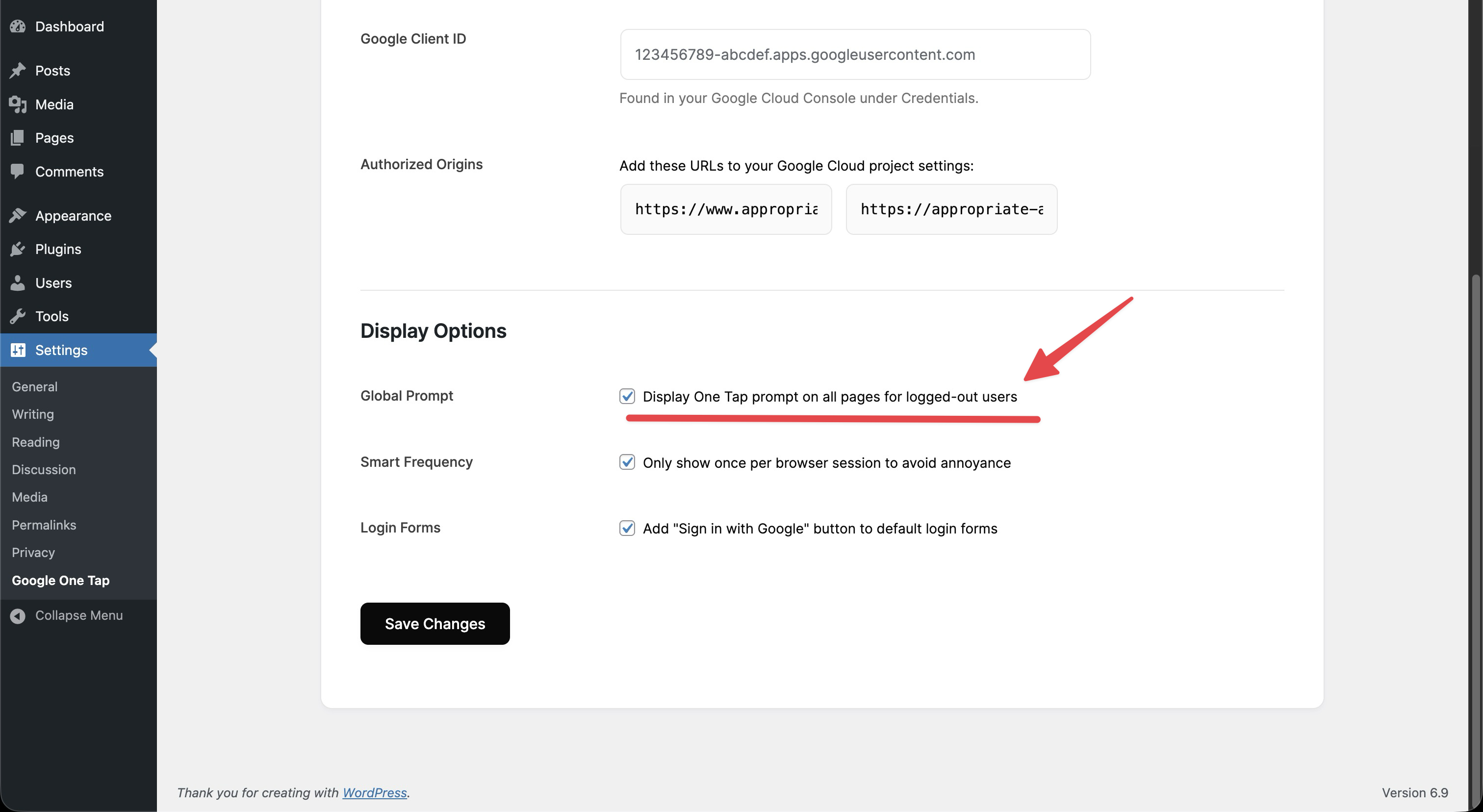
- One Tap prompt across your site (optional)
- Shortcode button:
[ddgot_google_login] - Login button on WordPress/WooCommerce login and registration forms
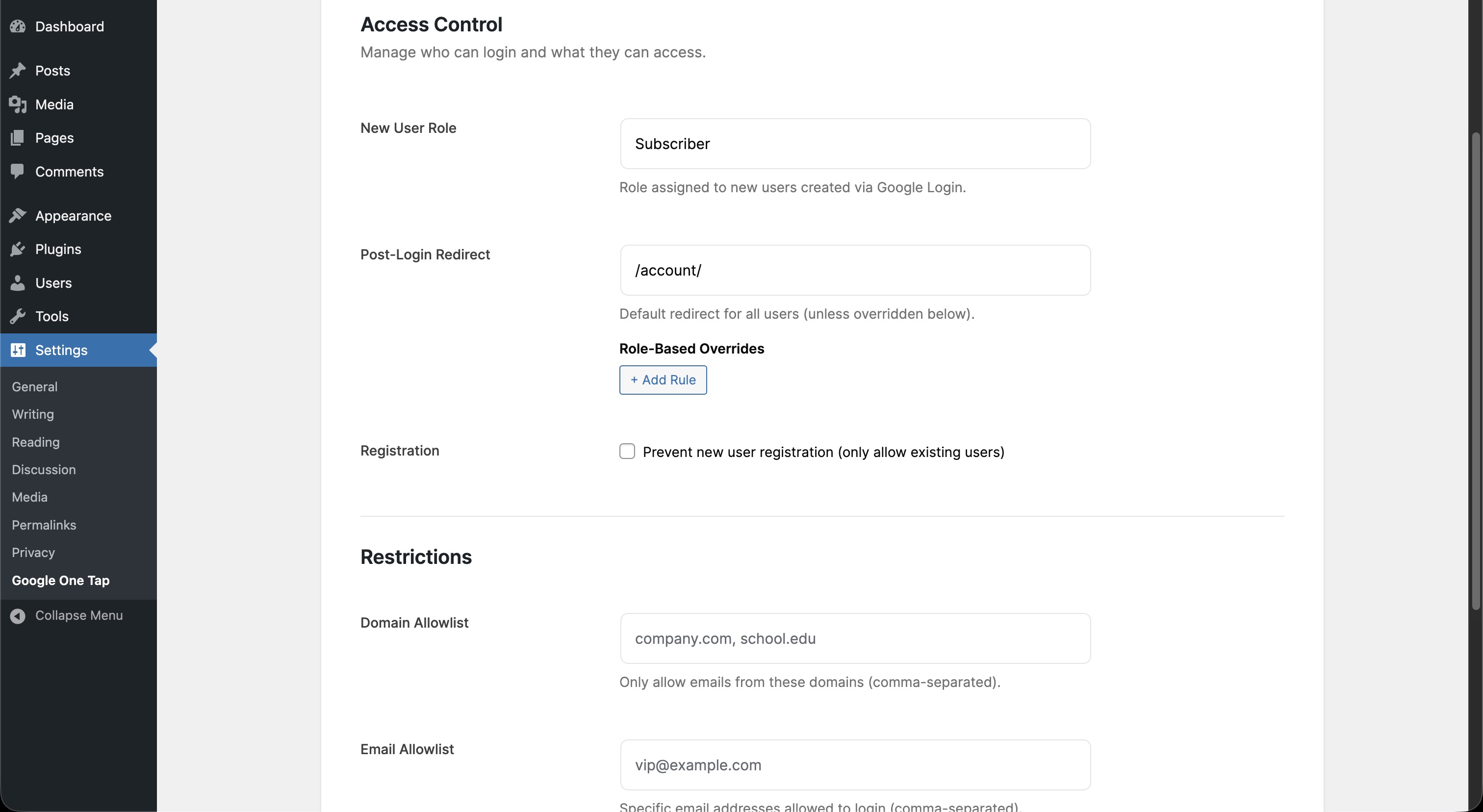
- New user creation controls and role assignment
- Admin access restrictions for non-admin users
- Google avatar support
- Optional admin bar hiding for non-admin users
- Optional email domain allowlist
- Optional email allowlist and prompt exclusions
- Optional failure logging and session-based prompt control
External Services
This plugin integrates with Google Identity Services (Google One Tap) to allow users to sign in with their Google account.
When the One Tap prompt or button is enabled, the user’s browser loads Google’s Identity Services JavaScript from https://accounts.google.com/gsi/client.
When a user signs in, the plugin sends the Google ID token to Google’s token verification endpoint at https://oauth2.googleapis.com/tokeninfo to validate the token before logging the user in.
Data sent includes the ID token and request metadata (such as IP address and user agent) required to complete these requests.
All plugin CSS/JS assets are bundled locally; the only external resources used are Google’s Identity Services script and the token verification endpoint described above.
Site owners must create a Google OAuth Client ID in Google Cloud Console to use this service, and end users need a Google account to sign in.
Terms of Service: https://developers.google.com/terms
Privacy Policy: https://policies.google.com/privacy
Privacy
This plugin does not store Google passwords. It creates or updates WordPress user accounts using the profile data returned in the ID token and stores the Google avatar URL if provided.
Screenshots

Monochrome settings panel. 
Google One Tap button on the login form. 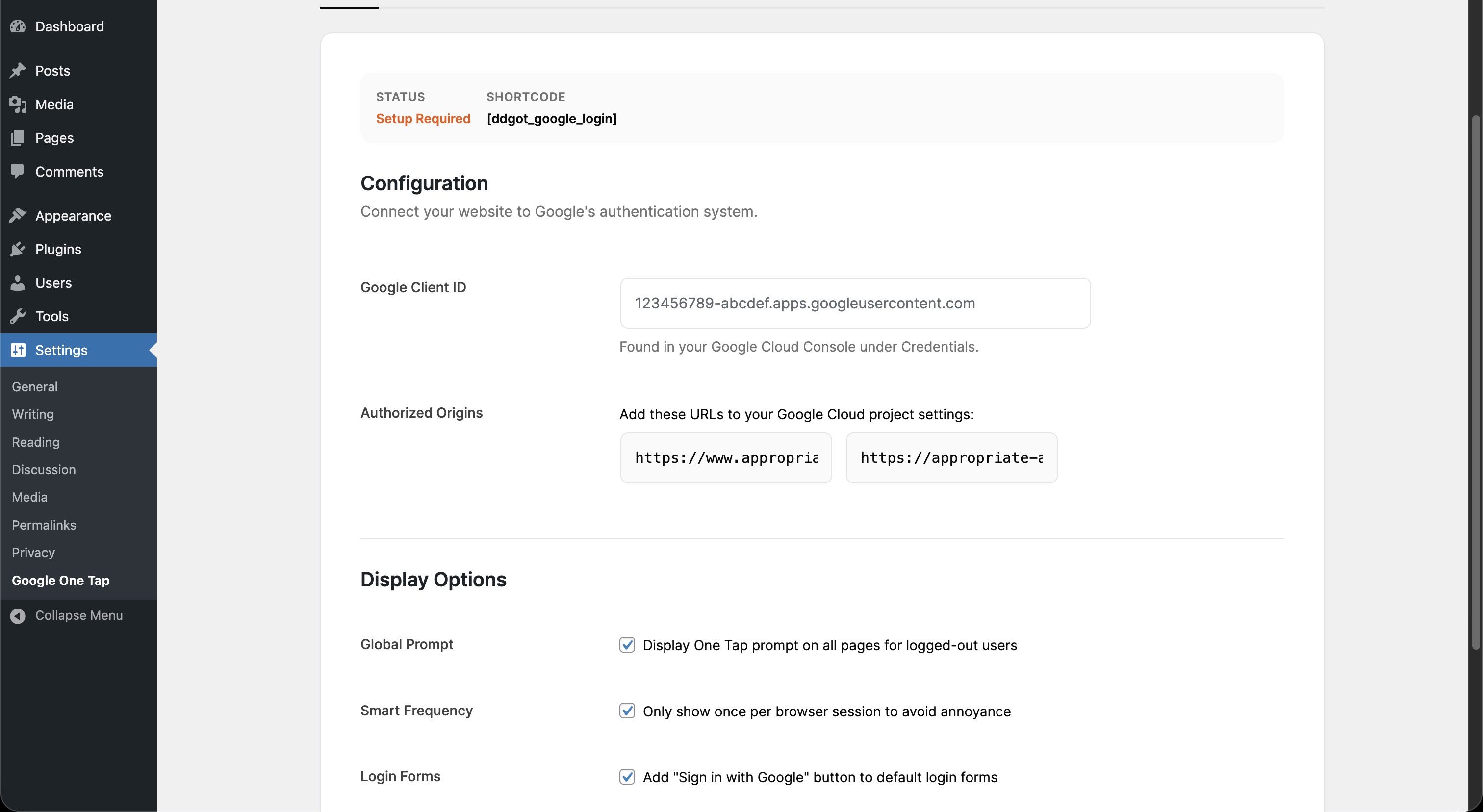
Installation
- Upload the plugin folder to
/wp-content/plugins/or install via the Plugins screen. - Activate the plugin.
- Go to Settings > Google One Tap and paste your Google Client ID.
- Add the provided JavaScript origins to your Google Cloud Console.
- Use the shortcode where needed.
FAQ
-
Does this plugin store Google passwords?
-
No. Google handles authentication and returns an ID token. The plugin verifies that token and then signs users into WordPress.
-
Can I disable new account creation?
-
Yes. Enable „Disable New User Creation“ to only allow existing users.
-
How do I change the redirect path?
-
Set the path in Settings > Google One Tap (e.g.
/account/).
Rezensionen
Für dieses Plugin gibt es keine Rezensionen.
Mitwirkende und Entwickler
„DigitaDive Login with Google One Tap“ ist Open-Source-Software. Folgende Menschen haben an diesem Plugin mitgewirkt:
Mitwirkende
Übersetze „DigitaDive Login with Google One Tap“ in deine Sprache.
Interessiert an der Entwicklung?
Durchstöbere den Code, sieh dir das SVN-Repository an oder abonniere das Entwicklungsprotokoll per RSS.
Änderungsprotokoll
1.1.1
- Update plugin branding for trademark clarity.
- Document Google external services usage.
1.1.0
- Fix REST login redirect handling after sign-in.
1.0.0
- Initial release with modular architecture, monochrome admin UI, and security hardening.