

Beschreibung
Flavor – Restaurant Menu is an elegant menu plugin for restaurants, cafés and bars. Manage your dishes as WordPress posts, assign categories, price, featured image and sort order — then display them anywhere with a shortcode, Gutenberg block, Elementor widget or WPBakery element.
Free Features
- Unlimited dishes — Full menu management with categories, single price, featured image and sort order
- Card Grid layout — Responsive image cards
- Category Filter — Animated frontend category filtering on the Card Grid
- Subcategory support — Hierarchical categories with parent and sub-headings
- Theme: Elegant Dark — Built-in dark design theme
- All page builders — Gutenberg Block, Elementor Widget, WPBakery Element
- Shortcode —
[flavor_menu]works without any page builder - Category Sort — Drag & drop reordering in admin
- Responsive — Adapts to all screen sizes
Pro (separate plugin — [flavor-menu.com](https://flavor-menu.com))
- Multiple prices — Unlimited price variants per dish with labels (e.g. Small / Large, 0.2 l / 0.75 l)
- 7 Layouts — Card Grid, Price List, Table, Horizontal Card, Featured, Compact List, Sectioned List
- 6 Design Themes — Elegant Dark, Clean Light, Warm Earth + 3 fully configurable Custom Themes with 7 color pickers each
- 40 Google Fonts — Curated Serif, Sans-Serif and Display fonts via Menu Typography. Optional local self-hosting for GDPR-compliant delivery
- Allergens & Nutrition — 14 EU mandatory allergens (Regulation 1169/2011) + nutritional values per 100 g. Layout-specific display: 180° flip (cards), floating popup (lists), abbreviation chips (table)
- Guest Ratings — 1–5 star ratings in the Card Grid layout. No login required. Duplicate protection via localStorage + server-side IP hash
- Multiple Locations — Assign dishes to one or more restaurant branches. Filter per location via shortcode parameter
- Badge System — New, Popular, Chef’s Choice, Seasonal, Spicy and more
- QR Code / Table Stand — Print-ready table stands as PDF. 3 styles (Minimal, Elegant, Branded), DIN A5/A6, logo upload, background image, 4 color pickers, live preview
- CSV Import / Export — Import dishes from CSV (Excel/Google Sheets compatible). Supports all dish fields: title, description, subtitle, categories (incl. subcategories via
Food > Starters), prices with labels, badges, locations, allergens, nutrition values. Missing categories are auto-created. Existing dishes (matched by title) are updated. Configurable delimiter (comma or semicolon). Preview before import, per-row result report. Export all dishes as CSV. Downloadable empty template. - Columns & Image Ratio — 2/3/4 columns, 4:3/1:1/16:9 image ratio
- Subcategory Support — Hierarchical categories with parent and sub-headings in all layouts
Page Builder Support
- Gutenberg (native block, live preview in editor)
- Elementor Free 3.5+
- WPBakery Page Builder
Shortcode
[flavor_menu title="Our Menu"]
Available parameters: title, description, category, limit, show_filter, hide_all_btn, default_category, currency, el_class
External Services
This plugin does not connect to any external services. All assets (CSS, JavaScript) are bundled locally and served from your own server. No data is transmitted to third parties.
Screenshots
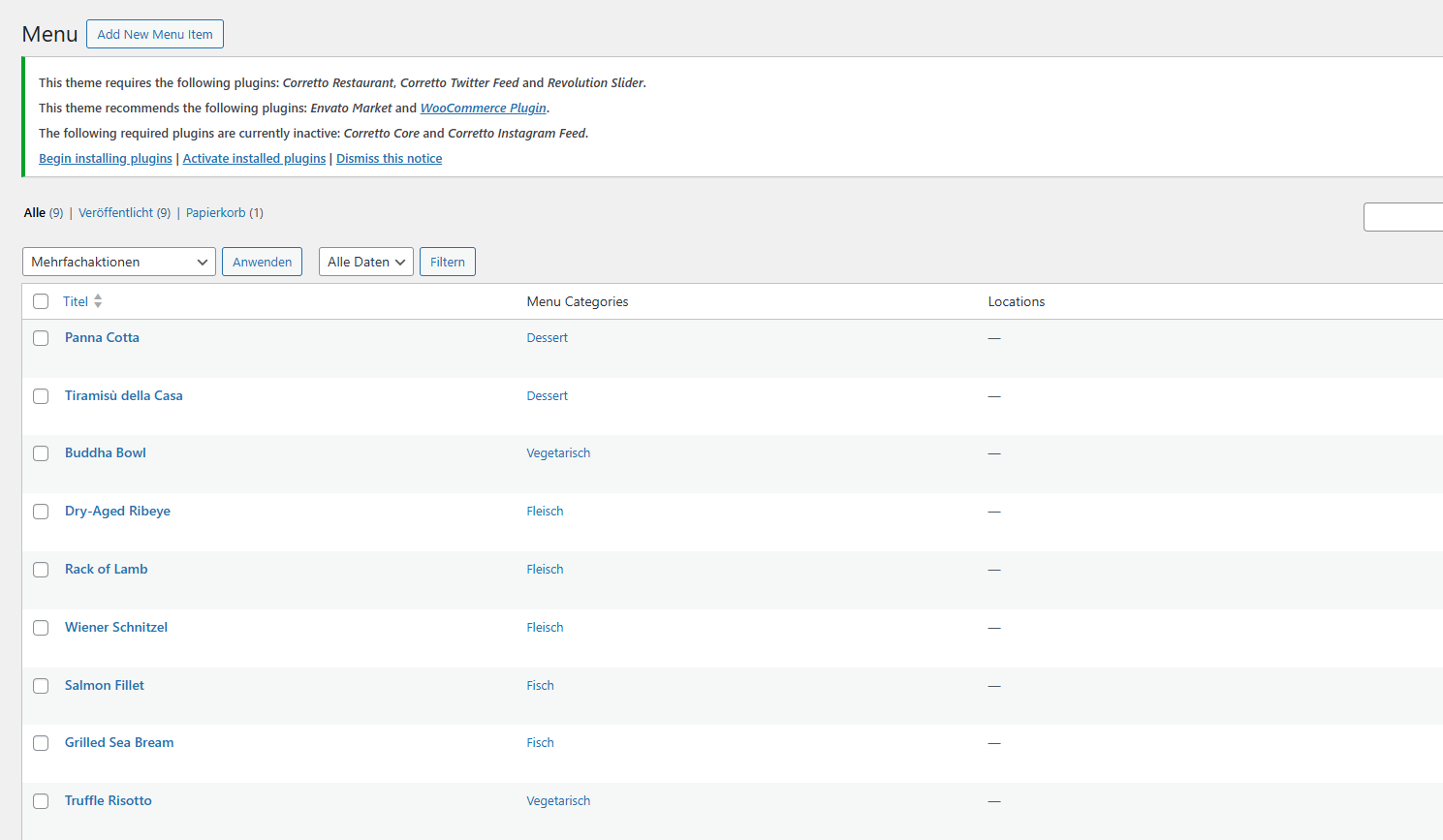
Dish list in the WordPress admin — all menu items with their assigned categories 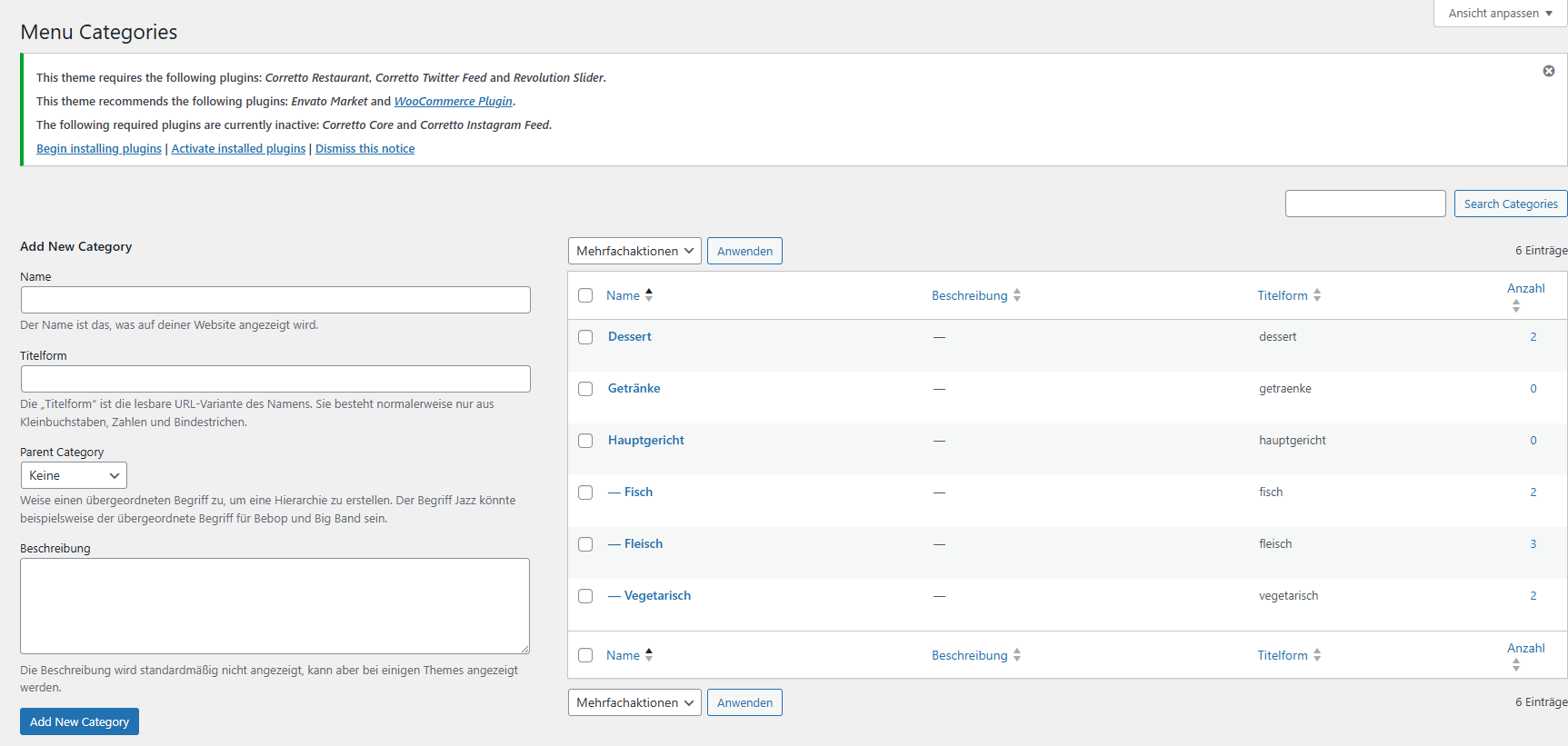
Menu Categories admin page — manage hierarchical categories with parent and subcategory support 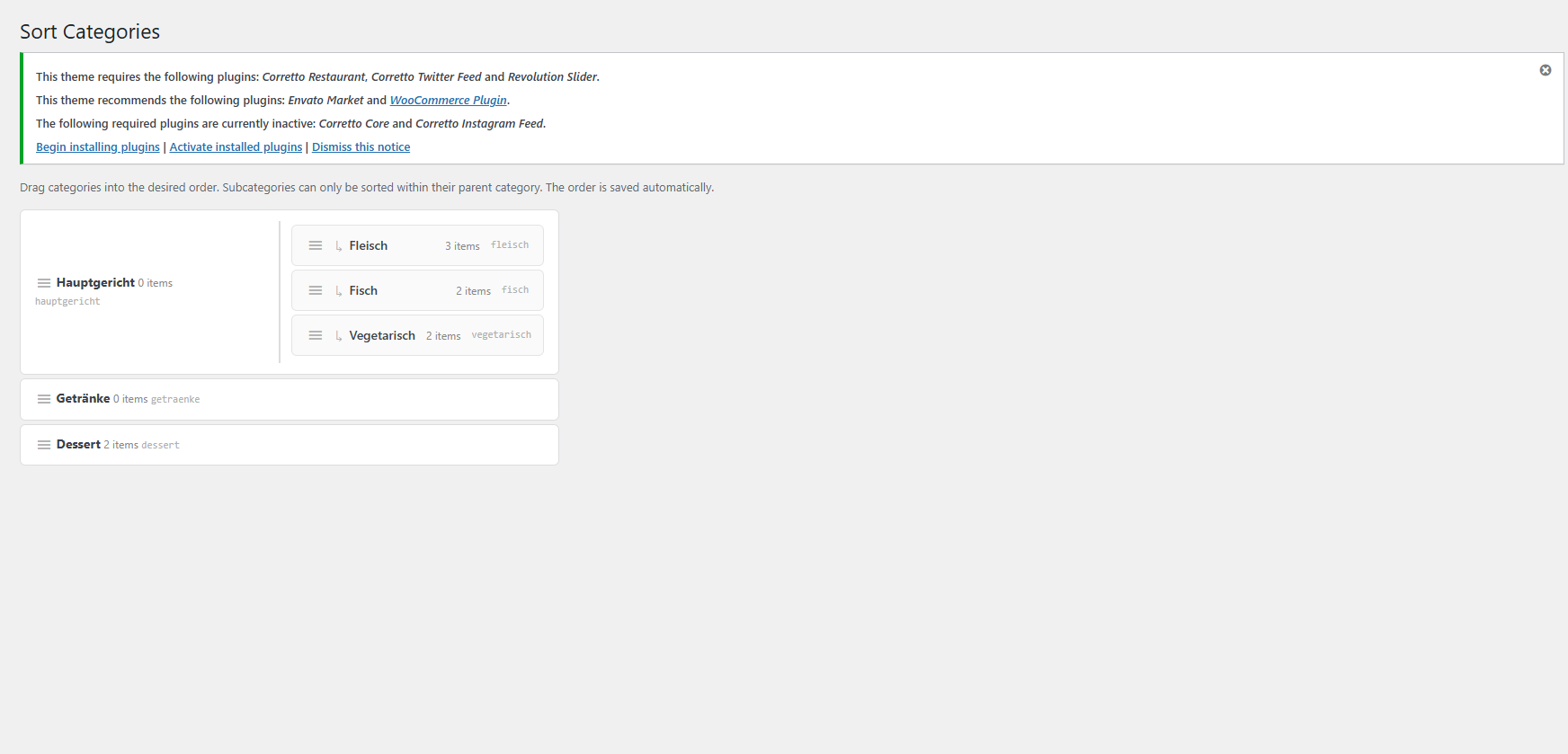
Category Sort admin page — drag-and-drop reordering of categories and subcategories 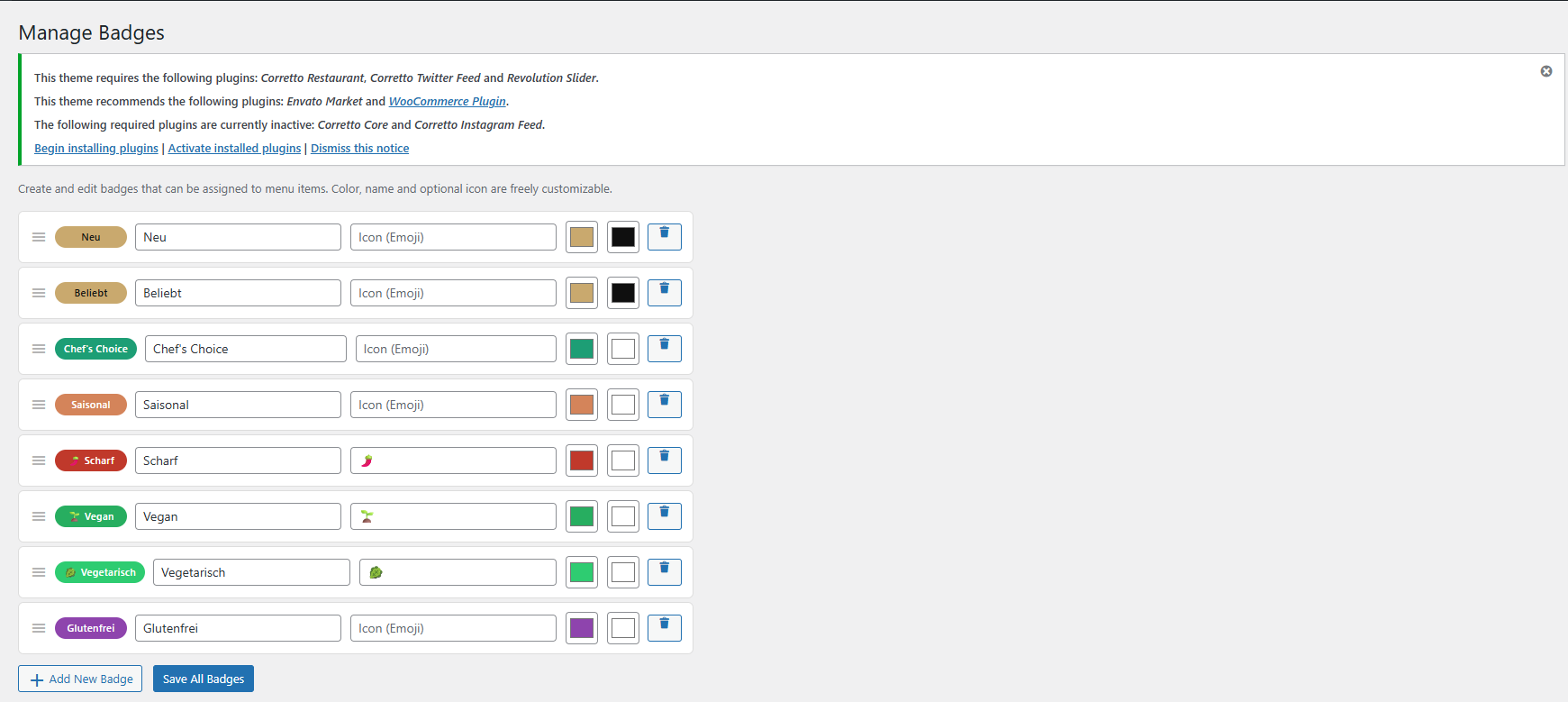
Manage Badges (Pro) — create custom badges with colors, names and optional emoji icons 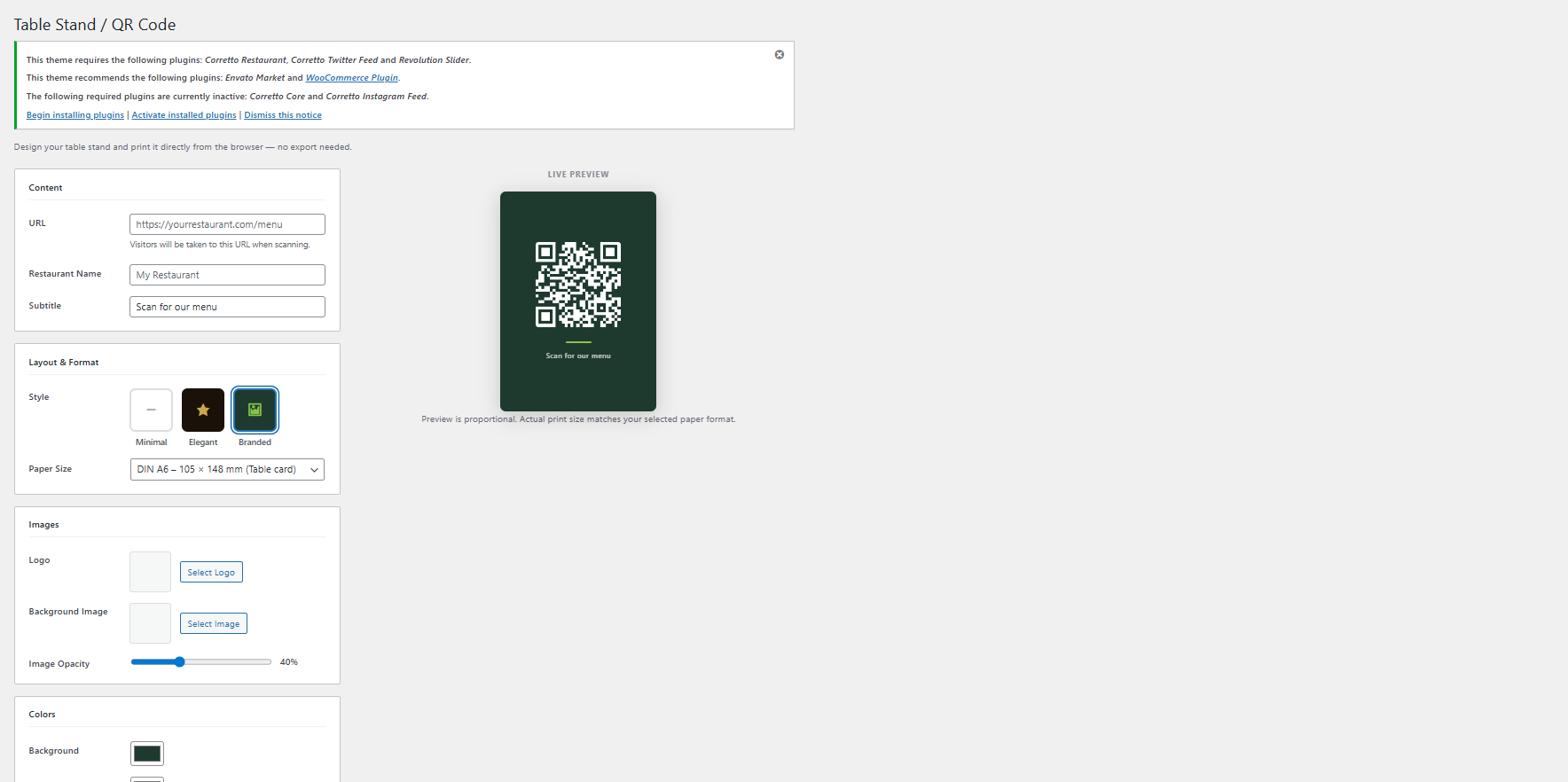
Table Stand / QR Code (Pro) — design and export a print-ready QR code table stand with live preview 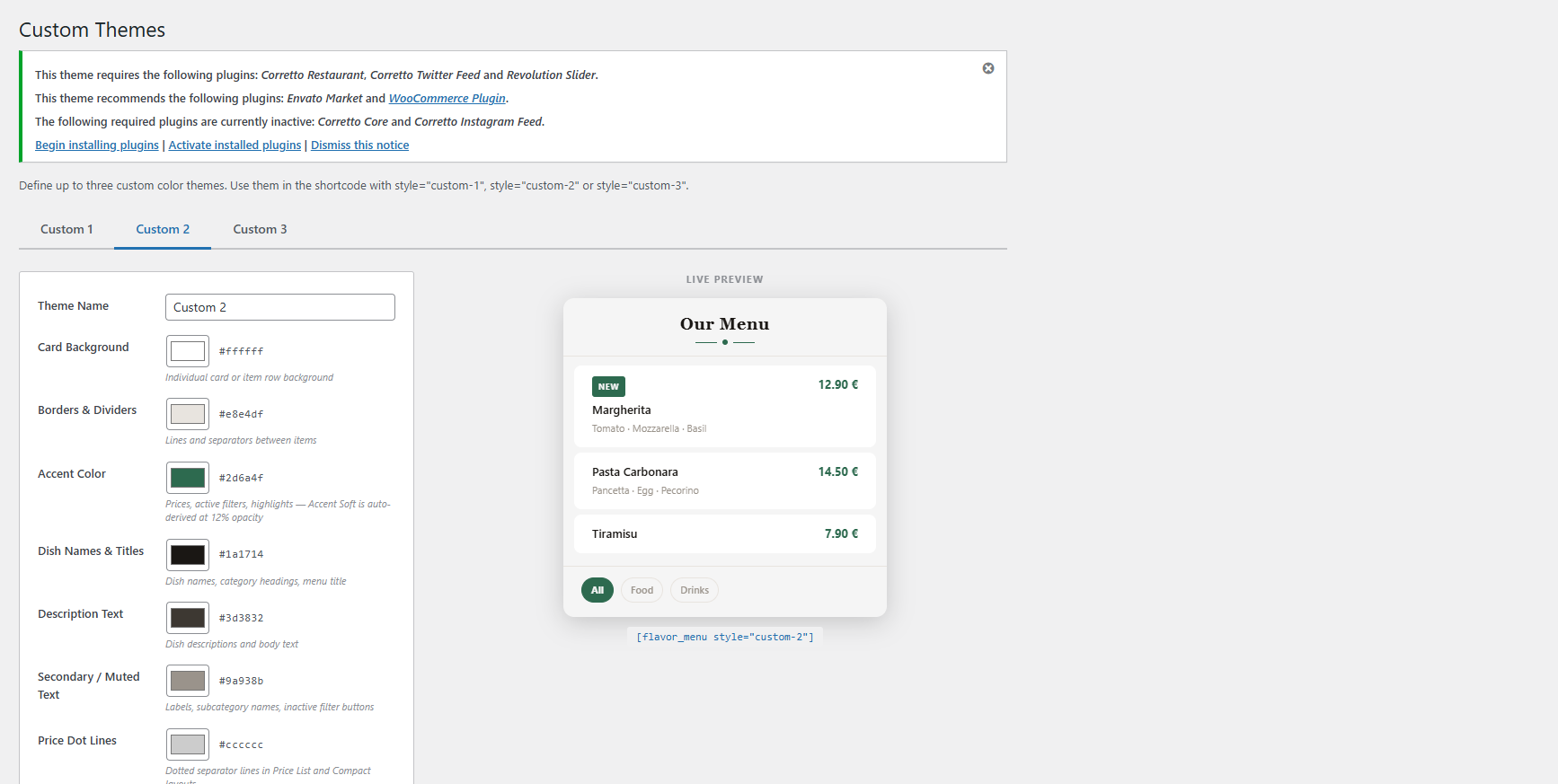
Custom Themes (Pro) — live color theme editor with 7 color pickers and instant preview 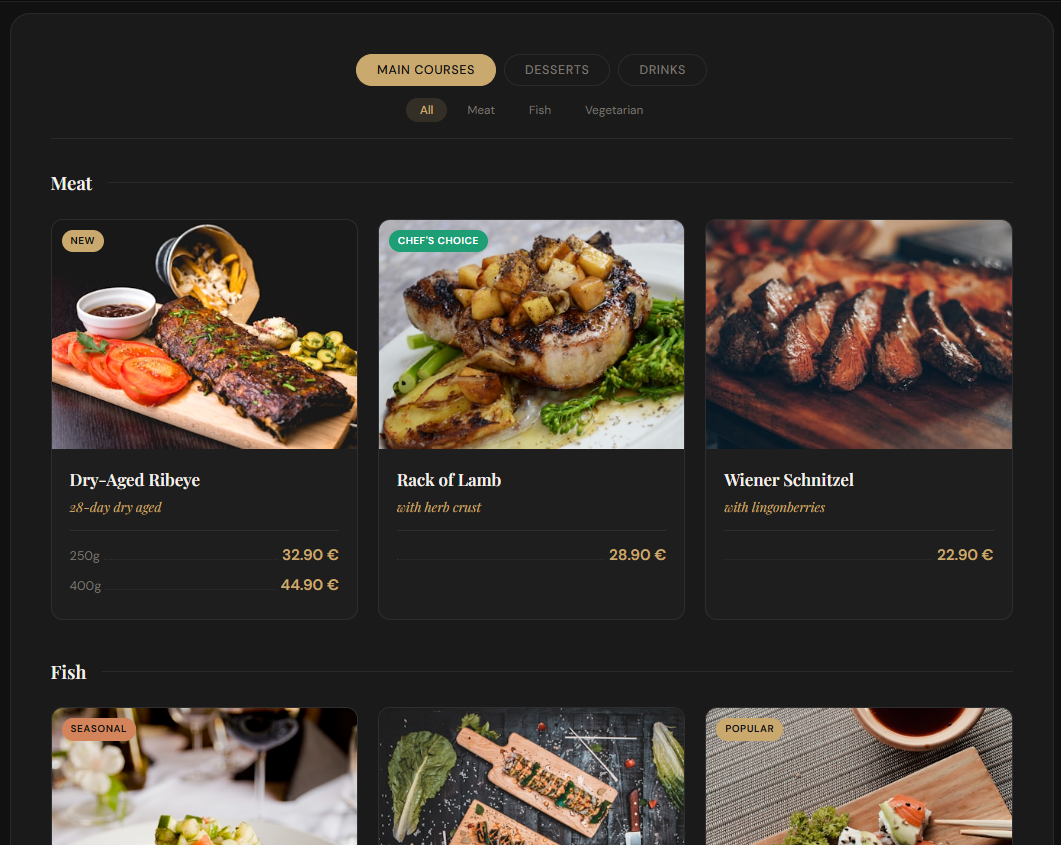
Card Grid layout on the frontend — Elegant Dark theme with animated category filter
Blöcke
Dieses Plugin bietet 1 Block.
- Flavor Menu
Installation
- Upload the
flavor-restaurant-menufolder to/wp-content/plugins/, or install via Plugins Add New Upload Plugin. - Activate the plugin through the Plugins menu.
- Go to Menu Add New Dish to create your first dish.
- Insert the menu on any page using the Gutenberg block, Elementor widget, WPBakery element or the shortcode
[flavor_menu].
Quick Start
- Create categories — Menu Categories (e.g. „Food“ „Starters“, „Main Courses“)
- Add dishes — Menu Add New Dish (title, description, image, price, sort order)
- Insert the menu — add the Flavor block or shortcode to any page
FAQ
-
Do I need Elementor or WPBakery?
-
No. The plugin works with the Gutenberg block editor that comes built into WordPress. Elementor and WPBakery are optional.
-
Does the plugin load any external scripts or services?
-
No. The Free version loads no external scripts and connects to no external services. All assets are served locally from your own server.
-
How do I reorder categories?
-
Go to Menu Category Sort and drag the categories into the desired order.
-
Can I display subcategories?
-
Yes. When filtering by a parent category in the Card Grid, subcategories are shown as section headings. Create subcategories by setting a parent in Menu Categories.
-
Where can I find allergens, multiple layouts and other Pro features?
-
These are available in Flavor Pro, a separate plugin at flavor-menu.com. Installing Flavor Pro alongside this plugin automatically unlocks all Pro features.
Rezensionen
Für dieses Plugin gibt es keine Rezensionen.
Mitwirkende und Entwickler
„Flavor – Restaurant Menu“ ist Open-Source-Software. Folgende Menschen haben an diesem Plugin mitgewirkt:
Mitwirkende
Übersetze „Flavor – Restaurant Menu“ in deine Sprache.
Interessiert an der Entwicklung?
Durchstöbere den Code, sieh dir das SVN-Repository an oder abonniere das Entwicklungsprotokoll per RSS.
Änderungsprotokoll
1.5.5
- Documentation links in admin — Category Sort page now shows a „Documentation “ link next to the heading.
- Plugin list link — A „Documentation“ link is added to the plugin entry in wp-admin Plugins.
- Informational Pro pages — Admin menu shows informational pages for Badges, Custom Themes, Typography, Ratings, Table Stand and Import/Export — linking to the separate Flavor Pro plugin.
1.5.4
- Free version separated — Standalone free plugin published on WordPress.org. Card Grid layout, Elegant Dark theme, category filter, subcategory support, drag-and-drop sort.
- Security hardening — Nonce sanitization improved throughout. CSS output re-validates all values. Redirects use
wp_safe_redirect().
1.0.0
- Initial release.