
Beschreibung
WERBEFREIER, ANPASSBARER VIDEO-PLAYER FÜR WORDPRESS
Mit seinem immersiven Design ist VideoPress ideal für Videografen, Kreative, Filmemacher, Pädagogen und Blogger, die hochwertige Videos mühelos hochladen möchten.
Für WordPress erstellt
Nutze die Vorteile der vollständigen Integration mit dem besten Video-Hosting-Plugin, das speziell für WordPress entwickelt wurde. Bringe deine Ideen auf den Bildschirm und spare Zeit, indem du deine Videos über dieselbe Benutzeroberfläche wie deine Website verwaltest. Du kannst Videos per Drag-and-drop direkt in WordPress einfügen und sie in der Mediathek verwalten.
Werbefreie Videos bieten ein besseres Erlebnis
Bist du es leid, dass Videounternehmen deine Kunden auf ihre App weiterleiten, um Videos anzusehen? Oder schlimmer noch, dass deinen Website-Besuchern unangemessene Werbung angezeigt wird? Unser anpassbarer Videoplayer für WordPress hält die Besucher auf deiner Website, sodass du im Mittelpunkt stehst. Mit VideoPress kannst du aufdringliche Werbung oder auffälliges Player-Branding vermeiden.
Qualitativ hochwertiges, blitzschnelles Video-Hosting
Vereinfache das Selbsthosting von Videos. VideoPress bietet vollständig gehostete Videos und ein CDN, um deinem Publikum weltweit eine sofortige Videowiedergabe zu gewährleisten. Mit unserer leistungsstarken und zuverlässigen Hosting-Infrastruktur kannst du deinem Publikum Fast-Motion-Videos mit 60 FPS und voller 4K-Auflösung bereitstellen.
Ein umfassendes Videoerlebnis vom WordPress-Editor
Mit dem Jetpack-VideoPress-Block war es noch nie so einfach, Videos zu deinen Inhalten hinzuzufügen. Mit diesem leistungsstarken Werkzeug kannst du Videos mühelos direkt aus dem WordPress-Editor heraus einfügen und du profitierst von erweiterten Funktionen wie Untertiteln, Kapiteln, privaten Videos und Posterbildern.
- Adaptives Streaming – Videos werden schneller wiedergegeben, indem die Videoqualität automatisch an die Bandbreite und die Bildschirmgröße angepasst wird. Der Zuschauer kann weiterhin die gewünschte Qualität im Menü auswählen.
- Zuverlässiges globales Hosting und Video-CDN – Auf der Grundlage der erstklassigen Cloud-Infrastruktur von WordPress.com werden deine Videos auf mehreren Servern weltweit gespeichert, um eine schnelle Bereitstellung zu gewährleisten, unabhängig davon, wo sich dein Publikum befindet.
- Untertitel und Kapitel – Lade deine Textspuren einfach über den VideoPress-Block hoch und sie stehen dir nach der Veröffentlichung im Video zur Verfügung.
- Farbabstimmung der Fortschrittsleiste – Die Fortschrittsleiste von VideoPress passt sich nun farblich an die Szenen in deinen Videos an. Dadurch kommen deine Inhalte besonders gut zur Geltung.
- Für Mobilgeräte optimiert – Wechsle zwischen Mobilgeräten und Desktop-Computern, ohne etwas zu verpassen.
- Bild-in-Bild – Löse das Video aus dem Webbrowser-Fenster, um es leichter ansehen zu können.
- Unbegrenzte Anmeldungen – Arbeitest du mit einem Team zusammen? Wir berechnen keine Gebühren pro Arbeitsplatz, sodass jeder, der an deiner Website arbeitet, seine eigene Anmeldung haben kann.
- Hochauflösende Videos mit bis zu 4K – Genieße gestochen scharfe Bilder auf jedem Display und jeder Bildschirmgröße. Wir haben die Videoanzeige für 1440p, 60 FPS und volle 4K-Auflösung hinzugefügt.
- Werbungsfreies Video – Richte den Fokus auf deine Inhalte, nicht auf Werbung, die du nicht kontrollieren kannst.
Deine Komplettlösung für die Videoverwaltung
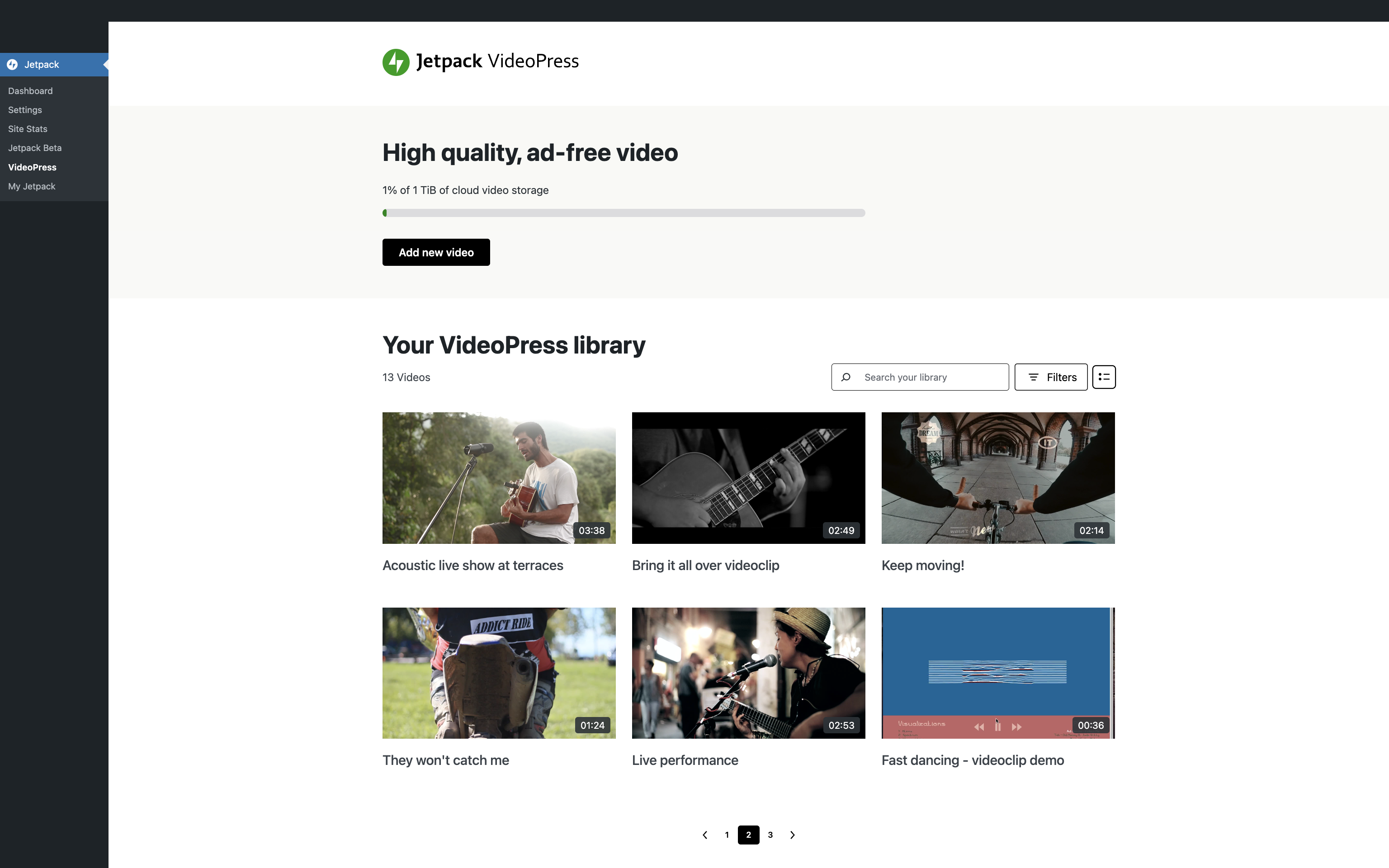
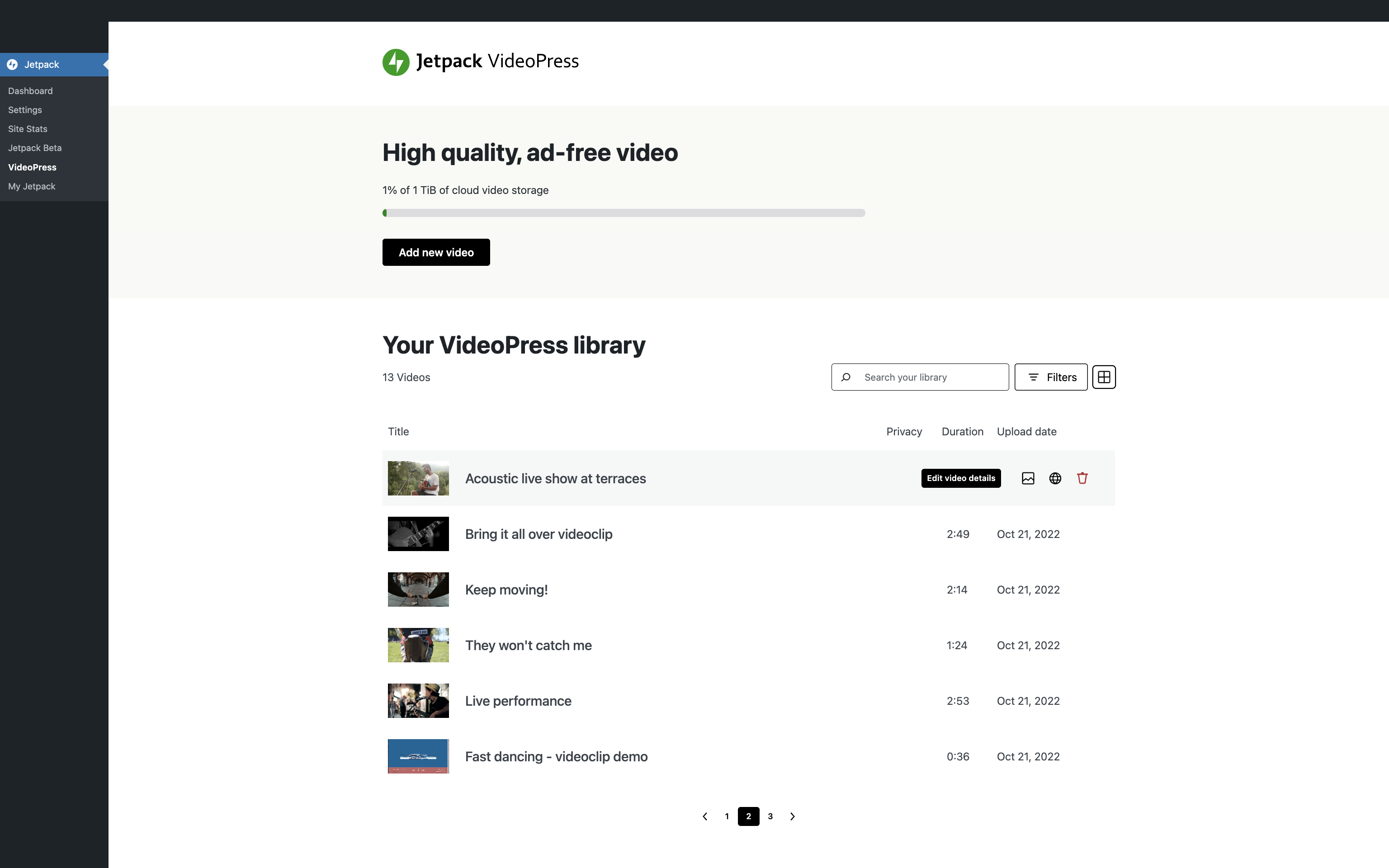
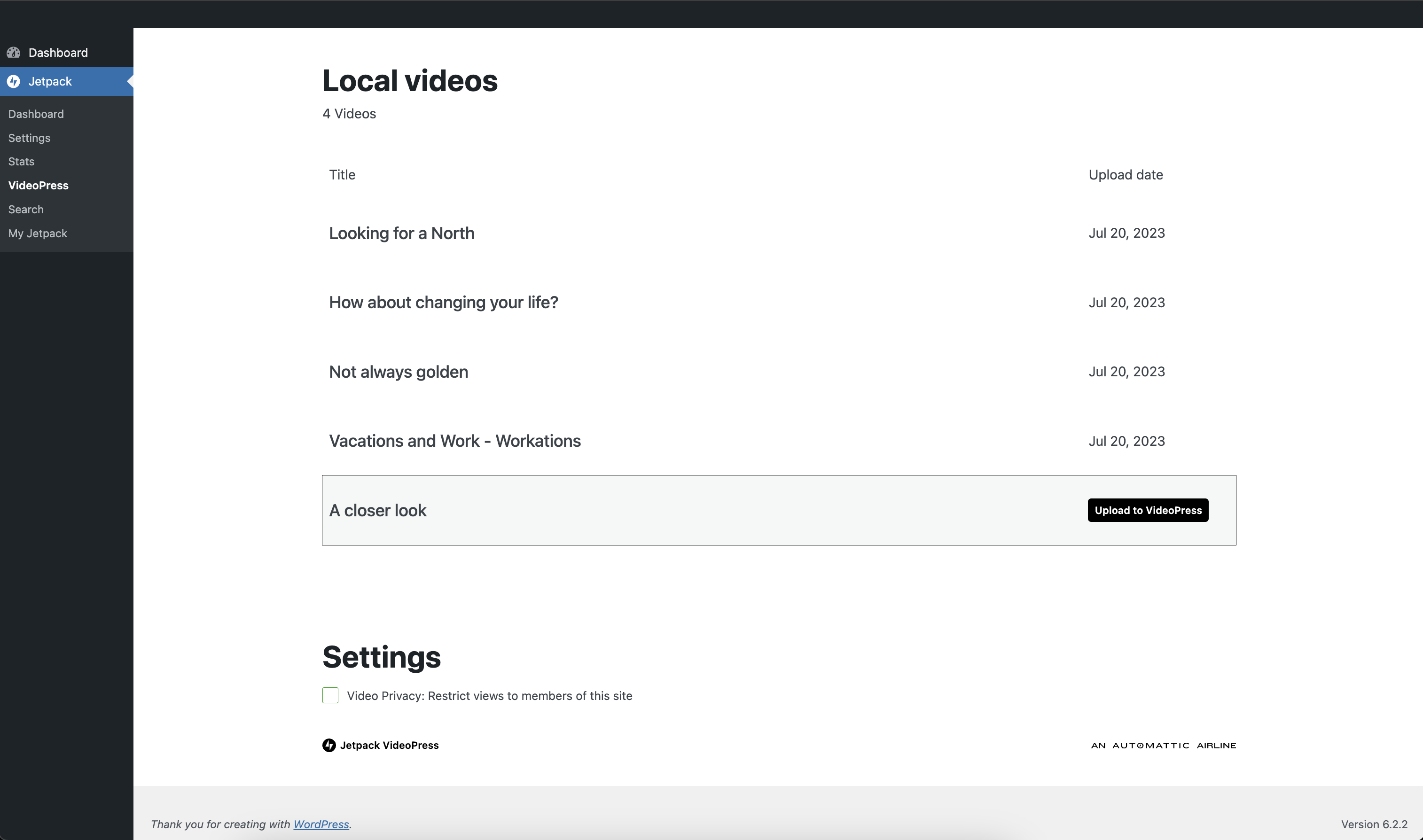
Das VideoPress-Dashboard ist ein zentraler Ort zum Hochladen und Verwalten deiner Videobibliothek. Filter deine Mediathek nach Bewertung oder Datenschutzeinstellungen, zeige deine Mediathek auf verschiedene Arten an und lade lokale Videos in deine Jetpack-Cloud-Mediathek hoch.
MIT 💚 VON JETPACK
Screenshots
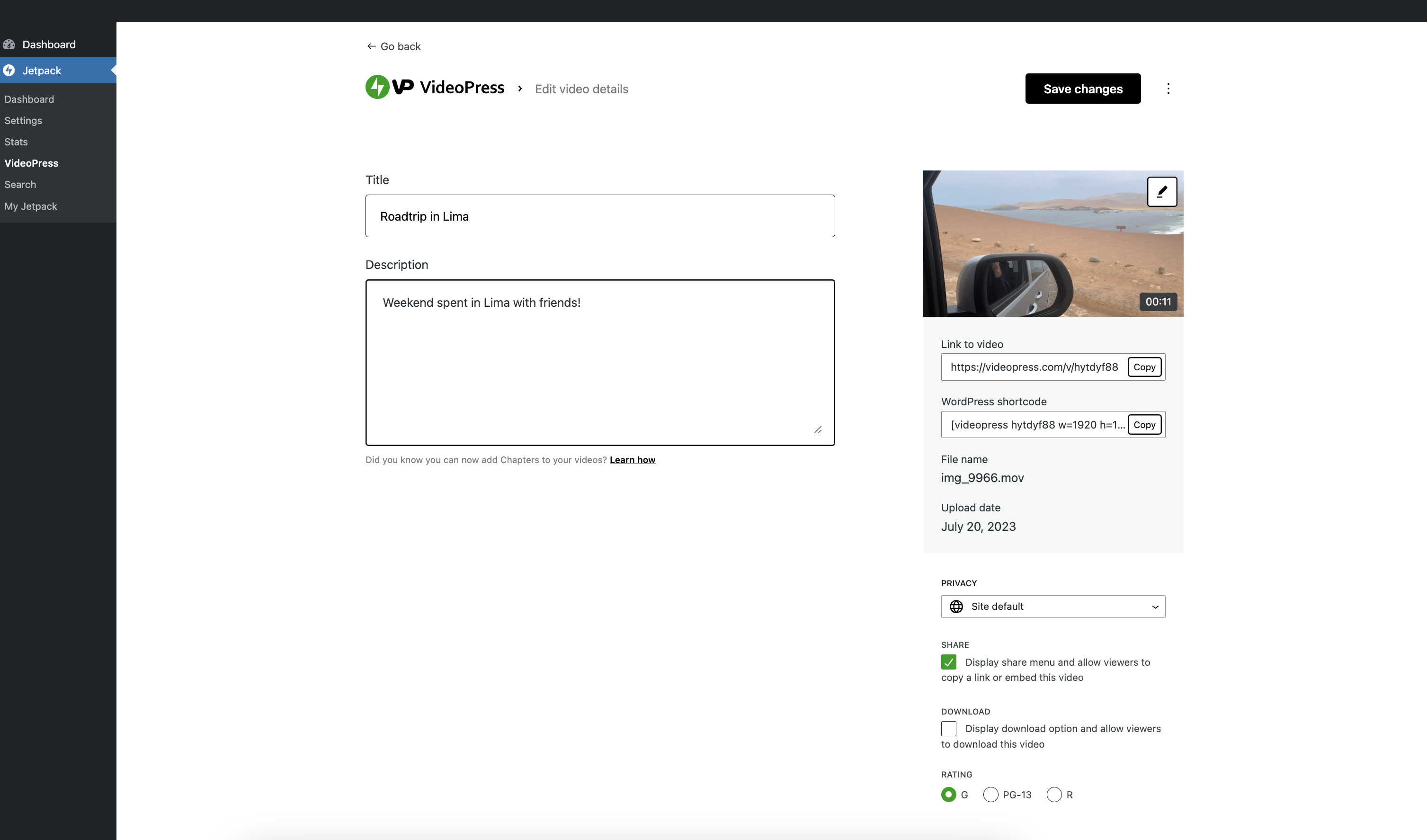
Blöcke
Dieses Plugin bietet 8 Blöcke.
- Playlist Details A playlist’s cover, title, length, description, Play all and Share: the playlist being viewed, or one you pick.
- VideoPress Mit VideoPress kannst du ein Video aus deiner Mediathek einbetten oder ein neues hochladen.
- All Playlists Every playlist on the site, paginated, under a heading you can edit.
- Video Details The title, views, description and playlists of the video being viewed, or of the newest upload.
- Latest Videos Playlist VideoPress powered list of your latest videos in a single customizable player. New uploads show up automatically.
- Video Playlist VideoPress powered list of videos in a single customizable player. Build the playlist from your VideoPress library or video links.
- Channel Details The channel’s handle, subscribers, videos, playlists, views and join date.
- Episode Navigation Links to the previous and next video, within the playlist being played or in upload order.
Installation
Installation
- Klicke zunächst auf den Link Plugins in der linken Seitenleiste und dann auf „Plugin hinzufügen“.
- Suche nach VideoPress. Die neueste Version wird in den Suchergebnissen angezeigt. Klicke auf den Button „Jetzt installieren“.
- Klicke anschließend auf den Button „Aktivieren“. Nach der Aktivierung wirst du aufgefordert, VideoPress einzurichten.
FAQ
-
Ist Jetpack VideoPress kostenlos?
-
Jetpack VideoPress kann kostenlos getestet werden. Du erhältst kostenloses Videohosting für WordPress für ein Video mit einer Dateigröße von bis zu 1 GB.
Wenn du unbegrenzt viele Videos mit insgesamt bis zu 1 TB Speicherplatz hochladen möchtest, führe ein Upgrade auf den kostenpflichtigen Tarif durch.
-
Ist Jetpack VideoPress in einem Jetpack-Tarif enthalten?
-
Für WordPress ist der Video-Player von Jetpack im Tarif „Jetpack Complete“ enthalten. Derzeit ist er nur in diesem Tarif inbegriffen.
-
Gibt es ein Speicherkontingent?
-
Im Kostenlos-Tarif kannst du maximal 1 Video und 1 GB hochladen.
Im kostenpflichtigen Tarif ist das Speicherkontingent auf 1 TB begrenzt.
-
Ist die Dateigröße begrenzt?
-
Die Dateigröße ist auf 5 GB begrenzt. Beim Hochladen größerer Videos auf eine WordPress-Website kann es jedoch in langsameren Netzwerken zu einer Zeitüberschreitung kommen.
Rezensionen


Mitwirkende und Entwickler
„Jetpack VideoPress“ ist Open-Source-Software. Folgende Menschen haben an diesem Plugin mitgewirkt:
Mitwirkende


„Jetpack VideoPress“ wurde in 25 Sprachen übersetzt. Danke an die Übersetzer für ihre Mitwirkung.
Übersetze „Jetpack VideoPress“ in deine Sprache.
Interessiert an der Entwicklung?
Durchstöbere den Code, sieh dir das SVN-Repository an oder abonniere das Entwicklungsprotokoll per RSS.
Änderungsprotokoll
3.8 – 2026-10-20
Added
- Add a Channel Details block to channel sites, with the channel’s handle, subscribers, videos, playlists, views and start date.
- Add an Episode Navigation block.
- Add a page per playlist on channel sites, with All Playlists cards linking to it and a Video Playlist block option to show the playlist being viewed.
- Add a Playlist Details block.
- Add a Video Details block, and let the VideoPress Video block play the newest upload.
- Add trim and cut editing to the video block toolbar and clarify the editor tool icons.
- Connection: Add a Connected view to the Users page listing users with a linked WordPress.com account.
- Connection: Transfer connection ownership to another administrator without leaving your site.
- Connection: Transfer connection ownership to another connected administrator from the Connectors page.
- Let channel blocks show authors a call to action while a channel has no videos or playlists.
- Let the Latest Videos Playlist block sort, search, filter by length and paginate, and show view counts.
- Let the Video Playlist block show a playlist published on the site, and let the All Playlists block sort by last update and show each playlist’s last update and length.
- My Jetpack: Add an Available filter to the Features list.
- My Jetpack: Add catalog-controlled Pro offers and preserve existing plan management.
- My Jetpack: Recognize Jetpack Pro subscriptions and licenses.
Changed
- Connection: Link the connection owner’s name on the Connectors card to their profile, and update the card without reloading the page when a non-owner disconnects their account.
- My Jetpack: Line up notices with the cards below them, and drop the grey background behind the Features grid and list buttons.
- My Jetpack: Refresh Pro availability while preserving existing offers.
- My Jetpack: Show a connection error on the Overview connection card while your account is still to be connected, instead of only asking you to connect it.
- Open this site’s video pages from a Video Playlist in the same tab, and mark the video being viewed.
- Settings: Match the card spacing and top margin of the other Jetpack settings screens.
- Aktualisierte Paketabhängigkeiten.
Fixed
- Connection: Translate the Connectors card’s text on sites that don’t use English.
- Dashboard: Announce the views trend chart correctly to screen readers.
- My Jetpack: Hide other plugins‘ notices while the setup screen is open, and stop the full-screen layout breaking when another plugin adds an admin body class first.
- My Jetpack: Make the connection screen’s Connect button and footer links reachable on shorter screens.
- My Jetpack: Show the highest-priority notice first when several are set at once.
- My Jetpack: Stop reporting an error when switching VideoPress off while the Jetpack plugin is inactive.
- Only open a channel video page for a video uploaded to this site.
- Prevent new uploads from reusing video attachment IDs after a site restore.
- Show failed conversions with delete and re-upload guidance, and retry locked resumable uploads.