

Beschreibung
MailerPress ist ein kostenloses E-Mail-Marketing- und Newsletter-Plugin für WordPress. Erstelle professionelle E-Mail-Kampagnen mit einem Drag-and-Drop-Editor, verwalte eine unbegrenzte Anzahl von Abonnenten und Listen, plane Newsletters und versende automatisierte E-Mails – alles direkt über dein WordPress-Dashboard.
Egal, ob du ein Blogger bist, der einen wöchentlichen Newsletter verschickt, ein Online-Shop-Betreiber, der WooCommerce-E-Mails individuell anpassen möchte (kostenpflichtige Version erforderlich), oder ein Marketingexperte, der groß angelegte E-Mail-Kampagnen durchführt – MailerPress bietet dir alles, was du brauchst – ohne Begrenzung der Abonnentenzahl und ohne Versandbeschränkungen.
E-Mail-Editor mit Drag-and-Drop-Funktion
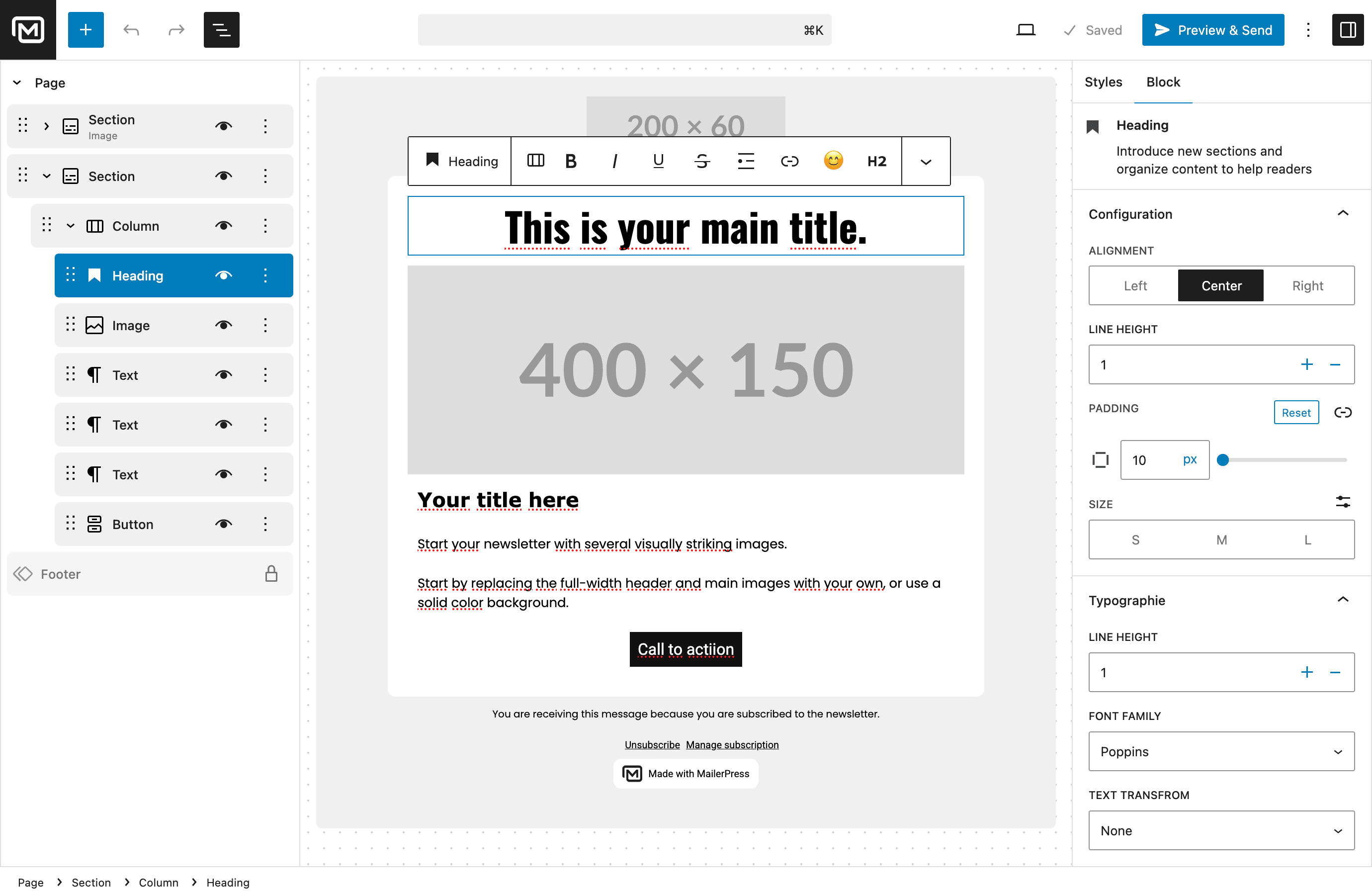
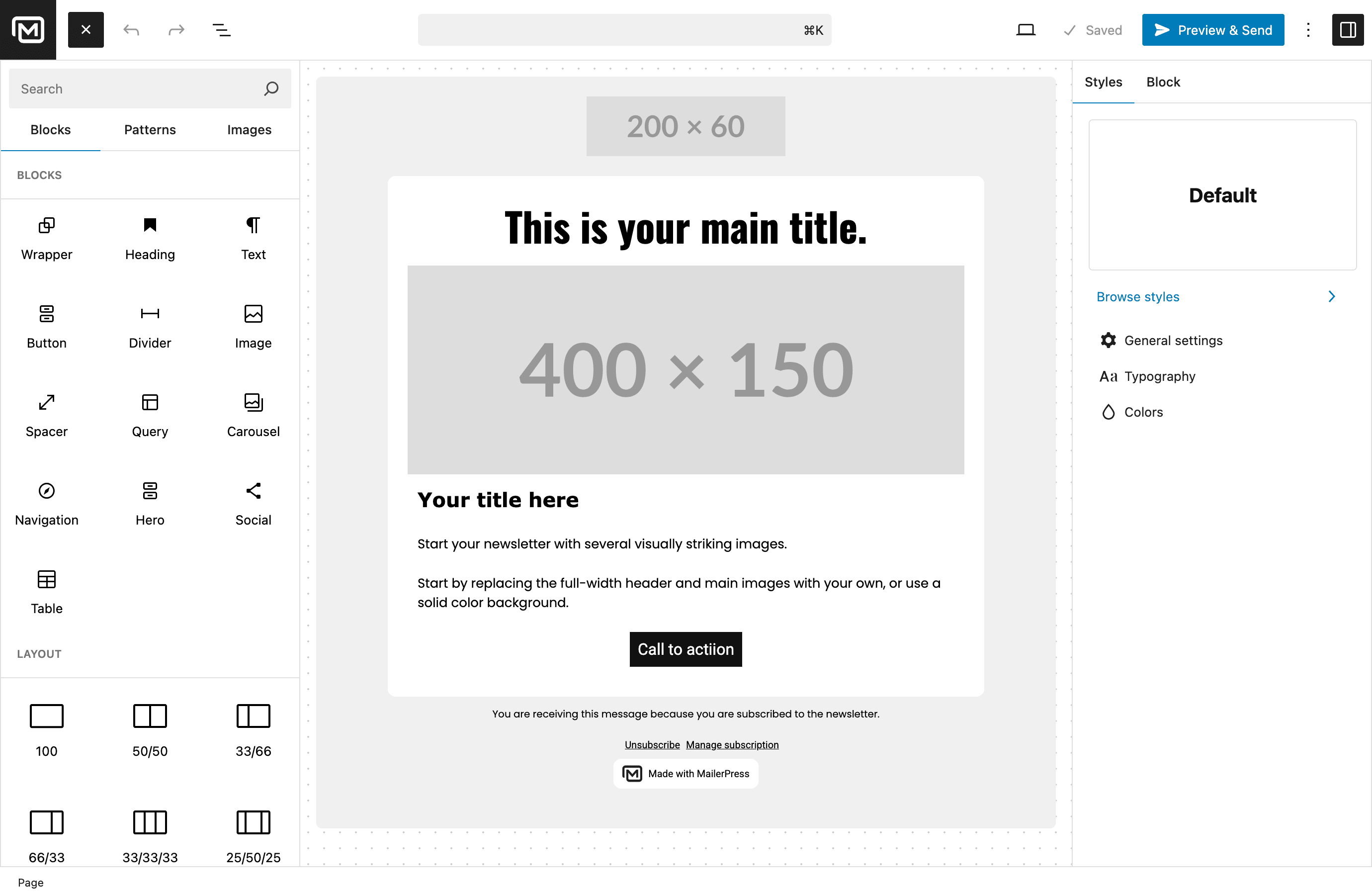
Erstelle wunderschöne E-Mail-Newsletter, ohne auch nur eine einzige Zeile Code schreiben zu müssen. Der E-Mail-Editor von MailerPress ist vom WordPress-Block-Editor (Gutenberg) inspiriert, sodass er dir sofort vertraut vorkommt:
- Platziere Blöcke per Drag-and-Drop, um dein E-Mail-Layout zu erstellen
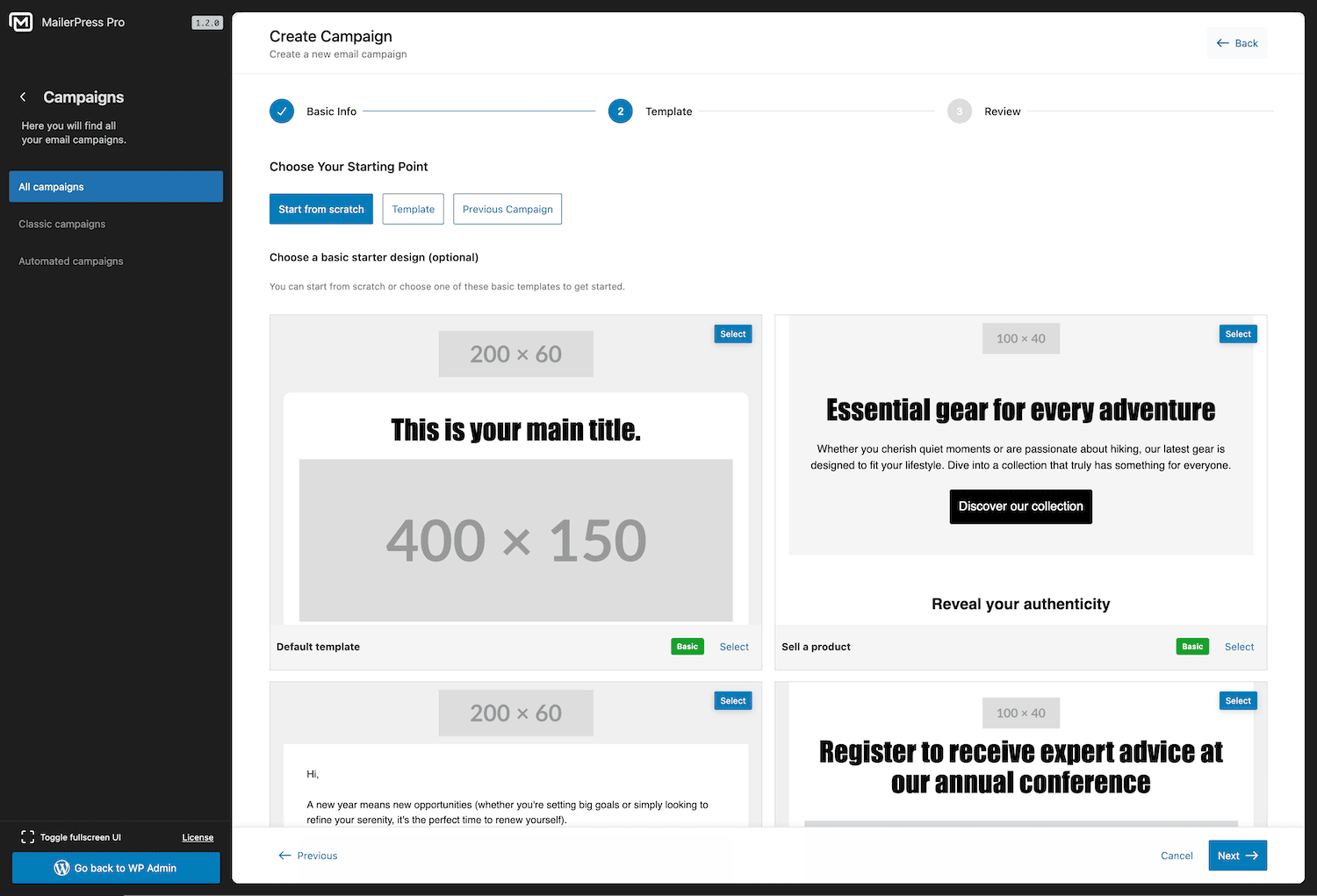
- Vorgefertigte E-Mail-Vorlagen, mit denen du in Sekundenschnelle loslegen kannst
- Speichere deine eigenen Layouts, um sie später erneut zu verwenden
- Volle Unterstützung von theme.json für ein einheitliches Branding mit Full Site Editing
- Integration von Google Fonts mit lokalem Hosting für schnelles Laden
- Import von MJML-Vorlagen für anspruchsvolle E-Mail-Designs
- Responsive E-Mails, die auf jedem Gerät perfekt aussehen
Abonnentenverwaltung und Aufbau von Abonnentenlisten
Erweitere deine E-Mail-Liste mit leistungsstarken Werkzeugen für die Abonnentenverwaltung – völlig kostenlos:
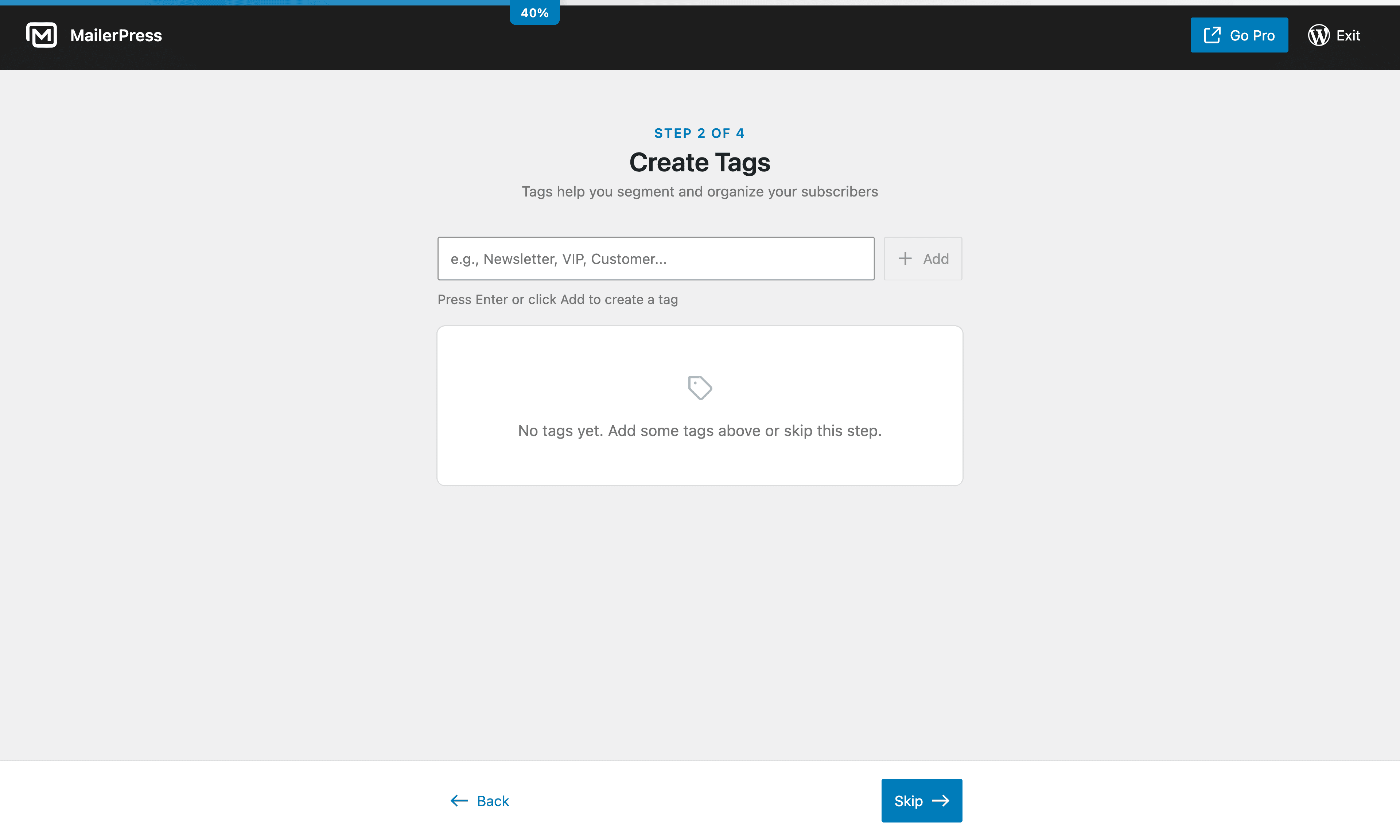
- Unbegrenzte Anzahl an Abonnenten, Listen und Schlagwörtern – keine Einschränkungen
- Anpassbare Anmeldeformulare mit Shortcode – funktionieren mit jedem Page Builder (Elementor, Bricks, Divi und weitere)
- Gutenberg-Block für das Opt-in-Formular im Block-Editor
- In externe Websites einbettbare Opt-in-Formulare
- Double-Opt-in mit anpassbaren Bestätigungs-E-Mails
- CSV-Import und -Export für eine einfache Abonnentenmigration
- Erweiterte Abonnenten-Segmentierung
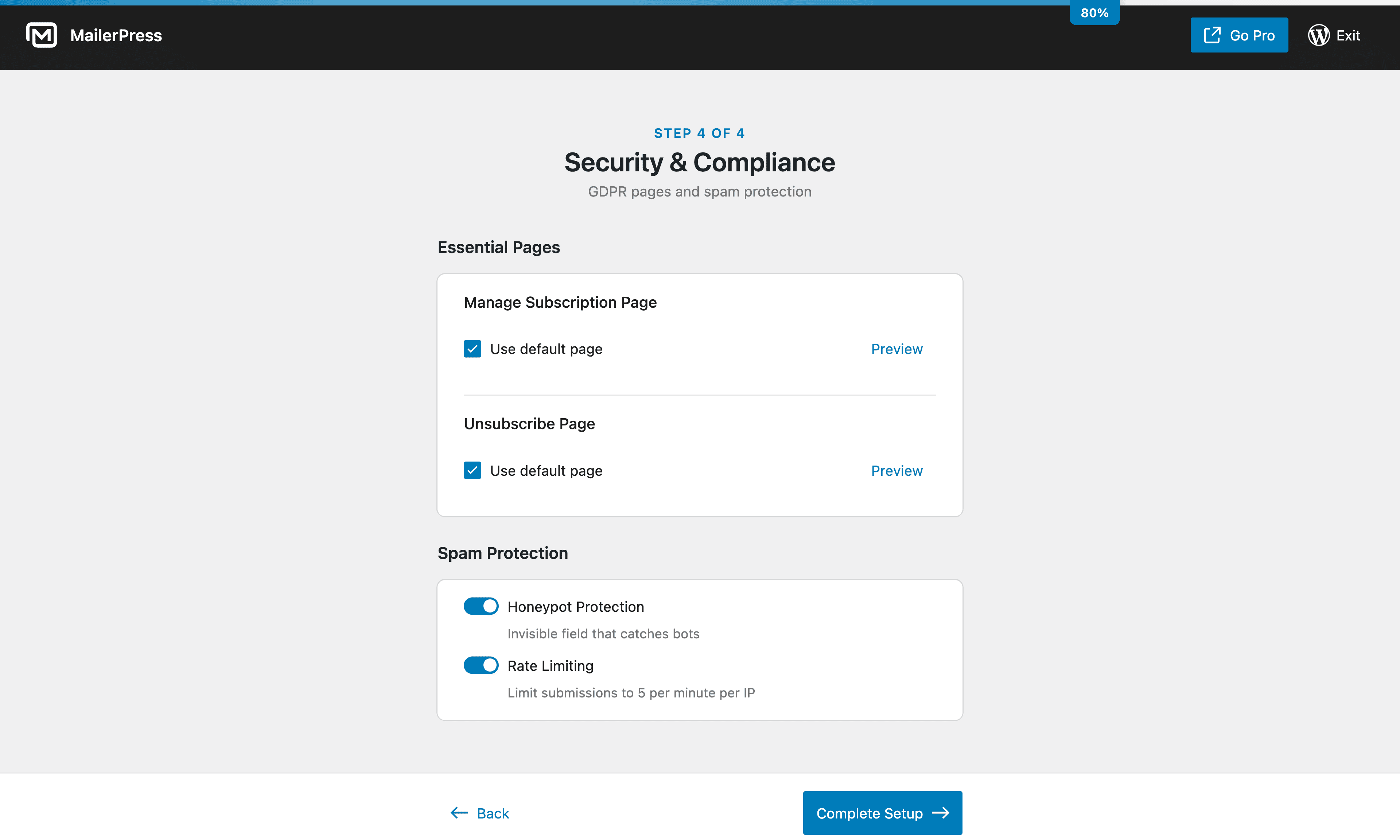
- DSGVO-konformes Abonnenten-Management mit integrierter Abmeldefunktion
E-Mail-Kampagnen und Newsletter-Planung
Versende Newsletters und E-Mail-Kampagnen nach deinem Zeitplan:
- Erstelle E-Mail-Kampagnen und versende sie an deine Abonnentenlisten
- Newsletter für den späteren Versand planen
- Merge-Tags für personalisierte E-Mail-Inhalte (Name des Abonnenten, individuelle Felder und mehr)
- Inhalte aus Beiträgen und Seiten abrufen
- Flexible Nachverfolgung von Klicks und Öffnungen (nachverfolgen, anonymisieren oder deaktivieren)
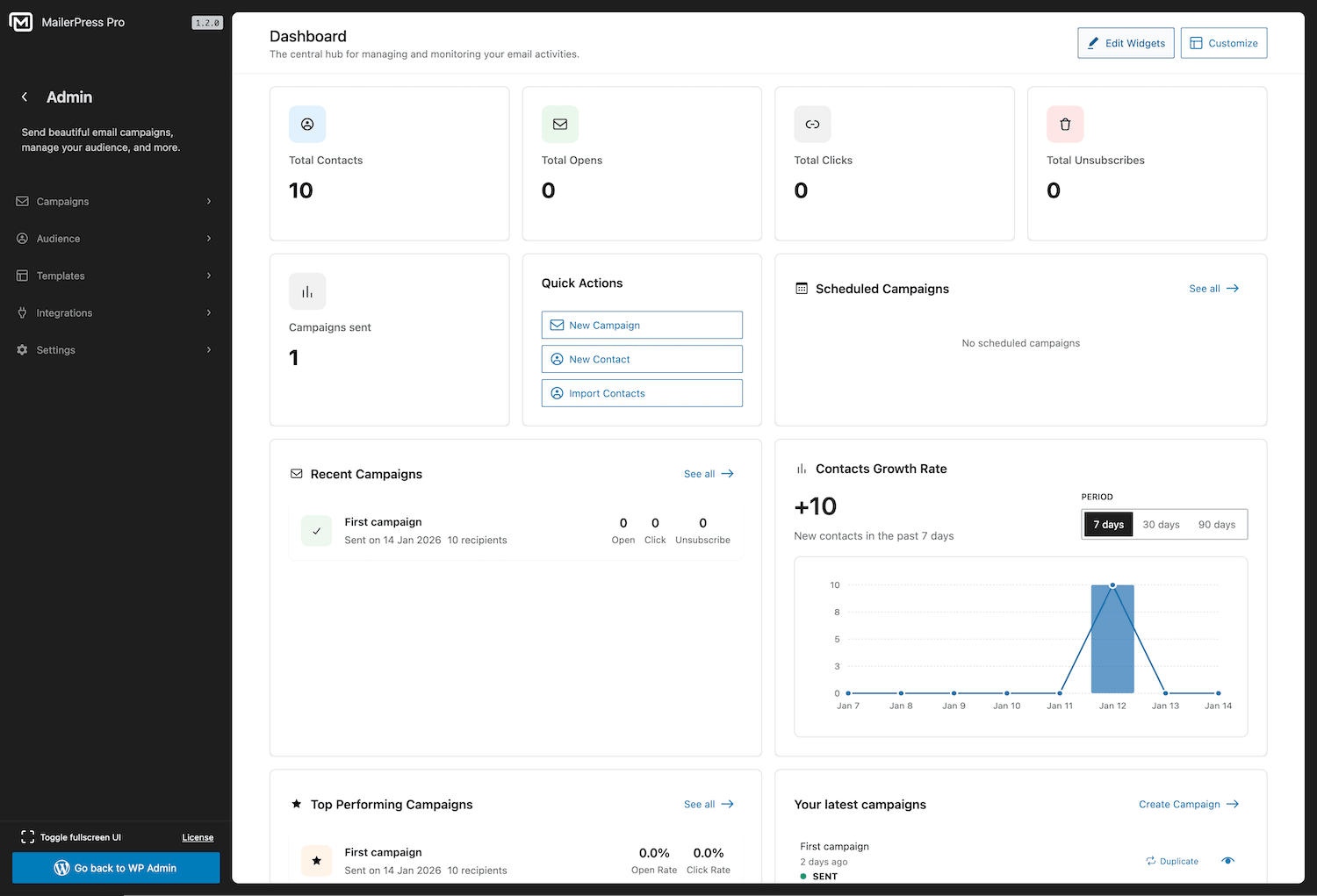
- Detaillierte Kampagnenanalysen und Leistungsberichte
E-Mail-Automatisierung
Automatisiere dein E-Mail-Marketing, um Zeit zu sparen und die Kundenbindung zu stärken:
- Automatische E-Mail-Benachrichtigungen, wenn du neue Inhalte veröffentlichst
- Geplante E-Mail-Kampagnen mit präzisem Zeitplan
- Automatische Folge-E-Mails für die Double-Opt-in-Bestätigung (kostenpflichtiger Tarif erforderlich)
- Leistungsstarke Automatisierungsabläufe mit Auslösern und Bedingungen (kostenpflichtige Version erforderlich)
Unterstützte WordPress-Plugin-Integrationen
Verbinde MailerPress mit beliebten Plugins für Formulare, Page Builders, E-Commerce, Mitgliedersysteme und Automatisierung:
Entdecke alle verfügbaren Integrationen: https://mailerpress.com/integrations/
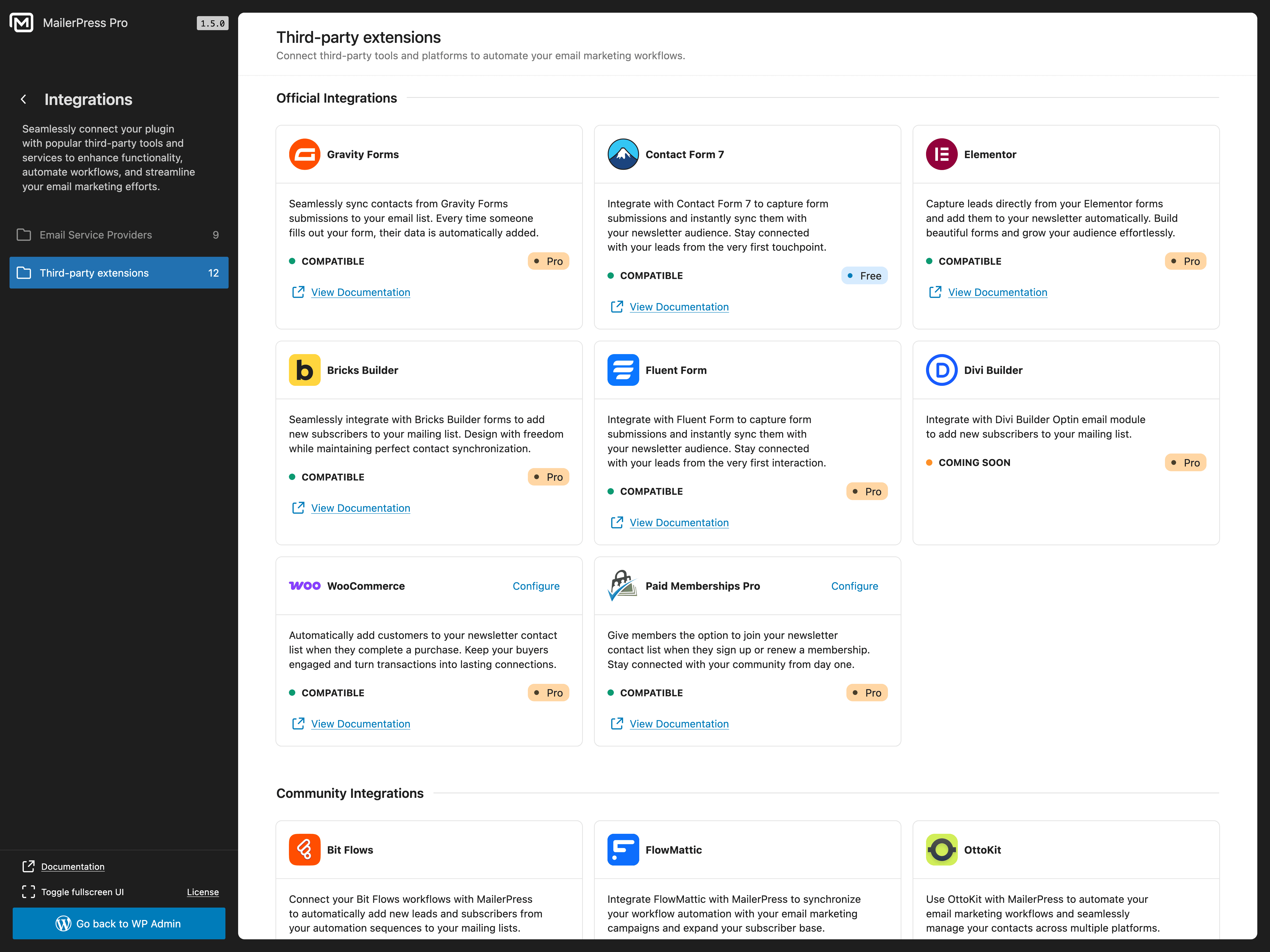
- Contact Form 7 (kostenlos) – Formularfelder, Listen, Schlagwörter, individuelle Felder und Double-Opt-in-Einstellungen zuordnen, um Abonnenten hinzuzufügen
- Gravity Forms (kostenpflichtige Version erforderlich) — Formularübermittlungen zu MailerPress-Listen hinzufügen mit Feldzuordnung
- Fluent Forms (kostenpflichtige Version erforderlich) — Formularübermittlungen erfassen und Abonnentendaten synchronisieren
- Elementor (kostenpflichtige Version erforderlich) — Nutze das MailerPress-Widget und die Formularaktion von Elementor Pro
- Bricks Builder (kostenpflichtige Version erforderlich) — Erstelle Anmeldeformulare mit dem nativen MailerPress-Element
- Divi Builder (kostenpflichtige Version erforderlich) — Verbinde das Divi-E-Mail-Opt-in-Modul mit MailerPress
- WooCommerce (kostenpflichtige Version erforderlich) – Erfasse Anmeldungen beim Bezahlvorgang, verwalte die Einstellungen deiner Abonnenten und passe Transaktions-E-Mails individuell an
- Paid Memberships Pro (kostenpflichtige Version erforderlich) – Sammle Newsletter-Anmeldungen an der Kasse und zeige die Abonnement-Einstellungen in den Mitgliederkonten an
- Advanced Custom Fields / ACF (kostenpflichtige Version erforderlich) — ACF-Inhalte in Query-Blöcken und Kampagneninhalten verwenden
- WordPress-Benutzer (kostenpflichtige Version erforderlich) — WordPress-Benutzerkonten mit MailerPress-Kontakten synchronisieren
Es sind auch Integrationen für die Drittanbieter- Automatisierungen Bit Flows, FlowMattic, OttoKit und SureForms verfügbar. Diese Integrationen werden von den jeweiligen Plugin-Autoren gepflegt, und die Verfügbarkeit der Funktionen kann von deren Plänen abhängen.
WooCommerce-E-Mail-Marketing (kostenpflichtige Version erforderlich)
Verwandle deinen WooCommerce-Shop in eine E-Mail-Marketing-Maschine:
- Gestalte individuelle WooCommerce-Transaktions-E-Mails mit dem Drag-and-Drop-Editor
- Überschreibe die Standard-E-Mails von WooCommerce für Bestellbestätigungen, Versand und Kontoinformationen
- Versende Werbe-E-Mail-Kampagnen an deine Kunden
- Rufe WooCommerce-Produktinhalte direkt in deinen Newslettern ab
- Segmentiere Abonnenten aufgrund ihres Kaufverhaltens
Eingehende und ausgehende Webhooks (kostenpflichtige Version erforderlich)
Verbinde MailerPress mit einem beliebigen externen System:
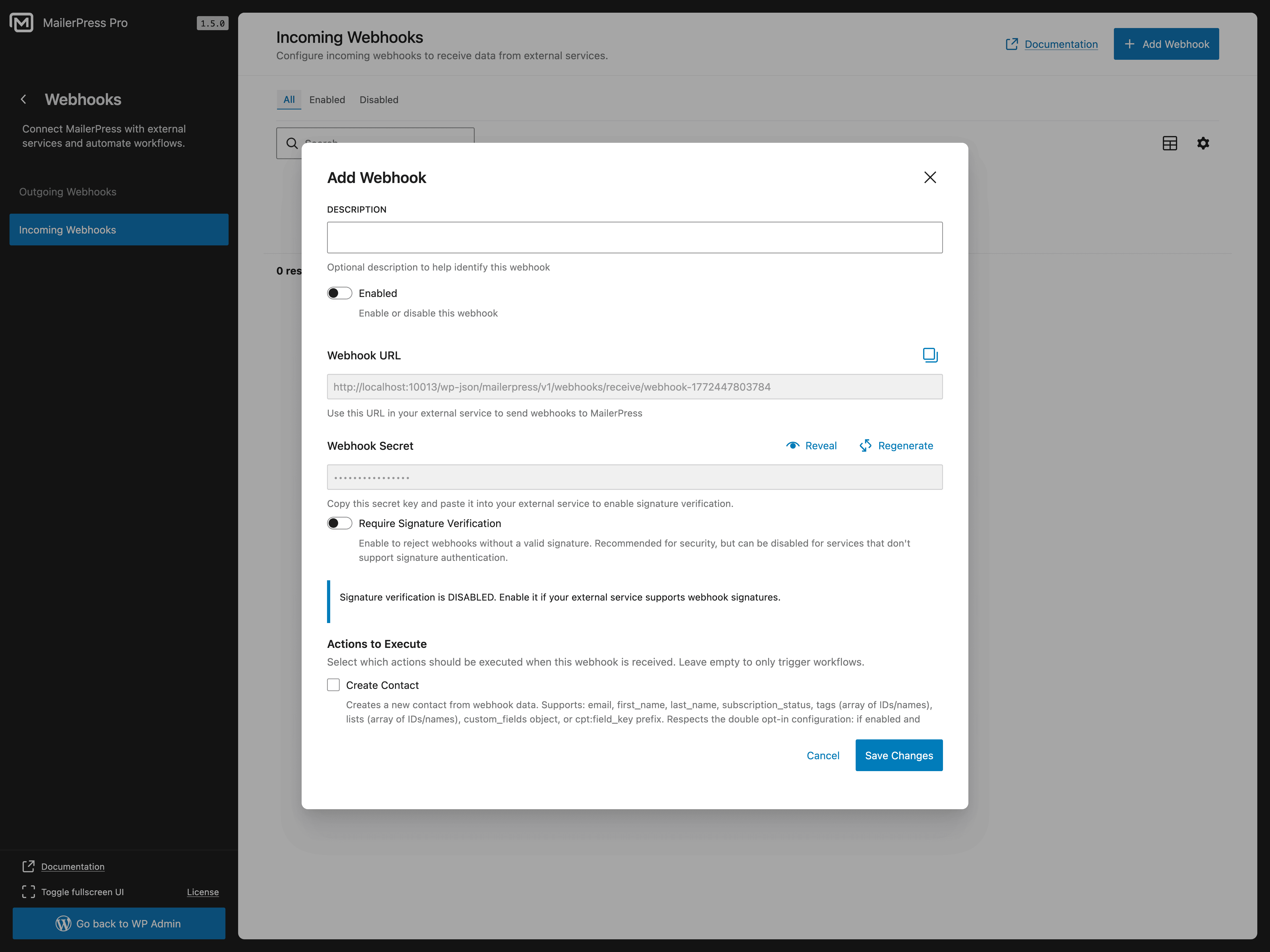
- Eingehende Webhooks zum Hinzufügen von Abonnenten über externe Plattformen
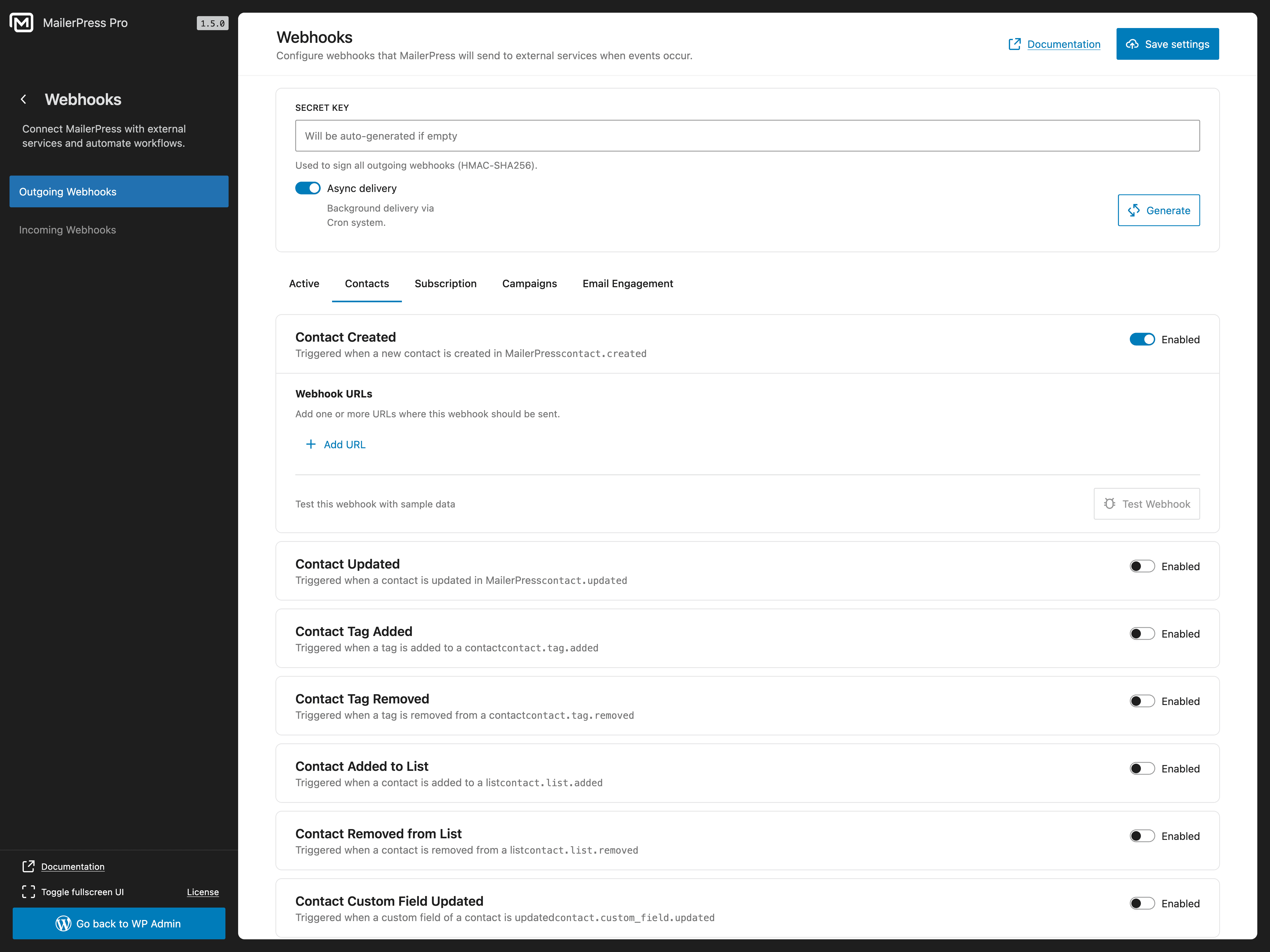
- Ausgehende Webhooks zum Senden von Echtzeit-Ereignissen an Dienste von Drittanbietern
- Erstelle individuelle Integrationen mit deinen bestehenden Tools
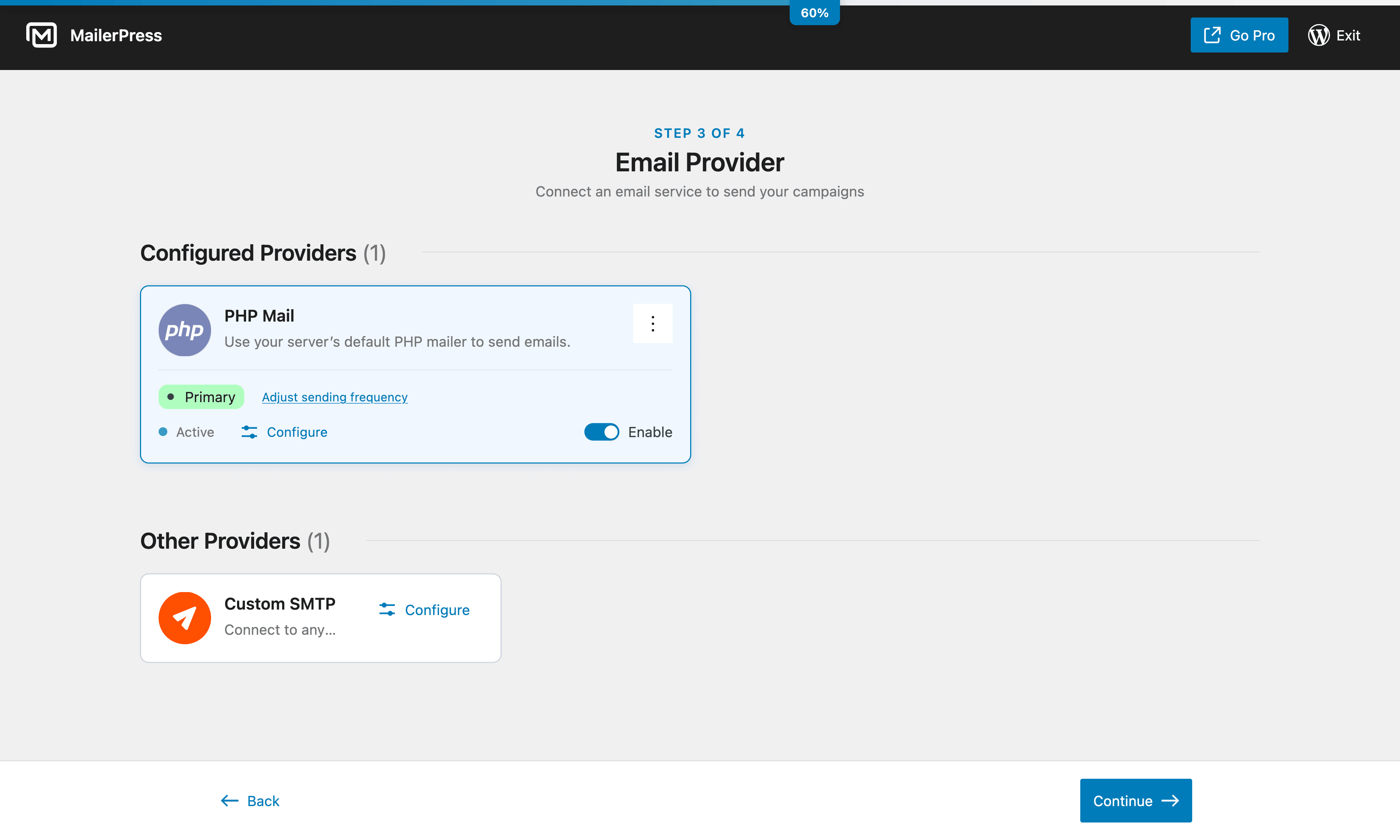
Optionen für den E-Mail-Versand
Versende E-Mails mit deiner bevorzugten Methode:
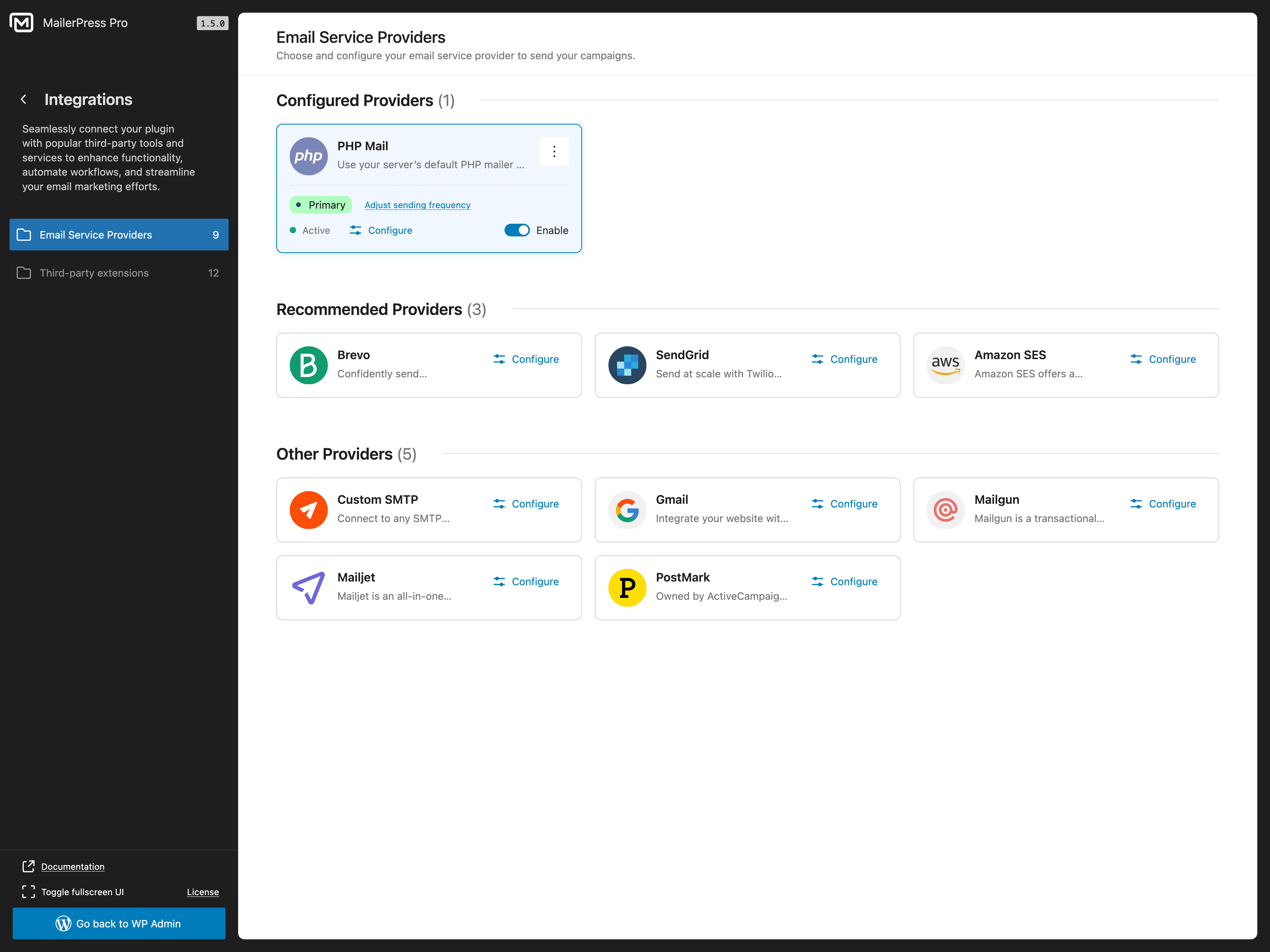
- PHP Mail (Standard – funktioniert ohne Einrichtung)
- Individuelle SMTP-Konfiguration
- Brevo-/Sendinblue-Integration (kostenpflichtige Version erforderlich)
- SendGrid-Integration (kostenpflichtige Version erforderlich)
- Integration von Gmail / Google Workspace (kostenpflichtige Version erforderlich)
- Mailgun-Integration (kostenpflichtige Version erforderlich)
- Mailjet-Integration (kostenpflichtige Version erforderlich)
- Postmark-Integration (kostenpflichtige Version erforderlich)
- Amazon SES-Integration (kostenpflichtige Version erforderlich)
- Integration von Emailit (kostenpflichtige Version erforderlich)
- Integration von SMTP2GO (kostenpflichtige Version erforderlich)
- Integration von Resend (kostenpflichtige Version erforderlich)
- Verwaltung von Bounce-Meldungen über die APIs von E-Mail-Diensten (kostenpflichtige Version erforderlich)
Alle Funktionen der kostenlosen Version
- E-Mail-Editor mit Drag-and-Drop-Funktion, inspiriert vom WordPress-Block-Editor
- Unbegrenzte Anzahl von Abonnenten, Listen, Schlagwörtern und Kampagnen
- Erstellung und Planung von E-Mail-Newslettern
- Anpassbare Anmeldeformulare (Shortcode + Gutenberg-Block)
- Double-Opt-in mit Bestätigungs-E-Mails
- CSV-Import/Export für die Migration von Abonnenten
- Abonnenten-Segmentierung
- Integration von Contact Form 7
- Auswertung von E-Mail-Kampagnen
- Abruf von Beitrags- und Seiteninhalten für Newsletters
- Nachverfolgung von Klicks und Öffnungen (mit Option zur Anonymisierung)
- Merge-Tags zur Personalisierung von E-Mails
- Import von MJML-Templates
- Google Fonts mit lokalem Hosting
- DSGVO-konform mit integrierter Abmeldefunktion
- Selbst gehostet – deine Daten bleiben auf deinem Server
- Vollständige Unterstützung für theme.json und Full Site Editing (FSE)
- Hunderte von Hooks und Filtern für Entwickler
- REST-API für individuelle Integrationen
Funktionen der kostenpflichtigen Version
Wechsle zu MailerPress, um erweiterte E-Mail-Marketing-Funktionen zu nutzen:
- Anpassung von WooCommerce-E-Mails – Gestalte Transaktions-E-Mails (Bestellbestätigung, Versandbenachrichtigung, Konto-E-Mails) mit dem Drag-and-Drop-Editor
- Professioneller E-Mail-Versand — Brevo, SendGrid, Gmail / Google Workspace, Mailgun, Mailjet, Postmark, Amazon SES, Emailit, SMTP2GO, Resend
- KI-gestützte E-Mail-Inhalte – OpenAI, Claude von Anthropic, DeepSeek, Mistral und Google Gemini für die Optimierung von Inhalten und die Erstellung von Bildern
- Leistungsstarke Formularintegrationen — Gravity Forms und Fluent Forms
- Integrationen mit Page Builders — Elementor, Bricks Builder und Divi Builder
- Integration von E-Commerce und Mitgliedersystemen — WooCommerce und Paid Memberships Pro
- Synchronisierung von WordPress-Benutzern – Verknüpfe WordPress-Benutzerkonten mit MailerPress-Kontakten
- Integration von Advanced Custom Fields – ACF-Inhalte in Query-Blöcken und Kampagnen verwenden
- Eingehende und ausgehende Webhooks – Verbinde MailerPress mit externen Apps und Automatisierungsplattformen
- Erweiterte Automatisierungs-Workflows – Auslöser, Bedingungen und verhaltensbasiertes Targeting
- Individuelle Felder und erweiterte Segmente — Abonnenten aufgrund ihres Verhaltens und ihrer Daten ansprechen
- Hochwertige E-Mail-Vorlagen – professionelle Designs, sofort einsatzbereit
- Opt-in-Formulare auf externen Websites einbinden – erweitere deine Liste über WordPress hinaus
- Bounce-Management — automatische Verarbeitung über die APIs des E-Mail-Dienstes
- Automatisierte Nachfass-E-Mails beim Double-Opt-in — noch nicht bestätigte Abonnenten reaktivieren
- White-Label-Optionen — MailerPress-Branding anpassen
- Vorzugs-Support — dedizierter Kundendienst
Entwicklerfreundlich
MailerPress wurde für Entwickler entwickelt, die volle Kontrolle benötigen:
- Hunderte von Hooks und Filtern – passe jeden Aspekt des Plugins individuell an
- REST-API – erstelle individuelle Integrationen und Anwendungen
- MJML-Unterstützung – verwende MJML-Templates für fortschrittliches E-Mail-Design
- React-basierte Architektur – modern, erweiterbar und leistungsstark
Datenschutz & DSGVO
MailerPress ist vollständig DSGVO-konform und legt größten Wert auf Datenschutz. Wir sammeln keinerlei Daten – alles bleibt auf deinem Server. Integrierte Abmeldelinks, Double-Opt-in und Werkzeuge für den Datenexport helfen dir dabei, die Vorschriften einzuhalten. Wenn du E-Mail-Dienste von Drittanbietern nutzt, prüfe bitte deren jeweilige Datenschutzerklärung.
Übersetzungen
MailerPress ist auf Englisch, Französisch, Spanisch, Niederländisch und Arabisch verfügbar. Hilf mit, MailerPress in deine Sprache zu übersetzen.
Vom gleichen Team
Screenshots

Blöcke
Dieses Plugin bietet 4 Blöcke.
- Form Input
- Subscription Form
- Form submit
- Campaign Archive Display a list of sent email campaigns
Installation
- Lade die Plugin-Dateien in das Verzeichnis
/wp-content/plugins/mailerpresshoch oder installiere das Plugin direkt im Plugin-Bereich in WordPress. - Aktiviere das Plugin unter dem Menüpunkt „Plugins“ in WordPress.
- Gehe zum MailerPress-Bildschirm in deinem WordPress-Adminbereich, um loszulegen.
FAQ
-
Ist MailerPress wirklich kostenlos?
-
Ja! MailerPress ist komplett kostenlos und bietet eine unbegrenzte Anzahl von Abonnenten, Verteilerlisten, Schlagwörtern und E-Mail-Kampagnen. Es gibt keine versteckten Einschränkungen. Für erweiterte Integrationen, KI-Funktionen und fortgeschrittene Automatisierung gibt es eine kostenpflichtige Version.
-
Rufe MailerPress in deinem WordPress-Adminbereich auf, klicke auf „Kampagne erstellen“, wähle eine Vorlage aus oder beginne ganz von vorne, und gestalte deinen Newsletter mithilfe des Drag-and-Drop-Editors. Füge deine Abonnentenliste hinzu und versende den Newsletter oder plane den Versand für später.
-
Kann ich meine Abonnenten aus einem anderen E-Mail-Marketing-Plugin importieren?
-
Ja. MailerPress unterstützt den CSV-Import, sodass du Abonnenten aus jedem E-Mail-Marketing-Tool (Mailchimp, MailPoet, Brevo, ConvertKit, ActiveCampaign usw.) exportieren und innerhalb von Sekunden in MailerPress importieren kannst.
-
Welche WordPress-Plugins lassen sich mit MailerPress integrieren?
-
MailerPress unterstützt Plugins für Formulare, Seitenerstellung, E-Commerce, Mitgliedschaften, Inhalte und Automatisierung. Die aktuelle Liste der Integrationen sowie Informationen zur Verfügbarkeit in der kostenlosen und kostenpflichtigen Version findest du im Abschnitt „Unterstützte WordPress-Plugin-Integrationen“ weiter oben.
-
Funktioniert MailerPress mit WooCommerce?
-
Ja. Mit der kostenpflichtigen Version kannst du die Transaktions-E-Mails von WooCommerce (Bestellbestätigung, Versandbenachrichtigung usw.) mithilfe des Drag-and-Drop-Editors individuell anpassen, Werbekampagnen an Kunden versenden und Produktinhalte in deine Newsletter einbetten.
-
Wie füge ich ein Anmeldeformular für Abonnenten zu meiner Website hinzu?
-
MailerPress bietet einen Shortcode und einen Gutenberg-Block für Anmeldeformulare. Der Shortcode funktioniert mit jedem Theme und jedem Page-Builder (Elementor, Bricks, Divi usw.). Du kannst Anmeldeformulare auch auf externen Websites einbetten (erfordert die kostenpflichtige Version).
-
Welche E-Mail-Versanddienste unterstützt MailerPress?
-
Die kostenlose Version unterstützt PHP Mail und individuelles SMTP. Die kostenpflichtige Version bietet zusätzlich Integrationen mit Brevo (Sendinblue), SendGrid, Gmail / Google Workspace, Mailgun, Mailjet, Postmark, Amazon SES, Emailit, SMTP2GO und Resend für einen professionellen E-Mail-Versand.
-
Kann ich mit MailerPress E-Mails automatisieren?
-
Ja. Du kannst E-Mail-Kampagnen für den späteren Versand planen und automatische Benachrichtigungs-E-Mails für neue Beiträge einrichten. In der kostenpflichtigen Version sind auch erweiterte Automatisierungsabläufe mit Auslösern und Bedingungen verfügbar.
-
Ist MailerPress DSGVO-konform?
-
Ja. MailerPress wird selbst gehostet, erfasst keine externen Daten und verfügt über integrierte Abmelde-Links, ein Double-Opt-in-Verfahren sowie Werkzeuge zur Verwaltung der Abonnentendaten, um die vollständige Einhaltung der DSGVO zu gewährleisten.
-
Kann ich automatische E-Mail-Benachrichtigungen zu Beiträgen versenden?
-
Ja. MailerPress kann deinen Abonnenten automatisch E-Mail-Benachrichtigungen senden, wenn du neue Blogbeiträge oder Seiten veröffentlichst.
-
Unterstützt MailerPress das Tracking von E-Mails?
-
Ja. MailerPress kann Klicks und Öffnungen für E-Mail-Kampagnen nachverfolgen. Du kannst wählen, ob du die Nachverfolgung normal, anonym oder gar nicht durchführen möchtest.
-
Wie erhalte ich Unterstützung?
-
Nutzer der kostenlosen Version: Supportforum auf WordPress.org.
Nutzer der kostenpflichtigen Version: Vorzugs-Support über das MailerPress-Kundenportal.
Rezensionen


Mitwirkende und Entwickler
„MailerPress – E-Mail-Marketing, Newsletter, E-Mail-Automatisierung & WooCommerce-E-Mails“ ist Open-Source-Software. Folgende Menschen haben an diesem Plugin mitgewirkt:
Mitwirkende


„MailerPress – E-Mail-Marketing, Newsletter, E-Mail-Automatisierung & WooCommerce-E-Mails“ wurde in 8 Sprachen übersetzt. Danke an die Übersetzer für ihre Mitwirkung.
Interessiert an der Entwicklung?
Durchstöbere den Code, sieh dir das SVN-Repository an oder abonniere das Entwicklungsprotokoll per RSS.
Änderungsprotokoll
2.1 Read the blog post update
- NEW: Conditional Block Display — Personalize email blocks using contact data, engagement, and WooCommerce purchase history.
- NEW: A/B Testing with MailerPress Pro — Test up to five campaign variations and choose a winner based on opens or clicks.
- NEW: Migration Center — Import contacts, lists, tags, and custom fields from MailPoet or Newsletter, plus external email platforms with MailerPress Pro.
- NEW: Contact Engagement — Identify inactive subscribers and send a re-engagement email. MailerPress Pro also lets you resend campaigns to contacts who did not open or click.
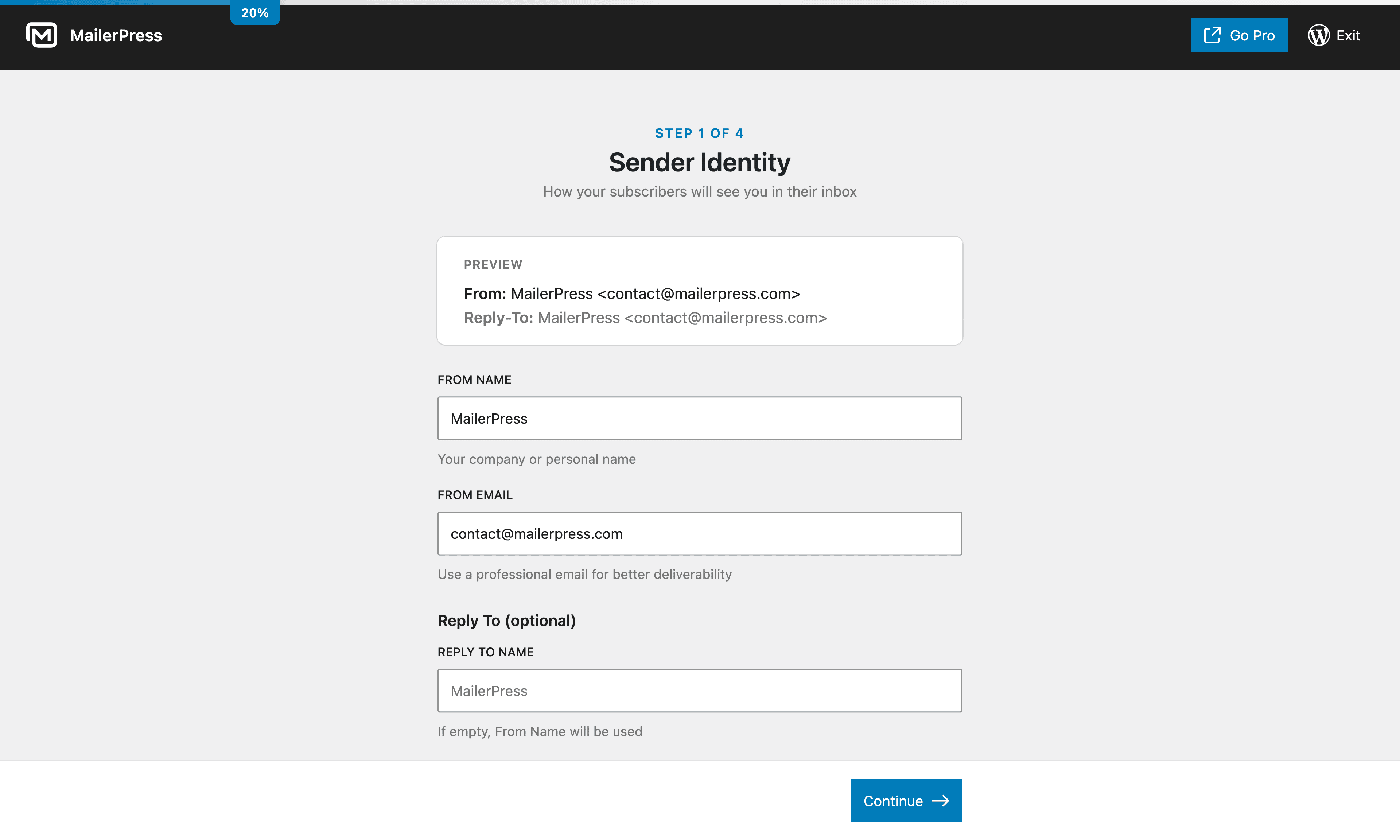
- NEW: Multiple Sender Addresses — Save multiple sender identities and choose one for each campaign.
- NEW: MailerPress Pro integrations for SureCart, FluentCart, Easy Digital Downloads, and Kadence Blocks Advanced Forms.
- NEW: WooCommerce Inactive Customer automation with MailerPress Pro, including ready-made win-back workflows.
- NEW: Access Control with MailerPress Pro — Manage access to MailerPress features by WordPress role.
- NEW: OpenAI image generation and configurable monthly AI usage limits with MailerPress Pro.
- NEW: ToSend and self-hosted Postal delivery support with MailerPress Pro.
- NEW: One-click unsubscribe from compatible inboxes and a Subscription Links block for the email editor.
- NEW: Custom Merge Tags — Register custom personalization tags for campaign and automation content and subjects.
- NEW: Wait Until Date and Load Post Fields automation steps for scheduled journeys and dynamic email content.
- NEW: Automation Goals — Track conversions and advance or pause contacts based on their actions.
- IMPROVEMENT: WordPress user synchronization with MailerPress Pro supports multiple configurations with separate roles, lists, tags, and field mappings.
- IMPROVEMENT: Clearer contact engagement profiles and more precise engagement-based segmentation.
- IMPROVEMENT: Paste content from Word and Google Docs as editable email blocks while preserving compatible formatting and images.
- IMPROVEMENT: Drag content, add columns, and resize columns directly in the email preview.
- IMPROVEMENT: Better theme style compatibility, Post Content formatting controls, and Product Showcase search.
- IMPROVEMENT: Redesigned template library, contextual help panels, and clearer pre-send checks.
- IMPROVEMENT: Campaign click reports include visual heatmaps with MailerPress Pro.
- FIX: Returning subscribers receive a new double opt-in confirmation when required, without duplicate pending emails.
- FIX: Prevent duplicate campaign sends and scheduling, improve cancellation cleanup, and preserve sender selections.
- FIX: Resolve duplicate automation triggers and authentication issues affecting protected API endpoints.
- FIX: Improve emoji support, background image preservation, default font rendering, and conditional content consistency.
- FIX: Public campaign previews preserve branding and hide recipient-only subscription links.
- FIX: Resolve email editor drag-and-drop, empty-column deletion, and layout control issues.
- SECURITY: Strengthen validation and sanitization of pasted content and images.