
Beschreibung
This plugin has 4 types of Popups.
-
Image only : Here you can set an image and give a hyper-link to the image. For example if there is an offer on e-commerce website, you can upload the offer image and give the link to that page.
-
Ask a Question : This pop-up helps you to get some feedback from clients. For example if you want to ask any question to user, you can simply set the question and when user fills the form. An email will be shot to your email-id which has been set in Pop Dashboard.
-
Text Only : This pop-up helps you to show some static information on the website. For example there is a news website and they want to show the latest news on a pop-up.
They can use this and show the news in the pop-up. As well as they can give a hyper-link to the particular news. -
Custom Form : This pop-up is basically used to get information from the user. By default it has Name, Mobile, Email, Message fields in the form. But this feature has been extended by making it work with the Custom form 7 plugin short-code. You can simply set the short-code of the contact form 7 plugin and the form will be displayed in the pop-up.
Note : If you use contact form 7 short code you need to make changes in the CSS code.
Screenshots

Dashboard – By default the popcorn is disabled, so in order to activate the popup just click on Activate radio button and save the changes. Select any type of popup amongst the 4 listed radio button, to show it on Pages.

Image Only – Here you can set an image and give a hyper-link to the image. For example if there is an offer on e-commerce website, you can upload the offer image and give the link to that page.

Ask a Question – This pop-up helps you to get some feedback from clients. For example if you want to ask any question to user, you can simply set the question and when user fills the form. An email will be shot to your email-id which has been set in Pop Dashboard.

Text Only – This pop-up helps you to show some static information on the website. For example there is a news website and they want to show the latest news on a pop-up. They can use this and show the news in the pop-up. As well as they can give a hyper-link to the particular news.
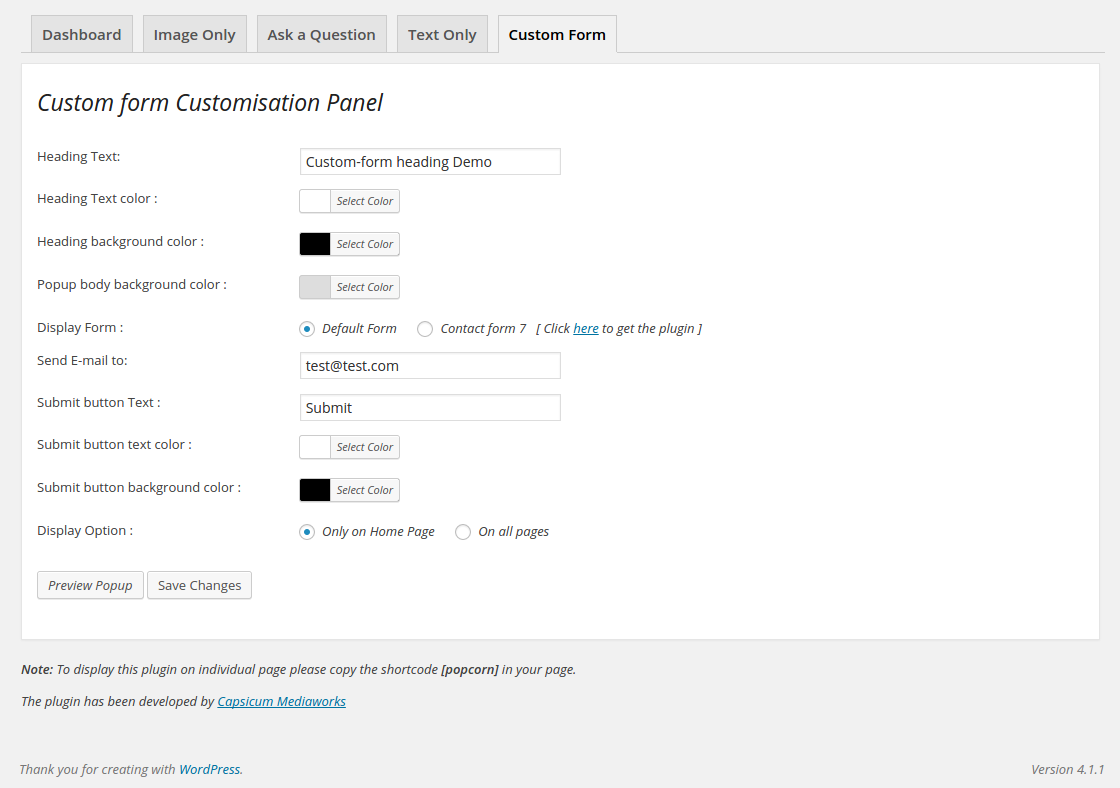
Custom Form – This pop-up is basically used to get information from the user. By default it has Name, Mobile, Email, Message fields in the form. But this feature has been extended by making it work with the Custom form 7 plugin short-code. You can simply set the short-code of the contact form 7 plugin and the form will be displayed in the pop-up. Note : If you use contact form 7 short code you need to make changes in the CSS code.

Front end Image Only Popup

Front end Ask a Question Popup

Front end Text Only Popup
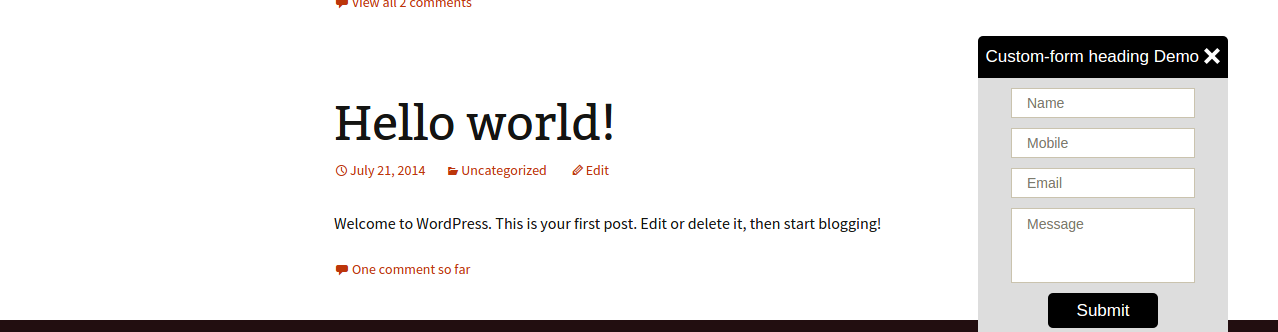
Front end Custom Form Popup
Installation
- Upload the whole ‚popcorn‘ folder to the /wp-content/plugins/ directory.
- Activate the plugin through the Plugins menu in WordPress.
- In page use the shortcode [popcorn] to create a popcorn link.
- Go to the popcorn dashboard page to select the popcorn you want to activate.
- There are individual dashboards form \’Image only\‘, \’Ask a Question\‘, \’Text Only\‘, \’Custom Form\‘. Make changes as per your need
FAQ
- What is popcorn ?
-
Popcorn name is familiar to popups which we see on the websites. Since it has different types of popups the name has been kept as Popcorn.
- Why Popcorn ?
-
This WP Popcorn Plugin helps the Administrator in various ways. Admin can activate any one of the following features.
1. Image Only
2.Ask a Question
3.Text Only
4.Custom Form
Rezensionen


Mitwirkende und Entwickler
„Popcorn“ ist Open-Source-Software. Folgende Menschen haben an diesem Plugin mitgewirkt:
Mitwirkende

Übersetze „Popcorn“ in deine Sprache.
Interessiert an der Entwicklung?
Durchstöbere den Code, sieh dir das SVN-Repository an oder abonniere das Entwicklungsprotokoll per RSS.
Änderungsprotokoll
1.0
*First public release
1.0.1
*Fixed some minor bugs.
1.0.2
*Resolved Admin Css conficting with Popcorn CSS