WordPress.org

Deutsch

  • Themes
  • Plugins
  • News
  • Support
  • Über
    • Learn WordPress
    • Documentation (en)
    • Foren
    • Developers (en)
    • WordPress.tv
  • Meetups
  • Mitmachen
  • FAQ
  • Hol dir WordPress
Hol dir WordPress
WordPress.org

Plugin Directory

Protect WP Admin

  • Ein Plugin einreichen
  • Meine Favoriten
  • Anmelden
  • Ein Plugin einreichen
  • Meine Favoriten
  • Anmelden

Protect WP Admin

Von WP-EXPERTS.IN
Herunterladen
  • Details
  • Rezensionen
  • Installation
  • Entwicklung
Support

Beschreibung

Protect WP Admin adds an extra security layer to your WP site by allowing you to rename and secure the wp-admin and wp-login.php URLs.

  • Change default admin URL (e.g., /wp-admin to /myadmin)
  • Restrict access to dashboard by roles or specific user IDs
  • Customize login page colors and logo
  • Block access to default login URLs

Stop bots and hackers from brute-forcing your login page. This plugin is ideal for any site looking to increase login security without modifying core files.

Video Demo:
https://youtu.be/Mxr2MLDNACE

Pro Add-on Available:
Click here to download add-on

Funktionen

  • Define Custom WP Admin Login URL (e.g., http://yourdomain.com/myadmin)
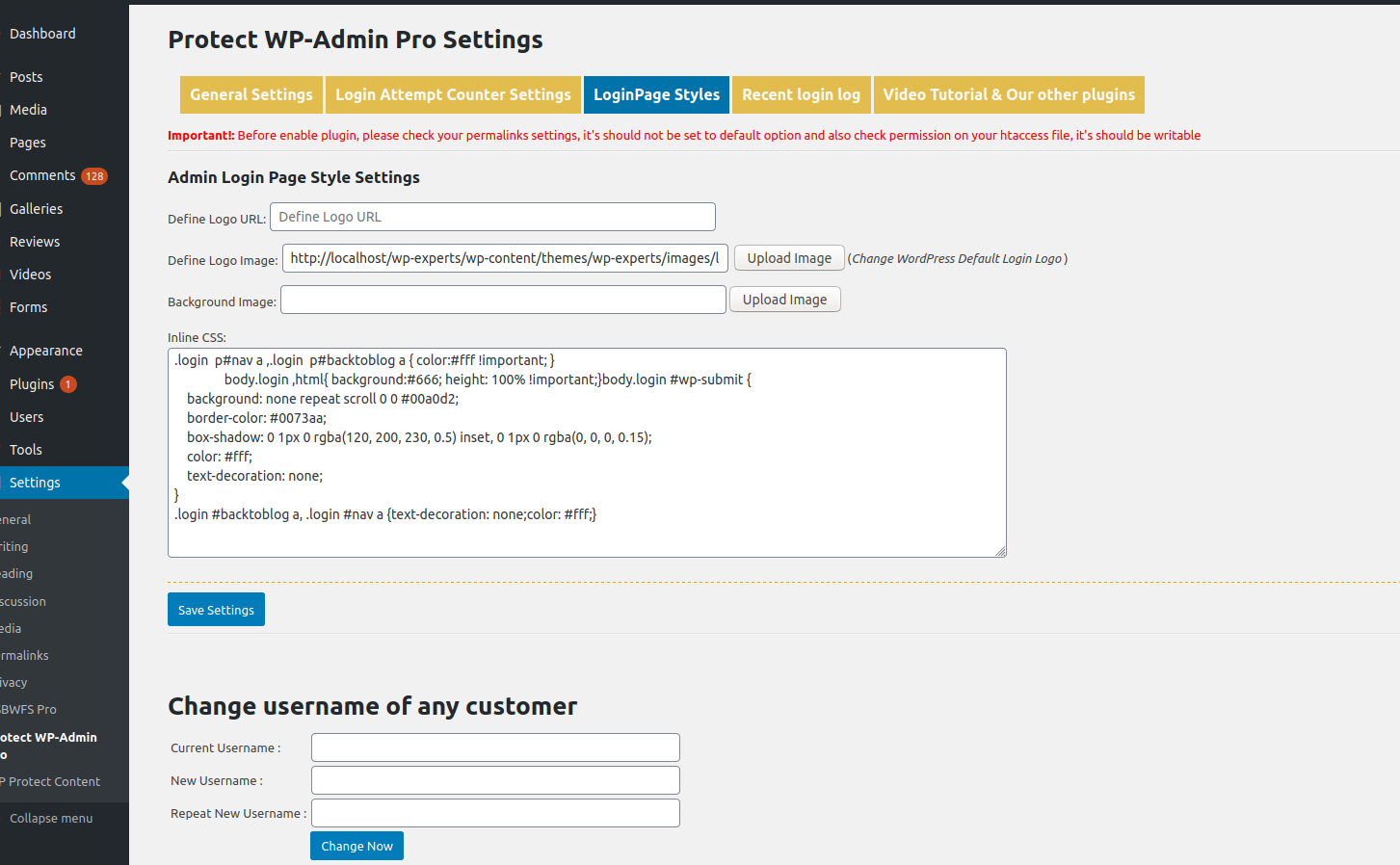
  • Add custom logo and styling to login page
  • Restrict wp-admin access to only admin or defined user IDs
  • Redirect all unauthorized users and bots

Pro Features

  • Rename wp-admin completely
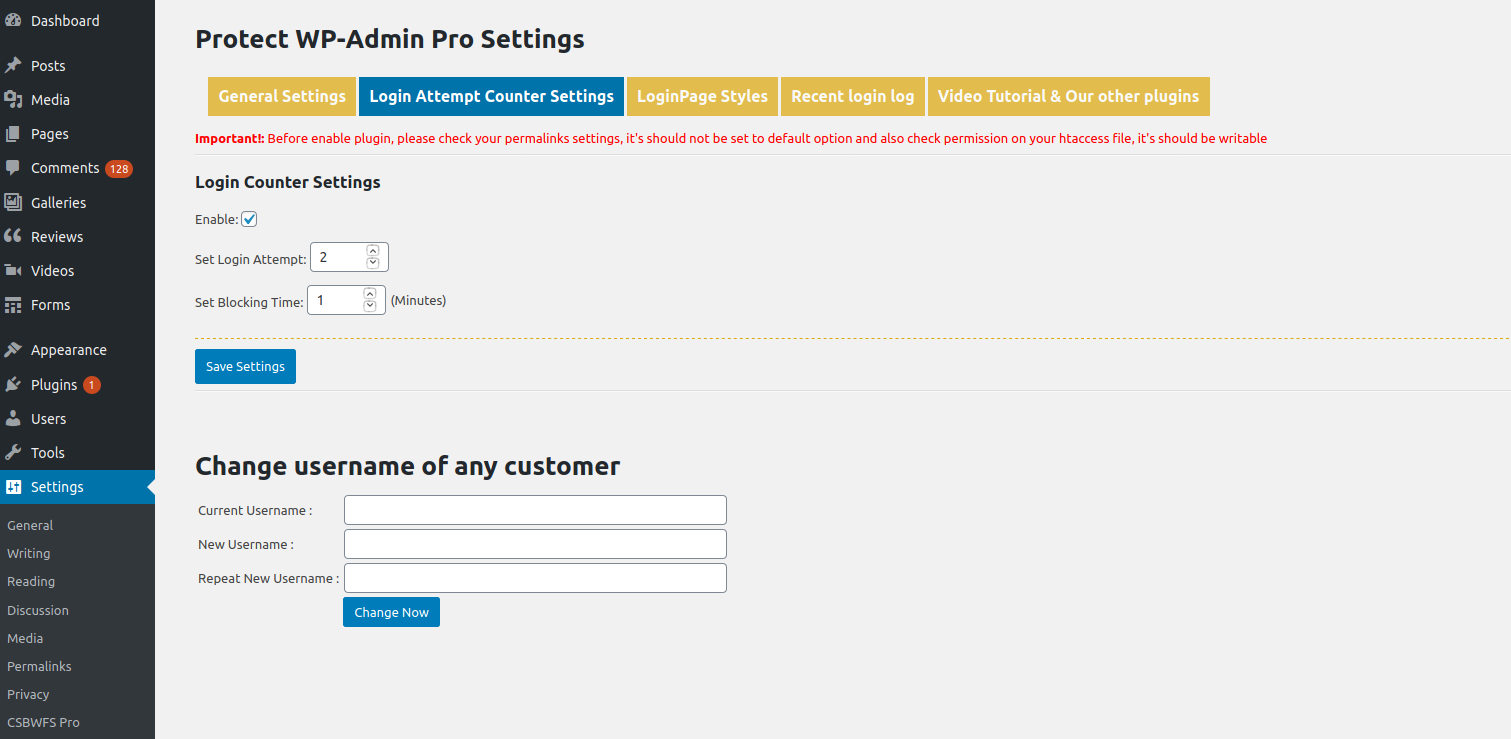
  • Set login attempt limits
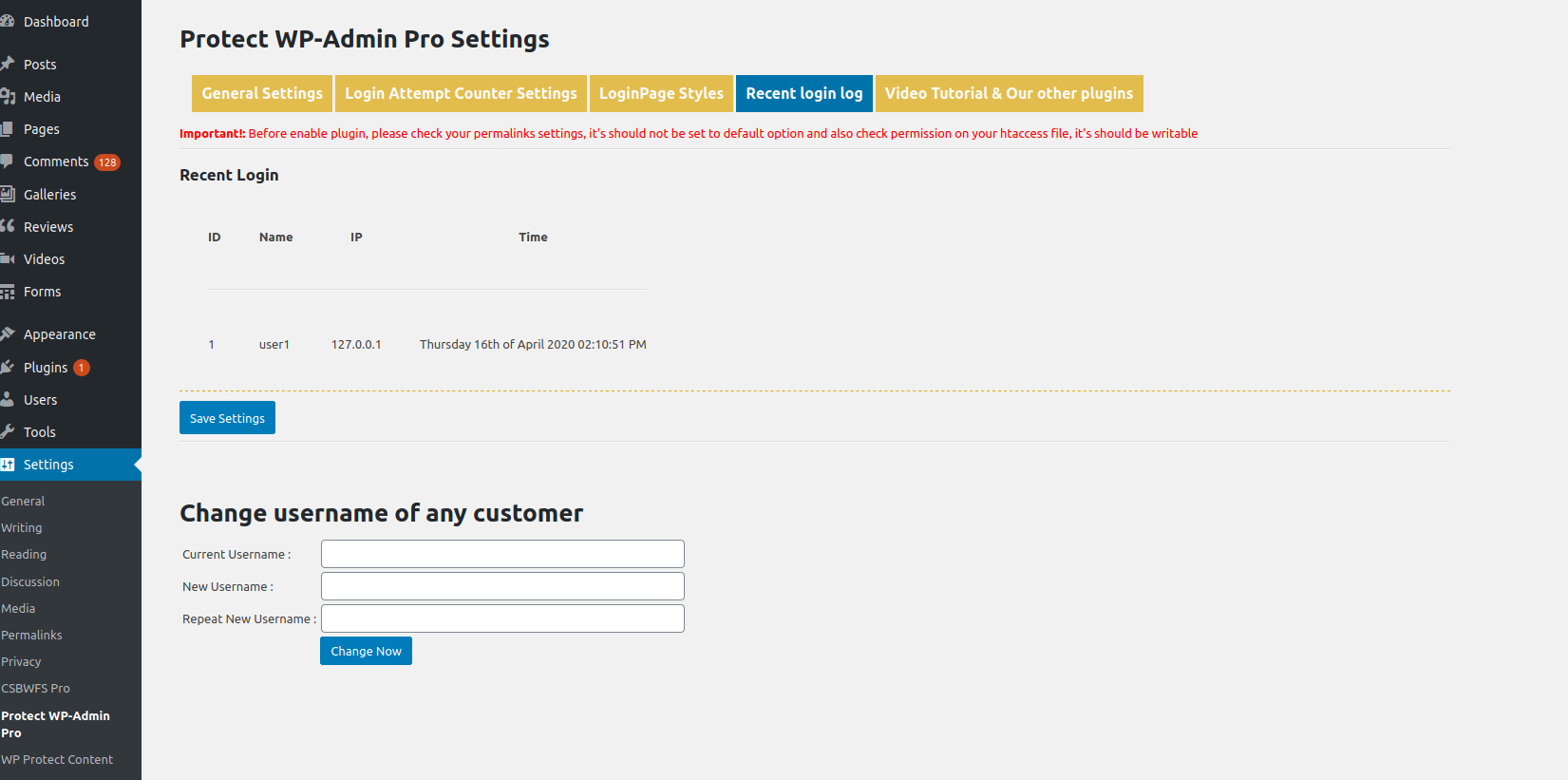
  • Track login history
  • Change usernames
  • More style controls

Get the Pro Version:
Protect WP Admin Pro

License

This plugin is licensed under the GPLv2 or later.
https://www.gnu.org/licenses/gpl-2.0.html

Screenshots

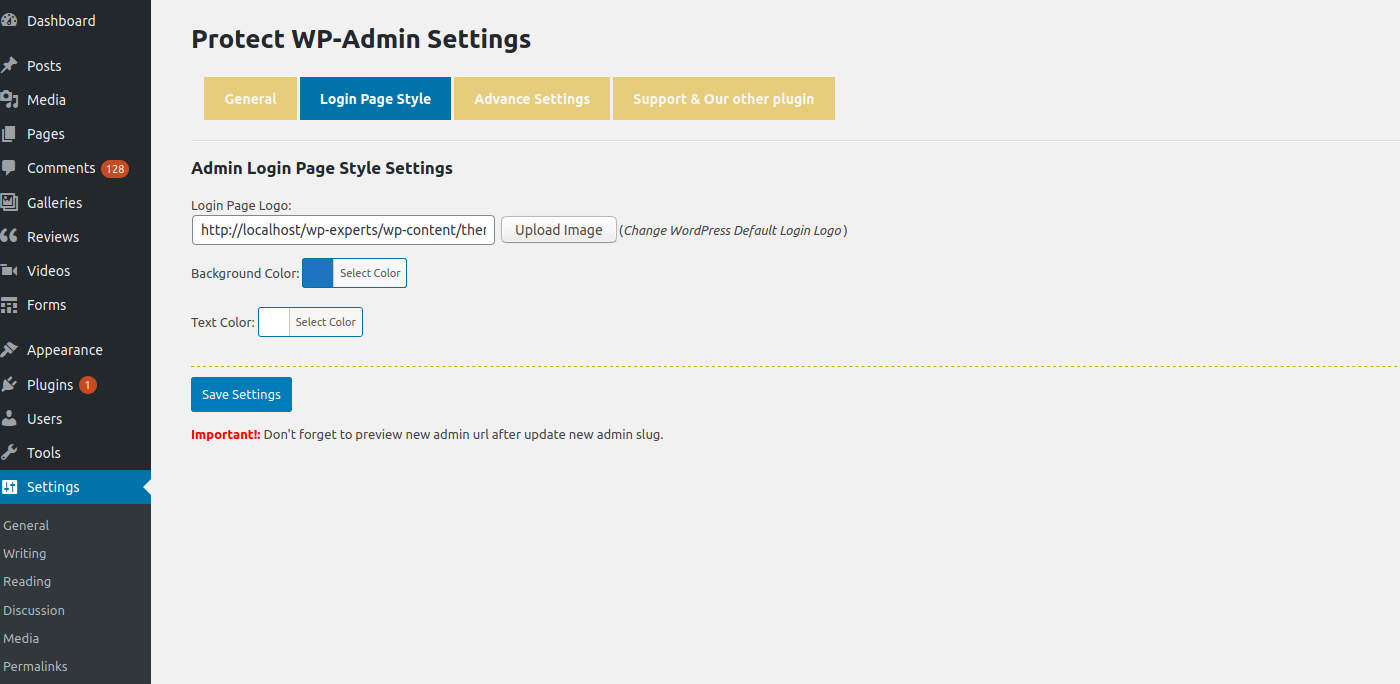
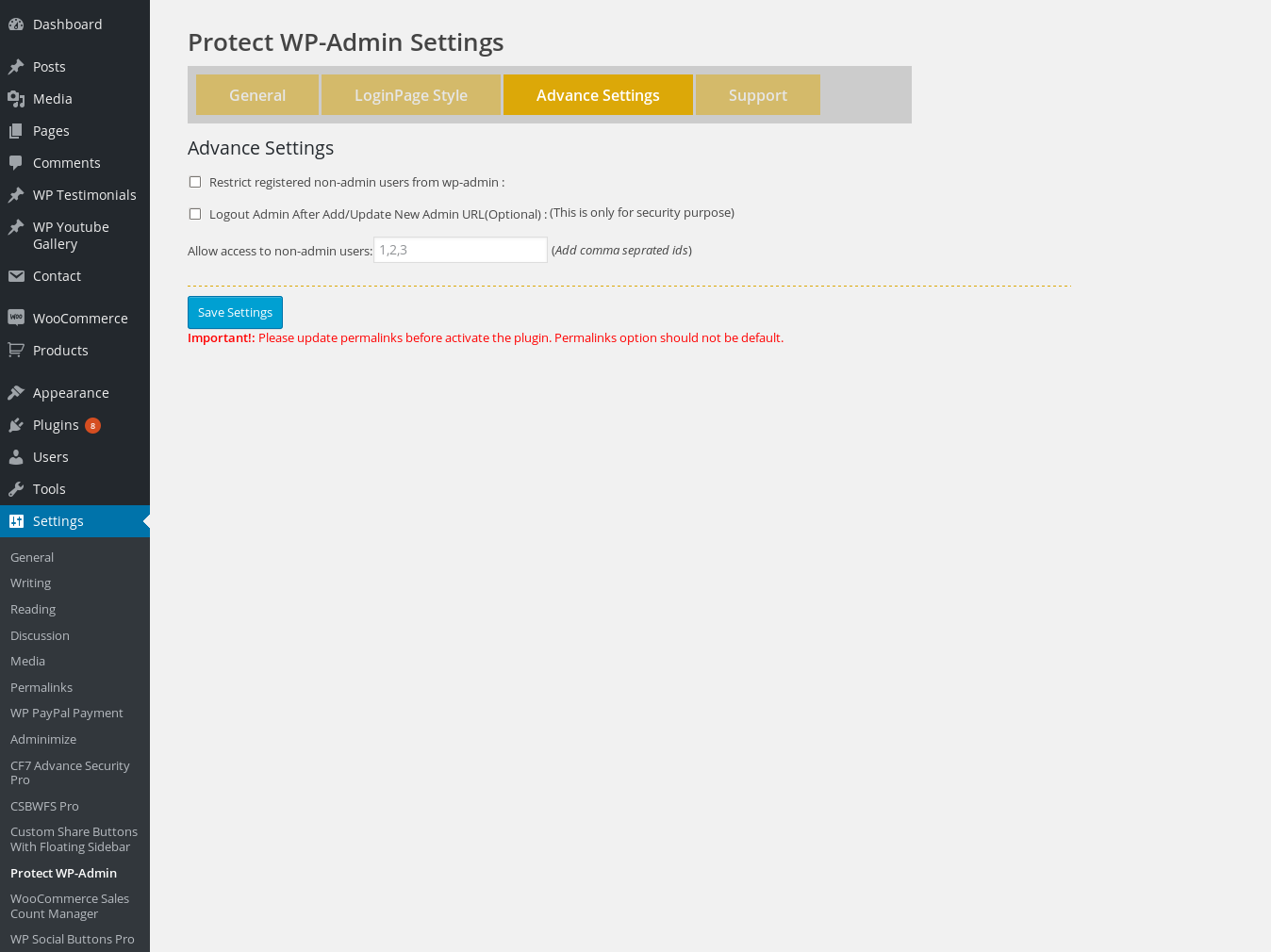
  • Settings Panel
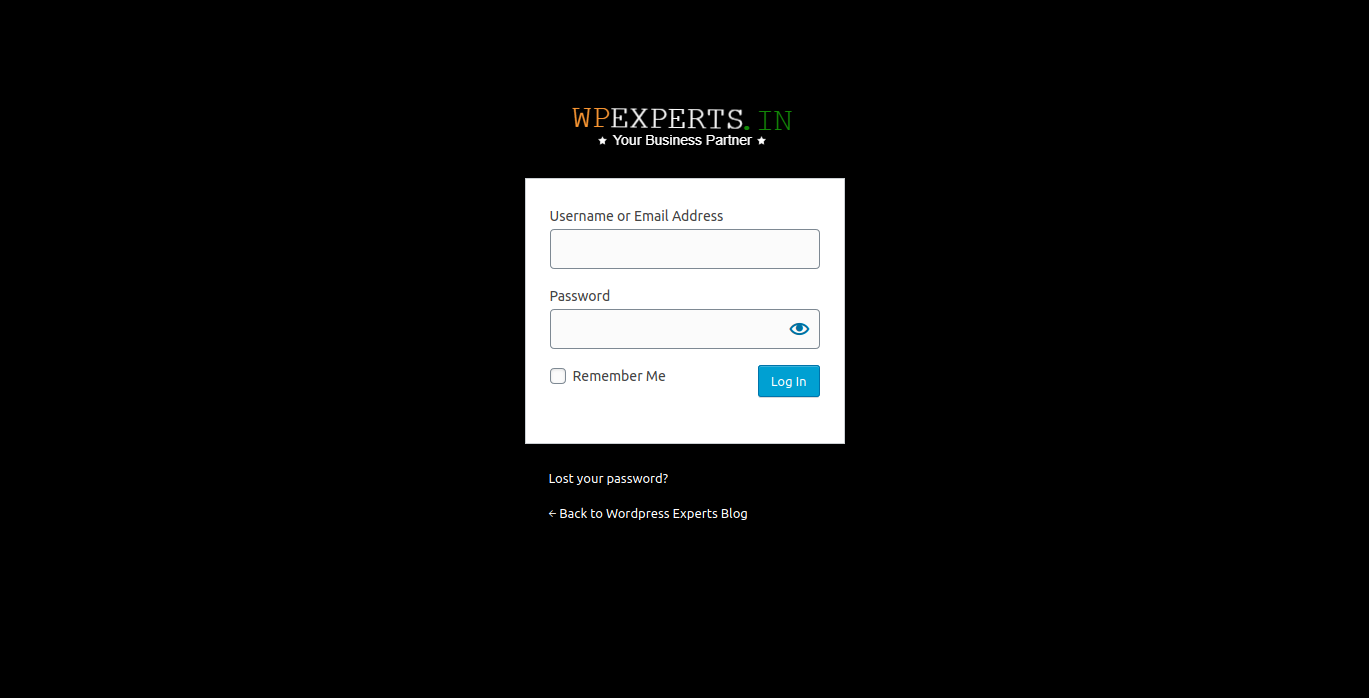
  • Login Customization
  • Restriction Settings
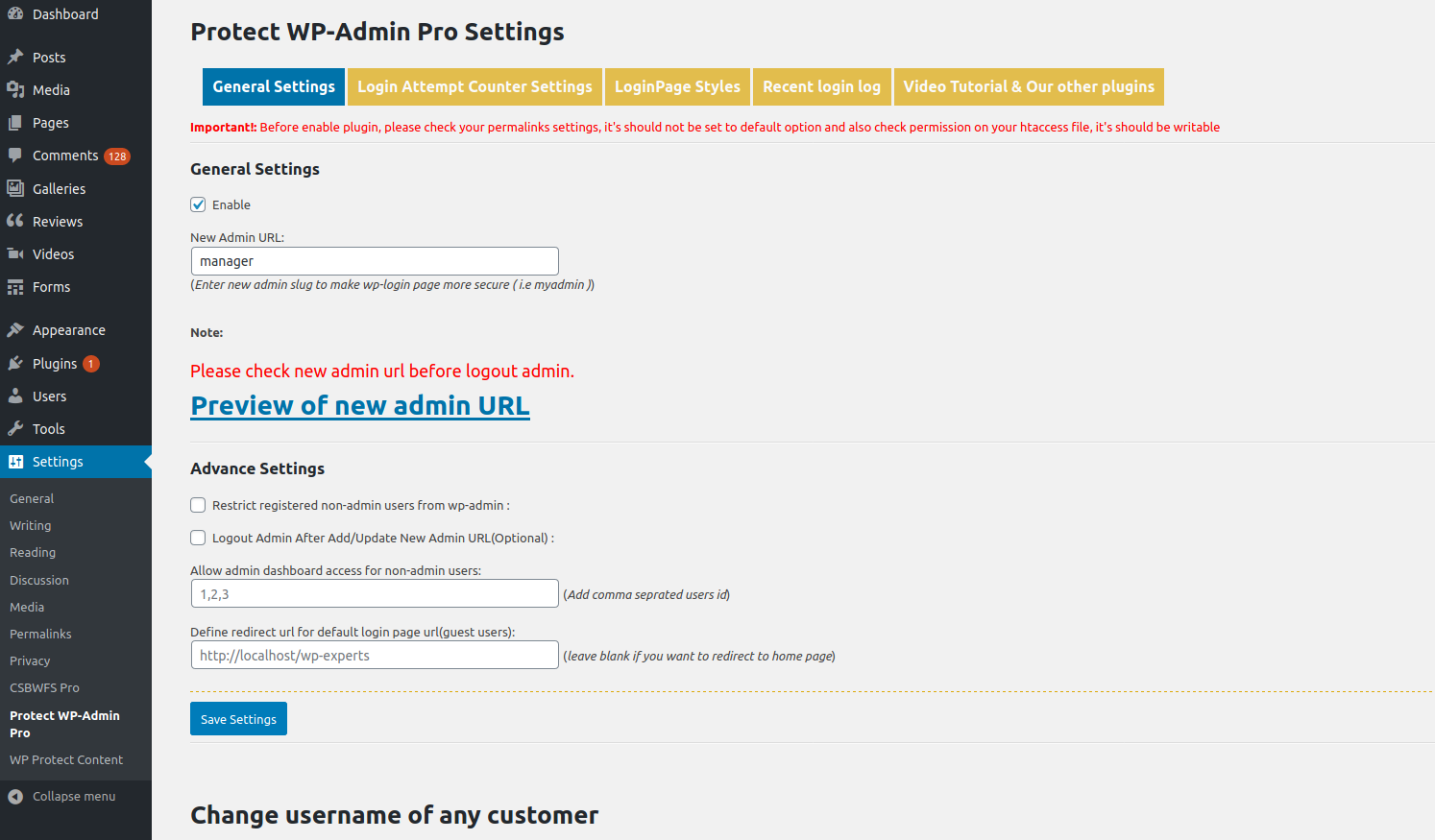
  • Pro Funktionen Preview
  • Login Tracker (Pro)

Installation

  1. Upload the plugin folder to /wp-content/plugins/
  2. Activate the plugin via the Plugins screen
  3. Go to Settings > Protect WP Admin to configure the plugin
  4. Update permalink structure under Settings > Permalinks (important!)

FAQ

I’m locked out of admin. What can I do?

Rename the plugin folder via FTP (e.g., /protect-wp-admin to /pwa-disabled). This disables the plugin.

I see a 404 page at the new login URL

Ensure your .htaccess is writable and permalinks are not set to „Plain.“

Can I restrict users by role?

Yes. Only administrators or allowed user IDs will have wp-admin access if enabled.

Does it work with custom themes?

Yes. It works independently of your theme.

Does it block brute force attacks?

It blocks access to the default login URLs, which stops many automated attacks.

Rezensionen

Simple Its all done.

truekandyan 17. Juli 2021
Thank you for giving us Simple and Amazing plugin. Please check Login form customizing is not working. Hide wp-admin is working good. Thanks again.

A loophole has been found by hackers

samuel 3. Mai 2021
A loophole has been found by hackers. My websites have been attacked by login brute-force thousands times everyday. Hackers could access wp-login.php directly when Protect-wp-admin was enabled. I try disabling the file access to wp-login.php in .htaccess but it also disable accessing the login page via the URL defined in Protect-wp-admin. Finally, it makes this plugin useless.

Plugin created a redirect loop after WordPress version update

elasticio 1. März 2021
After updating the Wordpress version to 5.6, none of my team could log in any longer. Both URLs, the one created through the plugin and the original wp-admin link, kept redirecting to the Homepage. I had to deactivated all the plugins via MyPHPAdmin to get back the control of our website. This plugin was the first I reactivated and I could immediately replicate the issue. This is imho not acceptable.

Works perfect & Awesome support

ichmirmich 21. Januar 2021
The plugin works as expected and after a recent WP update, it didn’t work anymore. contacted the support and they helped me out super quick.

NOT compatible with WP 5.6

bsp7744 11. Januar 2021 2 Antworten
Junk, do not use. Updated to Wordpress 5.6 and I am now locked out of ALL my websites. Avoid at all costs.

Cannot login

pivonka1975 10. Dezember 2020 1 Antwort
Cannot log in today after WordPress 5.6 renewal, have to disable this plugin via FTP. Bad experience!
Alle 50 Rezensionen lesen

Mitwirkende und Entwickler

„Protect WP Admin“ ist Open-Source-Software. Folgende Menschen haben an diesem Plugin mitgewirkt:

Mitwirkende
  • WP-EXPERTS.IN
  • WP-EXPERTS.IN

„Protect WP Admin“ wurde in 1 Sprache übersetzt. Danke an die Übersetzenden für ihre Mitwirkung.

Übersetze „Protect WP Admin“ in deine Sprache.

Interessiert an der Entwicklung?

Durchstöbere den Code, sieh dir das SVN Repository an oder abonniere das Entwicklungsprotokoll per RSS.

Änderungsprotokoll

4.0

  • Fixed major bug
  • Tested with WordPress 6.6.2

3.8

  • Security updates
  • Tested with WordPress 5.9.3

3.7

  • Fixed URL issue
  • Code optimization

3.6

  • Optimized code and security
  • Tested with WordPress 5.8.2

3.5

  • Resolved double slash issue in login URL

3.4

  • Added admin bar restriction for non-admin users

3.3

  • Fixed login page not found when installed in subdirectory
  • Released Add-on v2.0

3.0 – 1.0

  • Initial stable releases with improvements and bug fixes

Meta

  • Version 4.1
  • Zuletzt aktualisiert vor 4 Monaten
  • Aktive Installationen 10.000+
  • WordPress-Version 6.0 oder höher
  • Getestet bis 6.8.3
  • Sprachen

    English (US) und Swedish.

    Übersetze in deine Sprache

  • Schlagwörter
    admin urlprotect adminsecure adminsecure login
  • Erweiterte Ansicht

Bewertungen

3.6 von 5 Sternen.
  • 28 5-Sterne-Rezensionen 5 Sterne 28
  • 5 4-Sterne-Rezensionen 4 Sterne 5
  • 0 3-Sterne-Rezensionen 3 Sterne 0
  • 1 2-Sterne-Rezension 2 Sterne 1
  • 16 1-Sterne-Rezensionen 1 Stern 16

Meine Rezension hinzufügen

Alle Rezensionen anzeigen

Mitwirkende

  • WP-EXPERTS.IN
  • WP-EXPERTS.IN

Support

Möchtest du etwas mitteilen? Brauchst du Unterstützung?

Support-Forum anzeigen

Spenden

Möchtest du die Weiterentwicklung dieses Plugins unterstützen?

Für dieses Plugin spenden

  • Über
  • News
  • Hosting (engl.)
  • Datenschutz
  • Showcase (engl.)
  • Themes
  • Plugins
  • Vorlagen
  • Learn
  • Support
  • Entwicklung (engl.)
  • WordPress.tv ↗
  • Mitwirken (engl.)
  • Veranstaltungen
  • Spenden (engl.) ↗
  • Five for the Future (engl.)
  • WordPress.com ↗
  • Matt (engl.) ↗
  • bbPress (engl.) ↗
  • BuddyPress (engl.) ↗
WordPress.org
WordPress.org

Deutsch

  • Das X-Konto (früher Twitter) von WordPress.org besuchen
  • Das Bluesky-Konto von WordPress.org besuchen
  • Das Mastodon-Konto von WordPress.org besuchen
  • Das Threads-Konto von WordPress.org besuchen
  • Die Facebook-Seite von WordPress.org besuchen
  • Das Instagram-Konto von WordPress.org besuchen
  • Das LinkedIn-Konto von WordPress.org besuchen
  • Das TikTok-Konto von WordPress.org besuchen
  • Den YouTube-Kanal von WordPress.org besuchen
  • Das Tumblr-Konto von WordPress.org besuchen
Code ist Poesie.