

Beschreibung
Shortcodes Finder helps you to:
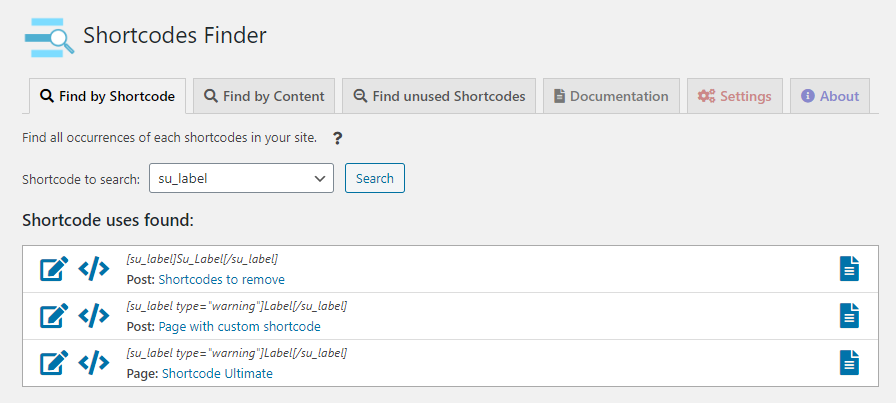
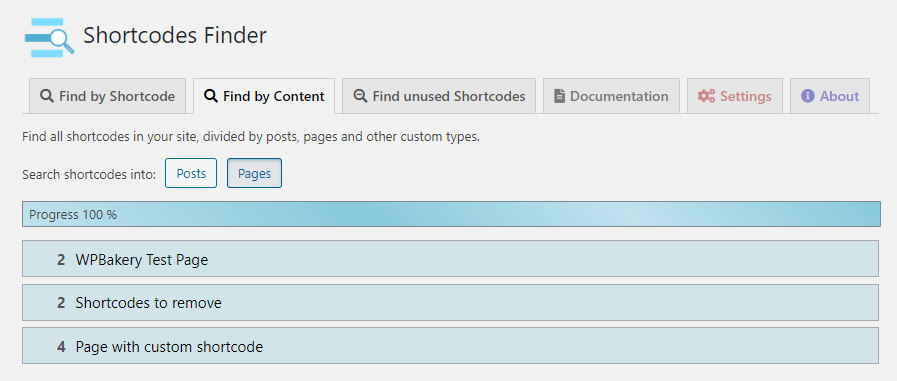
* Find every shortcode (by tag or content type) present in your WordPress posts, pages and custom type contents
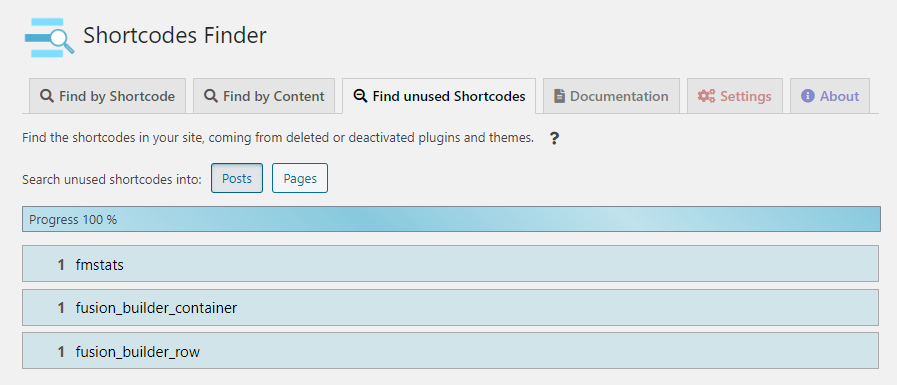
* Search unused shortcodes
* Disable active or unused/orphan shortcodes
* Test your shortcodes before use them in your website
* Search shortcode in all multisite network contents
Screenshots


Installation
Über dein WordPress-Dashboard
- Visit ‘Plugins > Add New’
- Search for ‘Shortcodes Finder’
- Activate the plugin from your Plugins page.
Von WordPress.org
- Download Shortcodes Finder zip file
- Unzip it
- Upload the unzipped directory to your ‘/wp-content/plugins/’ directory
- Activate the plugin from your Plugins page.
Rezensionen

11. März 2025
Installed. Found the shortcodes I was looking for. Nice work! Thanks Scribit.

8. August 2024
1 Antwort
Clean, attractive user interface. Quite fast even on my Windows sandbox. Found every instance of every shortcode, including the one I was looking for 🙂
To use the „Find by Shortcode“ option, I needed to increase PHP’s memory_limit to 1G, but that is not a problem.

27. Juli 2024
1 Antwort
I use a lot of shortcodes, some of which I author myself. I just loaded [Shortcodes Finder ]and voila, here are all of my site’s shortcodes, which can be handily filtered if desired. The finder also lists other important and salient information about each short code. I’m definitely going to throw some $ in the author’s direction. Well worth it.

7. April 2024
1 Antwort
Help me a lot to find the shortcode in the theme which was not customizable by any builder.
but by finding the shortcode in theme files i was able to customize as i want to

29. Januar 2024
1 Antwort
Very clean and useful plugin. Thanks you!

27. Januar 2024
1 Antwort
Very useful, extremely easy to use and efficient. Thanks!
Mitwirkende und Entwickler
„Shortcodes Finder“ ist Open-Source-Software. Folgende Menschen haben an diesem Plugin mitgewirkt:
Mitwirkende
„Shortcodes Finder“ wurde in 4 Sprachen übersetzt. Danke an die Übersetzer für ihre Mitwirkung.
Übersetze „Shortcodes Finder“ in deine Sprache.
Interessiert an der Entwicklung?
Durchstöbere den Code, sieh dir das SVN-Repository an oder abonniere das Entwicklungsprotokoll per RSS.
Änderungsprotokoll
1.6.3
- Added user capability (manage_options) check
1.6.2
- Security vulnerabilities fixed
- Improved data escaping
- Adjusted functions name according to naming conventions
- Removed explicit query
1.6.1
- Fixed blocking error in some cases of unused shortcodes search
- Kompatibilität mit WordPress 6.8.1
- Minor graphic changes
1.6.0
- Search shortcodes in not public custom post types (e.g. Visual composer post types, Divi templates, etc.)
- Added results count in search by single shortcode
- Improved unused shortcodes search
- Removed some false positives in unused shortocodes page
- Increased success rate of loading shortcode parameters in the documentation page (checkbox for parameters loading has been kept for security reasons)
- Imporoved escaping
- Removed deprecated warnings for PHP >= 8.2
- Kompatibilität mit WordPress 6.6.2
- Minor graphic changes
1.5.6
- Changed escaping data methods
- Kompatibilität mit WordPress 6.4.3
1.5.5
- Fixed reflected cross-site scripting vulnerability
- Kompatibilität mit WordPress 6.4.2
1.5.4
- Fixed reflected cross-site scripting vulnerability
- Kompatibilität mit WordPress 6.4.1
- Corrected Post/Page labels in Find by shortcode page
1.5.3
- Kompatibilität mit WordPress 6.3.1
- URLs escaped
- Corrected URLs for multisite installations
- Corrected TablePress compatibility
1.5.2
- Kompatibilität mit WordPress 6.1
- WeForms compatibility
1.5.1
- SRP optimizations
- Bug on plugin origin search fixed
- sf_version option removed on plugin uninstall
- Images compressed
1.5.0
- WordPress multisite search support
- Kompatibilität mit WordPress 6.0
- Kompatibilität mit PHP 8
- Changed style of unused shortcode results
- Corrected shortcodes order in settings page
- Minor changes
1.4.8
- Kompatibilität mit WordPress 5.9
- Graphic and icons changes
1.4.7
- Kompatibilität mit WordPress 5.8
1.4.6
- Kompatibilität mit WordPress 5.7
- Link to other Scribit plugins in About page
1.4.5
- Speed improvements (JS/CSS loading)
- Plugin webpage changed
- Font Awesome icons replaced by Dashicons
- Minor changes
1.4.4
- Redirect to plugin page after activation
- Kompatibilität mit WordPress 5.6
1.4.3
- Redirect to plugin page after activation
- Kompatibilität mit WordPress 5.5
1.4.2
- Added an option to search shortcodes in draft, future, pending and private contents
- Replaced old guid links with permalinks
- Kompatibilität mit WordPress 5.4.2
1.4.1
- Added an option to search for shortcodes parameters into documentation page
- Speeded up documentation page
- Link to shortcode uses from documentation page
- Hidden extra contents during documentation page searches
1.4.0
- Documentation page: get information about shortcodes (source file, class and parameters) – Thanks to @luxxor
- Removed unnecessary frontend js/css calls
- Excluded some false positive unused shortcodes
- Used Font Awesome icons instead of images
- Kompatibilität mit WordPress 5.4.1
- TablePress compatibility
- New screenshots in plugin documentation
1.3.0
- Settings page
- Disable all unused/orphan shortcodes
- Disable selected active shortcodes
- Kompatibilität mit WordPress 5.3.2
- Minor changes
1.2.10
- Fix multi accordion for same shortcode in unused shortcodes tab
- Fix copy to clipboard function
1.2.9
- Ajax search for website with a lot of contents
- Graphic improvements
- Code refactoring
1.2.8
- Search into contents for a specific shortcode
- Minor changes
1.2.7
- Kompatibilität mit WordPress 5.2
- Visual Composer (WP Bakery page builder) compatibility
- „Copy to clipboard“ function for tested shortcodes
- Italian language
- Minor changes
1.2.6
- Kompatibilität mit WordPress 5.1
- Bugfixes
- Minor changes
1.2.5
- Recursivity to find many shortcode occurrences
1.2.4
- Kompatibilität mit WordPress 5.0
- Bugfixes
1.2.3
- Security improvements
1.2.x
- Graphic improvements
- Minor changes
1.2.0
- Added the Unused Shortcodes page
- Shortcode counter
- Bugfixes
1.1.x
- Bugfixes
1.1.0
- Custom post types shortcodes view
- Trimmed long contents inside shortcode preview
1.0.1
- Correction on parameters passing to test page
- Textarea instead of input field for test content
1.0.0
- First plugin version