
Beschreibung
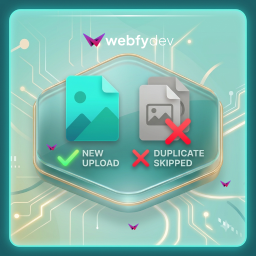
Webfydev Duplicate Media Guard helps keep your WordPress Media Library clean by preventing duplicate file uploads.
The plugin checks whether a file already exists before it is uploaded. You can choose to compare files using their complete filename (including extension) or compare only the filename while ignoring the extension.
For example:
logo.pngandlogo.pngDuplicatelogo.pngandlogo.jpgDuplicate (when extension check is disabled)banner.webpandbanner.webpDuplicate
This helps eliminate unnecessary duplicate files, reduces media library clutter, and saves server storage.
Features
- Prevent duplicate media uploads automatically.
- Compare filenames with extension.
- Compare filenames without extension.
- Simple settings page.
- Lightweight and easy to use.
- Works with the default WordPress Media Uploader.
- No impact on existing media files.
- No configuration required after activation (default settings available).
How It Works
- Upload a file through the WordPress Media Library.
- The plugin checks if a matching filename already exists.
- If a duplicate is found, the upload is skipped.
- A notice is displayed informing you that the file already exists.
Screenshots


Installation
Modern Installation
- Go to WordPress Dashboard Plugins Add New Plugin.
- Search for Webfydev Duplicate Media Guard.
- Click Install Now.
- Activate the plugin.
Manual Installation
- Upload the plugin folder to the
/wp-content/plugins/directory. - Go to Plugins in your WordPress dashboard.
- Activate Webfydev Duplicate Media Guard.
FAQ
-
What is considered a duplicate?
-
A duplicate is a file whose name matches an existing media file according to your selected comparison method.
-
What happens if a duplicate is detected?
-
The upload is skipped, preventing another copy from being added to the Media Library.
-
Can I compare filenames without extensions?
-
Yes. If enabled, files like
photo.jpg,photo.png, andphoto.webpare considered duplicates because they share the same filename. -
Does this affect existing media files?
-
No. The plugin only checks files during upload. Existing media files remain unchanged.
-
Does this work with all media types?
-
Yes. The plugin works with all media types supported by WordPress.
-
Is the plugin lightweight?
-
Yes. It performs a simple duplicate check during upload and does not add unnecessary overhead.
Rezensionen
Zu diesem Plugin liegen noch keine Rezensionen vor.
Mitwirkende und Entwickler
„Webfydev Duplicate Media Guard“ ist Open-Source-Software. Folgende Menschen haben an diesem Plugin mitgewirkt:
Mitwirkende

Übersetze „Webfydev Duplicate Media Guard“ in deine Sprache.
Interessiert an der Entwicklung?
Durchstöbere den Code, sieh dir das SVN-Repository an oder abonniere das Entwicklungsprotokoll per RSS.
Änderungsprotokoll
1.0.0
- Initial release.
- Prevent duplicate media uploads.
- Option to compare filenames with file extensions.
- Option to compare filenames without file extensions.
- Added admin settings page.
- Added duplicate upload detection notice.
- Lightweight and optimized for WordPress Media Library.