Zum Inhalt springen
WordPress.org

Deutsch

  • Themes
  • Plugins
  • News
  • Support
  • Über
    • Learn WordPress
    • Documentation (en)
    • Foren
    • Developers (en)
    • WordPress.tv
  • Meetups
  • Mitmachen
  • FAQ
  • Hol dir WordPress
Hol dir WordPress
WordPress.org

Plugin Directory

WP ShareX

  • Ein Plugin einreichen
  • Meine Favoriten
  • Anmelden
  • Ein Plugin einreichen
  • Meine Favoriten
  • Anmelden

Dieses Plugin ist nicht mit den jüngsten 3 Hauptversionen von WordPress getestet worden. Es wird möglicherweise nicht mehr gewartet oder unterstützt und kann Kompatibilitätsprobleme haben, wenn es mit neueren Versionen von WordPress verwendet wird.

WP ShareX

Von joomdev
Herunterladen
  • Details
  • Rezensionen
  • Installation
  • Entwicklung
Support

Beschreibung

WP ShareX is an advanced WordPress Social Share plugin enables you to add social share buttons on Posts and pages. You can assign buttons on Top of the Content, Bottom of the Content, Sidebar and on media.

Features of WP Social Share by JoomDev
1. 24 Social Network
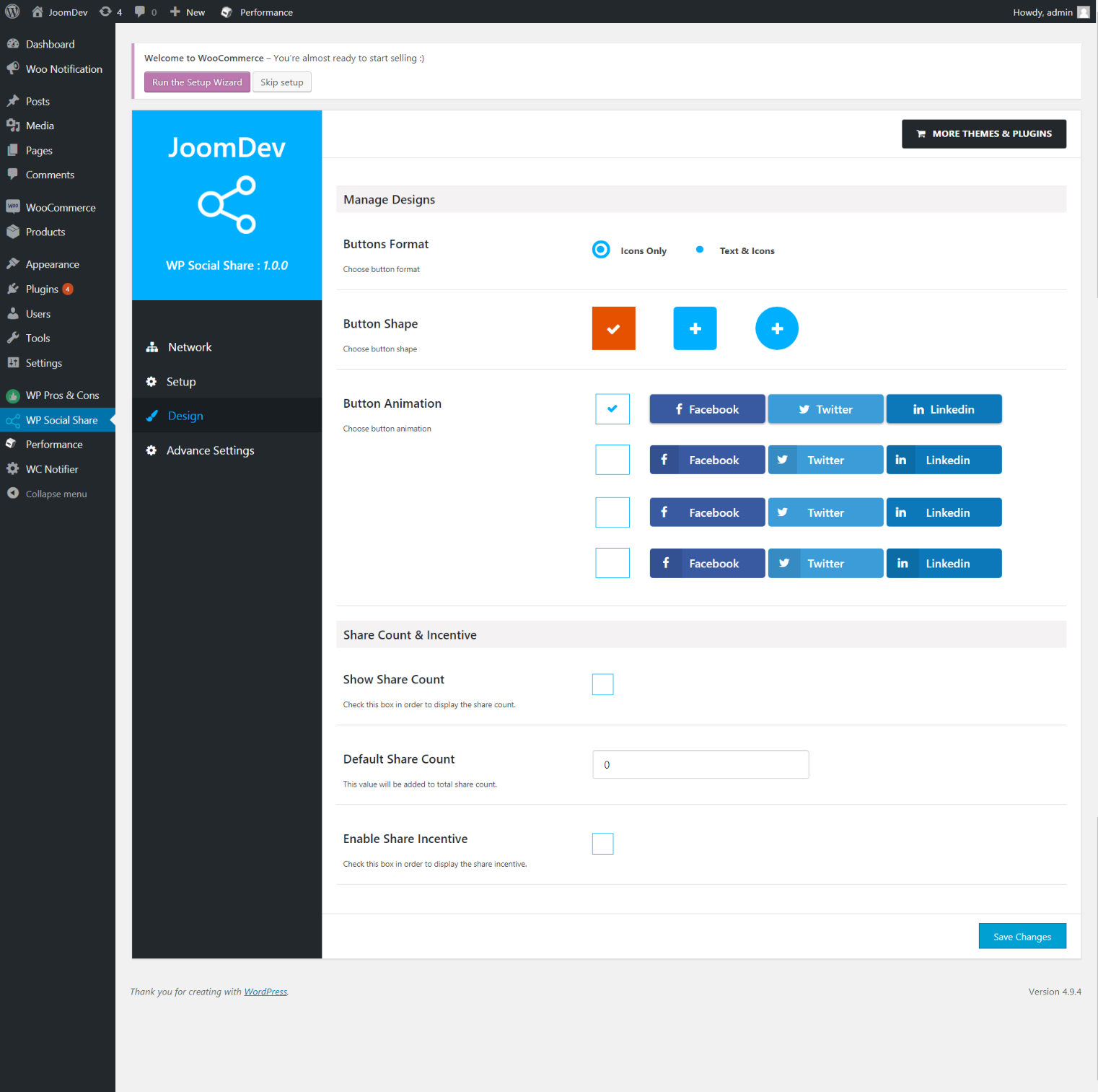
2. You have the option to select either Icons or Icons with Text
3. 3 Button Shapes
4. 4 Button Animations
5. URL Shortening Option with Bitly and Goo.gl
6. Embed Twitter Handle and desired tags with Tweet
7. 4 Button display Location e.i. Top of the Content, Bottom of the content, Media, and Sidebar
8. Hide On Mobile Ability
9. Default Share Count Option. (You can play with your user’s mind)
10. Encourage your Audience to share your content with Share Incentive Feature

Screenshots
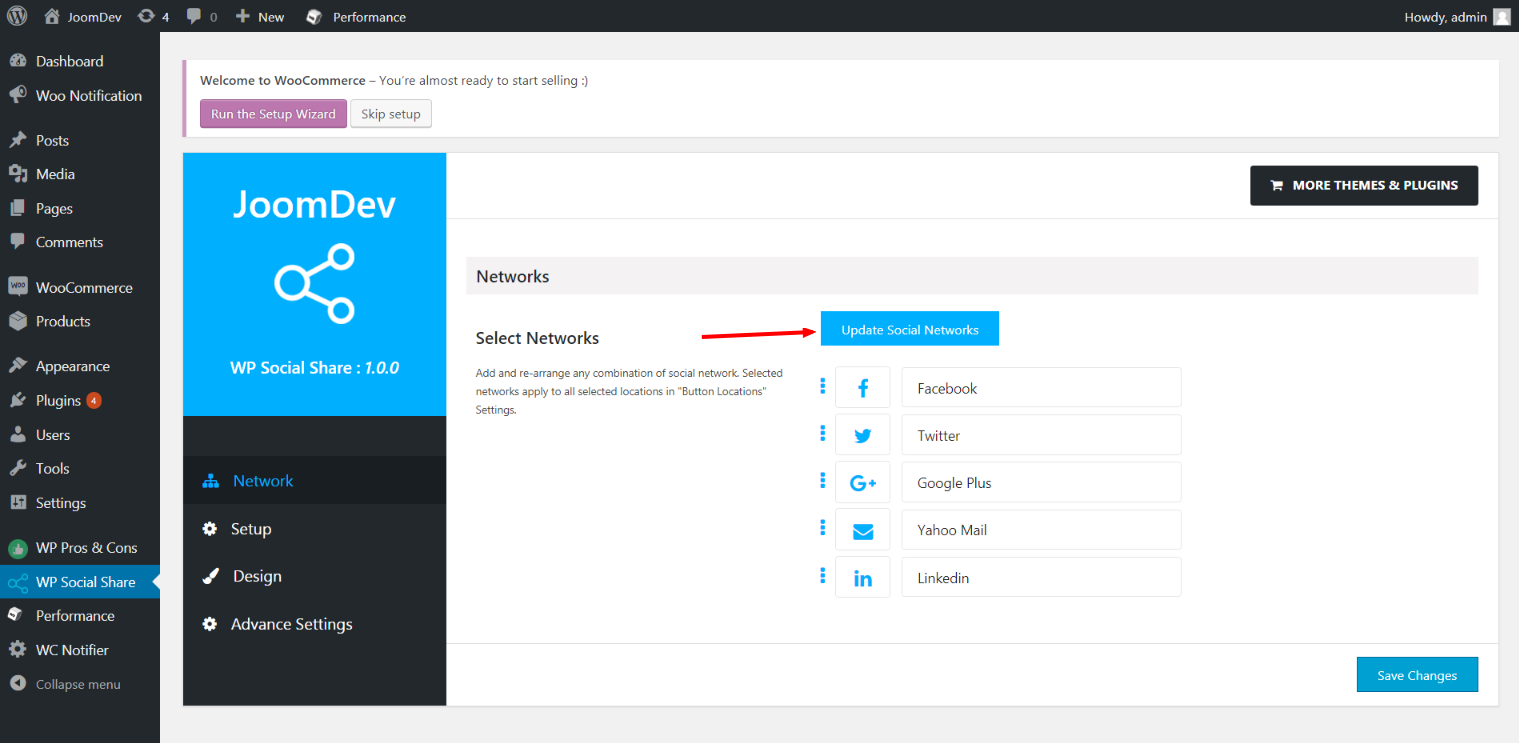
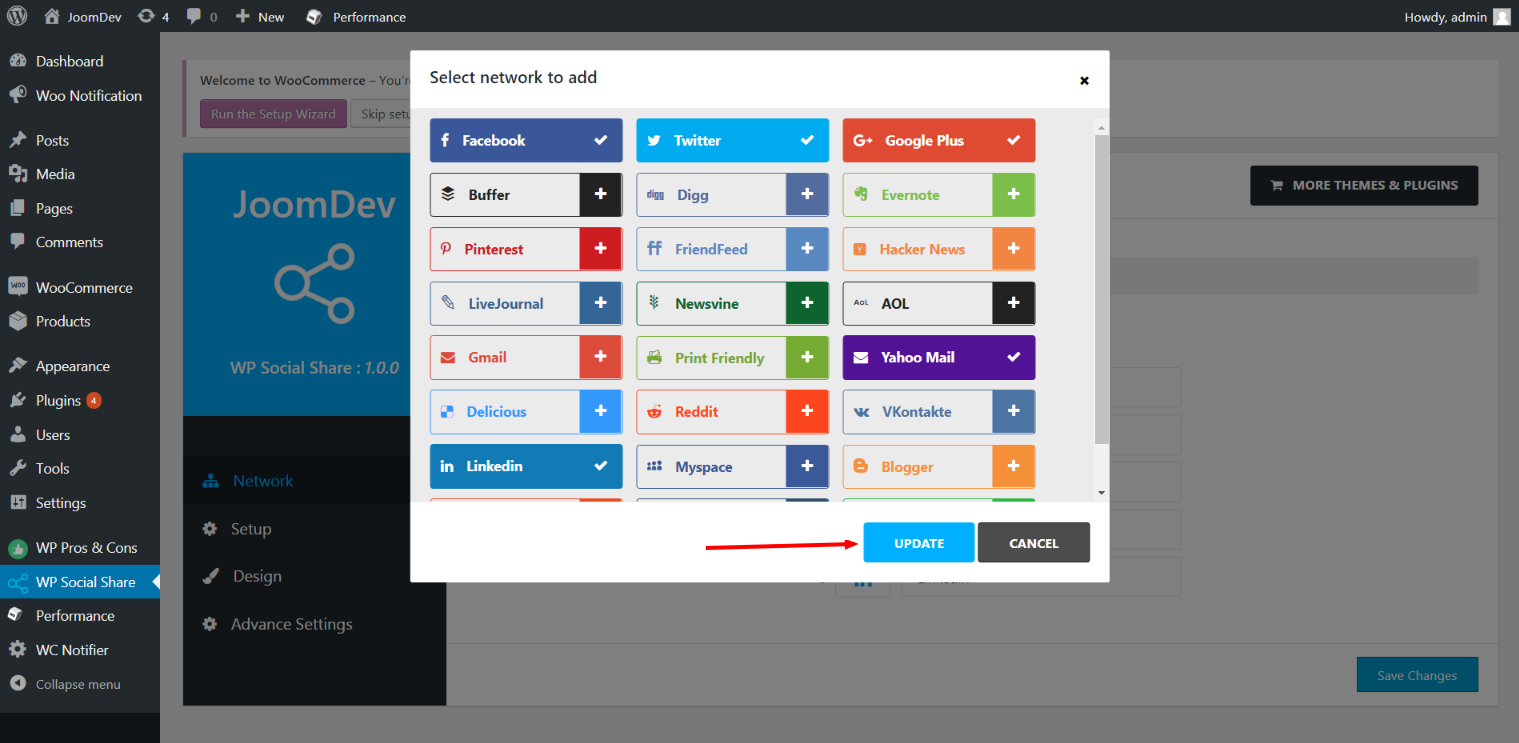
  • Click here to select networks
  • Update networks after selecting them.
  • Setup plugin and api settings.
  • Select any design to display the buttons.
  • For mobile

Installation

Way 1:
1. Upload joomdev-wp-social-share.zip to the /wp-content/plugins/ directory
2. Extract the zip file.
3. Activate the plugin from wordpress plugins page. And you have done.

Way 2:
1. Go to plugins page in admin.
2. Click on Add New button.
3. Search for „WP ShareX“.
4. Click install on WP Social Share.
5. Activate the plugin.

FAQ

Installation Instructions

Way 1:
1. Upload joomdev-wp-social-share.zip to the /wp-content/plugins/ directory
2. Extract the zip file.
3. Activate the plugin from wordpress plugins page. And you have done.

Way 2:
1. Go to plugins page in admin.
2. Click on Add New button.
3. Search for „WP ShareX“.
4. Click install on WP Social Share.
5. Activate the plugin.

How do I use this plugin?

See description.

Rezensionen

Excellent!

Arnab Mohapatra 16. März 2018 1 Antwort
Incredible plugin. It allows to add any sharing button on the page simply and fast!
Die 1 Rezension lesen

Mitwirkende und Entwickler

„WP ShareX“ ist Open-Source-Software. Folgende Menschen haben an diesem Plugin mitgewirkt:

Mitwirkende
  • joomdev

Übersetze „WP ShareX“ in deine Sprache.

Interessiert an der Entwicklung?

Durchstöbere den Code, sieh dir das SVN-Repository an oder abonniere das Entwicklungsprotokoll per RSS.

Änderungsprotokoll

1.0.0

  • New Plugin initialized.

Meta

  • Version 1.0.0
  • Zuletzt aktualisiert vor 8 Jahren
  • Aktive Installationen 10+
  • WordPress-Version 3.0 oder höher
  • Getestet bis 4.9.29
  • Sprache
    English (US)
  • Schlagwörter
    sharesocialsocial share
  • Erweiterte Ansicht

Bewertungen

5 von 5 Sternen.
  • 1 5-Sterne-Rezension 5 Sterne 1
  • 0 4-Sterne-Rezensionen 4 Sterne 0
  • 0 3-Sterne-Rezensionen 3 Sterne 0
  • 0 2-Sterne-Rezensionen 2 Sterne 0
  • 0 1-Sterne-Rezensionen 1 Stern 0

Your review

Alle Rezensionen anzeigen

Mitwirkende

  • joomdev

Support

Möchtest du etwas mitteilen? Brauchst du Unterstützung?

Support-Forum anzeigen

Spenden

Möchtest du die Weiterentwicklung dieses Plugins unterstützen?

Für dieses Plugin spenden

  • Über
  • News
  • Hosting (engl.)
  • Datenschutz
  • Showcase (engl.)
  • Themes
  • Plugins
  • Vorlagen
  • Learn
  • Support
  • Entwicklung (engl.)
  • WordPress.tv ↗
  • Mitwirken (engl.)
  • Veranstaltungen
  • Spenden (engl.) ↗
  • Five for the Future (engl.)
  • WordPress.com ↗
  • Matt (engl.) ↗
  • bbPress (engl.) ↗
  • BuddyPress (engl.) ↗
WordPress.org
WordPress.org

Deutsch

  • Das X-Konto (früher Twitter) von WordPress.org besuchen
  • Das Bluesky-Konto von WordPress.org besuchen
  • Das Mastodon-Konto von WordPress.org besuchen
  • Das Threads-Konto von WordPress.org besuchen
  • Die Facebook-Seite von WordPress.org besuchen
  • Das Instagram-Konto von WordPress.org besuchen
  • Das LinkedIn-Konto von WordPress.org besuchen
  • Das TikTok-Konto von WordPress.org besuchen
  • Den YouTube-Kanal von WordPress.org besuchen
  • Das Tumblr-Konto von WordPress.org besuchen
Code ist Poesie.
The WordPress® trademark is the intellectual property of the WordPress Foundation.